Bluetouch™
Bluetouch™
ダウンロード: App Store

このページはアプリまたはその開発者の公式ページではなく、情報提供および論評を目的として作成された独立した編集出版物です。明示的に別段の記載がない限り、アプリおよびその開発者は、MWM、Apple、Google Play、アプリのパブリッシャー、またはアプリの開発者と提携、承認、後援、認可、またはその他の公式的な関係はなく、このページのいかなる内容も、アプリがMWMのサービスを使用して開発されたことを意味するものではありません。すべての商標、ロゴ、スクリーンショット、その他のコンテンツはそれぞれの所有者の財産です。


ロゴ: Bluetouch™
ダウンロード: App Store

Bluetouch™

ソフトウェアインストール一切不要で、デバイスをプロ仕様のトラックパッド&キーボードに。カスタムレイアウト、ショートカットマクロ、内蔵マウスクリッカーでPC、Mac、スマートTVを簡単に操作。

主要数値

ダウンロード

4K+

ユーザー評価

2.6/5

評価数

0

開発元

Raymond Jones

カテゴリ

Utilities

対応言語

1

最新バージョン

1.0.101

サイズ

96.2 MB

リリース日

2022年5月12日
機能

手のひらの中の完全なコントロール

iPhoneまたはiPadを、PC、Mac、スマートTV、またはゲーミングセットアップ用のパワフルでソフトウェア不要なコントローラーに変えましょう。

シームレスなソフトウェア不要セットアップ

デスクトップドライバ不要で、セキュアなBluetooth経由で直接接続 — 法人向けラップトップやミニマルなデスクに最適です。

プロフェッショナルなカスタムレイアウト

Steam Deckゲーミングから複雑なクリエイティブワークフローまで、あらゆるものに対応するオーダーメイドのリモコンとワンタップマクロショートカットをデザイン。

以下のスクリーンショットと説明は、アプリの公式ストアリスティングから直接取得されたものであり、アプリ開発者の所有物です。

アプリストア

スクリーンショット
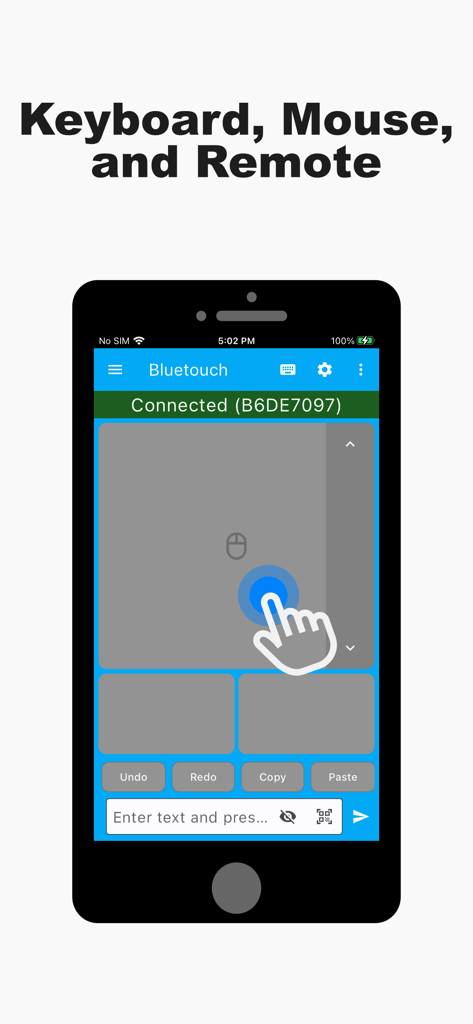
Bluetouch™ - Bluetouchアプリのインターフェース。スマートフォンが仮想トラックパッドとリモートマウスとして使用されている様子を表示
Bluetouchアプリのインターフェース。スマートフォンが仮想トラックパッドとリモートマウスとして使用されている様子を表示

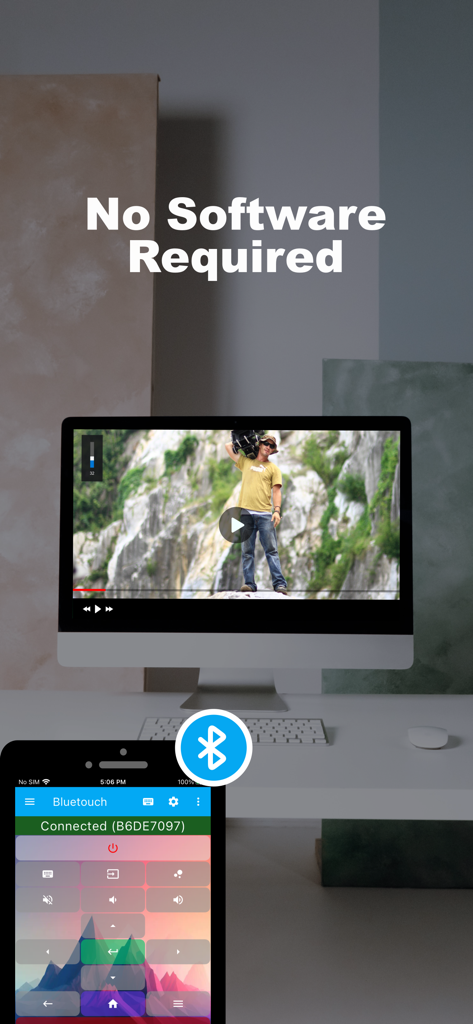
Bluetouch™ - Bluetouchアプリを使用して、ソフトウェアをインストールせずにコンピュータのビデオをリモート制御するiPhone
Bluetouchアプリを使用して、ソフトウェアをインストールせずにコンピュータのビデオをリモート制御するiPhone

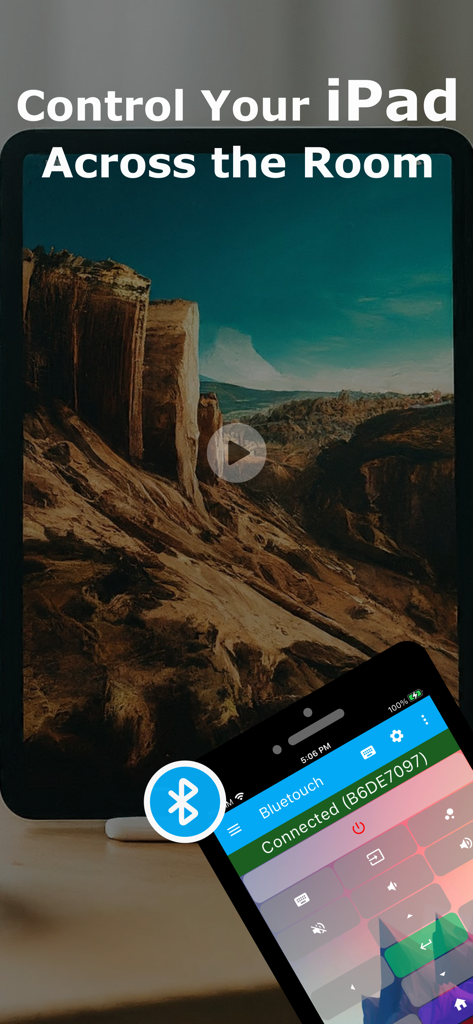
Bluetouch™ - スマートフォン上のBluetouchアプリ。iPadのリモートワイヤレスコントロールとして使用されている様子を表示
スマートフォン上のBluetouchアプリ。iPadのリモートワイヤレスコントロールとして使用されている様子を表示

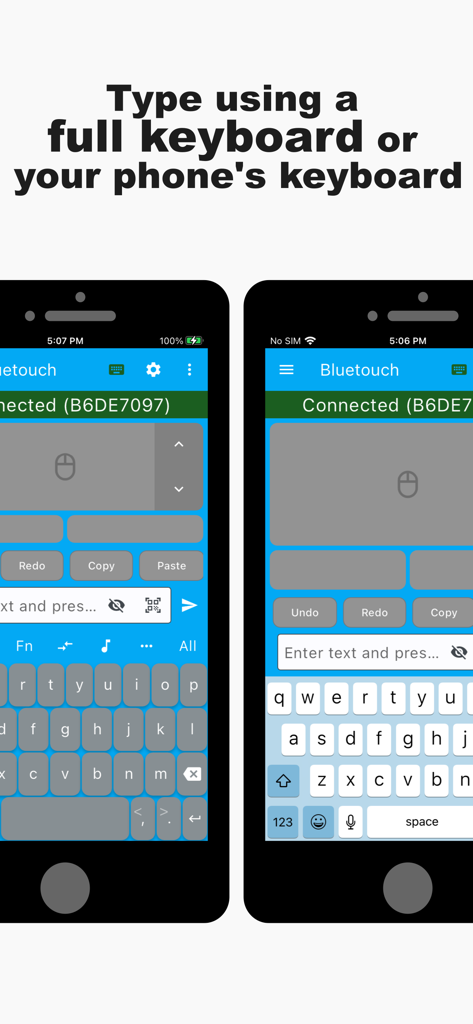
Bluetouch™ - 2つのスマホ画面。Bluetouchアプリが表示され、リモートコントロール用のカスタムおよびネイティブキーボードレイアウトが表示されている
2つのスマホ画面。Bluetouchアプリが表示され、リモートコントロール用のカスタムおよびネイティブキーボードレイアウトが表示されている

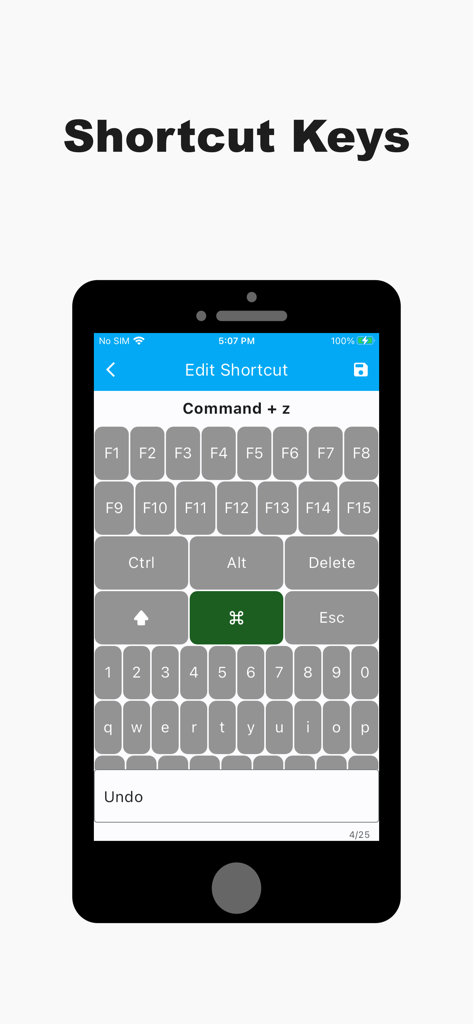
Bluetouch™ - カスタムキーボードショートカットキーを設定するためのモバイルアプリ画面

カスタムキーボードショートカットキーを設定するためのモバイルアプリ画面

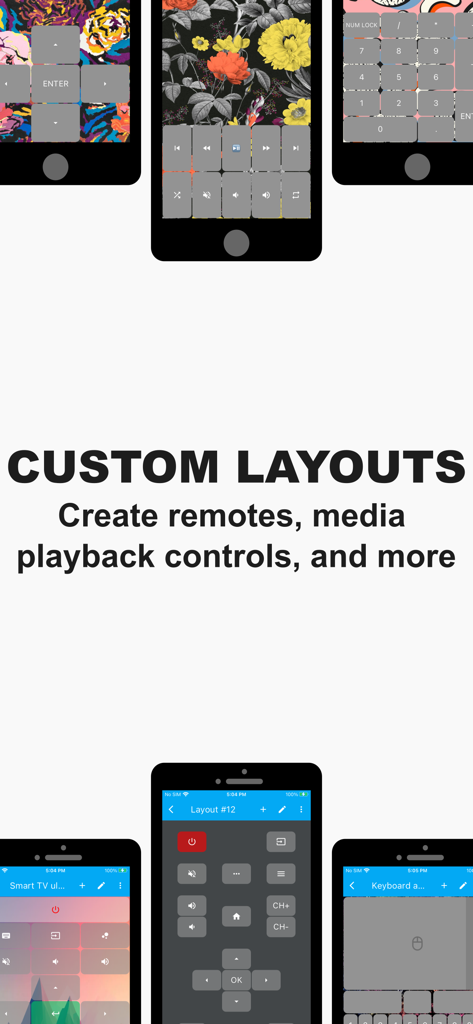
Bluetouch™ - Bluetouchアプリのスクリーンショット。カスタマイズ可能なリモコンとメディアコントロールレイアウトを表示
Bluetouchアプリのスクリーンショット。カスタマイズ可能なリモコンとメディアコントロールレイアウトを表示

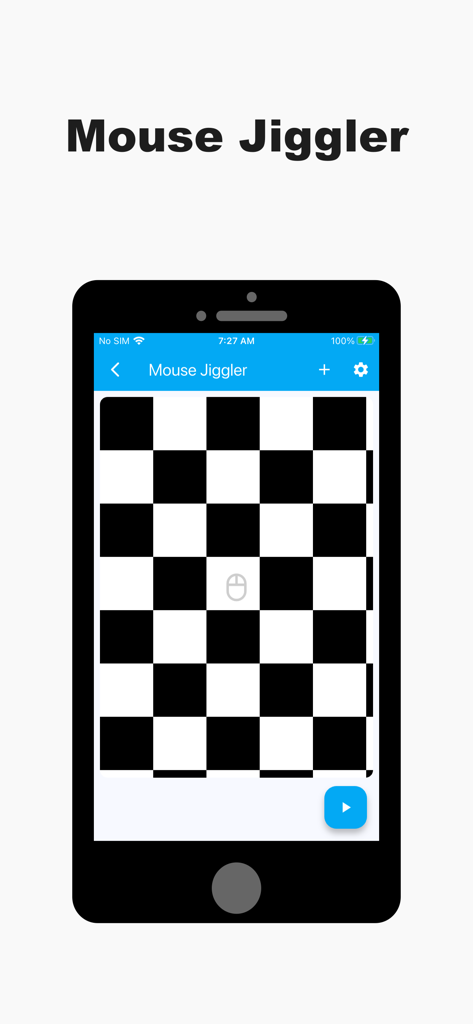
Bluetouch™ - Bluetouchアプリのマウスクリッカー画面。スマートフォン上に白黒市松模様のインターフェースを表示
Bluetouchアプリのマウスクリッカー画面。スマートフォン上に白黒市松模様のインターフェースを表示

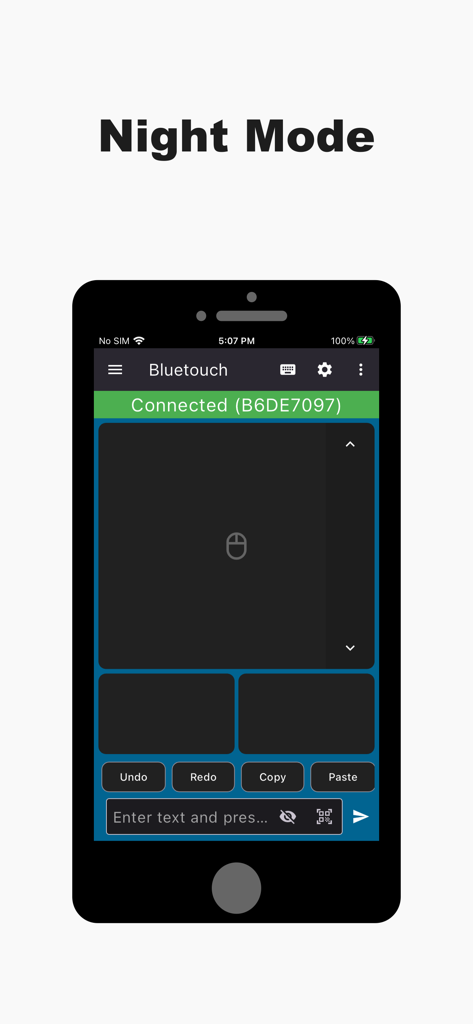
Bluetouch™ - Bluetouchアプリのインターフェース。ナイトモードのリモートトラックパッドを表示
Bluetouchアプリのインターフェース。ナイトモードのリモートトラックパッドを表示

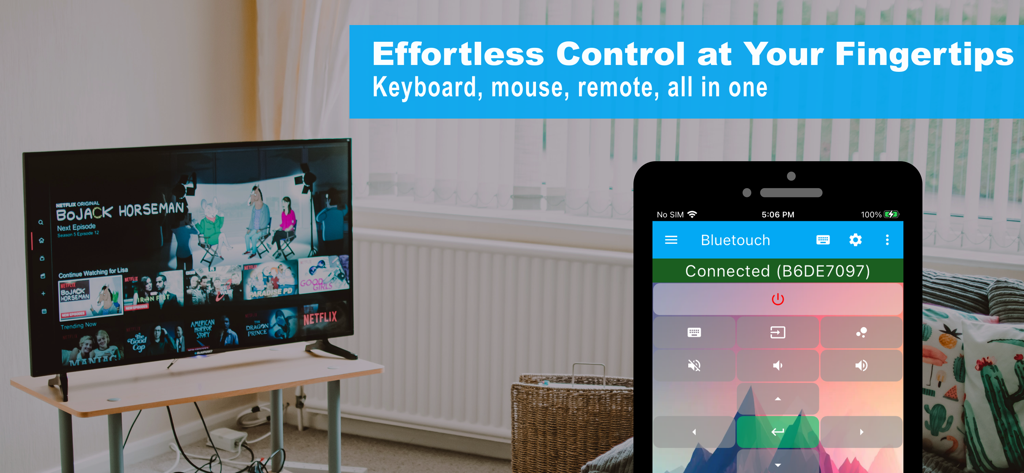
Bluetouch™ - リビングルームのスマートTVを操作するためにBluetouchアプリを使用するスマートフォン

リビングルームのスマートTVを操作するためにBluetouchアプリを使用するスマートフォン

説明

Use your device as a Bluetooth keyboard and mouse. No additional software is required. Just connect directly via a secure, private Bluetooth connection and take effortless control! The app functions as a reliable wireless keyboard, trackpad, and mouse replacement. - Trackpad: Features scrolling, left, right, and middle mouse buttons. Supports multi-touch gestures (for PRO and ELITE users). Customize scroll speed and direction for perfect navigation. - Full Keyboard: Offers a full-featured layout for remote typing, including all function keys and arrow keys. - Smart Typing: Supports familiar features like swipe gestures, text autocompletion, and speech-to-text. - Global Language Support: Easily change the keyboard layout to support dozens of different languages. - Data Transfer: Scan QR codes or barcodes and wirelessly transmit the data to your connected device. You can also copy/paste text directly into the app to send it over. Advanced Control Tools - Custom Layouts & Remotes: Unleash your creativity by designing custom layouts for any use case—create your own dedicated Smart TV remote, presentation clicker, or Steam Deck controller. Export/import layouts for easy sharing and backup. Seamlessly switch between a keyboard, media remote, and navigation layout while connected to a single device. - Shortcut Keys: Create powerful shortcuts that send up to six different keyboard keys simultaneously (e.g., a single button press for Ctrl+Alt+Delete). - Mouse Jiggler: Prevent your computer from entering sleep or standby mode during long tasks, downloads, or presentations. Perfect for Every Situation Use the app as a dedicated media remote for movies, a full-featured PC mouse and keyboard, or a backup for your existing peripherals—protecting you against them going missing, getting broken, or running out of battery. Download the app today and experience effortless control! Get connected with the Bluetouch community! Join our Discord server for tips, tricks, and discussions: https://discord.gg/5KCsWhryjd Terms of Use (EULA): https://www.apple.com/legal/internet-services/itunes/dev/stdeula/

Download

ダウンロード: App Store

このページはアプリまたはその開発者の公式ページではなく、情報提供および論評を目的として作成された独立した編集出版物です。明示的に別段の記載がない限り、アプリおよびその開発者は、MWM、Apple、Google Play、アプリのパブリッシャー、またはアプリの開発者と提携、承認、後援、認可、またはその他の公式的な関係はなく、このページのいかなる内容も、アプリがMWMのサービスを使用して開発されたことを意味するものではありません。すべての商標、ロゴ、スクリーンショット、その他のコンテンツはそれぞれの所有者の財産です。