Brew Meister: Measure & Manage
ダウンロード: App Store

このページはアプリまたはその開発者の公式ページではなく、情報提供および論評を目的として作成された独立した編集出版物です。明示的に別段の記載がない限り、アプリおよびその開発者は、MWM、Apple、Google Play、アプリのパブリッシャー、またはアプリの開発者と提携、承認、後援、認可、またはその他の公式的な関係はなく、このページのいかなる内容も、アプリがMWMのサービスを使用して開発されたことを意味するものではありません。すべての商標、ロゴ、スクリーンショット、その他のコンテンツはそれぞれの所有者の財産です。

ロゴ: Brew Meister: Measure & Manage
ダウンロード: App Store

Brew Meister: Measure & Manage

実験室グレードの精度で自家醸造をレベルアップしましょう。EasyDensおよびSmartRefとシームレスに同期して、発酵を追跡し、バッチを管理し、あらゆるデータポイントを可視化して、コンテスト準備完了の結果を得ましょう。

主要数値

ダウンロード

200

ユーザー評価

4.8/5

評価数

0

開発元

Anton Paar ConsumerTec GmbH

カテゴリ

Utilities

対応言語

12

最新バージョン

6.2.0

サイズ

67.5 MB

リリース日

2020年12月11日
機能

あなたの醸造の科学をマスターする

実験室グレードの精度をあなたのホームブリュワリーにもたらしましょう。Anton Paarのデジタル精度で発酵を監視し、バッチパフォーマンスを追跡します。

ゼロ計算の精度

手動補正表の使用をやめましょう。デバイスで直接SG、プラート、ブリックスの温度補正済み測定値を即座に入手できます。

視覚的な発酵追跡

リアルタイムグラフでビールを進化させましょう。酵母活動と比重低下を監視して、毎回目標ABVを達成しましょう。

以下のスクリーンショットと説明は、アプリの公式ストアリスティングから直接取得されたものであり、アプリ開発者の所有物です。

アプリストア

スクリーンショット
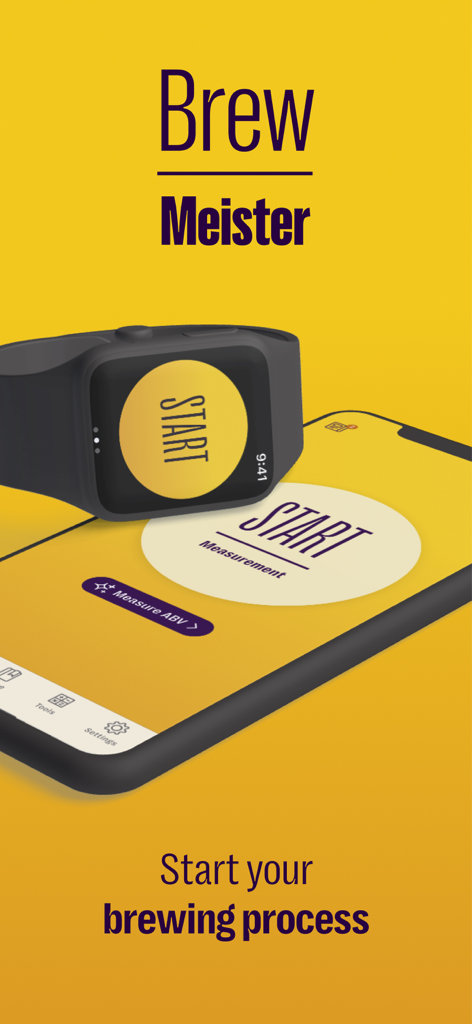
Brew Meister: Measure & Manage - Brew Meisterアプリがスマートフォンとスマートウォッチに表示され、自家醸造の開始測定画面を示しています。
Brew Meisterアプリがスマートフォンとスマートウォッチに表示され、自家醸造の開始測定画面を示しています。

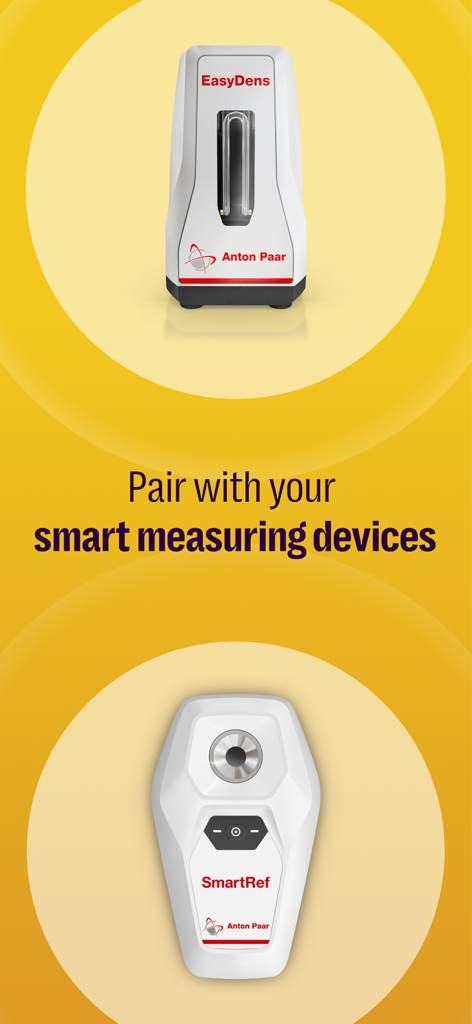
Brew Meister: Measure & Manage - Brew Meisterアプリ画面には、自家醸造用のEasyDensおよびSmartRefスマート測定デバイスが表示されています。
Brew Meisterアプリ画面には、自家醸造用のEasyDensおよびSmartRefスマート測定デバイスが表示されています。

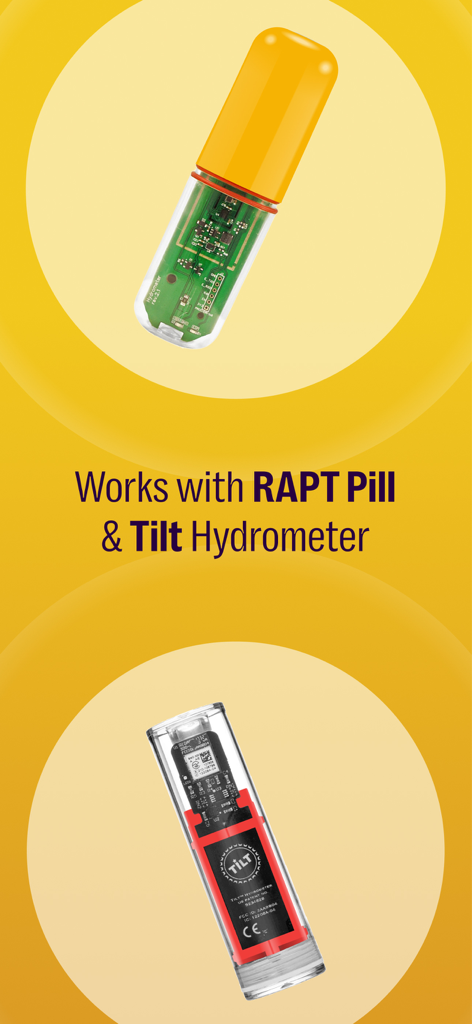
Brew Meister: Measure & Manage - Brew MeisterアプリとRAPT PillおよびTilt Hydrometerハードウェアとの連携
Brew MeisterアプリとRAPT PillおよびTilt Hydrometerハードウェアとの連携

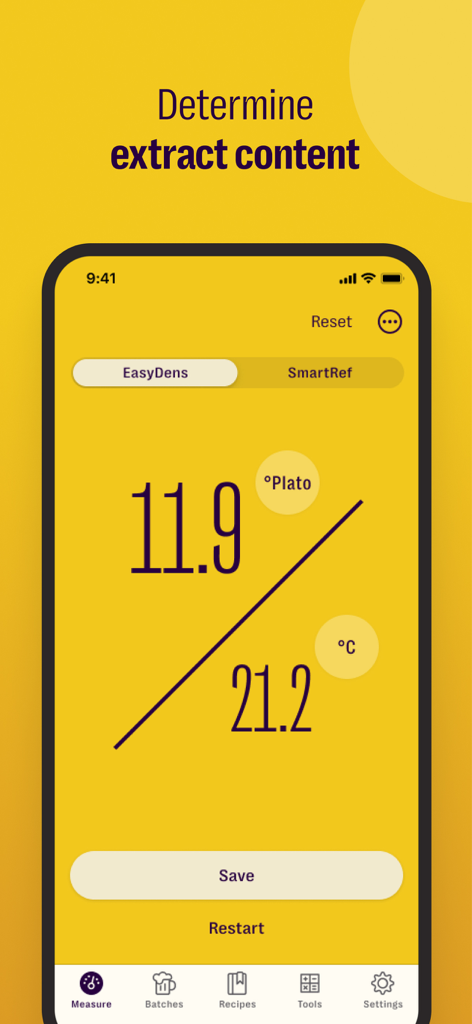
Brew Meister: Measure & Manage - Brew Meisterアプリのインターフェースには、11.9プラート度と温度測定値が表示されています。
Brew Meisterアプリのインターフェースには、11.9プラート度と温度測定値が表示されています。

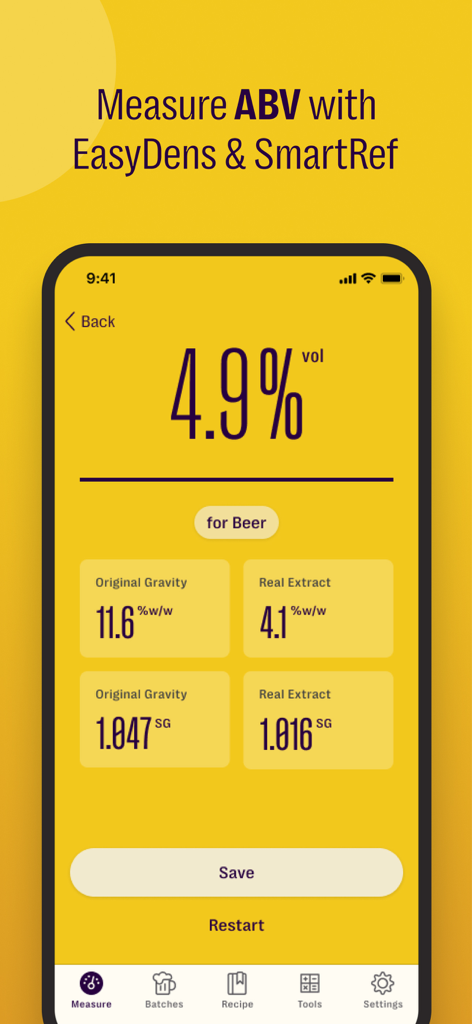
Brew Meister: Measure & Manage - Brew Meisterアプリには、アルコール度数とビールの比重測定結果が表示されています。
Brew Meisterアプリには、アルコール度数とビールの比重測定結果が表示されています。

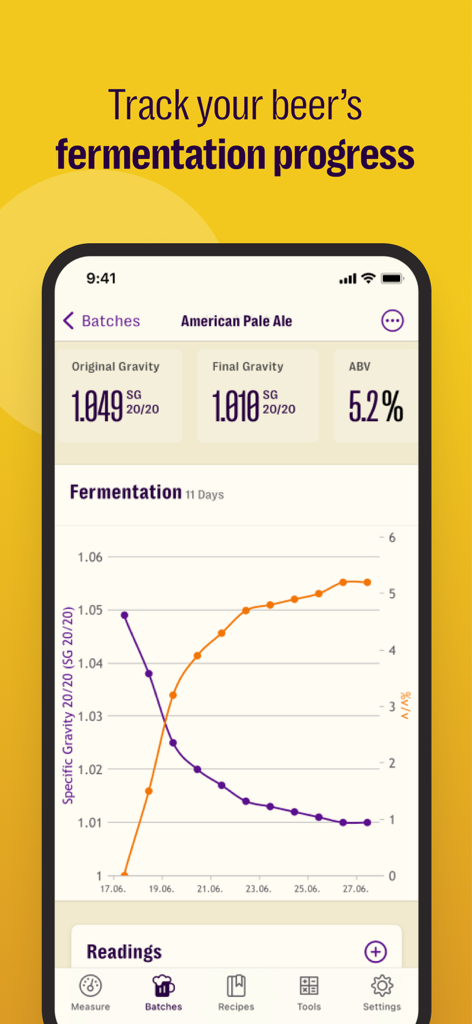
Brew Meister: Measure & Manage - Brew Meisterアプリには、アメリカンペールエールの比重とABVの指標を含む発酵進捗チャートが表示されています。
Brew Meisterアプリには、アメリカンペールエールの比重とABVの指標を含む発酵進捗チャートが表示されています。

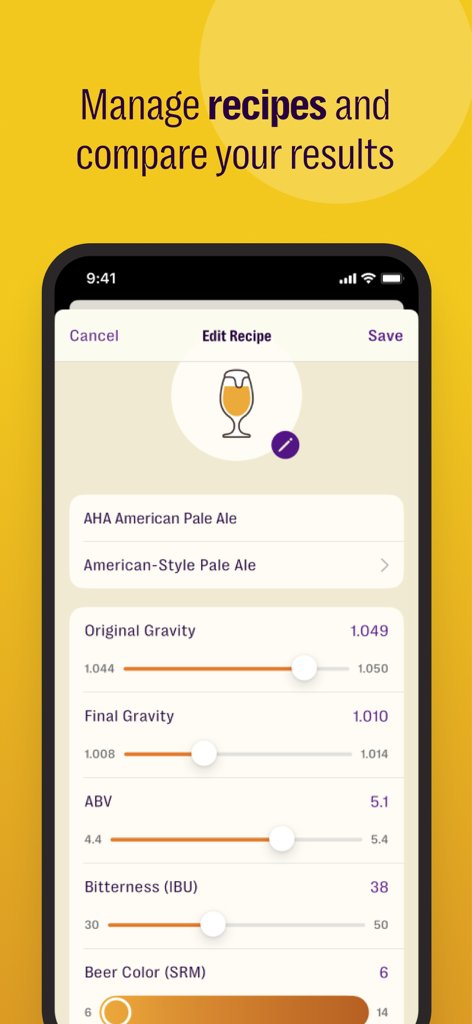
Brew Meister: Measure & Manage - Brew Meisterモバイルアプリの画面には、比重やアルコール含有量などの醸造レシピの指標が表示されています。

Brew Meisterモバイルアプリの画面には、比重やアルコール含有量などの醸造レシピの指標が表示されています。

説明

Brew Meister - Collects results from the digital density meter EasyDens or the digital refractometer SmartRef by Anton Paar. The EasyDens & SmartRef deliver highly precise results in seconds and allows you to determine the extract content of your beer. In combination with the Brew Meister app, you can monitor the fermentation process of your handcrafted beer and store the measurement results within customizable batches. The Brew Meister mobile app supports you in the management, visualization and exportation of data. FEATURES Brew Meister reports results in the following units: • Density [g/cm³] • Specific Gravity current temperature [SG] • Specific Gravity 20/20 [SG 20/20] • Specific Gravity 20/04 [SG 20/04] • Specific Gravity 15/15 [SG 15/15] • °Plato [°P] (ATC) • °Brix [°Bx] (ATC) • Alcohol Content [% ABV] • Temperature readings are reported in °Celsius [°C] or °Fahrenheit [°F]. • The concentration values shown on your phone are already temperature-corrected, so you need no further calculations and correction tables. • The EasyDens is adjusted using the app and distilled water. For density and concentration measurements, you will require an EasyDens by Anton Paar: http://www.easydens.com For refractive index readings, you will require a SmartRef by Anton Paar: http://www.my-smartref.com SUPPORT Contact us at support@easydens.com or support@my-smartref.com PRIVACY POLICY https://www.easydens.com/pages/privacy-policy https://www.my-smartref.com/policies/privacy-policy TERMS https://www.easydens.com/pages/legal-notice https://www.my-smartref.com/policies/legal-notice --- Auto-Renewable Subscription Terms: Subscriptions are billed monthly or annually at the rate selected depending on the subscription plan. The price corresponds to the same price segment, which is set in the "Apple's App Store Matrix" for other currencies. * Your free trial subscription will automatically renew to a paid subscription unless auto-renew is turned off at least 24 hours before the end of the free trial period. * Please note: any unused portion of a free trial period (if offered) will be forfeited when you purchase a premium subscription during the free trial period. * You can cancel a free trial or subscription anytime by turning off auto-renewal through your iTunes account settings. This must be done 24 hours before the end of a free trial or subscription period to avoid being charged. The cancellation will take effect the day after the last day of the current subscription period, and you will be downgraded to the free service. * Account will be charged for renewal within 24-hours before the end of the current period, and identify the cost of the renewal.

Download

ダウンロード: App Store

このページはアプリまたはその開発者の公式ページではなく、情報提供および論評を目的として作成された独立した編集出版物です。明示的に別段の記載がない限り、アプリおよびその開発者は、MWM、Apple、Google Play、アプリのパブリッシャー、またはアプリの開発者と提携、承認、後援、認可、またはその他の公式的な関係はなく、このページのいかなる内容も、アプリがMWMのサービスを使用して開発されたことを意味するものではありません。すべての商標、ロゴ、スクリーンショット、その他のコンテンツはそれぞれの所有者の財産です。








