Brow Designer
Brow Designer
ダウンロード: App Store

このページはアプリまたはその開発者の公式ページではなく、情報提供および論評を目的として作成された独立した編集出版物です。明示的に別段の記載がない限り、アプリおよびその開発者は、MWM、Apple、Google Play、アプリのパブリッシャー、またはアプリの開発者と提携、承認、後援、認可、またはその他の公式的な関係はなく、このページのいかなる内容も、アプリがMWMのサービスを使用して開発されたことを意味するものではありません。すべての商標、ロゴ、スクリーンショット、その他のコンテンツはそれぞれの所有者の財産です。

ロゴ: Brow Designer
ダウンロード: App Store

Brow Designer

高精度マッピングでPMUワークフローに革命を起こしましょう。世界で最も細部にこだわるアーティストのために設計された高度なAIを使用して、記録的な速さで完璧でパーソナライズされた形状を作成します。

主要数値

ダウンロード

2K+

ユーザー評価

1.7/5

評価数

0

開発元

SADWARE INCORPORATED

カテゴリ

Utilities

対応言語

20

最新バージョン

1.2.1

サイズ

194.9 MB

リリース日

2023年4月13日
機能

永遠の完璧さのための高精度ツール

AI駆動のスイートであなたの技術を向上させ、完璧なシンメトリーを確保し、マッピング時間を半分に短縮します。

瞬時のAI駆動マッピング

解剖学的な目頭に基づいてポイントを自動的に揃え、人間のエラーを排除し、すべての写真でレンズの歪みを補正します。

エキスパートによるスカルプティング&カスタマイズ

眉のヘッドとテールの微調整により、クライアント固有の顔の構造に完全に合わせたルックを、創造的なコントロールで実現します。

以下のスクリーンショットと説明は、アプリの公式ストアリスティングから直接取得されたものであり、アプリ開発者の所有物です。

アプリストア

スクリーンショット
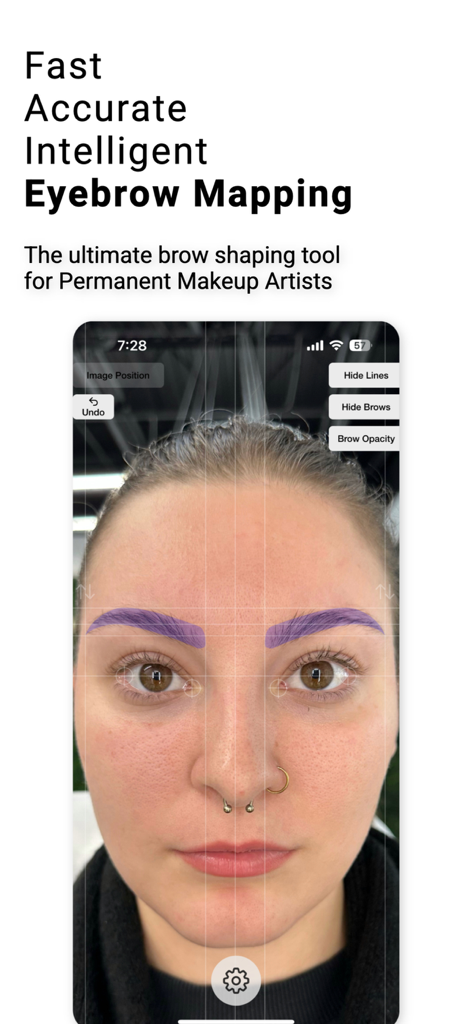
Brow Designer - 女性の顔にシンメトリーラインが表示されたAI駆動の眉マッピングを示すBrow Designerアプリのインターフェース
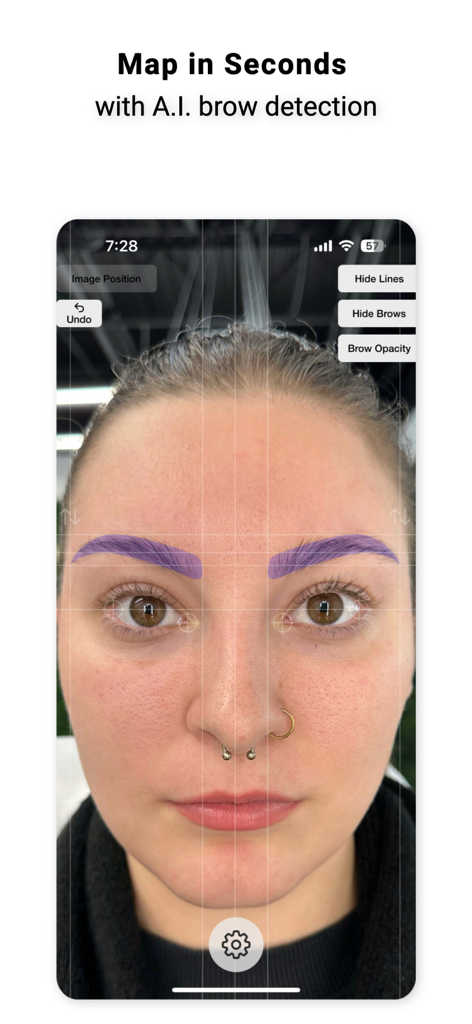
女性の顔にシンメトリーラインが表示されたAI駆動の眉マッピングを示すBrow Designerアプリのインターフェース

Brow Designer - 顔のプロフェッショナルAI眉マッピングツールインターフェース

顔のプロフェッショナルAI眉マッピングツールインターフェース
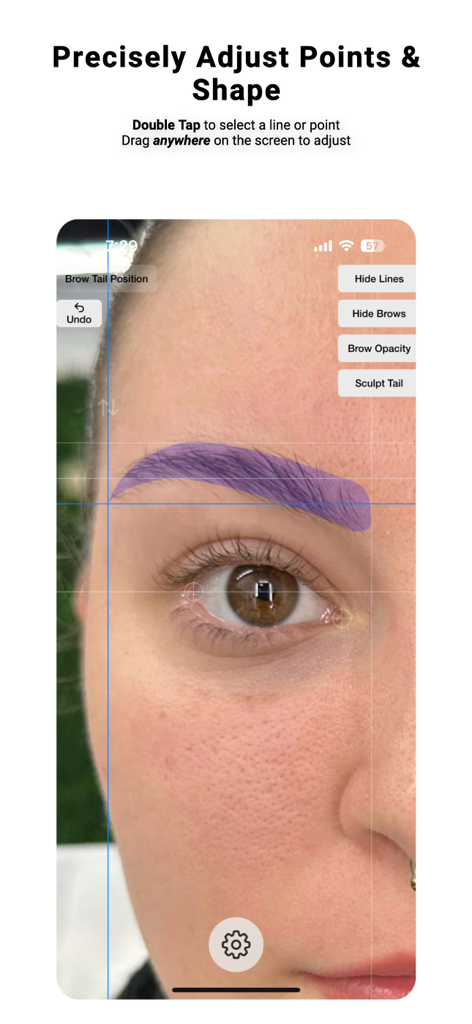
Brow Designer - 人物の顔に正確な眉マッピングと形状調整を示すBrow Designerアプリのインターフェース
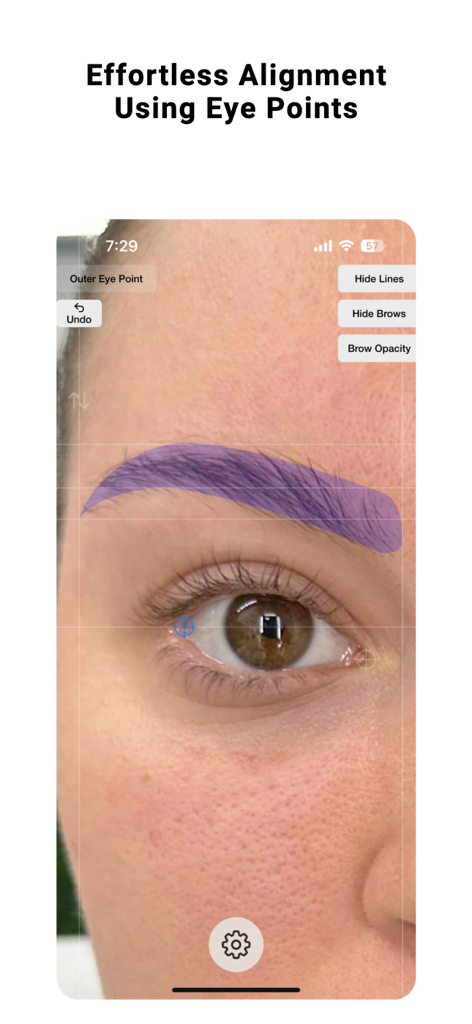
人物の顔に正確な眉マッピングと形状調整を示すBrow Designerアプリのインターフェース

Brow Designer - 目のポイントを使用した眉の配置のためのBrow Designerアプリインターフェース
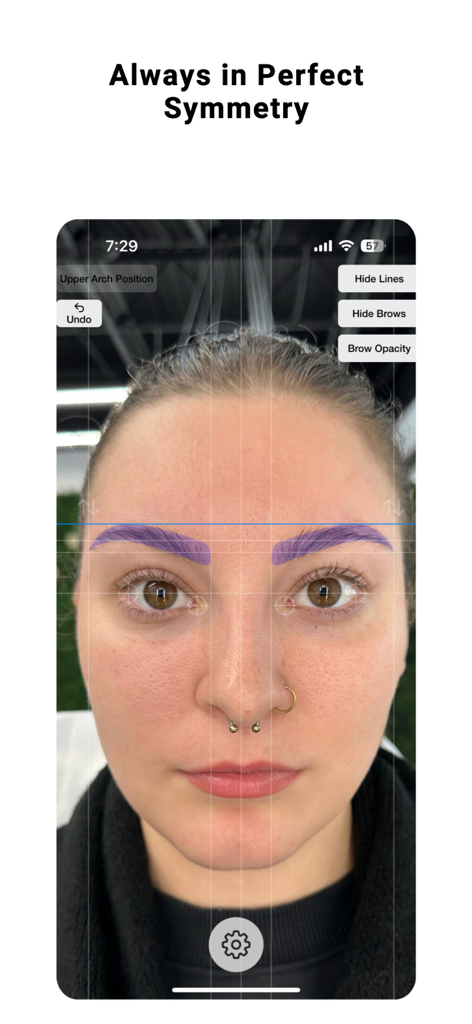
目のポイントを使用した眉の配置のためのBrow Designerアプリインターフェース

Brow Designer - クライアントの顔にAI駆動のシンメトリーな眉デザインを示すプロフェッショナル眉マッピングアプリ
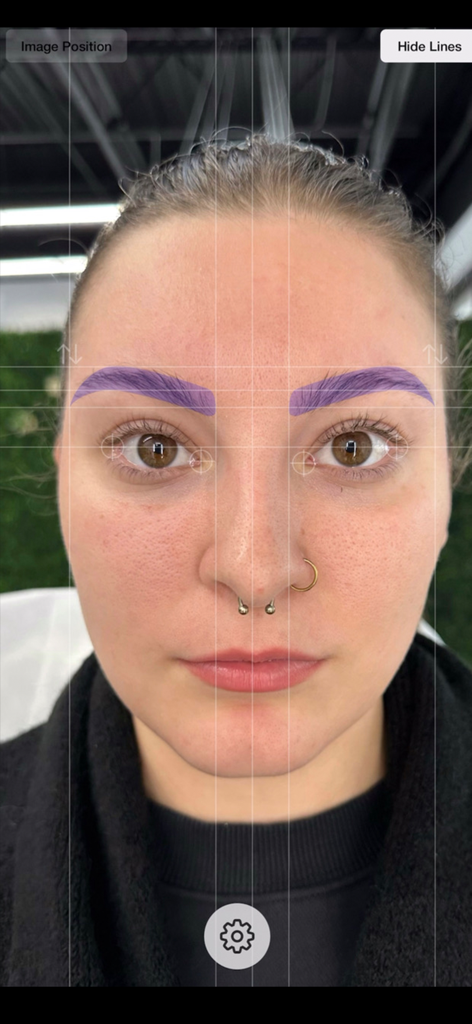
クライアントの顔にAI駆動のシンメトリーな眉デザインを示すプロフェッショナル眉マッピングアプリ

Brow Designer - 顔にシンメトリーグリッドラインと紫色の眉オーバーレイを示すプロフェッショナル眉マッピングアプリ

顔にシンメトリーグリッドラインと紫色の眉オーバーレイを示すプロフェッショナル眉マッピングアプリ

説明

After years of meticulous research and development, we are excited to introduce Brow Designer, the ultimate brow shaping tool. Our app is designed based on workflows and experience of the world's greatest Permanent Makeup artists with the goal of helping you create the best possible brows in record time. Our AI-powered app quickly and automatically maps eyebrows onto a face, then allows you to customize the size, shape, and position to create your desired look. With Brow Designer, you'll enjoy expert-level brow shaping that's personalized, accurate, and effortless. Unlike previous attempts at brow map apps that were frustrating, tricky, and time-consuming to use, Brow Designer was built from the ground up to be a user-friendly and blazing-fast addition to your Permanent Makeup workflow. However, we value your feedback and want to hear from you about how we can make this app even better. We are committed to making continuous improvements and learning from you, the professional brow designer. Please feel free to reach out to us with any questions or feedback. We look forward to hearing from you. User Interface & Controls: - Press & hold the gear button to get started. Once you have held long enough, your phone will vibrate and you can release. Releasing will open the menu and allow you to select a photo or open your camera - Once an image is loaded, you can move it by dragging it and zoom by pinching - Quickly Double Tap on a line or point to select it - The selected line or point will show in blue - Drag anywhere on the screen to adjust the selected point or line. This allows you to drag the position without obstructing it's location with your finger. - Single tap to unselect or simply double tap on a different line to change the selection - In the top right, you can press the Hide Lines button to show only the brows created. Tap it again to show the lines again. - If you select either the head or tail of the brow, a bonus button will be displayed in the top right that will say "Sculpt Head" or "Sculpt Tail". Clicking this will change the controls to allow for reshaping or the heads and tails to get the shape just right. - The up and down arrows above each brow will allow you to individually adjust the vertical position of each brow individually and separately How Automatic Mapping Works: Brow Designer uses Artificial Intelligence-based image analysis to automatically align the image and map brow points. The rotation of the image is determined by aligning the outermost corners of each eye so that they are in line. This is because subjects will subconsciously use the outer eye corners as reference points when looking at themselves in a mirror or image. This method is the most reliable because no face is absolutely symmetrical, so using features such as ears, nose, or distance can be misleading. The center point of the brow map is then identified by finding the distance between the two inner points of the eyes for the same reason. If the App doesn't do this perfectly, the eye points can be adjusted manually. Simply double-tap on the crosshairs near the eyes and drag them to their appropriate positions to adjust rotation and the brow center point. Tips: For best results, the subject should be maskless, sitting or standing with their eyes open and a neutral facial expression. The entire face and head of the subject should be surrounded by empty space because lens distortion affects the outer section of the image the most. You can find the terms of use here: https://www.apple.com/legal/internet-services/itunes/dev/stdeula/ SADWARE INCORPORATED is a one-human software company located in the great state of Texas.

Download

ダウンロード: App Store

このページはアプリまたはその開発者の公式ページではなく、情報提供および論評を目的として作成された独立した編集出版物です。明示的に別段の記載がない限り、アプリおよびその開発者は、MWM、Apple、Google Play、アプリのパブリッシャー、またはアプリの開発者と提携、承認、後援、認可、またはその他の公式的な関係はなく、このページのいかなる内容も、アプリがMWMのサービスを使用して開発されたことを意味するものではありません。すべての商標、ロゴ、スクリーンショット、その他のコンテンツはそれぞれの所有者の財産です。








