Business Card Maker : Creator
ダウンロード: App Store

このページはアプリまたはその開発者の公式ページではなく、情報提供および論評を目的として作成された独立した編集出版物です。明示的に別段の記載がない限り、アプリおよびその開発者は、MWM、Apple、Google Play、アプリのパブリッシャー、またはアプリの開発者と提携、承認、後援、認可、またはその他の公式的な関係はなく、このページのいかなる内容も、アプリがMWMのサービスを使用して開発されたことを意味するものではありません。すべての商標、ロゴ、スクリーンショット、その他のコンテンツはそれぞれの所有者の財産です。


ロゴ: Business Card Maker : Creator
ダウンロード: App Store

Business Card Maker : Creator

ソロプレナーや中小企業向けに調整された1,000以上のプレミアムテンプレートで際立ちましょう。デザイナー不要で、数秒でQRコード付きの高解像度デザインを作成、カスタマイズ、エクスポートできます。

主要数値

ダウンロード

43K+

ユーザー評価

4.8/5

評価数

100

開発元

Shubham Bodar

カテゴリ

Graphics & Design

対応言語

31

最新バージョン

1.23

サイズ

137.0 MB

リリース日

2021年9月29日
機能

数分でプロフェッショナルなブランドを構築

現代の起業家のために設計されたプロレベルのツールでビジネスを強化しましょう。副業から確立された代理店まで、永続的な印象を残すインパクトのあるカードを作成します。

即座のプロフェッショナリズム

デザイナーは不要です。1,000以上の業界固有のテンプレートから選択し、60秒未満でプロフィールのアイデンティティをカスタマイズしてください。

スマートQR連携

物理とデジタルのギャップを埋めましょう。カスタムQRコードを追加して、クライアントをウェブサイト、ポートフォリオ、またはLinkedInプロフィールに即座にリンクします。

以下のスクリーンショットと説明は、アプリの公式ストアリスティングから直接取得されたものであり、アプリ開発者の所有物です。

アプリストア

スクリーンショット
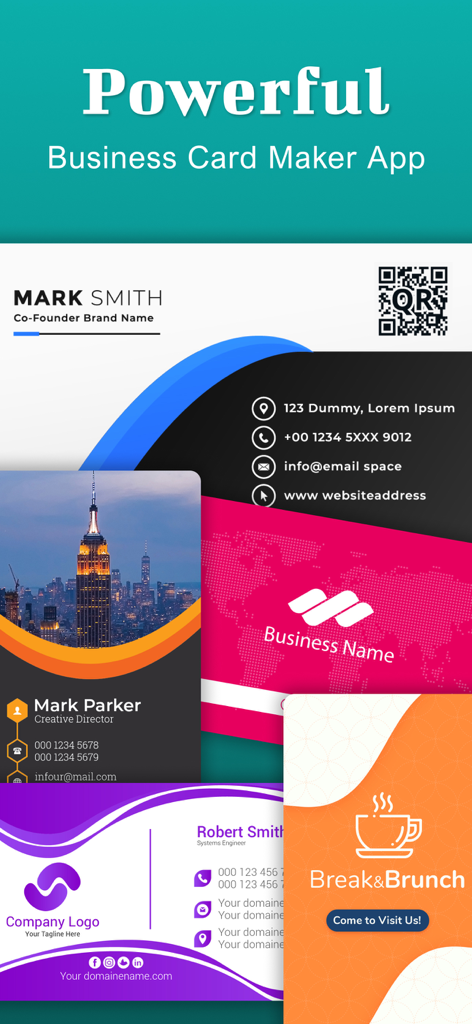
Business Card Maker : Creator - QRコード連携を含む、さまざまなスタイルと色のプロフェッショナルな名刺テンプレートの数々。
QRコード連携を含む、さまざまなスタイルと色のプロフェッショナルな名刺テンプレートの数々。

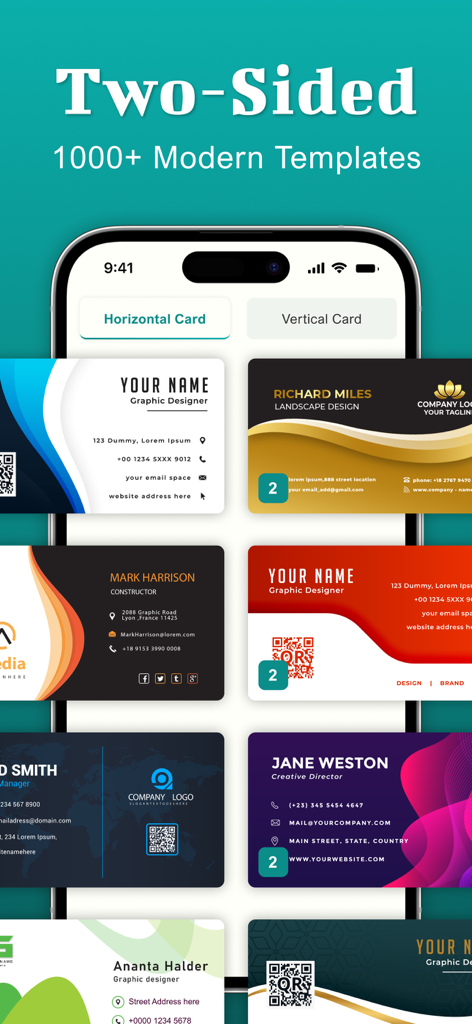
Business Card Maker : Creator - モダンな両面名刺テンプレートの数々を示すモバイルアプリ画面。

モダンな両面名刺テンプレートの数々を示すモバイルアプリ画面。

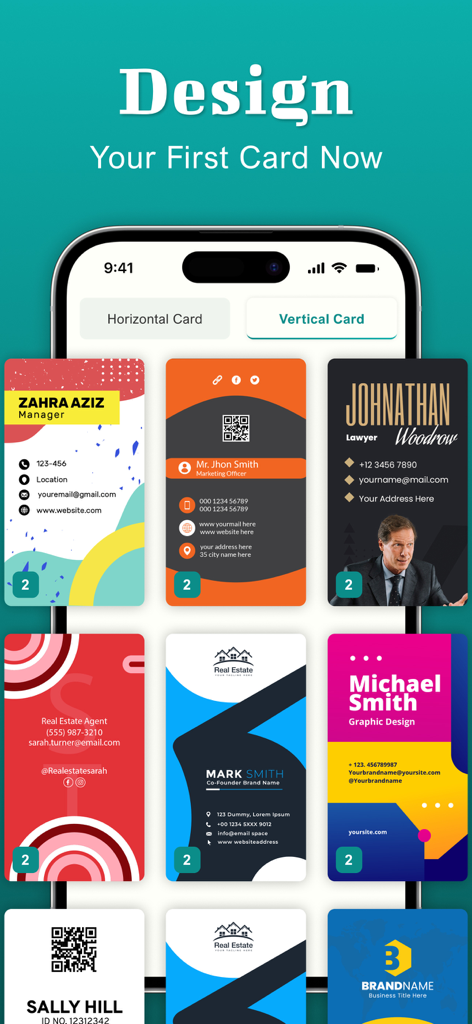
Business Card Maker : Creator - iPhoneに表示されたさまざまな縦型名刺デザインテンプレートの名刺メーカーアプリのインターフェイス
iPhoneに表示されたさまざまな縦型名刺デザインテンプレートの名刺メーカーアプリのインターフェイス

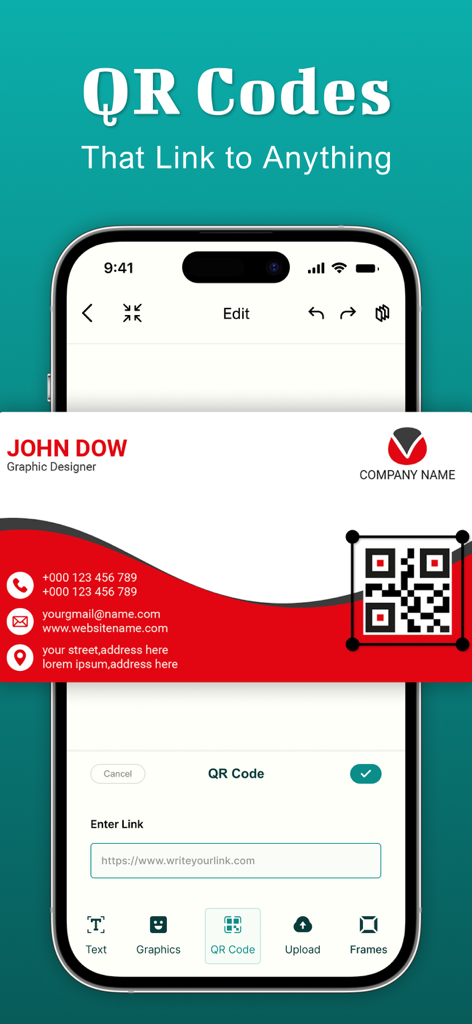
Business Card Maker : Creator - アプリ内で名刺デザインにカスタムQRコードを追加するプロセスを示すインターフェイス
アプリ内で名刺デザインにカスタムQRコードを追加するプロセスを示すインターフェイス

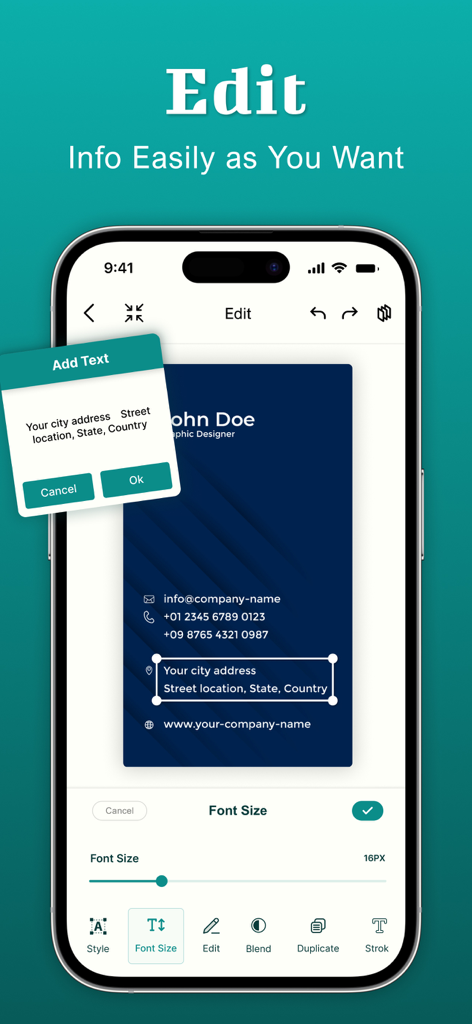
Business Card Maker : Creator - 名刺メーカーアプリのテキスト編集およびフォントサイズカスタマイズインターフェイスを示すスマートフォン
名刺メーカーアプリのテキスト編集およびフォントサイズカスタマイズインターフェイスを示すスマートフォン

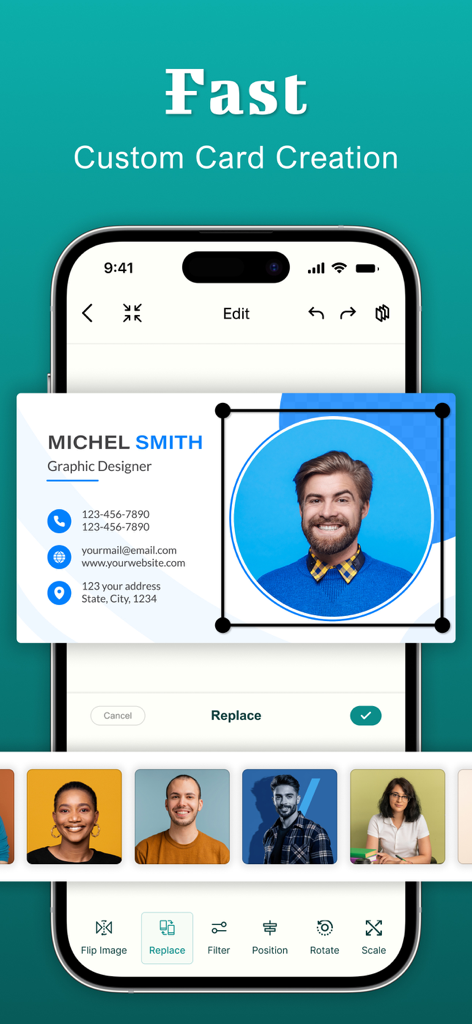
Business Card Maker : Creator - 名刺メーカーのプロフェッショナルな名刺写真編集およびカスタマイズオプションを示すモバイルインターフェイス。
名刺メーカーのプロフェッショナルな名刺写真編集およびカスタマイズオプションを示すモバイルインターフェイス。

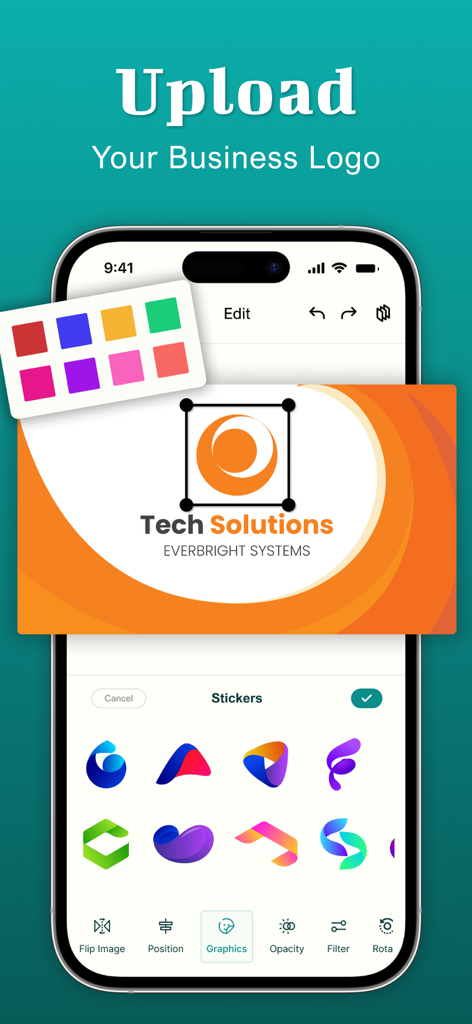
Business Card Maker : Creator - ロゴのアップロードとグラフィックスティックの選択を示す名刺メーカーアプリのインターフェイス
ロゴのアップロードとグラフィックスティックの選択を示す名刺メーカーアプリのインターフェイス

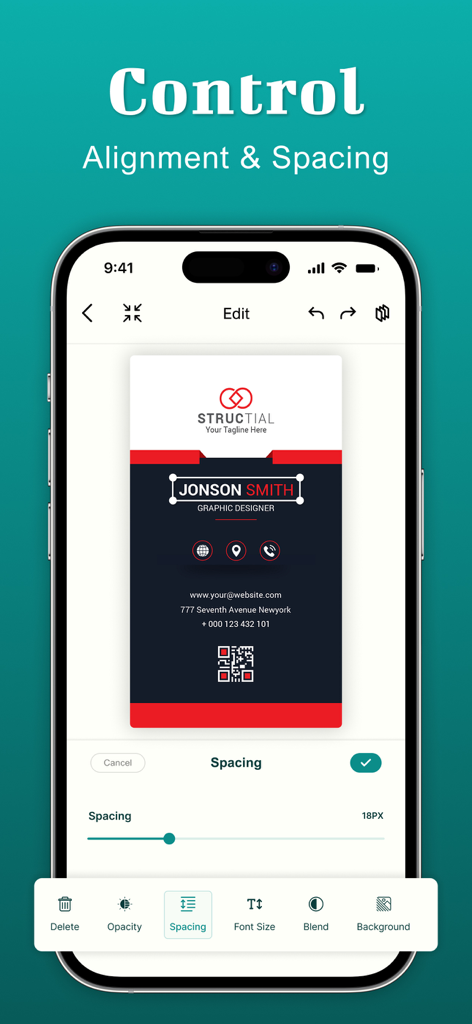
Business Card Maker : Creator - プロフェッショナルな縦型カードデザインのアライメントとスペーシングコントロールを示す名刺メーカーアプリのインターフェイス。
プロフェッショナルな縦型カードデザインのアライメントとスペーシングコントロールを示す名刺メーカーアプリのインターフェイス。

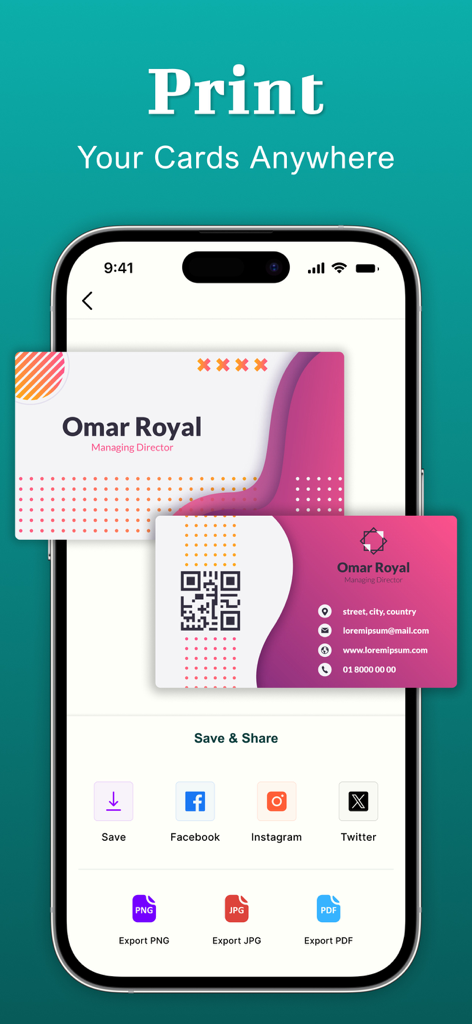
Business Card Maker : Creator - 印刷およびソーシャルメディア共有用の名刺エクスポートオプションを示すスマートフォンのアプリ画面

印刷およびソーシャルメディア共有用の名刺エクスポートオプションを示すスマートフォンのアプリ画面

説明

Create your own professional business cards in just a minute with our easy-to-use Business Card Maker App. With a few taps, you can design business cards. From elegant and modern to bold and creative styles, business card maker offers a vast collection of templates, fonts, icons, and design elements for every industry and profession. So you don’t need to hire a designer or use difficult software. Our business card maker lets you design your own business cards right from your IOS device. Create stunning business cards in just a few taps. 1,000+ Business Card Templates: Select from thousands of modern, elegant, and creative business card templates designed for every profession from real estate agents to photographers, lawyers to small business owners. Feature: - Vertical business card and horizontal business card - Modern business card templates - Minimalist design cards - Upload logo - Color themes - Abstract & elegant templates - Elegant font typography - Graphic packs - Creative & artsy designs - icons and shapes - Colorful & trendy cards - Text styles, gradients, and textures overlay Powerful Business Card Creator & Editor: - Easy business card editor - High-resolution business card for print and digital use - Drag-and-drop UI for fast customization - Fully editable graphic design - Save and rechange cards anytime Unlimited Customization: If you need to create a minimal visiting card, a glossy modern business card design, or a bold creative business card template, this business card maker app has it all. Experiment with color palettes, font typography, paper finishes and visual elements using the business card editor. Our business card creator app lets you take full control of your business card design. Whether you’re making a visiting card, membership card, or professional id, you can easily customize text, fonts, colors, logos, and layouts. You can even upload your own photos and qr codes also. Tips for the Best Business Card Design: - Keep it clean and meaningful - Use your business colors - Include only important contact information - Add a qr code for quick contact - Use only readable fonts - Save your business card must in high resolution - Try both light and dark background in your design - Update your card regularly with current contact info The visiting card maker app gives you superpower for the need to design, customize, and share your digital and printable business cards. About Subscriptions and Terms of Use: - For some features of Business Card Maker, a Premium subscription is needed. - Payment will be made from your iTunes account after you confirm the purchase. - Your subscription automatically renews unless auto-renewal is turned off at least 24-hours before the end of the current period. - You can manage your subscriptions and turn off auto-renewal by going to your Account Settings in the iTunes store after purchase. Privacy policy: https://shubham-bodar.web.app/privacy.html Terms of use: https://shubham-bodar.web.app/terms.html

Download

ダウンロード: App Store

このページはアプリまたはその開発者の公式ページではなく、情報提供および論評を目的として作成された独立した編集出版物です。明示的に別段の記載がない限り、アプリおよびその開発者は、MWM、Apple、Google Play、アプリのパブリッシャー、またはアプリの開発者と提携、承認、後援、認可、またはその他の公式的な関係はなく、このページのいかなる内容も、アプリがMWMのサービスを使用して開発されたことを意味するものではありません。すべての商標、ロゴ、スクリーンショット、その他のコンテンツはそれぞれの所有者の財産です。