
このページはアプリまたはその開発者の公式ページではなく、情報提供および論評を目的として作成された独立した編集出版物です。明示的に別段の記載がない限り、アプリおよびその開発者は、MWM、Apple、Google Play、アプリのパブリッシャー、またはアプリの開発者と提携、承認、後援、認可、またはその他の公式的な関係はなく、このページのいかなる内容も、アプリがMWMのサービスを使用して開発されたことを意味するものではありません。すべての商標、ロゴ、スクリーンショット、その他のコンテンツはそれぞれの所有者の財産です。


Calculator AppLock - Lock Apps
目立たない電卓アイコンの後ろに機密データを保護し、家族のデジタル習慣を簡単に管理しましょう。FaceIDアンロック、位置情報ベースの自動化、そして究極の安心のための100%ローカルストレージを搭載。
ダウンロード
31K+ユーザー評価
評価数
2K+開発元
カテゴリ
Utilities対応言語
10最新バージョン
1.3.8サイズ
45.1 MBリリース日
2023年9月5日モバイルプライバシーと安全性をマスターする
高度なアイコンマスキングから自動スクリーンタイム制限まで、自分自身や他の人がデバイスをどのように使用するかを完全に制御できます。
目立たないアイコンマスキング
完全に機能する電卓として安全なボルトを偽装することで、友人や同僚からの不要な詮索を防ぎ、絶対的なプライバシーを維持します。
スマートスクリーンタイム制限
学習と遊びのバランスをとる自動使用制限により、子供たちのゲーム中毒や不適切なコンテンツから保護します。
よくある質問
について知っておくべきこと Calculator AppLock - Lock Apps
Calculator AppLock - Lock Appsの主な機能は何ですか?
Calculator AppLockは、スクリーンタイム管理ツールです。子供のデバイスの使用を制御し、ゲーム依存を防ぎ、不適切なコンテンツをブロックします。また、写真、ビデオ、アプリケーション、連絡先をロックします。
Calculator AppLock - Lock Appsはゲーム依存を防ぐのに役立ちますか?
はい、Calculator AppLockはゲーム依存を防ぎます。子供がモバイルデバイスでゲームをプレイする時間を制限し、学習とエンターテイメントのより良いバランスを促進します。
Calculator AppLock - Lock Appsは不適切なコンテンツへのアクセスをブロックできますか?
はい、Calculator AppLockは不適切なコンテンツをブロックします。子供たちが不適切なコンテンツにアクセスするのを防ぎ、健全な発達を確保し、オンラインで保護します。
Calculator AppLock - Lock Appsには広告が含まれていますか、またはユーザー登録が必要ですか?
いいえ、Calculator AppLockは広告なし、登録なしです。ユーザーは、使用中に中断的な広告に遭遇したり、煩雑な登録プロセスを必要としたりすることはありません。
Calculator AppLock - Lock Appsはユーザーのプライバシーをどのように保護しますか?
Calculator AppLockは、ローカルデータストレージを通じてプライバシーを保護します。すべてのユーザーデータはユーザーの携帯電話にのみ保存され、より良い保護と管理を保証します。
Calculator AppLock - Lock AppsでFace IDを使用してアプリのロックを解除できますか?
はい、Calculator AppLockはFace IDによるワンタッチロック解除をサポートしています。ユーザーは顔認識を使用して本人確認を行い、アプリケーションを迅速かつ安全にロック解除できます。
Calculator AppLock - Lock Appsはクイックコントロール用のウィジェットを提供しますか?
はい、Calculator AppLockはホーム画面とiOS 16ロック画面のウィジェットを提供します。これらのウィジェットにより、ユーザーはホーム画面またはロック画面から直接アプリケーションの使用を簡単に制限または復元できます。
Calculator AppLock - Lock Appsは時間または場所によってアプリを自動的にロックできますか?
はい、Calculator AppLockはショートカットコマンドを使用してスケジュールされたロックを行います。特定の時間に基づいて、または指定された場所への出入り時にアプリを自動的にロックまたはロック解除できます。
Calculator AppLock - Lock Appsのアイコンを偽装することは可能ですか?
はい、Calculator AppLockはアプリのアイコンを偽装することをサポートしています。機能的な電卓のように見せかけることができ、デバイス上での存在を効果的に隠し、検出を防ぎます。
Calculator AppLock - Lock Appsで利用可能なサブスクリプションオプションは何ですか?
Calculator AppLockは、週次、月次、年次のサブスクリプション期間を提供しています。購入確認時に、お支払いはiTunesアカウントに直接請求されます。
Calculator AppLock - Lock Appsのサブスクリプションは自動更新されますか?
はい、Calculator AppLockのサブスクリプションは自動更新されます。追加の請求を避けるためには、現在の期間が終了する少なくとも24時間前に自動更新をオフにする必要があります。
Calculator AppLock - Lock AppsはInstagramのような個々のアプリケーションを保護できますか?
はい、Calculator AppLockは特定のアプリケーションをロックできます。スクリーンショット#1は、Instagramをロックし、ロック解除されるまでアクセスを制限する能力を示しています。
Calculator AppLock - Lock Appsはすべての種類のアプリケーションのロックをサポートしていますか?
はい、Calculator AppLockはすべてのアプリのロックをサポートしています。スクリーンショット#4は、保護のためにソーシャルメディアプラットフォームを含むさまざまなアプリケーションを選択する様子を示しています。
Calculator AppLock - Lock Appsで利用可能な自動再ロック間隔は何ですか?
Calculator AppLockは、終了後すぐにアプリを自動的に再ロックできます。オプションは1分から180分まであり、スケジュールされた自動ロック設定内で構成できます。
以下のスクリーンショットと説明は、アプリの公式ストアリスティングから直接取得されたものであり、アプリ開発者の所有物です。
アプリストア
スクリーンショット
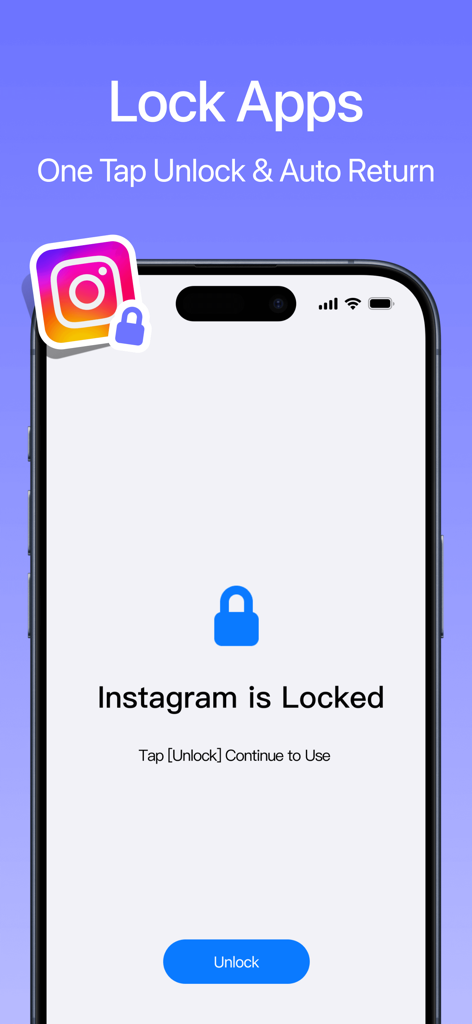
スマートフォンの画面に、ロック解除ボタン付きのInstagramのアプリロックインターフェースが表示されています。
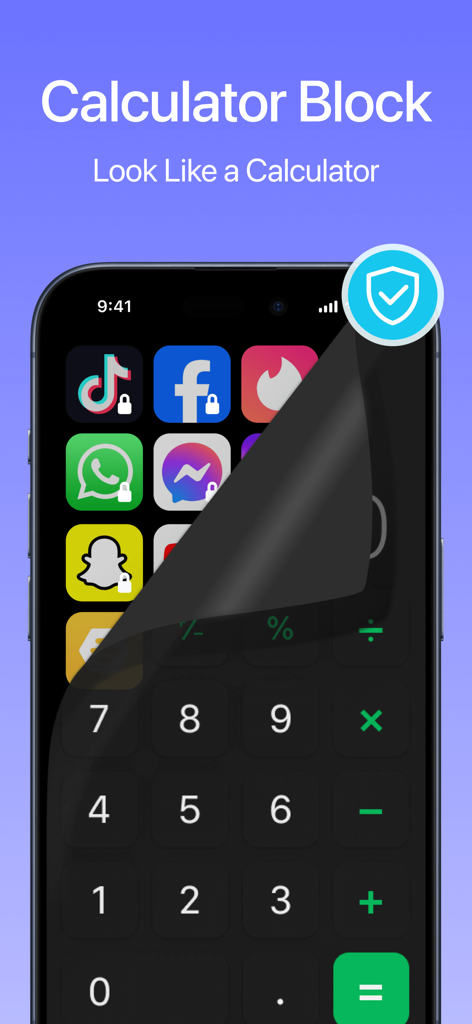
スマートフォンの画面に、隠されたロックされたソーシャルメディアアプリを明らかにするために剥がれる電卓インターフェースが表示されています。
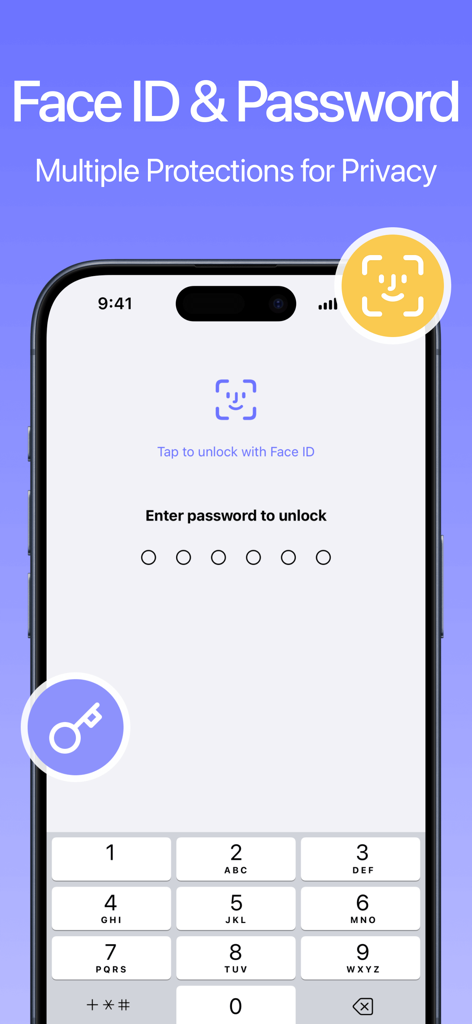
Calculator AppLockインターフェースに、強化されたプライバシーのためのFace IDおよび数字パスワードのロック解除オプションが表示されています。
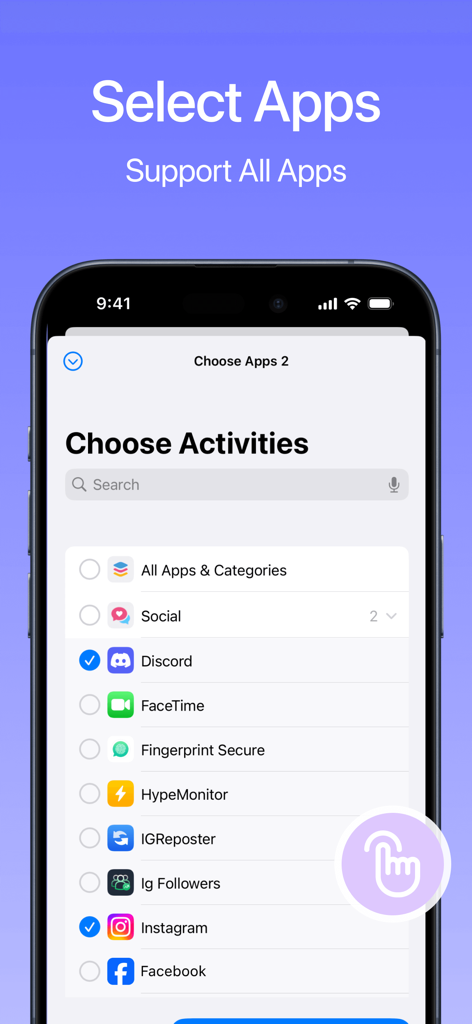
Calculator AppLockアプリケーションでロックするために、選択チェックボックス付きのモバイルアプリのリストを表示する画面。
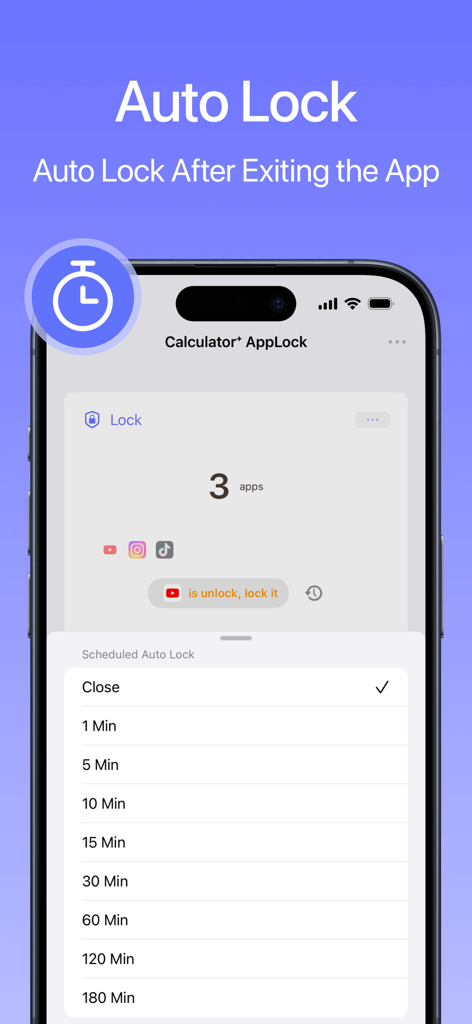
隠されたアプリの自動ロック時間設定を表示するCalculator AppLockアプリのインターフェース。
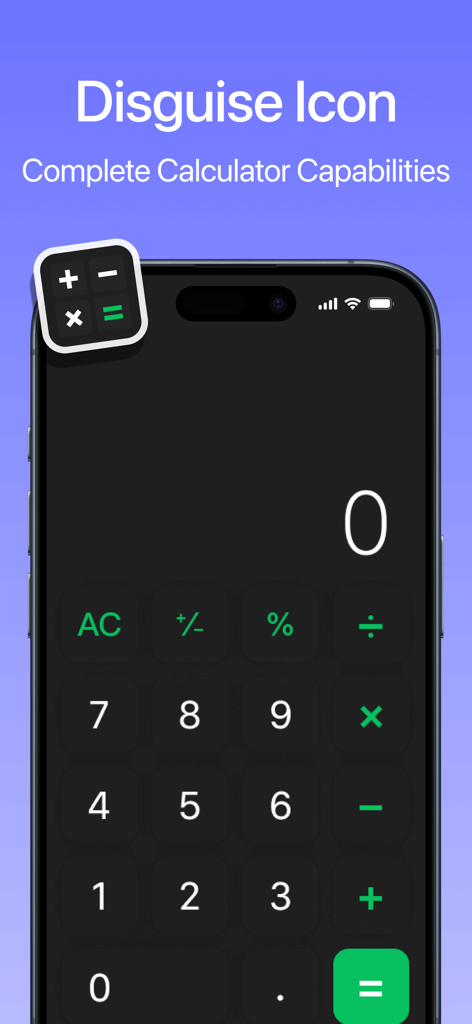
AppLockアプリのアイコンを偽装するために使用される電卓インターフェースを表示するスマートフォンの画面。
説明
Download
類似アプリ
同じカテゴリのトップランクアプリ

Google LLC

Google Chrome
Google LLC

中国移动(手机营业厅)
China Mobile Online Services Co., Ltd.

Google Authenticator
Google LLC

CNH do Brasil
Servicos e Informacoes do Brasil

Cleanup: Phone Storage Cleaner
DEEP FLOW SOFTWARE SERVICES - FZCO

gov.br
Servicos e Informacoes do Brasil

中国电信-全国统一官方服务平台
CHINA TELECOM Corporation Ltd.

Microsoft Edge: AI Browser
Microsoft Corporation
このページはアプリまたはその開発者の公式ページではなく、情報提供および論評を目的として作成された独立した編集出版物です。明示的に別段の記載がない限り、アプリおよびその開発者は、MWM、Apple、Google Play、アプリのパブリッシャー、またはアプリの開発者と提携、承認、後援、認可、またはその他の公式的な関係はなく、このページのいかなる内容も、アプリがMWMのサービスを使用して開発されたことを意味するものではありません。すべての商標、ロゴ、スクリーンショット、その他のコンテンツはそれぞれの所有者の財産です。