Calculator Plus v2
Calculator Plus v2
ダウンロード: App Store

このページはアプリまたはその開発者の公式ページではなく、情報提供および論評を目的として作成された独立した編集出版物です。明示的に別段の記載がない限り、アプリおよびその開発者は、MWM、Apple、Google Play、アプリのパブリッシャー、またはアプリの開発者と提携、承認、後援、認可、またはその他の公式的な関係はなく、このページのいかなる内容も、アプリがMWMのサービスを使用して開発されたことを意味するものではありません。すべての商標、ロゴ、スクリーンショット、その他のコンテンツはそれぞれの所有者の財産です。

ロゴ: Calculator Plus v2
ダウンロード: App Store

Calculator Plus v2

Appleエコシステムのための究極の計算ツール。iPhone、iPad、Macで、答えのライブプレビュー、縦向きでのフル関数モード、完全なプライバシーを体験してください。

主要数値

ダウンロード

82K+

ユーザー評価

4.9/5

評価数

0

開発元

Wern Jie Lim

カテゴリ

Utilities

対応言語

1

最新バージョン

2.3.1

サイズ

14.3 MB

リリース日

2016年12月5日
機能

あらゆる数式に対応する精密ツール

Appleエコシステム専用に設計された、パワフルで広告なしの関数計算機を体験してください。講義室でも現場でも、邪魔されることなく正確な答えを得られます。

片手で扱える関数のパワー

もうスマホを回転させる必要はありません。縦向きのまま、入力に合わせて更新される答えのライブプレビューと共に、あらゆる関数計算機能にアクセスできます。

常に正確な回答を

基本的な小数を超えた計算を。分計、科学的記法、または正確な形式で結果を表示。複雑な課題やプロフェッショナルな精度が求められる場面に最適です。

以下のスクリーンショットと説明は、アプリの公式ストアリスティングから直接取得されたものであり、アプリ開発者の所有物です。

アプリストア

スクリーンショット
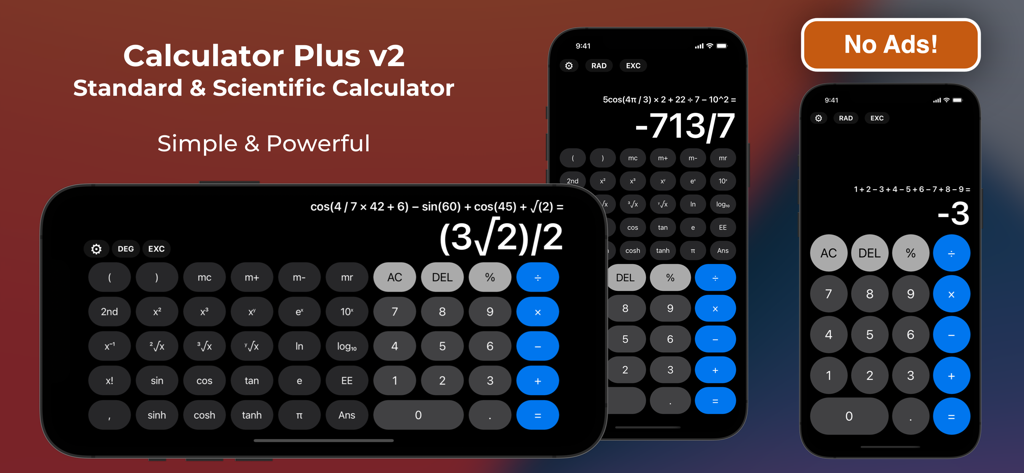
Calculator Plus v2 - iPhoneで横向きおよび縦向きモードでの関数計算機能を表示している計算機プラス v2のインターフェース
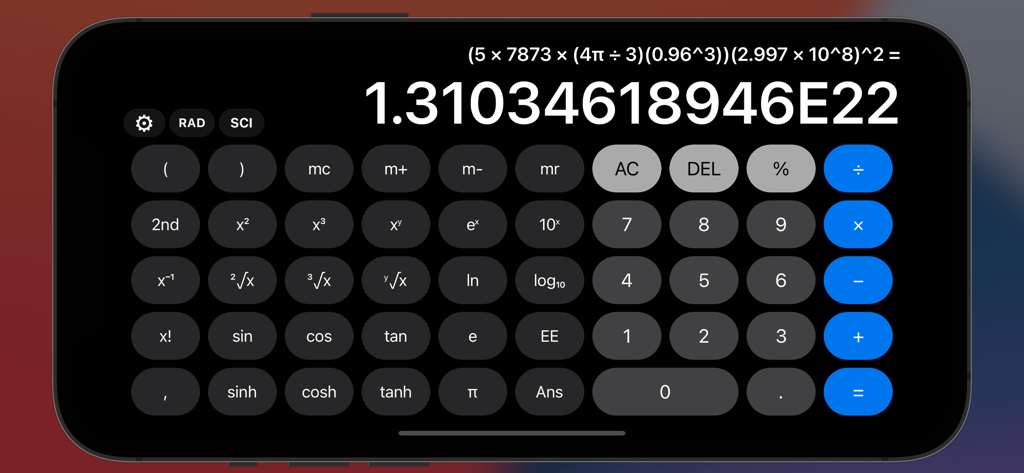
iPhoneで横向きおよび縦向きモードでの関数計算機能を表示している計算機プラス v2のインターフェース

Calculator Plus v2 - 科学的記法による結果と複雑な方程式を表示している、横向きモードの計算機プラス v2のインターフェース
科学的記法による結果と複雑な方程式を表示している、横向きモードの計算機プラス v2のインターフェース

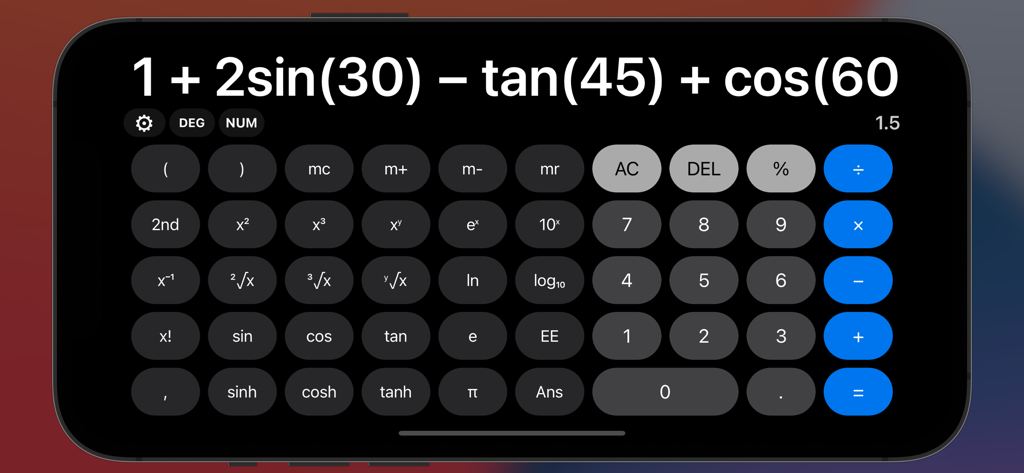
Calculator Plus v2 - iPhone上で複雑な三角関数の式と関数計算機のレイアウトを表示している、横向きモードの計算機プラス v2アプリ
iPhone上で複雑な三角関数の式と関数計算機のレイアウトを表示している、横向きモードの計算機プラス v2アプリ

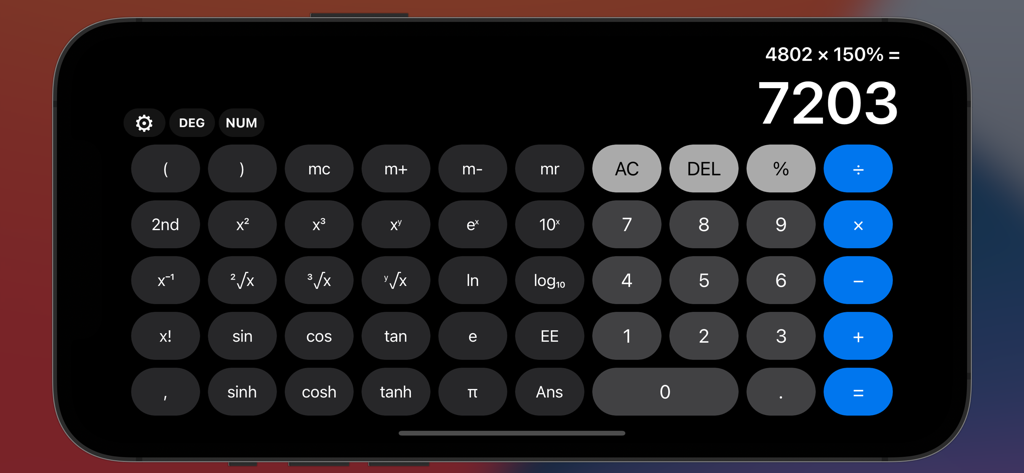
Calculator Plus v2 - 計算が完了した状態のフル関数計算機インターフェースを表示している、横向きモードの計算機プラス v2アプリ

計算が完了した状態のフル関数計算機インターフェースを表示している、横向きモードの計算機プラス v2アプリ

説明

Calculator Plus is a standard and scientific calculator that has simplicity at its core, while not compromising on functionality. Even with its simple user interface inspired by the built-in Calculator app on iOS, it offers much, much more - and with no ads! With full expression and live answer preview, be faster than ever at calculating, and see exactly what you typed. Understand your answers by displaying them in exact form, scientific notation, fractions and more. Catch the exact errors with helpful syntax errors, with beautiful animations to complement your calculations. The full scientific calculator is also present in the portrait layout, so you can calculate scientific operations away one-handed on your phones, or via a space-efficient vertical window on larger screens. That's not all! If you're on a Mac, or have a hardware keyboard connected to your iPad or iPhone, simply type your math expressions normally and it will be registered - including every scientific operation listed. Clipboard support not only allows you to copy your calculations for others to see, it also gives you the ability to instantly take any expression from anywhere and paste into the app. Plus, enjoy bonus functionality like math expression autocorrection, voice dictation, Apple Pencil Scribble, and more! Download Calculator Plus to experience it for yourself! Feature List: - Standard & Scientific Calculator. - Simple UI design puts focus on your calculations. - Live expression and answer display while typing. - Full scientific calculator in the portrait layout with minimal rearrangement. - View long operations comfortably with scrollable calculation panels. - Multiple display formats: Exact Form, Scientific Notation, Fractions and more! - Bi-directional clipboard: Copy & Paste any expression into and out of the app. - Math Evaluation Overrides: For those who want to configure autocorrect or prefer non-standard notations/conventions. - Custom Scientific Typing Mode: Append, Substitute or a hybrid of both when using on-screen buttons. - Full Hardware Keyboard input support (including scientific operations!) - Apple Pencil Scribble support on iPadOS 14+ in English. - Basic Voice Dictation input support in English. - iPadOS SlideOver, Split View and Stage Manager multitasking support. - Satisfying clicks with haptic feedback on modern iPhones. - Complete support for all math operations and input methods on the Apple Watch app. - Useful Syntax Error hints to let you know exactly what's wrong. - Lightweight: only a few MB in size. - No ads, no tracking :) If you have or find any problems, feel free to contact me under App Support within Calculator Plus. Developer: Wern

Download

ダウンロード: App Store

このページはアプリまたはその開発者の公式ページではなく、情報提供および論評を目的として作成された独立した編集出版物です。明示的に別段の記載がない限り、アプリおよびその開発者は、MWM、Apple、Google Play、アプリのパブリッシャー、またはアプリの開発者と提携、承認、後援、認可、またはその他の公式的な関係はなく、このページのいかなる内容も、アプリがMWMのサービスを使用して開発されたことを意味するものではありません。すべての商標、ロゴ、スクリーンショット、その他のコンテンツはそれぞれの所有者の財産です。








