
このページはアプリまたはその開発者の公式ページではなく、情報提供および論評を目的として作成された独立した編集出版物です。明示的に別段の記載がない限り、アプリおよびその開発者は、MWM、Apple、Google Play、アプリのパブリッシャー、またはアプリの開発者と提携、承認、後援、認可、またはその他の公式的な関係はなく、このページのいかなる内容も、アプリがMWMのサービスを使用して開発されたことを意味するものではありません。すべての商標、ロゴ、スクリーンショット、その他のコンテンツはそれぞれの所有者の財産です。

ダウンロード
176K+ユーザー評価
評価数
100開発元
カテゴリ
Business対応言語
8最新バージョン
2.5サイズ
16.1 MBリリース日
2011年6月2日パワーユーザーの秘密兵器
スピード、精度、完全な制御のために設計されたプログレードのツールで、ネイティブAppleカレンダーを強化します。
超精密アラート
Appleの固定されたプリセットから解放されます。正確な分単位でカスタム通知を設定し、スケジュールを完全にマスターしましょう。
高速一括編集
数秒でスケジュールをクリーンアップ。複数のイベントを同時に一括削除、移動、またはコピーして、手作業での時間を節約しましょう。
以下のスクリーンショットと説明は、アプリの公式ストアリスティングから直接取得されたものであり、アプリ開発者の所有物です。
アプリストア
スクリーンショット
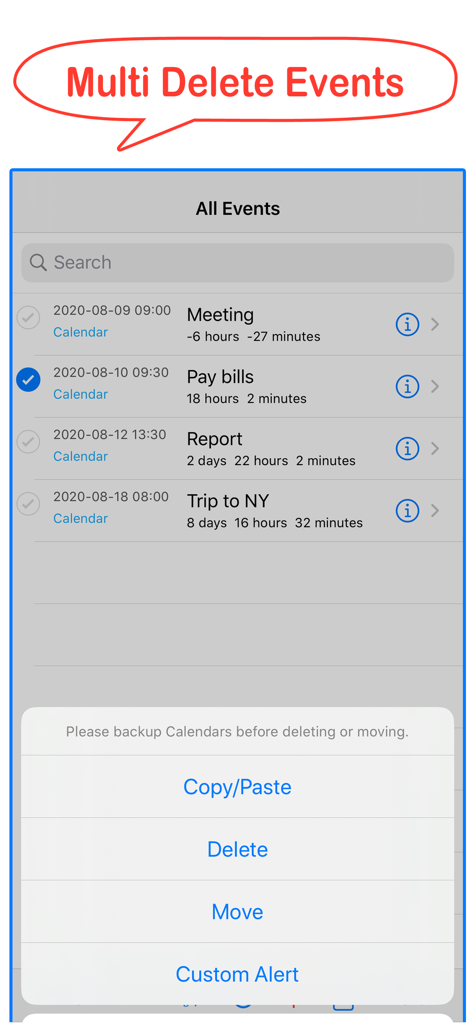
Calendar Toolsモバイルアプリのインターフェース。複数イベントの削除機能と一括管理オプションを表示。
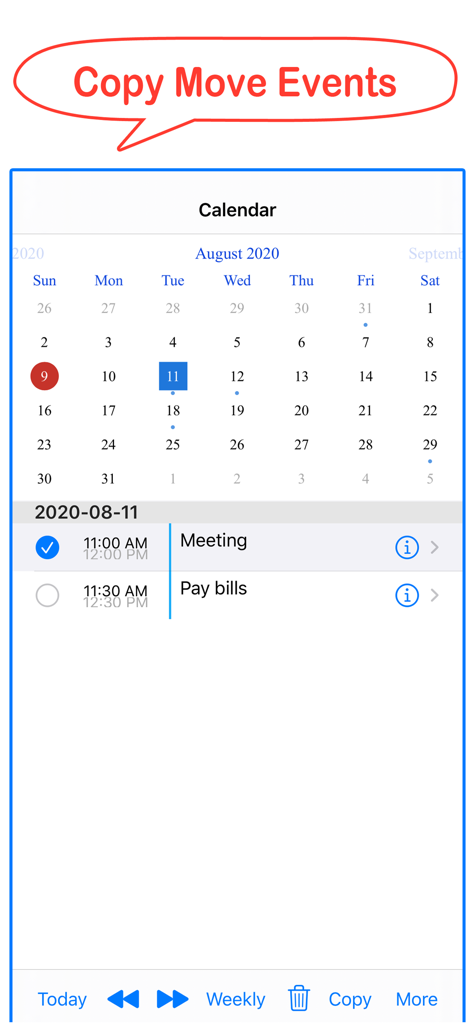
Calendar Toolsアプリのインターフェース。iPhoneでカレンダーイベントをコピーおよび移動する方法を表示。
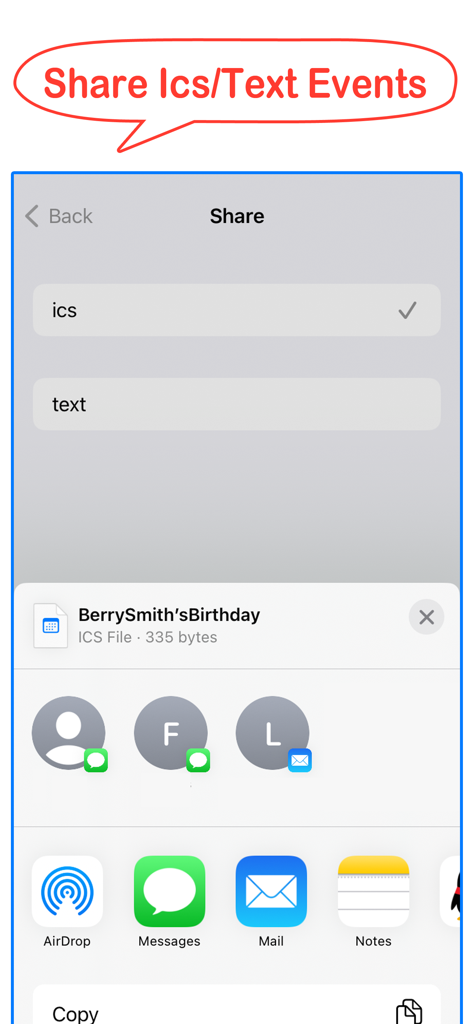
Calendar Toolsアプリのスクリーンショット。iOS共有シート経由でICSまたはテキストファイルとしてイベントをエクスポートするオプションが表示された共有メニューを表示。
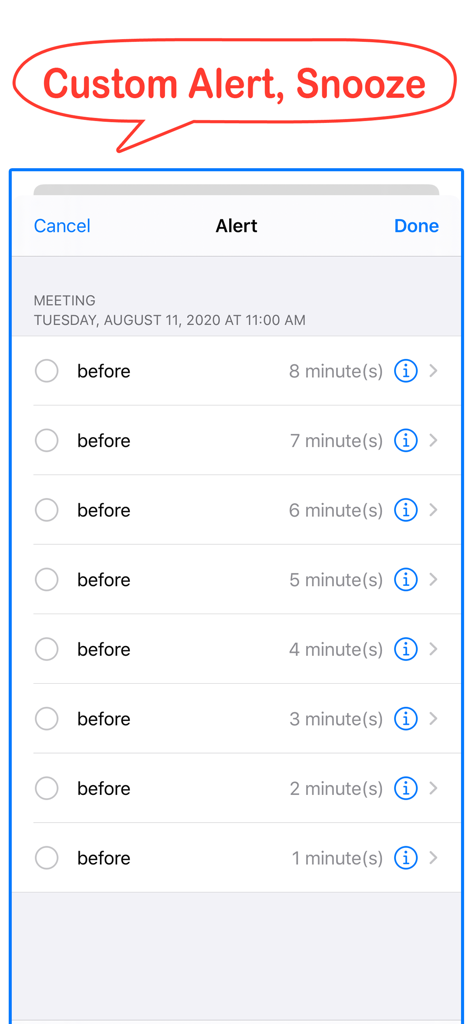
Calendar Toolsアプリのカスタムアラート設定。会議の分単位のリマインダーが複数表示されている。
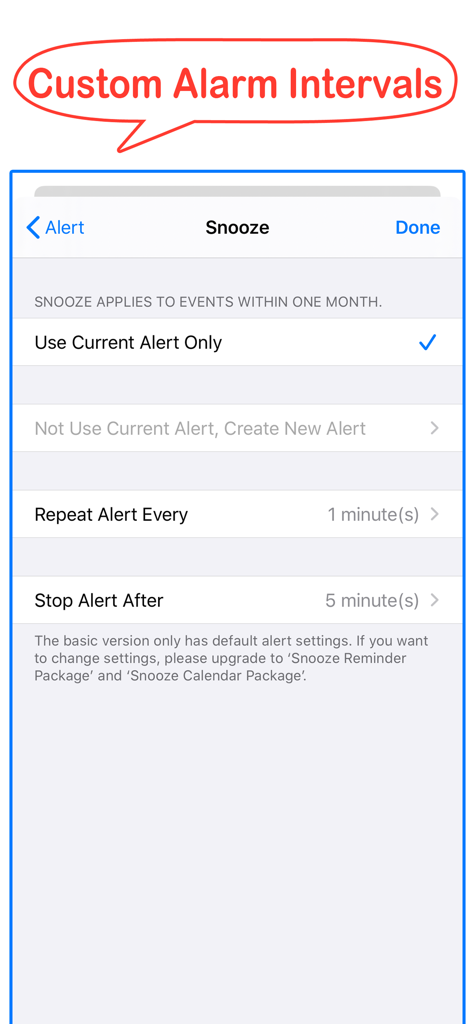
Calendar Toolsアプリの画面。カスタムアラーム間隔とスヌーズ設定を表示。
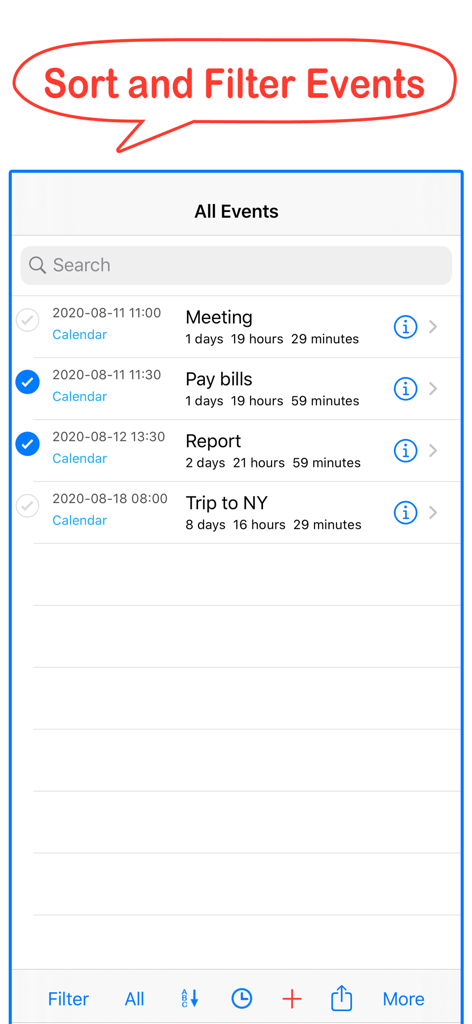
Calendar Toolsアプリのインターフェース。iOSイベントの並べ替えおよびフィルタリング機能を表示。
説明
Download
類似アプリ
同じカテゴリのトップランクアプリ

Microsoft Teams
Microsoft Corporation

Zoom Workplace
Zoom Communications, Inc.

WhatsApp Business
WhatsApp Inc.

Indeed Job Search
Indeed Inc.

LinkedIn: Network & Job Finder
LinkedIn Corporation

Adobe Acrobat Reader: Sign PDF
Adobe Inc.

WeCom-Work Communication&Tools
Tencent Technology (Shenzhen) Company Limited

BOSS直聘-招聘求职找工作神器
Beijing China Product Bo Farce Network Technology Co., Ltd.

DingDing - Redefine Work in AI
DingTalk Technology Co., Ltd.
このページはアプリまたはその開発者の公式ページではなく、情報提供および論評を目的として作成された独立した編集出版物です。明示的に別段の記載がない限り、アプリおよびその開発者は、MWM、Apple、Google Play、アプリのパブリッシャー、またはアプリの開発者と提携、承認、後援、認可、またはその他の公式的な関係はなく、このページのいかなる内容も、アプリがMWMのサービスを使用して開発されたことを意味するものではありません。すべての商標、ロゴ、スクリーンショット、その他のコンテンツはそれぞれの所有者の財産です。