Camera Detector App - SpyFy
ダウンロード: App Store

このページはアプリまたはその開発者の公式ページではなく、情報提供および論評を目的として作成された独立した編集出版物です。明示的に別段の記載がない限り、アプリおよびその開発者は、MWM、Apple、Google Play、アプリのパブリッシャー、またはアプリの開発者と提携、承認、後援、認可、またはその他の公式的な関係はなく、このページのいかなる内容も、アプリがMWMのサービスを使用して開発されたことを意味するものではありません。すべての商標、ロゴ、スクリーンショット、その他のコンテンツはそれぞれの所有者の財産です。

ロゴ: Camera Detector App - SpyFy
ダウンロード: App Store

Camera Detector App - SpyFy

安心して旅行しましょう。高度なAI搭載スキャンで、Airbnb、ホテル、レンタル物件の隠しカメラや電子機器を瞬時に検出します。

主要数値

ダウンロード

41K+

ユーザー評価

4.6/5

評価数

900

開発元

Penendi LLC

カテゴリ

Utilities

対応言語

32

最新バージョン

1.9.3

サイズ

92.7 MB

リリース日

2024年11月1日
機能

完全なプライバシー管理

iPhoneをプロ仕様のセキュリティスイートに変え、ホテル、Airbnb、職場に潜む脅威を検出します。

隠されたネットワークデバイスを暴く

ローカルWi-Fiネットワークを瞬時にスキャンし、荷解き前に不正なカメラや不審な接続デバイスを特定します。

スマートAI環境分析

最先端のAI技術を活用し、周囲をスキャンしてプライバシーリスクのあるオブジェクトを自動的にハイライトします。

以下のスクリーンショットと説明は、アプリの公式ストアリスティングから直接取得されたものであり、アプリ開発者の所有物です。

アプリストア

スクリーンショット
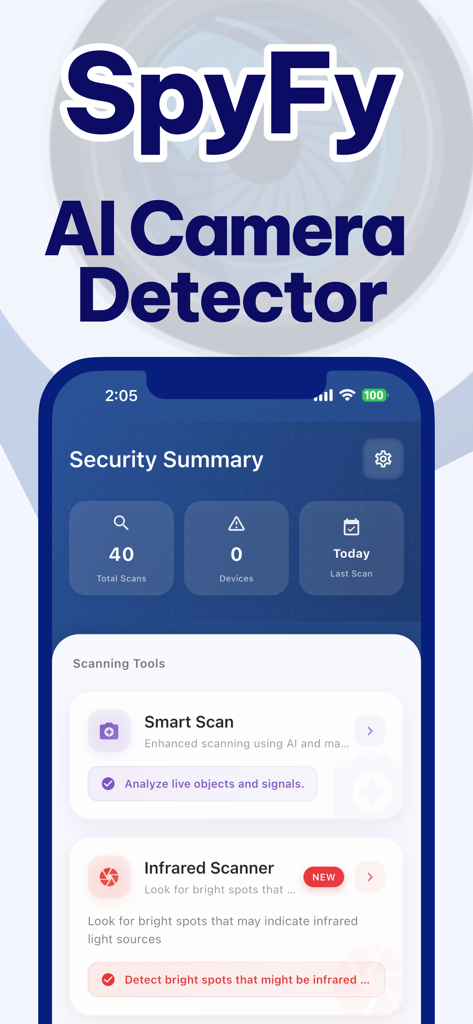
Camera Detector App - SpyFy - SpyFy AIカメラ検出アプリのインターフェース。セキュリティ概要と、スマートスキャンや赤外線スキャナーなどのスキャンツールが表示されています。
SpyFy AIカメラ検出アプリのインターフェース。セキュリティ概要と、スマートスキャンや赤外線スキャナーなどのスキャンツールが表示されています。

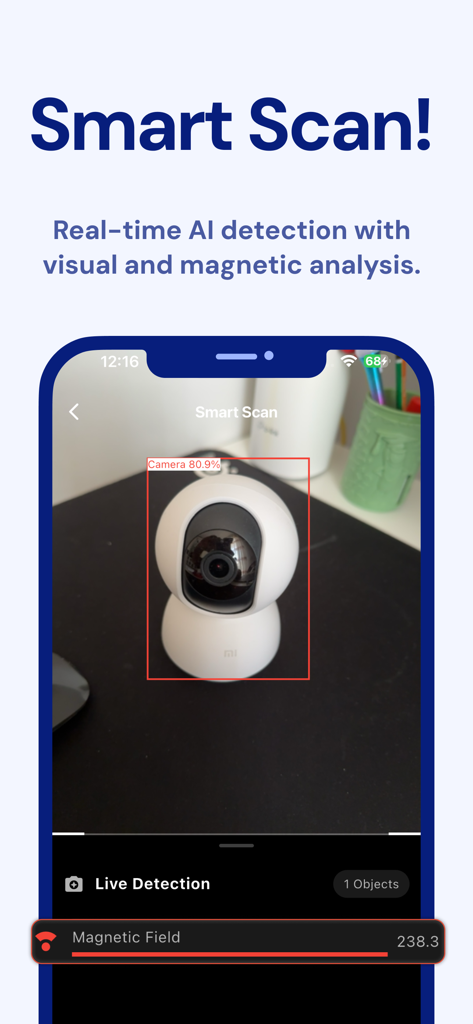
Camera Detector App - SpyFy - SpyFyアプリの画面。リアルタイムAIによるカメラ検出と磁場分析が表示されています。
SpyFyアプリの画面。リアルタイムAIによるカメラ検出と磁場分析が表示されています。

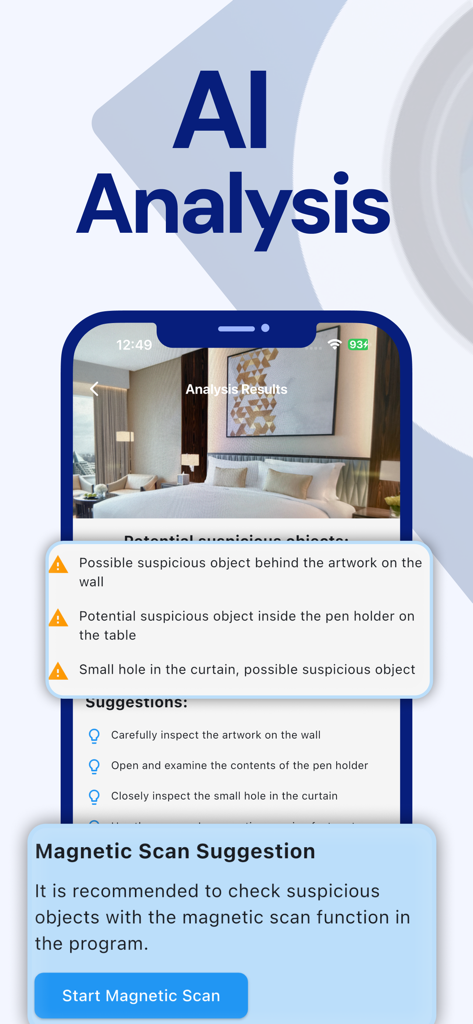
Camera Detector App - SpyFy - SpyFyアプリのAI分析画面。ホテルの部屋にある潜在的に不審なオブジェクトとスキャンに関する提案が表示されています。
SpyFyアプリのAI分析画面。ホテルの部屋にある潜在的に不審なオブジェクトとスキャンに関する提案が表示されています。

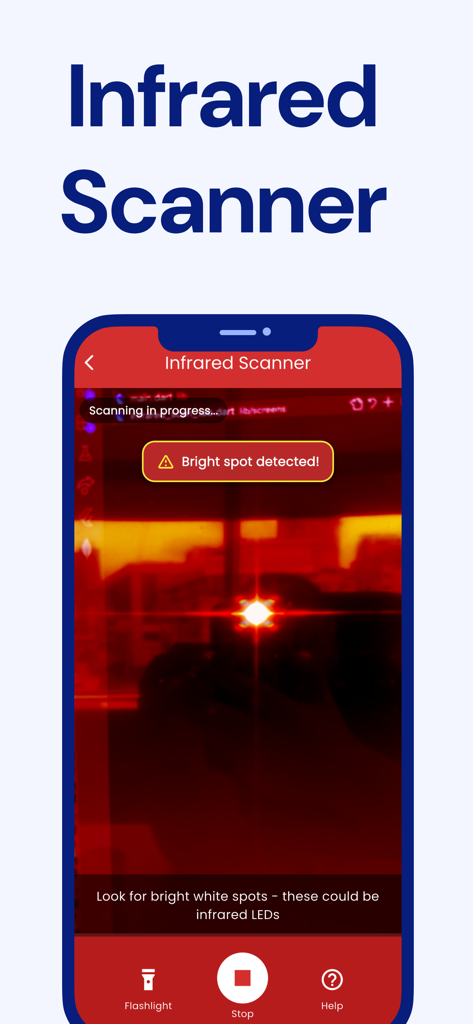
Camera Detector App - SpyFy - スマートフォンのアプリ画面。SpyFyの赤外線スキャナーインターフェースが表示され、潜在的な隠しカメラを示す明るい点が見えます。
スマートフォンのアプリ画面。SpyFyの赤外線スキャナーインターフェースが表示され、潜在的な隠しカメラを示す明るい点が見えます。

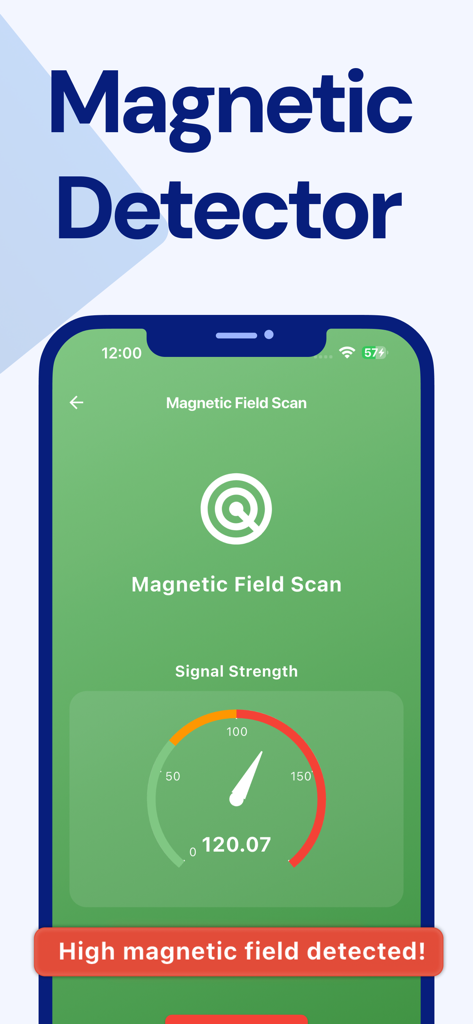
Camera Detector App - SpyFy - SpyFyアプリのインターフェース。磁場スキャンと高い信号強度警告が表示されています。
SpyFyアプリのインターフェース。磁場スキャンと高い信号強度警告が表示されています。

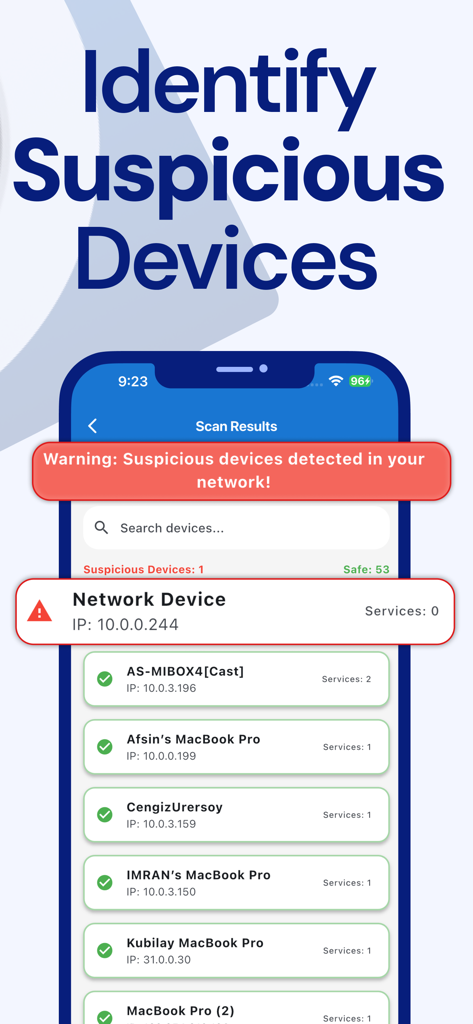
Camera Detector App - SpyFy - SpyFyアプリのインターフェース。スキャンされたネットワークデバイスのリストと、不審なデバイスの警告が表示されています。
SpyFyアプリのインターフェース。スキャンされたネットワークデバイスのリストと、不審なデバイスの警告が表示されています。

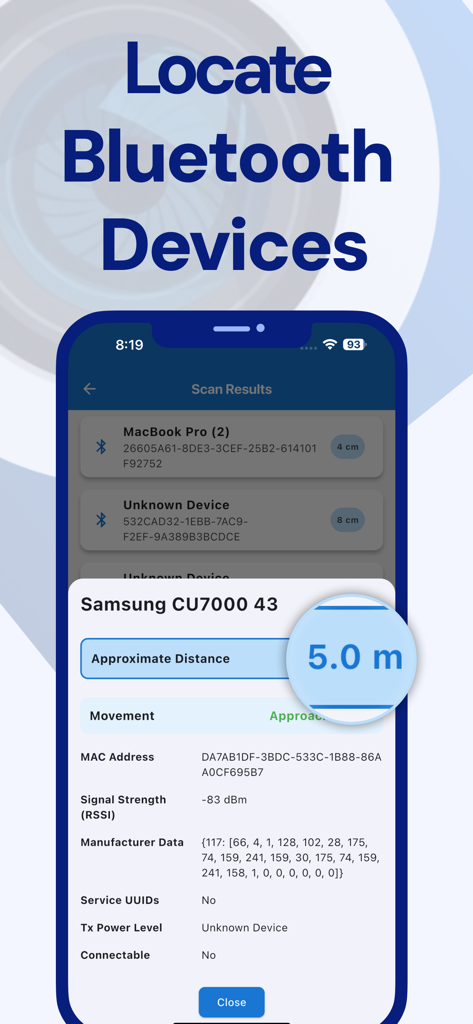
Camera Detector App - SpyFy - SpyFyアプリのインターフェース。Bluetoothデバイスのスキャン結果と距離測定が表示されています。

SpyFyアプリのインターフェース。Bluetoothデバイスのスキャン結果と距離測定が表示されています。

説明

AI Camera Detector uses advanced technology to analyze infrared signals, magnetic fields, and other indicators to help identify potential electronic devices around you. This tool enhances your awareness in spaces like hotels, Airbnb, and offices by providing informational scanning capabilities to improve your privacy. Key Features: Wi-Fi Network Scanning Analyze devices connected to the Wi-Fi network that might indicate network cameras or other suspicious devices. This feature provides insights to enhance your digital privacy by identifying potential risks on your network. Bluetooth Scanning Scan for nearby Bluetooth devices to identify signals that may indicate the presence of electronic devices. This feature helps you enhance your privacy by detecting unusual or unauthorized devices. AI Environment Scanning Use AI-powered analysis to scan your surroundings for environmental signals that might suggest the presence of suspicious devices. This feature raises awareness of areas where further inspection may be needed. Magnetic Scanning - Hidden Signals Scanning Analyze changes in magnetic fields to detect signals that could suggest the presence of electronic devices. This feature is particularly useful for identifying devices near metallic surfaces or hidden areas. Why AI Camera Detector? AI Camera Detector is designed to help identify signals and patterns that may indicate suspicious devices. Using AI-driven technology, it enhances your awareness in spaces like hotel rooms, Airbnb rentals, workplaces, or other private environments. With its intuitive features, the app provides practical tools to improve your privacy. Use Cases: Analyzing hotel rooms for signals that might suggest suspicious devices Enhancing privacy in short-term rentals like Airbnb Scanning for unusual devices in workplaces Identifying signals at home or the office to improve privacy Disclaimer: This app uses sensors and AI technology to provide informational insights and raise awareness of potential risks. It cannot confirm the presence of hidden cameras or guarantee specific results. Subscription Details: Unlock all features with a subscription. Fees are charged to your iTunes account upon purchase confirmation. Turn off auto-renewal at least 24 hours before the end of the current period. Auto-renewal charges occur 24 hours before each billing cycle ends. Manage subscriptions in your account settings. Privacy Policy: https://www.penendi.com/privacy Terms of Use: https://www.penendi.com/terms

Download

ダウンロード: App Store

このページはアプリまたはその開発者の公式ページではなく、情報提供および論評を目的として作成された独立した編集出版物です。明示的に別段の記載がない限り、アプリおよびその開発者は、MWM、Apple、Google Play、アプリのパブリッシャー、またはアプリの開発者と提携、承認、後援、認可、またはその他の公式的な関係はなく、このページのいかなる内容も、アプリがMWMのサービスを使用して開発されたことを意味するものではありません。すべての商標、ロゴ、スクリーンショット、その他のコンテンツはそれぞれの所有者の財産です。








