CameraVision
CameraVision
ダウンロード: App Store

このページはアプリまたはその開発者の公式ページではなく、情報提供および論評を目的として作成された独立した編集出版物です。明示的に別段の記載がない限り、アプリおよびその開発者は、MWM、Apple、Google Play、アプリのパブリッシャー、またはアプリの開発者と提携、承認、後援、認可、またはその他の公式的な関係はなく、このページのいかなる内容も、アプリがMWMのサービスを使用して開発されたことを意味するものではありません。すべての商標、ロゴ、スクリーンショット、その他のコンテンツはそれぞれの所有者の財産です。

ロゴ: CameraVision
ダウンロード: App Store

CameraVision

教育者や専門家が、ライブドキュメント、物理的なオブジェクト、デモンストレーションを、あらゆる画面やプロジェクターに驚異的なHDで投影するための、スマートで費用対効果の高い方法。

主要数値

ダウンロード

230K+

ユーザー評価

3.4/5

評価数

100

開発元

正行 Akamatsu

カテゴリ

Business

対応言語

3

最新バージョン

2.5.0

サイズ

1.6 MB

リリース日

2011年1月3日
機能

プロフェッショナルな明瞭さでプレゼンテーションを強化

物理的なオブジェクトとデジタルディスプレイの間のギャップを埋めます。CameraVisionは、Appleデバイスを、あらゆる教室、役員室、またはスタジオ向けの多用途な高解像度ドキュメントカメラに変えます。

インスタントドキュメントカメラ

高価でかさばるオーバーヘッドプロジェクターを置き換えます。iPhoneまたはiPadを使用して、教科書、物理的なアーティファクト、またはライブの手作業を、フルHDで直接大画面に投影します。

プロフェッショナルプレゼンテーションツール

画面上のポインター、参照グリッド、および洗練されたプロフェッショナルな外観のために気が散るUI要素を隠すクリーンなインターフェイスで、視聴者を集中させ続けます。

以下のスクリーンショットと説明は、アプリの公式ストアリスティングから直接取得されたものであり、アプリ開発者の所有物です。

アプリストア

スクリーンショット
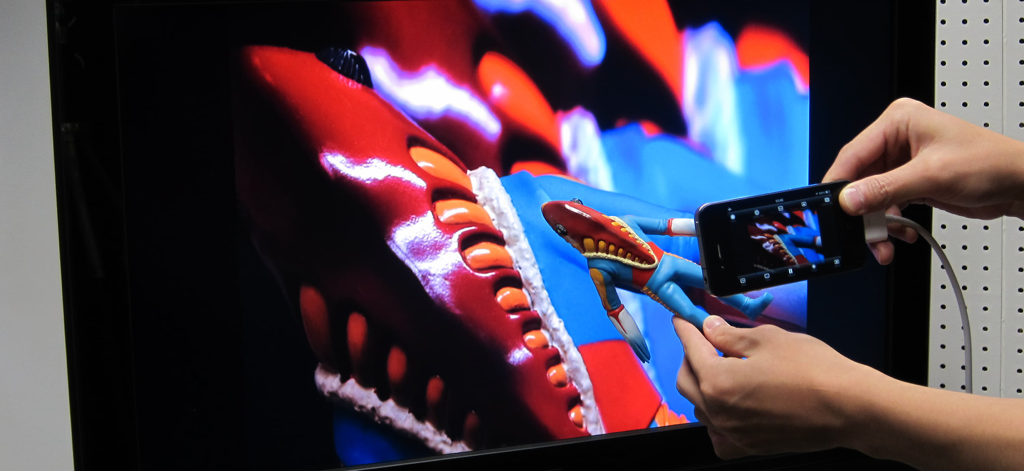
CameraVision - iPhoneでCameraVisionアプリを使用し、小さなフィギュアのライブカメラフィードを大きなテレビモニターに投影しています
iPhoneでCameraVisionアプリを使用し、小さなフィギュアのライブカメラフィードを大きなテレビモニターに投影しています

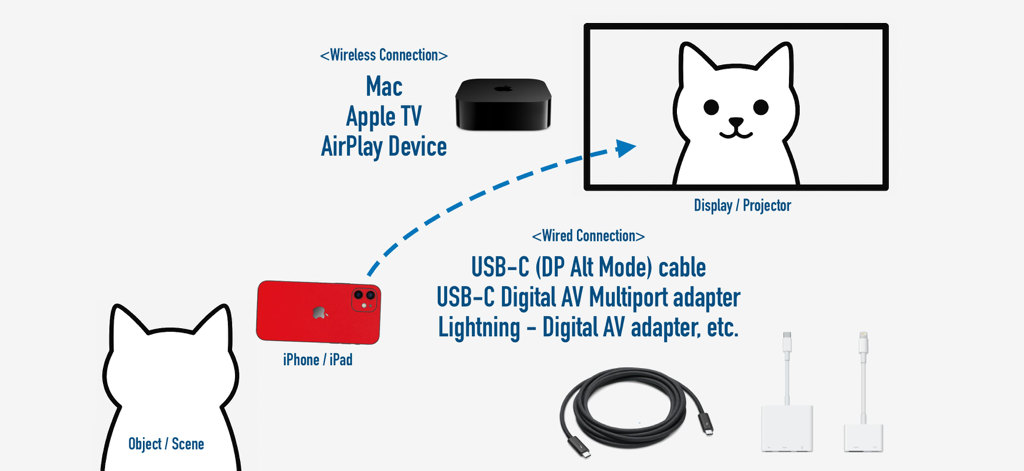
CameraVision - CameraVisionアプリのiPhoneから外部ディスプレイへのワイヤレスおよび有線接続オプションを説明する図。
CameraVisionアプリのiPhoneから外部ディスプレイへのワイヤレスおよび有線接続オプションを説明する図。

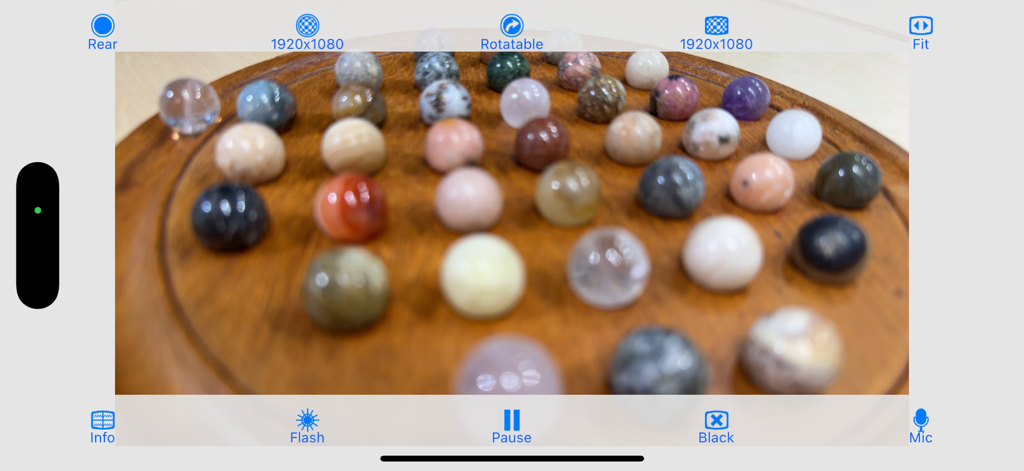
CameraVision - CameraVisionアプリのインターフェイスは、物理的なデモンストレーション用に小さなカラフルな球体のライブ高解像度ビューを表示しています
CameraVisionアプリのインターフェイスは、物理的なデモンストレーション用に小さなカラフルな球体のライブ高解像度ビューを表示しています

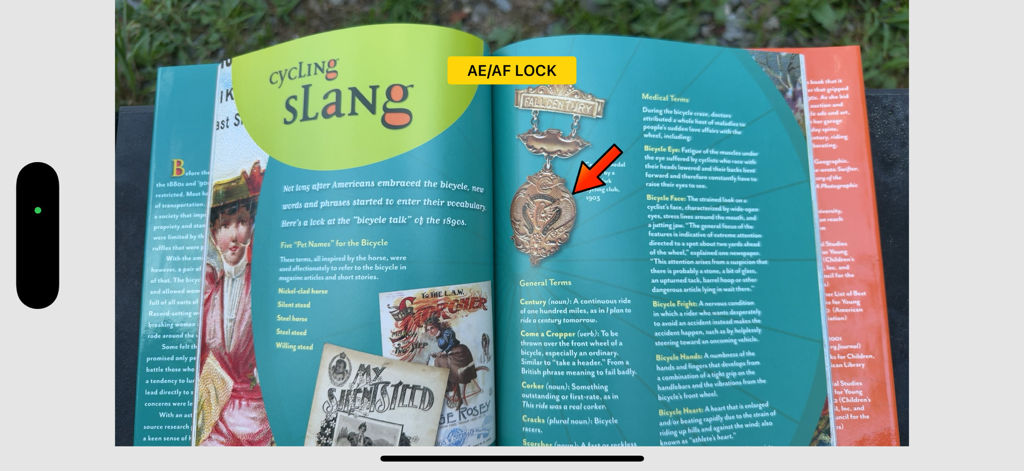
CameraVision - CameraVisionアプリのインターフェイスは、フォーカスと露出ロックが有効になっている本と、プレゼンテーション用の赤いポインターを表示しています。
CameraVisionアプリのインターフェイスは、フォーカスと露出ロックが有効になっている本と、プレゼンテーション用の赤いポインターを表示しています。

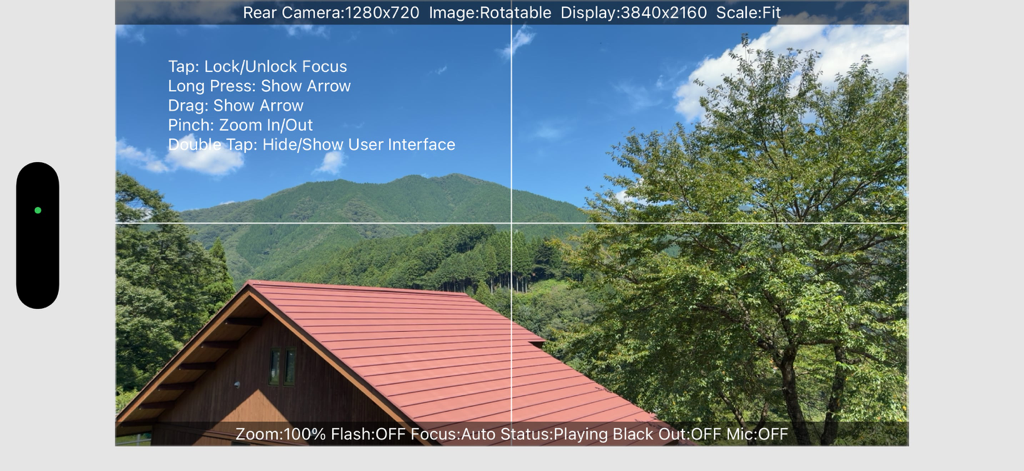
CameraVision - CameraVisionアプリのインターフェイスは、グリッド線と画面上のジェスチャー指示を備えたライブカメラフィードを表示しています
CameraVisionアプリのインターフェイスは、グリッド線と画面上のジェスチャー指示を備えたライブカメラフィードを表示しています

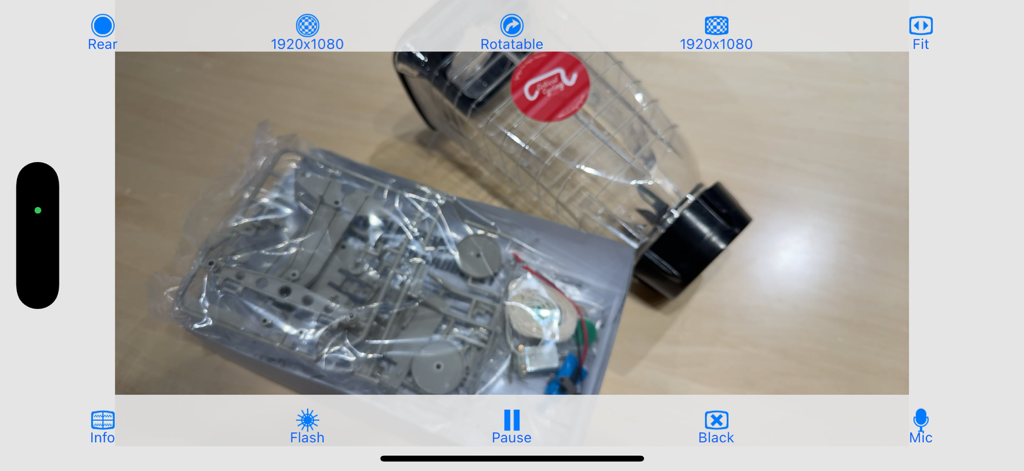
CameraVision - CameraVisionモバイルアプリのインターフェイスは、プレゼンテーションコントロールを備えた物理オブジェクトのライブカメラフィードを表示しています

CameraVisionモバイルアプリのインターフェイスは、プレゼンテーションコントロールを備えた物理オブジェクトのライブカメラフィードを表示しています

説明

"CameraVision" outputs the images of the built-in camera and the corresponding sounds from the built-in microphone to an external device such as a projector or a TV monitor. This application can be used similar to a "document camera (overhead projector)" or a "live camera" to project documents, objects, people or scenes onto a large screen. In addition, showing a still image from Photo Albums is possible. Wireless transfer to AirPlay supported devices such as Apple TV is supported, as well as connections via various cables and adapters. The following adapters/cables are supported: - AirPlay supported devices - Apple TV (2nd generation and later) - USB Type-C Cable (video output supported) - Lightning to VGA Adapter - Lightning Digital AV Adapter (HDMI) - Apple VGA Adapter - Apple Digital AV Adapter (HDMI) - Apple Composite AV Cable - Apple Component AV Cable This application has the functions listed below. You can set them up easily using the buttons on the screen. - Rear camera / front camera switching - Camera image resolution switching from SD (640x480 pixels) up to Full HD (1920x1080 pixels) - External display image resolution switching from SD (640x480 pixels) up to Full HD (1920x1080 pixels) - Scale mode switching of "Fit", "Fill" or "Resize" - Image rotation switching of "Rotatable" or "Fixed" - Image pausing or playing - Flash light switching - Audio output from microphone - Tap to lock/unlock focus and exposure - Double-tap or pinch to zoom image - Drag to display an on-screen pointer - Display of a grid image - useful to adjust image projection - Display of setting information on an external display - Screen blackout toggle - Automatic adjustment of focus, exposure and white balance - Displaying a still image from Photo Albums - Paused image saving and sharing * These functions depend on devices and adapter/cables used. * Please unplug and then plug your dock adapter/cable if no image is shown on the external display properly. * Microphone input can be sent to an external speaker via HDMI, Composite or Component cable with the camera image. It can be sent wirelessly to AirPlay supported devices or Apple TV. When using a VGA cable, plug an audio cable to iPhone's headphone jack. * To work with AirPlay supported devices or Apple TV, tap the screen mirroring button in the Control Center. This app treats it as an external display rather than actual mirroring. https://support.apple.com/en-us/102661#mirroriOS

Download

ダウンロード: App Store

このページはアプリまたはその開発者の公式ページではなく、情報提供および論評を目的として作成された独立した編集出版物です。明示的に別段の記載がない限り、アプリおよびその開発者は、MWM、Apple、Google Play、アプリのパブリッシャー、またはアプリの開発者と提携、承認、後援、認可、またはその他の公式的な関係はなく、このページのいかなる内容も、アプリがMWMのサービスを使用して開発されたことを意味するものではありません。すべての商標、ロゴ、スクリーンショット、その他のコンテンツはそれぞれの所有者の財産です。








