CASIO ClassPad
CASIO ClassPad
ダウンロード: App Store

このページはアプリまたはその開発者の公式ページではなく、情報提供および論評を目的として作成された独立した編集出版物です。明示的に別段の記載がない限り、アプリおよびその開発者は、MWM、Apple、Google Play、アプリのパブリッシャー、またはアプリの開発者と提携、承認、後援、認可、またはその他の公式的な関係はなく、このページのいかなる内容も、アプリがMWMのサービスを使用して開発されたことを意味するものではありません。すべての商標、ロゴ、スクリーンショット、その他のコンテンツはそれぞれの所有者の財産です。


ロゴ: CASIO ClassPad
ダウンロード: App Store

CASIO ClassPad

数式処理システム(CAS)のフルパワーで、あなたの学究生活を強力にサポート。AP微積分から工学まで、成績優秀な学生たちに信頼されているツールを使って、複雑な方程式や視覚的な幾何学をマスターしましょう。

主要数値

ダウンロード

133K+

ユーザー評価

1.9/5

評価数

100

開発元

CASIO COMPUTER CO., LTD.

カテゴリ

Education

対応言語

5

最新バージョン

1.0.14

サイズ

54.0 MB

リリース日

2017年7月3日
機能

ポケットに入るプロ仕様の数学ツール

精度と高度な分析ツールを求める、成績優秀なSTEM分野の学生向けに最適化された、CASIO ClassPadエコシステムのフルパワーを体験してください。

記号計算CASインテリジェンス

高性能な数式処理システム(CAS)を使用して、複雑な代数方程式の解法、因数分解、積分を簡単に行えます。

ダイナミックな3Dビジュアライゼーション

抽象的な関数をインタラクティブなグラフや幾何学的なアニメーションに変換し、難解なAPや工学の概念をマスターしましょう。

以下のスクリーンショットと説明は、アプリの公式ストアリスティングから直接取得されたものであり、アプリ開発者の所有物です。

アプリストア

スクリーンショット
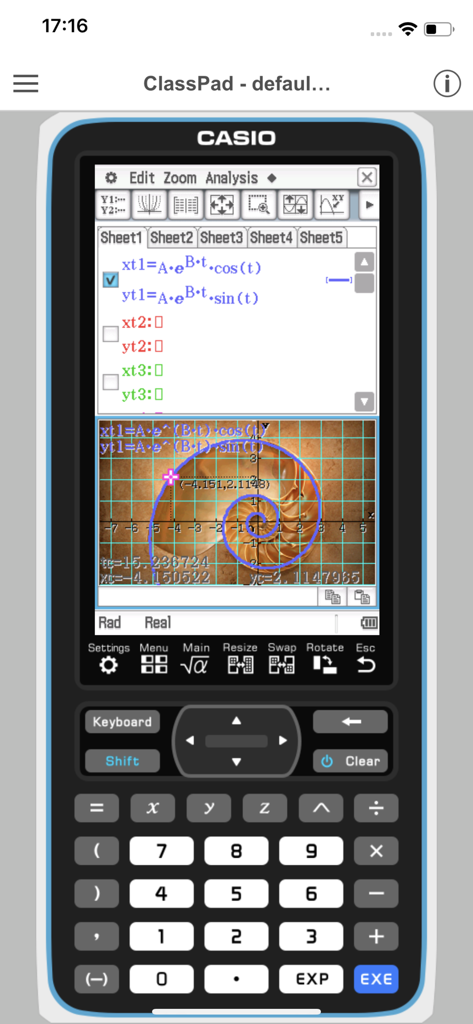
CASIO ClassPad - 複雑な方程式と対数螺旋のグラフが表示されたCASIO ClassPadアプリのスマートフォン画面。
複雑な方程式と対数螺旋のグラフが表示されたCASIO ClassPadアプリのスマートフォン画面。

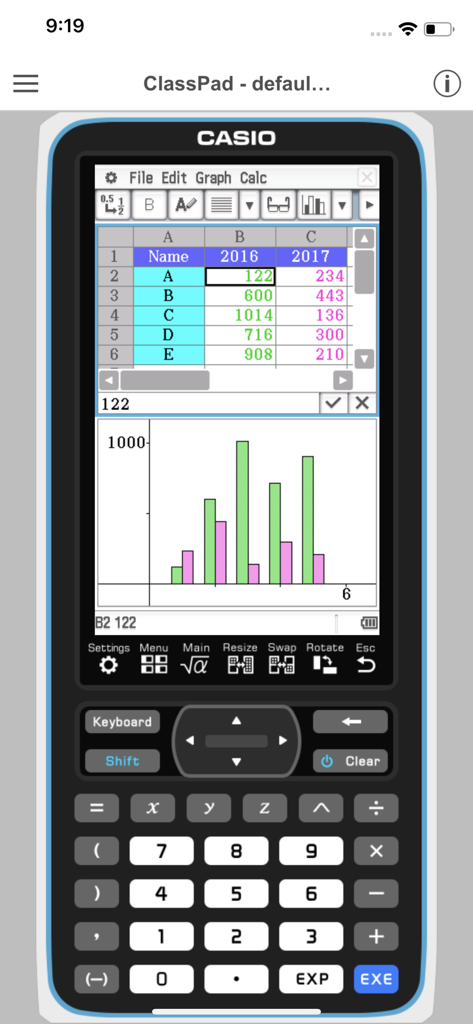
CASIO ClassPad - 仮想グラフ関数電卓のインターフェース上に、スプレッドシートのデータと統計棒グラフを表示しているCASIO ClassPadアプリ。
仮想グラフ関数電卓のインターフェース上に、スプレッドシートのデータと統計棒グラフを表示しているCASIO ClassPadアプリ。

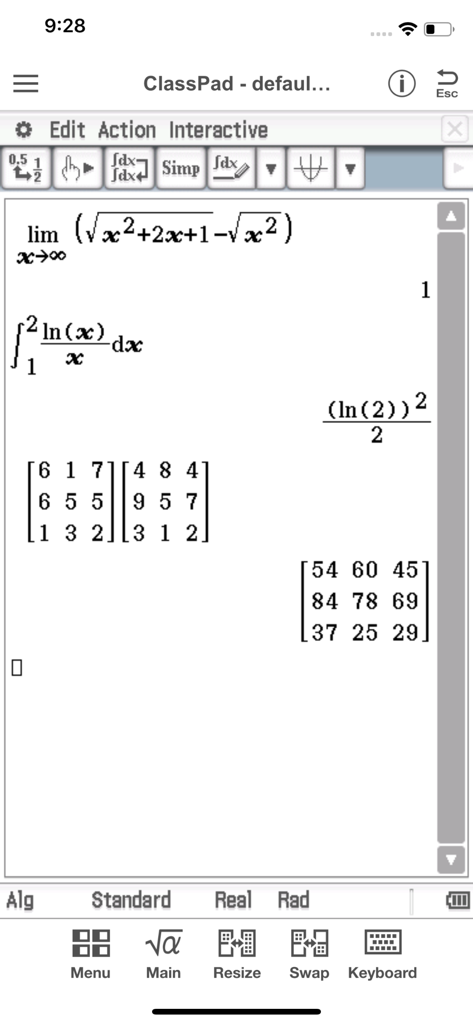
CASIO ClassPad - 高度な微積分、積分、行列の掛け算を表示しているCasio ClassPadモバイルアプリケーション。
高度な微積分、積分、行列の掛け算を表示しているCasio ClassPadモバイルアプリケーション。

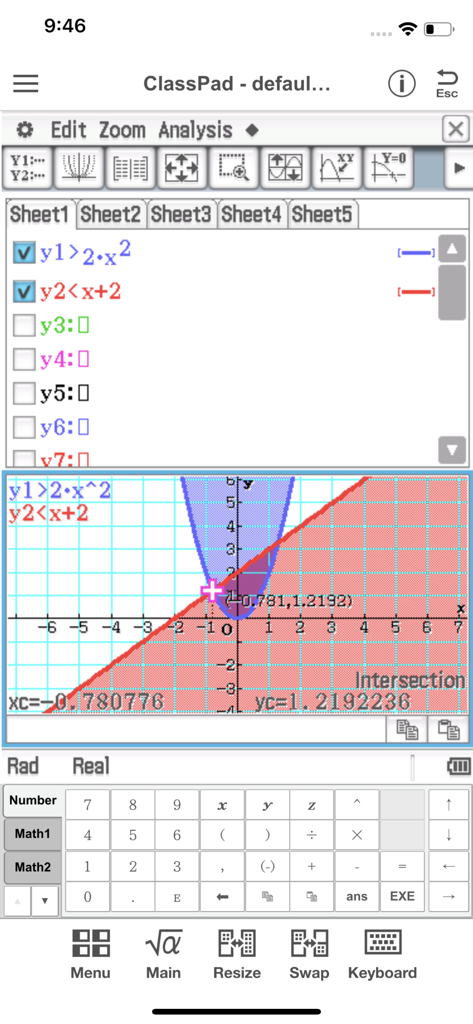
CASIO ClassPad - 影付きの領域と交点の計算が表示された、不等式グラフを示すCASIO ClassPadアプリのインターフェース。
影付きの領域と交点の計算が表示された、不等式グラフを示すCASIO ClassPadアプリのインターフェース。

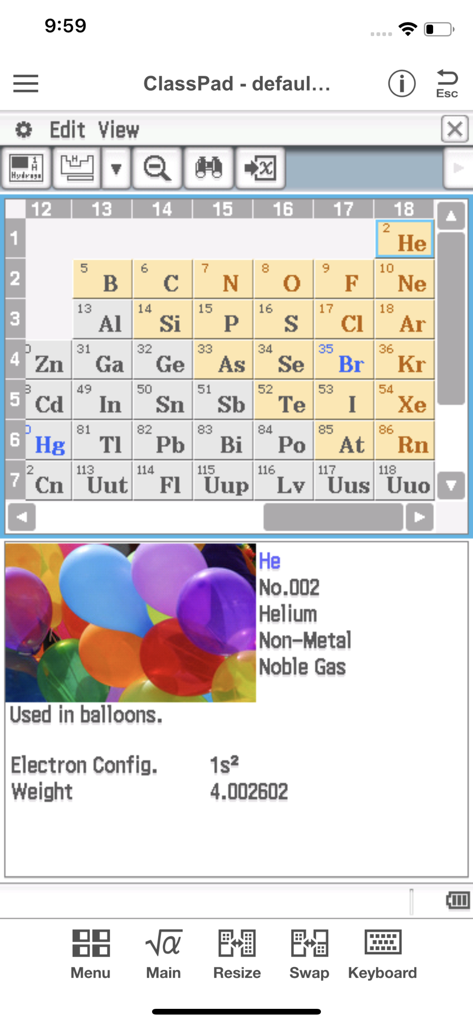
CASIO ClassPad - 周期表とヘリウム元素の詳細情報を表示しているCASIO ClassPadアプリ。

周期表とヘリウム元素の詳細情報を表示しているCASIO ClassPadアプリ。

説明

●App Overview ClassPad comes equipped to perform complex calculations, draw graphs, and to use a computer algebra system (CAS) to investigate mathematics and solve problems. It has a user interface in the style of the handheld ClassPad, a tool used in classrooms worldwide. This app will be beneficial for both new and experienced ClassPad users. ClassPad in combination with the free activities available from CASIO can help to take your study of mathematics to the next level. ●Trial Version vs Monthly Subscription Version After you register for a ClassPad Subscription, you will be provided access to a variety of different apps and functions that are essential for math and natural science learning and calculation. ・Applications You get access to a selection of more than 10 new apps that allow you to perform calculations using dynamic visual representations of math and natural science concepts. Four typical applications, each of which is essential for math and natural science learning and calculations, are described below. -eActivity eActivity lets you input math expressions and textual explanations in files that can then be used as worksheets. -Spreadsheet In addition to standard spreadsheet calculations, this app also provides statistical chart analysis and statistical calculation capabilities. -Geometry Geometry makes it possible for students to grasp relationships between figures using number tables and animations. -Physium Physium provides access to a periodic table and scientific constants for calculations. ・Functions You get additional access to more than 300 middle and higher grade math functions, including calculus, complex numbers, probability distribution, and more. ●Monthly Subscription ・Subscription Fee and Period A subscription costs $1.99 per month (calculated from your date of purchase), automatically renewed each month until you cancel your subscription. Billing is through your iTunes account. ・Automatic Renewal Details Subscriptions are renewed automatically as long as the subscriber does not cancel the subscription at least 24 hours before the end of the current subscription period. Billing for an automatically renewed subscription will be performed within 24 hours after the auto renewal. ・Checking Your Current Subscription Status and Canceling a Subscription (by Stopping Auto Renewal) You can check your current subscription status by navigating to the applicable page as shown below. [Settings > iTunes & App Store > Tap your Apple ID. > View Apple ID > Subscriptions] On the page that appears, you can check your next auto renewal date, and cancel or reconfigure your auto renewal. *You can also use iTunes to check your next auto renewal date, and cancel or reconfigure your auto renewal. ・Partial Month Cancellation Cancellation of a subscription partway through a month is not allowed. ●Terms of use http://edu.casio.com/software_app/app/termsofuse/en.html ●Privacy Policy http://world.casio.com/privacy/

Download

ダウンロード: App Store

このページはアプリまたはその開発者の公式ページではなく、情報提供および論評を目的として作成された独立した編集出版物です。明示的に別段の記載がない限り、アプリおよびその開発者は、MWM、Apple、Google Play、アプリのパブリッシャー、またはアプリの開発者と提携、承認、後援、認可、またはその他の公式的な関係はなく、このページのいかなる内容も、アプリがMWMのサービスを使用して開発されたことを意味するものではありません。すべての商標、ロゴ、スクリーンショット、その他のコンテンツはそれぞれの所有者の財産です。








