Circle Parental Controls App

Circle Parental Controls App


ダウンロード: App Storeダウンロード: Google Play
ロゴ: Circle Parental Controls App

Circleペアレンタルコントロールアプリ:お子様のスクリーンタイムのストレスを解消

コンテンツのフィルタリングから、夕食時の「インターネットの一時停止」まで、自宅でも外出先でも、すべてのデバイスを管理できます。シンプルでオールインワンのアプリで、健全な境界を設定し、お子様にご褒美を与えましょう。現代の親のために設計されています。

ダウンロード: App Store

開発元

Circle Media Incorporated

カテゴリ

Lifestyle

ダウンロード

525K+

ユーザー評価

4.2/5

評価数

14K+

対応言語

3

あなたのデジタルコマンドセンター

このインターフェースを利用する 525K+ 人のユーザー.

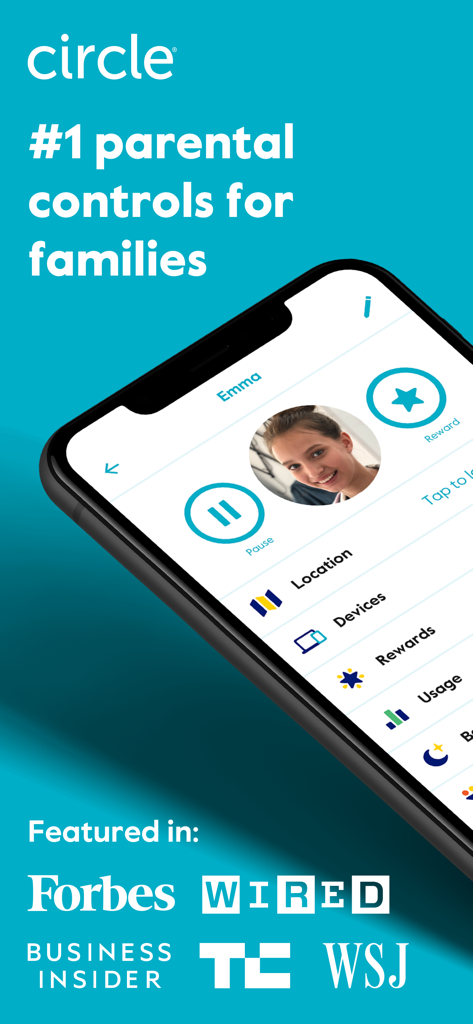
Circleペアレンタルコントロールアプリのインターフェース。子供のプロフィール管理、一時停止や報酬などの機能、主要メディアからの推薦が表示されています。

Circleペアレンタルコントロールアプリのインターフェース。子供のプロフィール管理、一時停止や報酬などの機能、主要メディアからの推薦が表示されています。

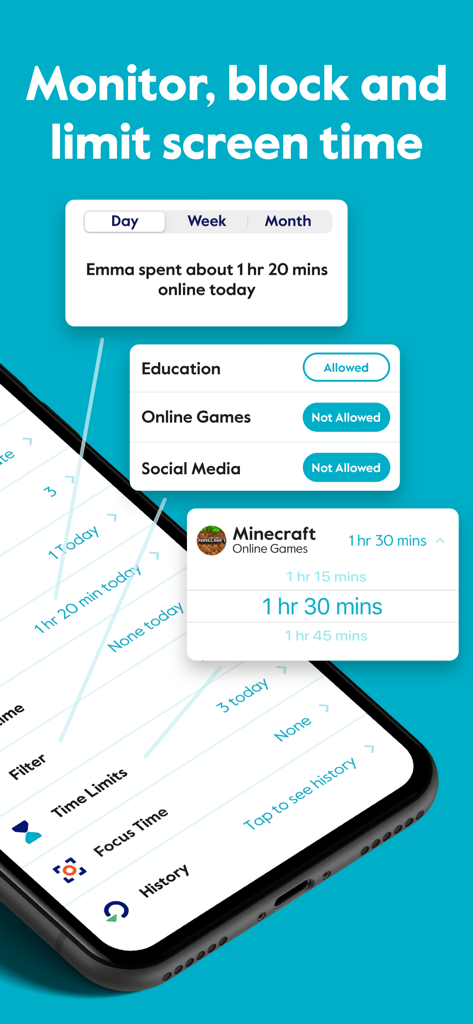
Circleペアレンタルコントロールアプリのインターフェース。子供向けの1日のスクリーンタイム制限とコンテンツフィルタリング設定が表示されています。

Circleペアレンタルコントロールアプリのインターフェース。子供向けの1日のスクリーンタイム制限とコンテンツフィルタリング設定が表示されています。

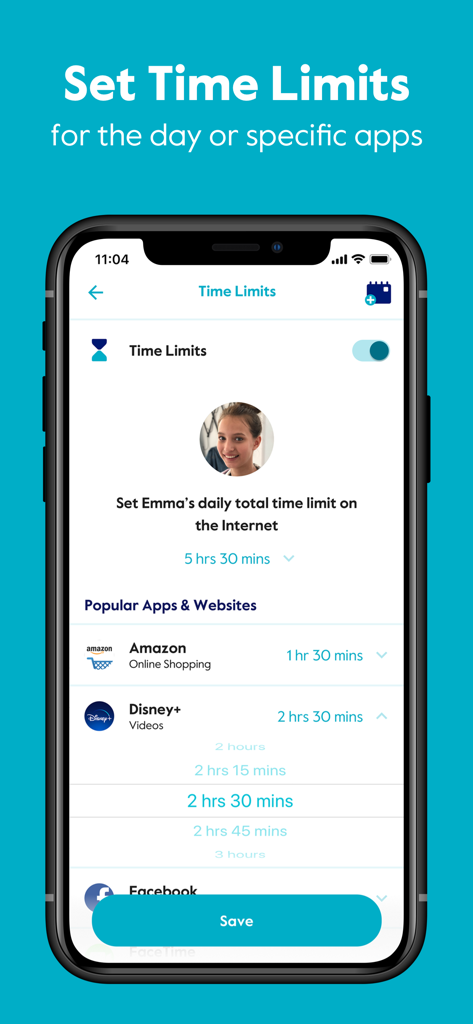
Circleペアレンタルコントロールアプリのインターフェース。AmazonやDisney Plusなどの特定のアプリの1日の時間制限を設定する設定が表示されています。

Circleペアレンタルコントロールアプリのインターフェース。AmazonやDisney Plusなどの特定のアプリの1日の時間制限を設定する設定が表示されています。

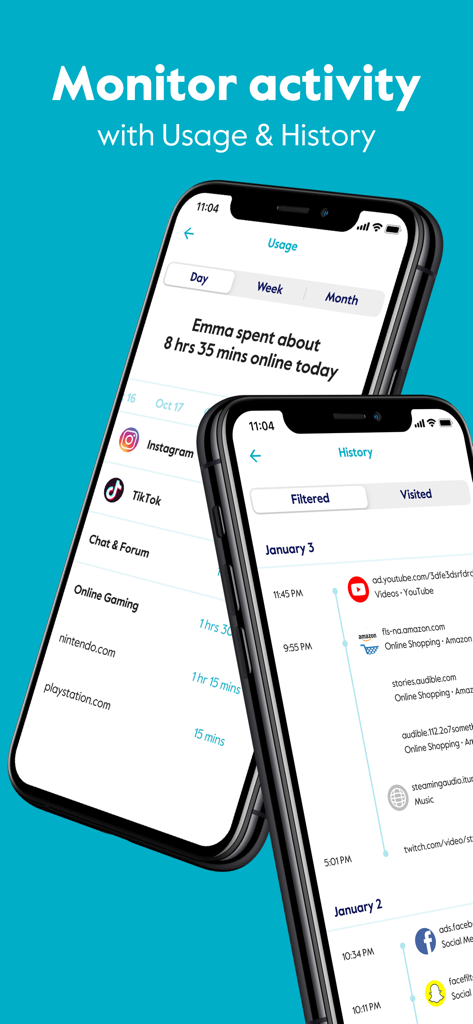
Circleペアレンタルコントロールアプリのインターフェース。2台のスマートフォンで、使用状況と閲覧履歴の追跡機能が表示されています。

Circleペアレンタルコントロールアプリのインターフェース。2台のスマートフォンで、使用状況と閲覧履歴の追跡機能が表示されています。

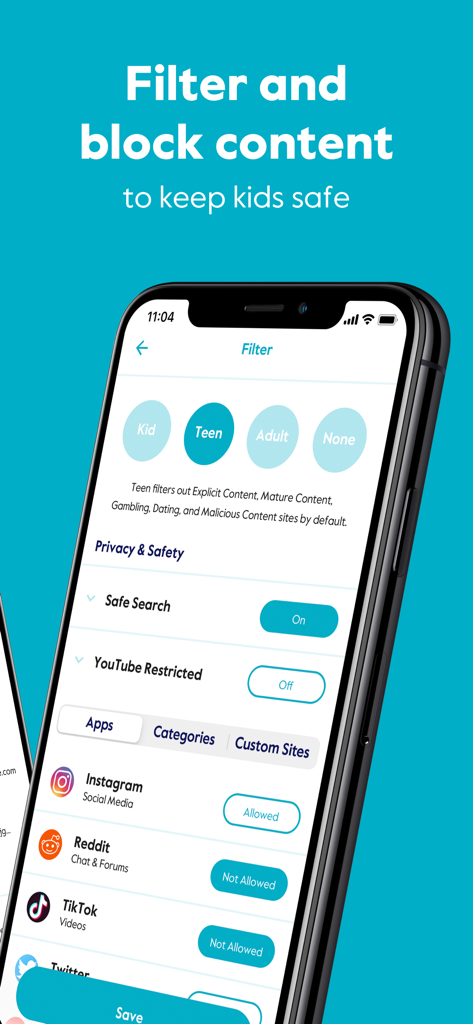
Circleアプリのインターフェース。InstagramやTikTokなどのソーシャルメディア向けの年齢ベースのコンテンツフィルターとアプリブロックオプションが表示されています。

Circleアプリのインターフェース。InstagramやTikTokなどのソーシャルメディア向けの年齢ベースのコンテンツフィルターとアプリブロックオプションが表示されています。

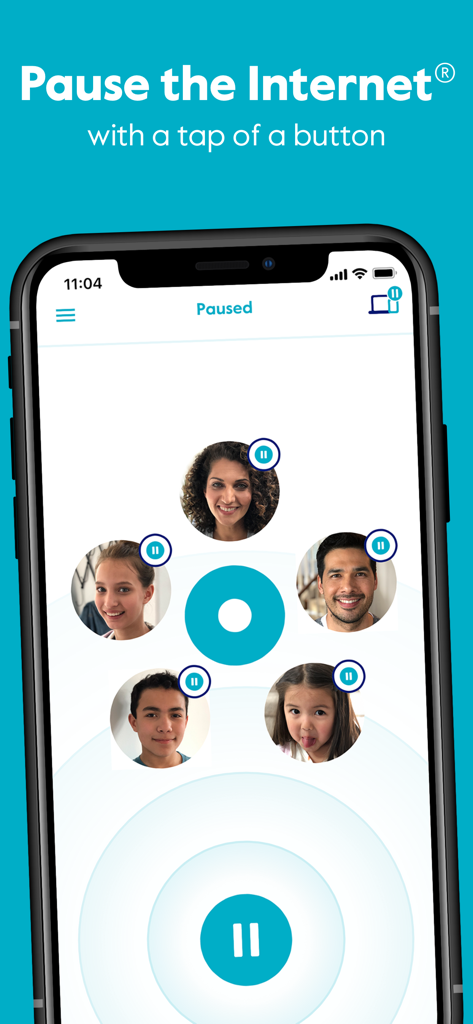
Circleペアレンタルコントロールアプリのインターフェース。「インターネットを一時停止」機能と家族メンバーのプロフィールアイコンが表示されています。

Circleペアレンタルコントロールアプリのインターフェース。「インターネットを一時停止」機能と家族メンバーのプロフィールアイコンが表示されています。

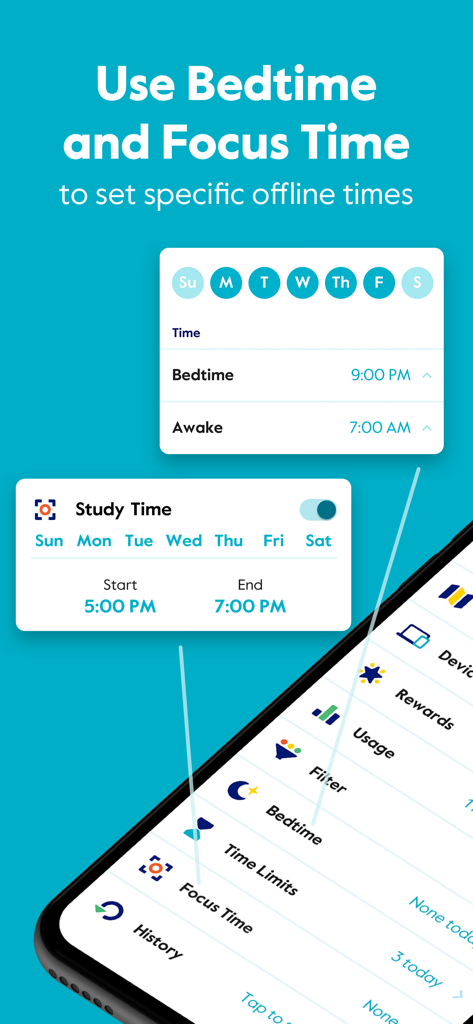
Circleアプリのインターフェース。子供向けの特定のオフライン期間を設定するための就寝時間とフォーカス時間(集中時間)をスケジュールする方法が表示されています。

Circleアプリのインターフェース。子供向けの特定のオフライン期間を設定するための就寝時間とフォーカス時間(集中時間)をスケジュールする方法が表示されています。

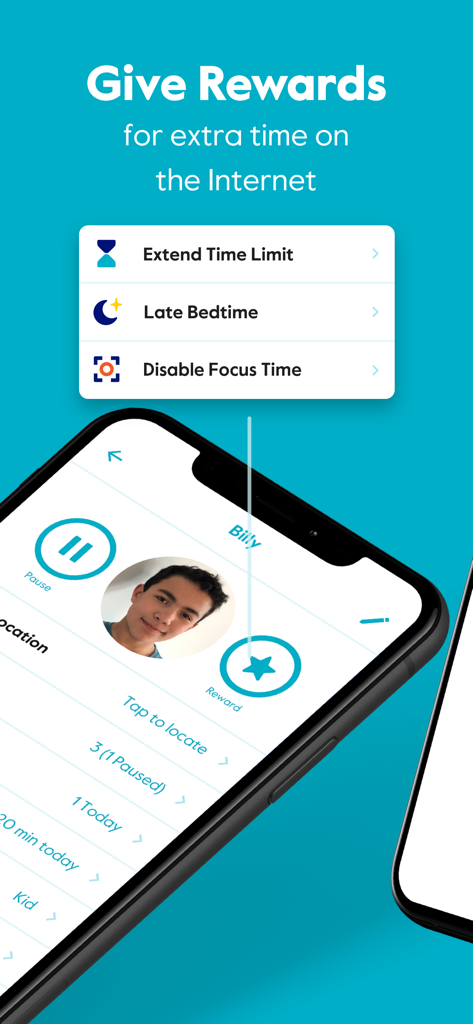
スマートフォン画面。時間制限の延長や就寝時間の遅延設定オプションを備えたCircleアプリの報酬機能が表示されています。

スマートフォン画面。時間制限の延長や就寝時間の遅延設定オプションを備えたCircleアプリの報酬機能が表示されています。

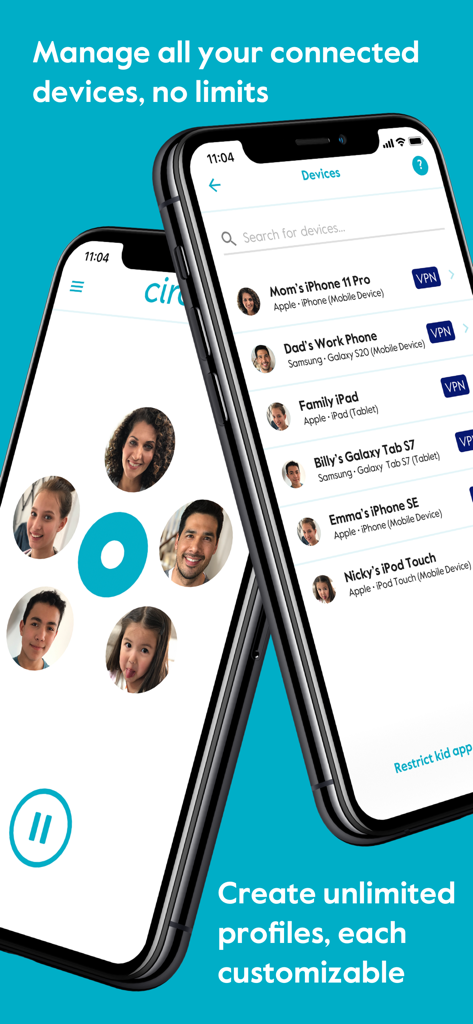
スマートフォン画面。Circleペアレンタルコントロールアプリのデバイス管理と家族プロフィールが表示されています。

スマートフォン画面。Circleペアレンタルコントロールアプリのデバイス管理と家族プロフィールが表示されています。

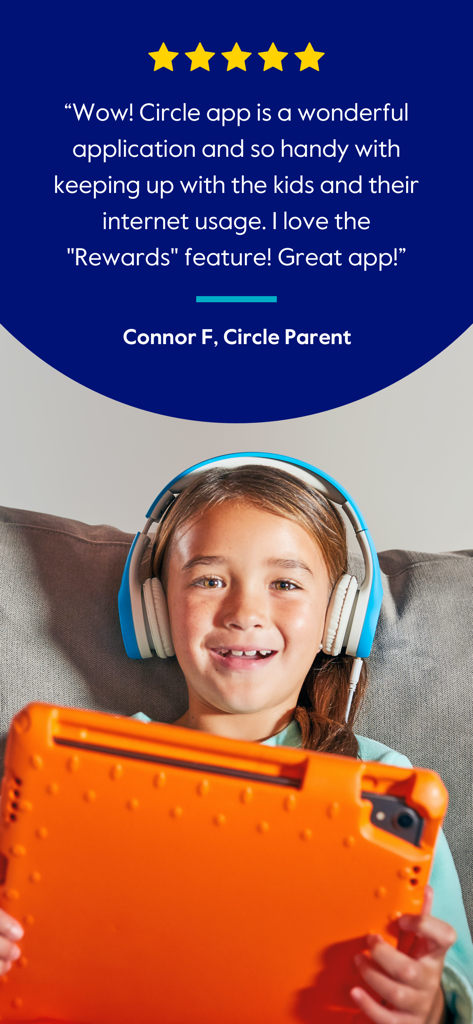
Circleペアレンタルコントロールアプリの5つ星カスタマーレビュー。タブレットとヘッドフォンを持った笑顔の子供の写真が含まれています。

Circleペアレンタルコントロールアプリの5つ星カスタマーレビュー。タブレットとヘッドフォンを持った笑顔の子供の写真が含まれています。

ご家庭のデジタルウェルネスをマスターする

このアプリを際立たせるツール、 525K+ 人のユーザーが選択.

自動スクリーンタイム制限

アプリとサイトの1日の制限を設定すれば、ログオフする際に「悪い役」になる必要はありません。

🛡️

スマートコンテンツフィルタリング

年齢に基づいたフィルターで、セルラーデータでも、すべてのデバイスで不適切なコンテンツからお子様を保護します。

就寝時間と即時報酬

自動切断で睡眠を促進し、ポジティブな行動に対して追加のオンライン時間を付与することで、お子様のモチベーションを高めます。

レビュー分析

ユーザーレビューの分析.

感情スコア

11%
ネガティブ

概要

This app receives overwhelmingly negative feedback, primarily due to severe performance issues such as extreme slowness, glitchiness, and unresponsiveness, making it almost unusable. Many users report that parental control features, including time limits and content blocking, are often ineffective as children easily bypass them or the settings fail to apply consistently. Furthermore, common complaints include frustrating device identification and management, difficulties with subscription cancellation, and non-existent customer support, leading to a general sentiment of wasted money and time for its users.

主なテーマ

Screen Time Limits(4)
Website Blocking(3)
App Concept(2)
Time Rewards Feature(2)
Basic App Operation(2)

アプリについて

について知っておくべきこと Circle Parental Controls App.

説明

Block and limit screen time. Keep kids safe and focused with the most comprehensive and easy to use parental control app for devices in home and on the go. Circle Parental Controls App gives parents screen time control whether kids are playing their favorite online game, connecting with friends or doing schoolwork. Circle goes beyond setting Screen Time Limits and Filters with additional parental control features like Pause, History, Rewards and Bedtime. Parents can customize screen time and WiFi control based on their kids’ ages and their own family preferences, and even limit or block social media. SCREEN TIME PARENTAL CONTROL APP • Filter: Choose appropriate (or block inappropriate) content by age with web filters. Even block social media. • Time Limits: Set daily screen time limits for popular apps and sites. • Pause the Internet®: Make the Internet stop for every family member (or just one). MONITOR AND KEEP TRACK OF ONLINE TIME • History: Check out sites kids visited (or tried to visit) throughout the day. Or go back as far as you’d like for screen monitoring and phone monitoring. • Usage: Get a complete picture of your family’s Internet use, across all devices • Location: Keep track of your kids through their mobile devices. Monitor kids’ phones to keep them safe. BALANCE TIME ONLINE AND OFFLINE • Bedtime: Ensure your kids get the sleep they need. Set a bedtime for connected devices. • Rewards: Celebrate good behavior by giving a little extra online time just for the day. • Focus Time: Schedule distraction-free Internet time for school, homework or offline time. Start managing your family’s online screen time today with a free trial to access all the parental control app features like WiFi blocker, app blocker and other premium parental control app and screen time control features. Circle’s WiFi manager, Internet and website blocker, and mobile device management make for the most robust screen time parental control app available. Kids can use the Circle parental control app to keep track of their own screen time online with a personalized dashboard. THE ULTIMATE PARENTAL CONTROL APP Over 90% of Circle parental control app users say it helps keep their kids safe online and makes it easier to manage screen time in their family. ———— Circle Home Plus — sold separately Need an in-home device to manage online screen time on smart TVs, video game consoles, and computers? Manage all Wi-Fi connected devices in your home with the Circle Home Plus parental control device - universal parental control at home and away! Learn more: meetcircle.com The Circle Parental Controls App is not for use with Circle with Disney or Circle on Netgear routers. ———— Need Help? If you have any parental control app questions, need help with the Circle parental control app, or want to provide feedback, please contact our Support Team: help@meetcircle.com support.meetcircle.com ———— Subscription Pricing & Terms A Circle subscription is required and gives your family access to every Circle parental control feature. Circle Subscription comes with a FREE trial period (for new premium members only). The Circle subscription is an automatic renewing subscription. Your subscription will be charged to your iTunes account at confirmation of purchase and will automatically renew unless auto-renewal is disabled at least 24 hours before the end of the current period. Subscriptions are billed at the start of each period and cannot be refunded. Subscribers can manage subscriptions and disable auto-renewal by visiting their iTunes Account Settings after purchase. Privacy policy: https://meetcircle.com/privacy/ Terms of use: https://meetcircle.com/license/

最新バージョン

2.34.0

サイズ

143.2 MB

リリース日

2019年4月10日

スクリーンタイムの戦いを終わらせる準備はできましたか?

Circleを使用して健全なデジタル習慣を育む50万人以上の家族に加わりましょう。今すぐ無料トライアルを開始して、ご家庭に安心を取り戻しましょう。

ダウンロード: App Storeダウンロード: Google Play

App information, icons, screenshots, and descriptions displayed on this page are sourced from the Apple App Store and are the property of their respective developers. Download estimates and rankings are based on MWM's proprietary models and may not reflect actual figures. This page is provided for informational and analytical purposes only.

Believe this page infringes your intellectual property? File a dispute