
このページはアプリまたはその開発者の公式ページではなく、情報提供および論評を目的として作成された独立した編集出版物です。明示的に別段の記載がない限り、アプリおよびその開発者は、MWM、Apple、Google Play、アプリのパブリッシャー、またはアプリの開発者と提携、承認、後援、認可、またはその他の公式的な関係はなく、このページのいかなる内容も、アプリがMWMのサービスを使用して開発されたことを意味するものではありません。すべての商標、ロゴ、スクリーンショット、その他のコンテンツはそれぞれの所有者の財産です。

Nintendo Switch Parental Cont…
子供のデジタル世界に親が介入する、その支配力を手中に収めるアプリ。ゲーム漬けの不安を根絶する強力な武器であることがわかる。
ダウンロード
12.5M+ユーザー評価
評価数
634.0K開発元
カテゴリ
Lifestyle対応言語
12最新バージョン
2.4.0サイズ
79.4 MBリリース日
2017年3月2日Nintendo Switch Parental Controls アプリ主要機能分析
保護者によるお子様の健全なゲーム習慣をサポートする機能群
毎日のプレイ時間制限設定
本アプリは、保護者がお子様ごとに日々のプレイ時間を設定することを可能にします。曜日ごとに異なる設定や、制限時間に達した際にゲームプレイを中断させる機能も提供します。
年齢に応じた利用制限設定
本アプリは、保護者がお子様の年齢に基づいて、プレイ可能なゲームや利用できる機能に制限を設定することを可能にします。
プレイ状況の確認
このアプリは、保護者がお子様がどのゲームをどれくらいの時間プレイしたかを簡単に確認できるようにします。また、月ごとのプレイ状況の概要も提供されます。
ゲームチャット設定管理
本ツールは、保護者がお子様のゲームチャット利用を許可した場合に、チャットを許可する友達の管理やビデオチャットの利用タイミングを決定する機能を提供します。
よくある質問
について知っておくべきこと Nintendo Switch Parental Cont…
What is the Nintendo Switch Parental Controls app?
The Nintendo Switch Parental Controls app allows parents to monitor and manage their child's use of Nintendo Switch and Nintendo Switch 2 systems. It offers play-time limits and activity tracking.
How can I set a daily play-time limit using Nintendo Switch Parental Controls?
Yes, the Nintendo Switch Parental Controls app allows you to set a daily play-time limit for your child. You can customize limits for each day and suspend gameplay when the time limit is reached.
Can the Nintendo Switch Parental Controls app manage GameChat settings?
Yes, the Nintendo Switch Parental Controls app manages GameChat settings. Parents approve which friends their child can chat with and control video chat usage. This feature requires a Nintendo Switch 2 system.
Does the Nintendo Switch Parental Controls app show my child's play activity?
Yes, the Nintendo Switch Parental Controls app shows your child's play activity. You can view which games they play, how long they play, and receive a monthly overview of gameplay activity.
Can I restrict games by age using the Nintendo Switch Parental Controls app?
Yes, the Nintendo Switch Parental Controls app enables age-based restrictions on games and features. Parents can customize these restrictions based on their child's age.
What are the requirements to use the Nintendo Switch Parental Controls app?
To use the Nintendo Switch Parental Controls app, you need a Nintendo Switch 2 or Nintendo Switch system and a Nintendo Account for the parent or guardian (aged 18 or above).
Can I set purchasing restrictions using the Nintendo Switch Parental Controls app?
No, purchasing restrictions for Nintendo eShop are not set within the Nintendo Switch Parental Controls app. These restrictions are configured in the Nintendo Account settings online.
Is the Nintendo Switch Parental Controls app free to use?
Yes, the Nintendo Switch Parental Controls app is a free application. It helps parents monitor and manage their child's Nintendo Switch or Nintendo Switch 2 system usage.
以下のスクリーンショットと説明は、アプリの公式ストアリスティングから直接取得されたものであり、アプリ開発者の所有物です。
アプリストア
スクリーンショット
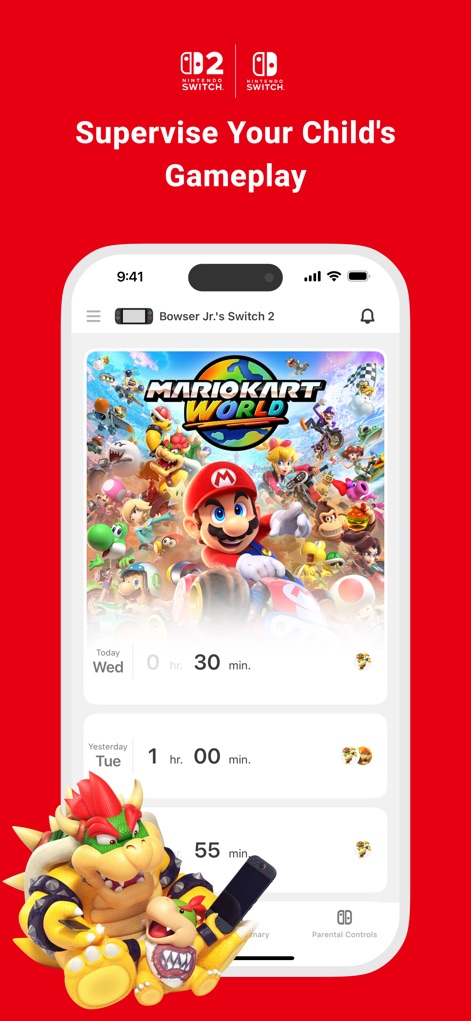
プレイ状況を一目で
お子様のゲームプレイ状況を把握できます。本日と昨日のプレイ時間、およびどのゲームをプレイしたかを確認可能です。
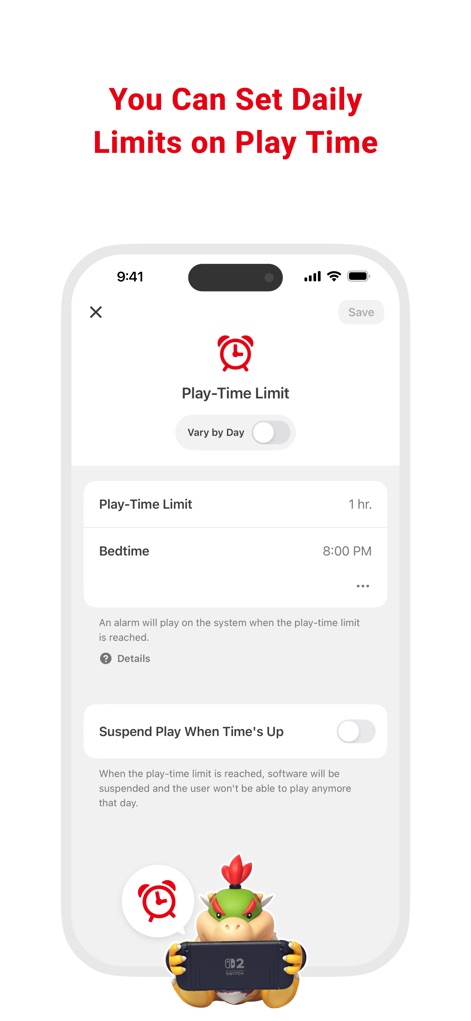
時間制限を設定
お子様の健全なデジタル習慣をサポートするため、1日あたりのプレイ時間制限を設定できます。制限時間超過時にはゲームを自動的に停止する機能も利用可能です。
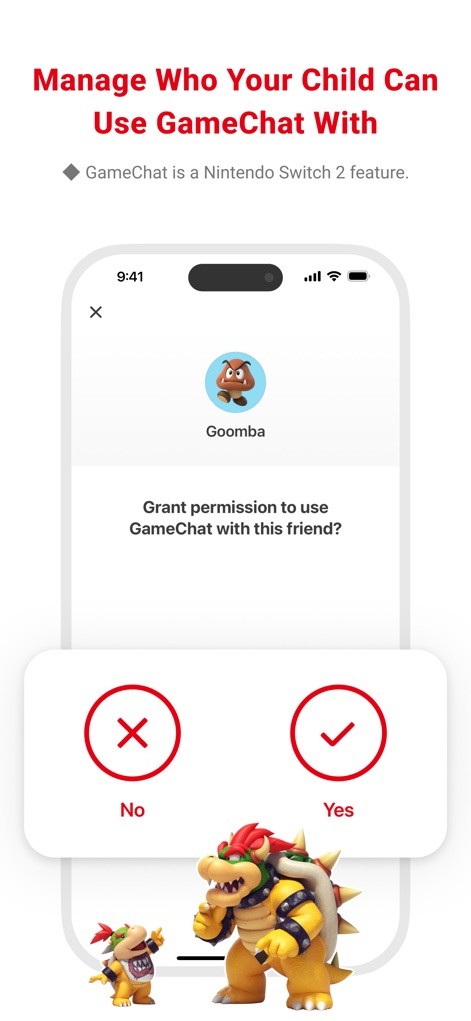
安全な交流を管理
お子様のオンライン交流を見守り、ゲームチャットの相手を個別に承認できます。特定のお友達とのチャット許可を「はい」または「いいえ」で選択可能です。
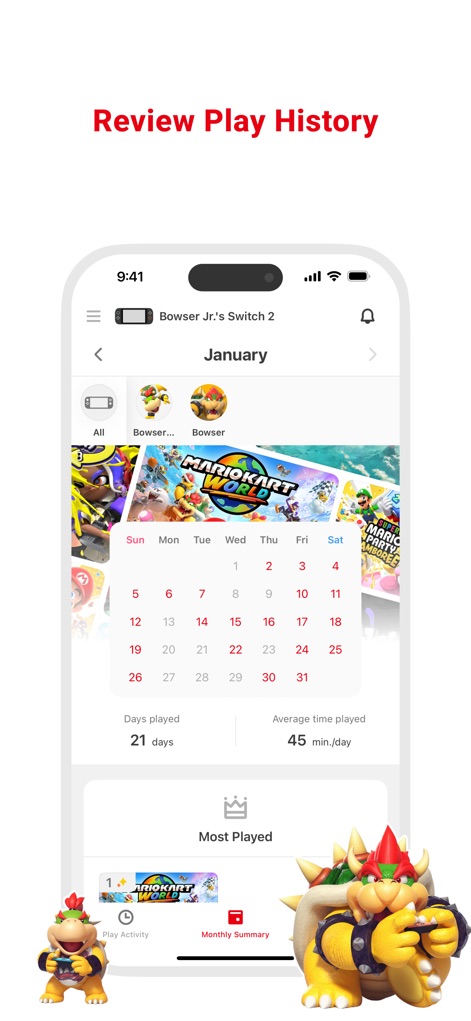
プレイ履歴を閲覧
お子様のゲームプレイ履歴を月ごとに確認できます。プレイした日数と1日あたりの平均プレイ時間を把握し、過去の活動を振り返ることが可能です。
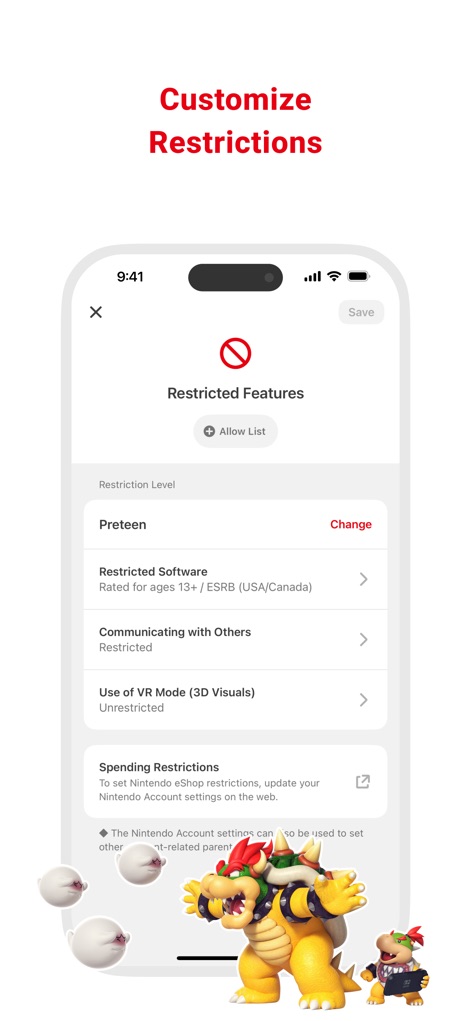
細かい制限設定
お子様の年齢に応じた制限レベルを設定し、プレイ可能なソフトウェアを制限できます。また、他者とのコミュニケーションやVRモードの使用といった機能へのアクセスも調整可能です。
説明
Download
類似アプリ
似た機能とユーザー体験を持つアプリ

Findos - Find My Device
Pollux Bilisim Teknolojileri Sanayi ve Ticaret Limited Sirketi

Boost Family Guard
Smith Micro Software, Inc.

Google Family Link
Google LLC

Findmykids: GPS Phone Tracker
LETEM LTD

Parental Control App Kids360
ANKO SOLUTIONS LLC

JusTalk Kids - Safe Messenger
Ningbo Jus Internet Technology Co., Ltd.

FlashGet Kids:parental control
HONGKONG FLASHGET NETWORK TECHNOLOGY CO., LIMITED

Parental Control App: AirDroid
SAND STUDIO CORPORATION LIMITED

Parental Control App - Kidsee
Alenrom sp. z o.o.
このページはアプリまたはその開発者の公式ページではなく、情報提供および論評を目的として作成された独立した編集出版物です。明示的に別段の記載がない限り、アプリおよびその開発者は、MWM、Apple、Google Play、アプリのパブリッシャー、またはアプリの開発者と提携、承認、後援、認可、またはその他の公式的な関係はなく、このページのいかなる内容も、アプリがMWMのサービスを使用して開発されたことを意味するものではありません。すべての商標、ロゴ、スクリーンショット、その他のコンテンツはそれぞれの所有者の財産です。