
このページはアプリまたはその開発者の公式ページではなく、情報提供および論評を目的として作成された独立した編集出版物です。明示的に別段の記載がない限り、アプリおよびその開発者は、MWM、Apple、Google Play、アプリのパブリッシャー、またはアプリの開発者と提携、承認、後援、認可、またはその他の公式的な関係はなく、このページのいかなる内容も、アプリがMWMのサービスを使用して開発されたことを意味するものではありません。すべての商標、ロゴ、スクリーンショット、その他のコンテンツはそれぞれの所有者の財産です。


Parental Control App - Kidsee
現代の親のためのオールインワンデジタルアシスタント。リアルタイムの位置情報を追跡し、アプリをブロックし、直感的なダッシュボードで家事を稼いだスクリーンタイムに変えましょう。
ダウンロード
208K+ユーザー評価
評価数
4K+開発元
カテゴリ
Lifestyle対応言語
39最新バージョン
15.3サイズ
156.6 MBリリース日
2024年11月16日バランスの取れた子供時代のためのスマートな境界線
Kidseeは、安全、生産性、健康的な習慣のために設計されたツールで、子供のデジタルジャーニーをガイドすることを可能にし、スクリーンタイム管理を苦労からパートナーシップに変えます。
報酬ベースの責任
家事や宿題を報酬に変えましょう。子供たちがタスクを完了することで追加のスクリーンタイムを獲得できるようにし、無意識のスクロールよりも勤勉の価値を教えましょう。
リアルタイムの安心
子供たちが探索する自由を与え、あなたは情報を得続けます。学校や友達の家への道中で子供たちが安全であることを確認するために、子供のライブ位置情報とルート履歴を追跡します。
よくある質問
について知っておくべきこと Parental Control App - Kidsee
Kidseeアプリとは何ですか?
Kidseeは、子供たちの安全を守るために設計された革新的なペアレンタルコントロールアプリです。スクリーンタイムの追跡、アプリのブロック、位置情報の監視、そして責任あるデジタル習慣の奨励を通じて、モバイルデバイスの使用を管理するのに役立ちます。
Kidseeで子供の位置情報を追跡できますか?
はい、Kidseeはリアルタイムの位置情報追跡を提供します。保護者は、子供の現在の位置を監視し、アプリ内で直接ルート履歴を表示して、子供の安全を確保できます。
Kidseeでは保護者がスクリーンタイムの制限を設定できますか?
はい、Kidseeでは保護者が様々なアプリやゲームに対して子供の1日のスクリーンタイム制限を設定できます。この機能は、使用時間の境界を定義することで、楽しみと責任のバランスをとるのに役立ちます。
Kidseeはアプリの使用管理にどのように役立ちますか?
Kidseeを使用すると、保護者は不要なアプリをブロックして、子供たちの集中を助けることができます。また、子供たちがどのアプリを、いつ、どれくらいの時間使用しているかを示す詳細な使用状況統計も提供します。
Kidseeアプリは複数の子供のデバイスを監視できますか?
はい、Kidseeは複数のデバイスを同時に監視することをサポートしています。保護者は子供一人ひとりに個別のプロファイルを作成し、パーソナライズされた制限で1つの保護者用電話からすべてのデバイスを管理できます。
Kidseeは子供向けのモチベーション機能を提供していますか?
はい、Kidseeには「モチベーションタスク」が含まれています。子供たちは、宿題や片付けなどのタスクを完了することで追加のスクリーンタイムを獲得でき、責任ある行動と良い習慣を奨励します。
Kidseeのサブスクリプションはどのように機能しますか?
Kidseeはサブスクリプションを提供しており、購入確認時にApple IDに料金が請求されます。期間終了の24時間前までに自動更新をオフにしない限り、サブスクリプションは自動的に更新されます。
Kidseeのサブスクリプションをキャンセルできますか?
はい、Kidseeのサブスクリプションはいつでもキャンセルできます。購入後、Apple IDのアカウント設定でサブスクリプションを管理し、自動更新をオフにしてください。
Kidseeは無料トライアル期間を提供していますか?
はい、Kidseeは3日間の無料トライアルを提供する場合があります。この期間終了後、トライアル終了前にキャンセルしない限り、サブスクリプションは通常の料金で自動的に更新されます。
Kidseeはアプリの使用状況についてどのようなアクティビティレポートを生成しますか?
Kidseeは詳細なアプリ使用状況の統計レポートを生成します。これらのレポートは、子供がどのアプリを、いつ、どれくらいの時間使用しているかを示し、デジタル習慣についての洞察を提供します。
Kidseeはアダルトコンテンツやウェブサイトをブロックできますか?
はい、Kidseeでは保護者がアダルトウェブサイトをブロックすることでコンテンツをフィルタリングできます。この機能は、より安全なデジタル環境の作成を助け、子供たちのオンライン保護を保証します。
Kidseeサポートに連絡するにはどうすればよいですか?
技術的な問題、質問、または提案については、メールでKidseeサポートに連絡できます。サポートのメールアドレスはsupport@kidsee.appです。
Kidseeはアプリのブロックをスケジュールできますか?
はい、Kidseeはアプリのブロックをスケジュールする機能を提供しています。保護者は、特定のアプリが制限される1日の特定の時間帯または週の期間を定義できます。
Kidseeでアプリ内購入をブロックできますか?
はい、Kidseeはアプリ内購入をブロックするオプションを提供しています。この機能は、保護者が支出を管理し、子供による不正な取引を防ぐのに役立ちます。
Kidseeはスクリーンタイム制限について保護者に通知しますか?
はい、Kidseeはプッシュ通知を送信します。子供が使用時間制限に達すると、保護者はアラートを受け取り、子供の活動について最新情報を把握できます。
以下のスクリーンショットと説明は、アプリの公式ストアリスティングから直接取得されたものであり、アプリ開発者の所有物です。
アプリストア
スクリーンショット
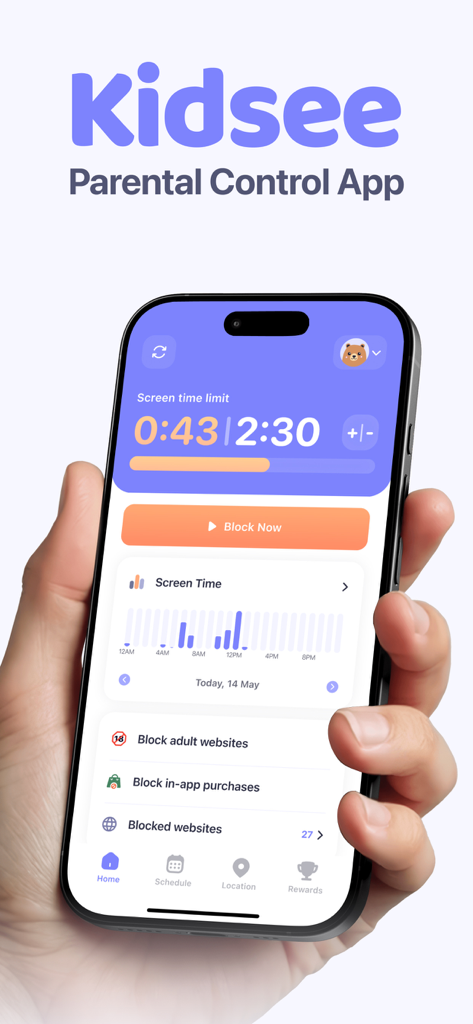
Kidseeペアレンタルコントロールアプリのダッシュボードが表示されたiPhone画面、スクリーンタイム制限とアプリブロック機能付き
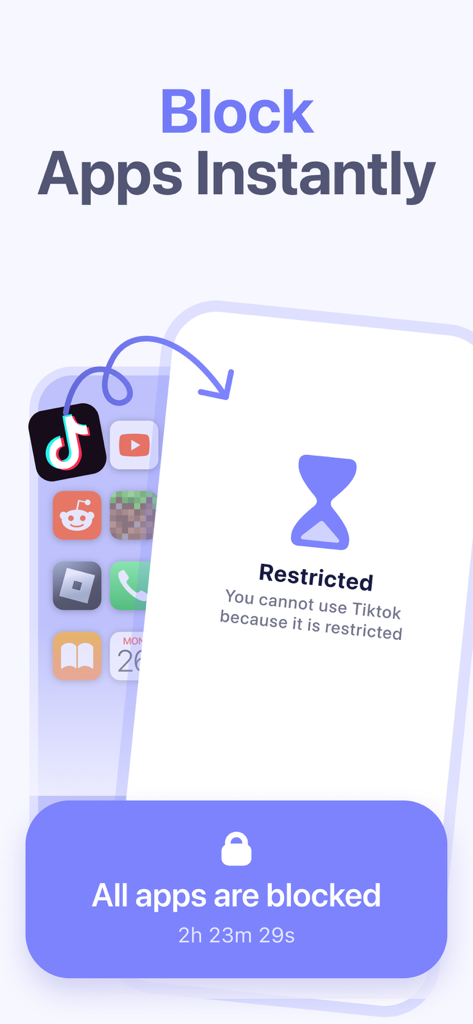
TikTokなどのアプリケーションをブロックするKidseeアプリの機能を示すスマートフォン画面
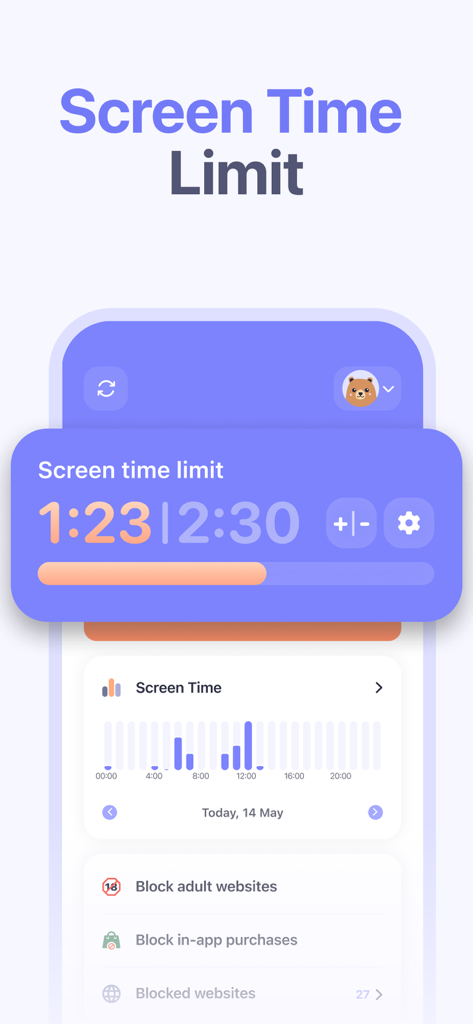
Kidseeアプリのダッシュボードに、スクリーンタイム制限、毎日の使用統計グラフ、ウェブサイトブロックコントロールが表示されています。
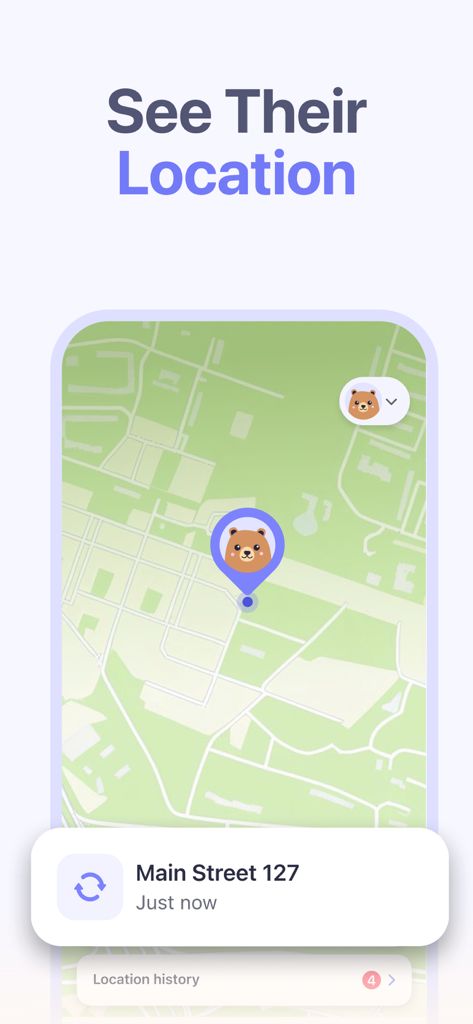
地図インターフェースで子供のリアルタイム位置情報追跡を表示するKidseeペアレンタルコントロールアプリ
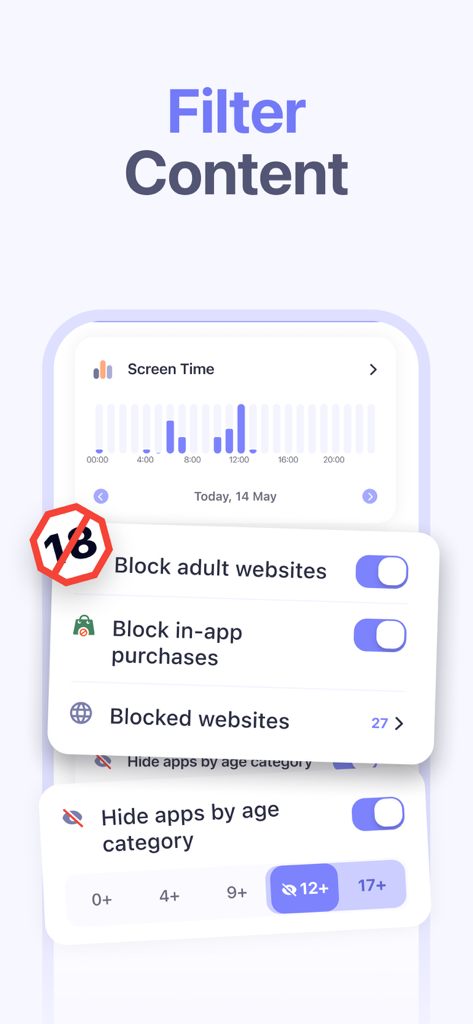
Kidseeアプリのインターフェースに、成人向けウェブサイトをブロックし、年齢カテゴリ別にアプリを非表示にする設定が表示されています
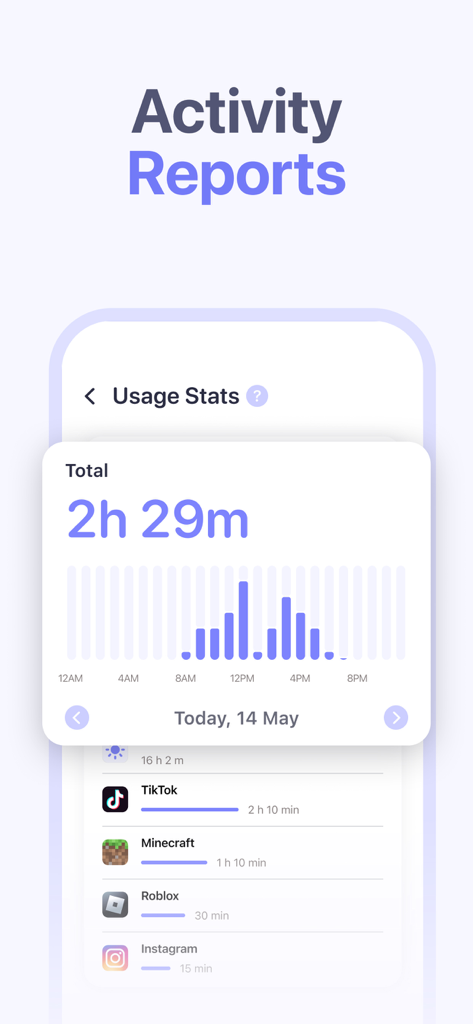
Kidseeアプリのダッシュボードに、TikTokやRobloxなどのアプリの毎日のスクリーンタイム使用状況とアクティビティレポートが表示されています。
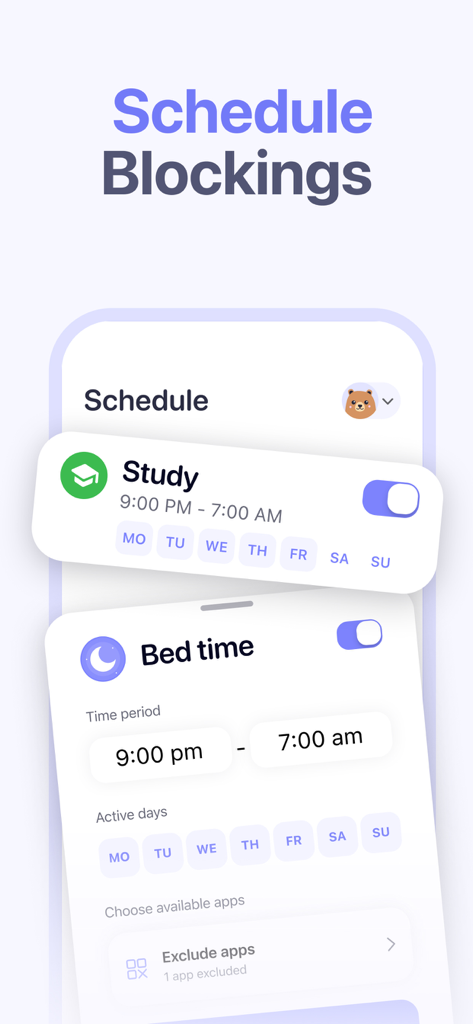
Kidseeアプリのインターフェースに、勉強時間と就寝時間のスケジュールブロック機能が表示されています
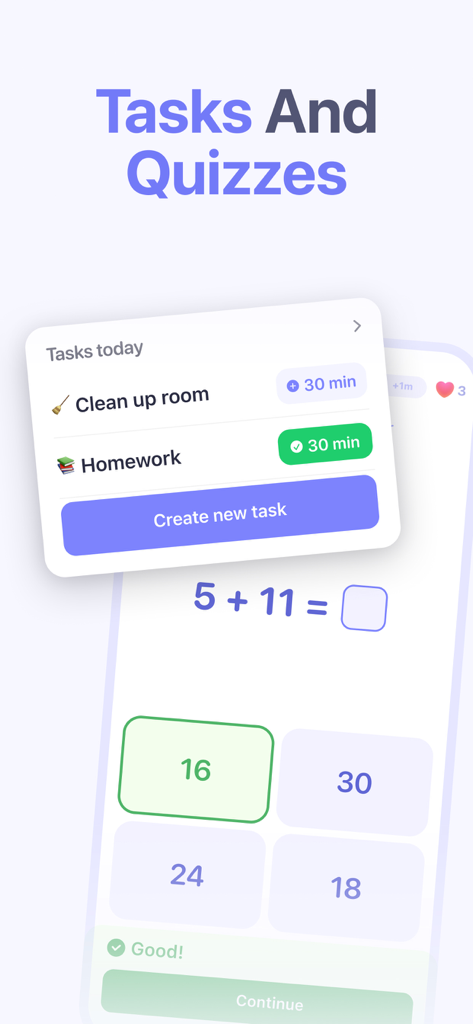
Kidseeアプリのインターフェースに、子供がスクリーンタイムの報酬を獲得するための毎日のタスクと数学クイズが表示されています
説明
Download
類似アプリ
似た機能とユーザー体験を持つアプリ

Findos - Find My Device
Pollux Bilisim Teknolojileri Sanayi ve Ticaret Limited Sirketi

Boost Family Guard
Smith Micro Software, Inc.

Google Family Link
Google LLC

Findmykids: GPS Phone Tracker
LETEM LTD

Nintendo Switch Parental Cont…
Nintendo Co., Ltd.

Parental Control App Kids360
ANKO SOLUTIONS LLC

JusTalk Kids - Safe Messenger
Ningbo Jus Internet Technology Co., Ltd.

FlashGet Kids:parental control
HONGKONG FLASHGET NETWORK TECHNOLOGY CO., LIMITED

Parental Control App: AirDroid
SAND STUDIO CORPORATION LIMITED
このページはアプリまたはその開発者の公式ページではなく、情報提供および論評を目的として作成された独立した編集出版物です。明示的に別段の記載がない限り、アプリおよびその開発者は、MWM、Apple、Google Play、アプリのパブリッシャー、またはアプリの開発者と提携、承認、後援、認可、またはその他の公式的な関係はなく、このページのいかなる内容も、アプリがMWMのサービスを使用して開発されたことを意味するものではありません。すべての商標、ロゴ、スクリーンショット、その他のコンテンツはそれぞれの所有者の財産です。