
このページはアプリまたはその開発者の公式ページではなく、情報提供および論評を目的として作成された独立した編集出版物です。明示的に別段の記載がない限り、アプリおよびその開発者は、MWM、Apple、Google Play、アプリのパブリッシャー、またはアプリの開発者と提携、承認、後援、認可、またはその他の公式的な関係はなく、このページのいかなる内容も、アプリがMWMのサービスを使用して開発されたことを意味するものではありません。すべての商標、ロゴ、スクリーンショット、その他のコンテンツはそれぞれの所有者の財産です。

Parental Control App: AirDroid
リアルタイム画面ミラーリング、正確なGPS追跡、AI搭載コンテンツフィルタリングで子供たちを守りましょう。高度な安全ツールで、お子様がデジタル世界を探索している間、親は安心できます。
ダウンロード
1M+ユーザー評価
評価数
10K+開発元
カテゴリ
Lifestyle対応言語
15最新バージョン
2.7.0サイズ
97.4 MBリリース日
2022年6月7日お子様のデジタルジャーニーのためのトータルプロテクション
変化し続けるオンライン世界で、お子様を安全、集中、そしてセキュアに保つためのリアルタイムの洞察とインテリジェントな境界線を提供します。
リアルタイム画面監視
お子様が見ているものを正確に把握しましょう。お子様のデバイス画面を即座にスマホにキャストし、アプリの使用状況を監視し、不適切なコンテンツに遭遇した場合に介入できます。
ソーシャルメディアと安全アラート
サイバーいじめからお子様を守りましょう。Instagram、Snapchat、Messengerなどのアプリからの通知を同期し、ソーシャルインタラクションとデジタルウェルビーイングに関する情報を把握しましょう。
よくある質問
について知っておくべきこと Parental Control App: AirDroid
AirDroid Parental Controlは子供の安全のために設計されていますか?
はい、AirDroid Parental Controlは、高い安全機能を備えて子供の安全を最優先するように設計されており、子供とつながり、その場所を簡単に見つけることができます。
AirDroid Parental ControlはiOSデバイスでも動作しますか?
はい、AirDroid Parental ControlはiOSデバイスをサポートしています。ダウンタイム、アプリ制限、ウェブサイトブロック、位置情報追跡、iOSユーザー向けのリアルタイムアラートなどの機能が含まれています。
AirDroid Parental Controlにはどのような機能がありますか?
AirDroid Parental Controlには、リアルタイム画面監視、ソーシャルメディア通知同期、スクリーンタイム管理、アプリブロック、GPS追跡、ジオフェンシング、バッテリーチェックなどの機能があります。
AirDroid Parental Controlはアプリの使用とスクリーンタイムを制限できますか?
AirDroid Parental Controlでは、親はダウンタイムと特定のアプリ制限(例:特定の時間帯のYouTube使用制限)を設定して、スクリーンタイムを効果的に管理できます。
AirDroid Parental Controlは位置情報追跡を提供しますか?
はい、AirDroid Parental ControlにはGPS位置情報追跡が含まれており、親は地図上で子供のリアルタイムの位置を追跡し、その日の履歴ルートを表示できます。
AirDroid Parental ControlはコンテンツフィルタリングにAIを使用していますか?
はい、AirDroid Parental ControlはAI強化型のコンテンツ制御機能を備えており、不適切な画像の検出を含む、不適切なコンテンツの正確かつインテリジェントなフィルタリングを行います。
AirDroid Parental Controlにはファミリーチャット機能が含まれていますか?
はい、AirDroid Parental Controlには、グループまたは1対1のテキストおよび音声会話のためのファミリーチャット機能があり、家族がつながりを保つことができます。
デバイスでAirDroid Parental Controlをセットアップするにはどうすればよいですか?
AirDroid Parental Controlを有効にするには、お使いの携帯電話にアプリをインストールし、招待リンクまたはコードを通じて子供のデバイスを接続し、子供のデバイスに「AirDroid Kids」をインストールし、アカウントをリンクします。
AirDroid Parental Controlの無料トライアルはありますか?
はい、AirDroid Parental Controlは、すべてのプレミアム機能に対して3日間の無料トライアルを提供しています。トライアル期間終了後も機能にアクセスするにはサブスクリプションが必要です。
AirDroid Parental Controlはサイバーいじめ防止に役立ちますか?
AirDroid Parental Controlは、コンテンツを監視およびフィルタリングし、キーワードを検出し、ソーシャルメディアからアプリ通知を同期することで、サイバーいじめやオンライン詐欺の防止に役立ちます。
以下のスクリーンショットと説明は、アプリの公式ストアリスティングから直接取得されたものであり、アプリ開発者の所有物です。
アプリストア
スクリーンショット

AirDroidペアレンタルコントロールダッシュボード、スクリーンタイム統計と特定のアプリ使用状況追跡を親向けに表示
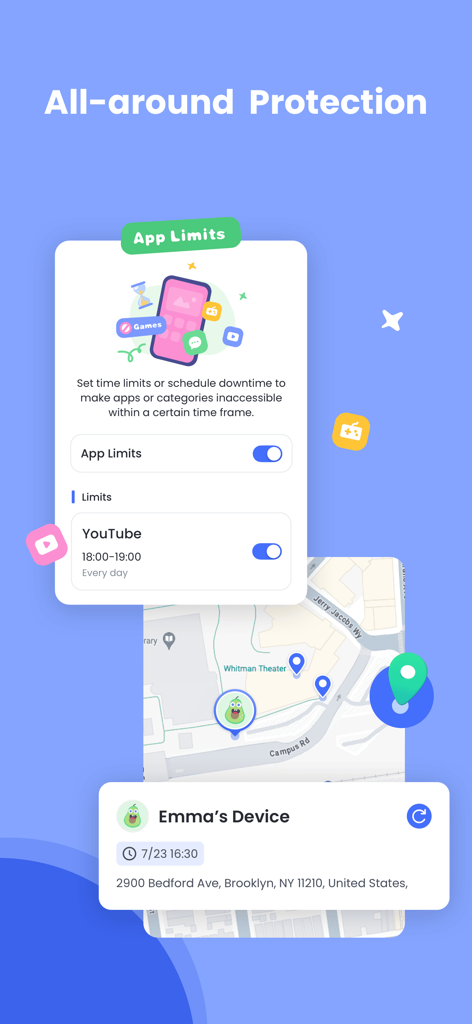
AirDroidペアレンタルコントロールインターフェース、YouTubeのアプリ時間制限と地図上のリアルタイムGPS位置情報追跡を表示
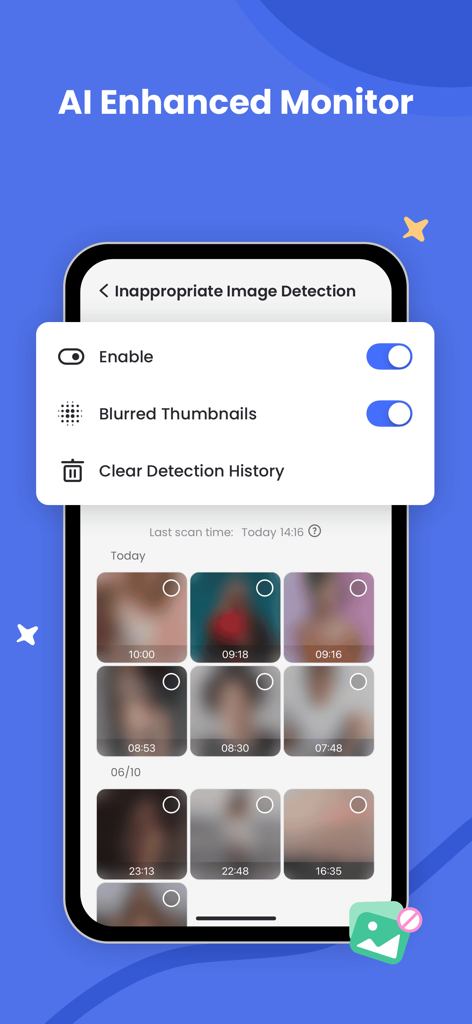
AirDroidペアレンタルコントロール画面、AIによる不適切画像検出とぼかされた写真サムネイルを表示
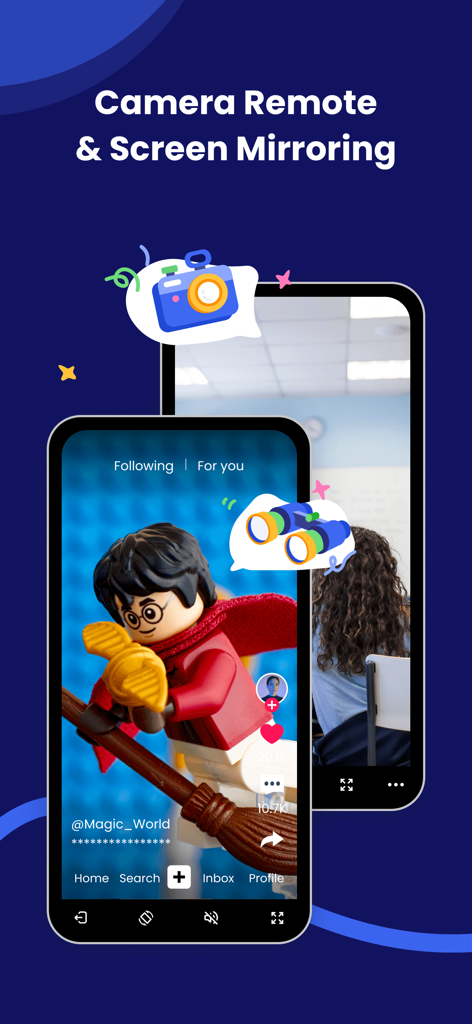
AirDroidアプリインターフェース、ペアレンタル監視のためのカメラリモートおよび画面ミラーリング機能を紹介
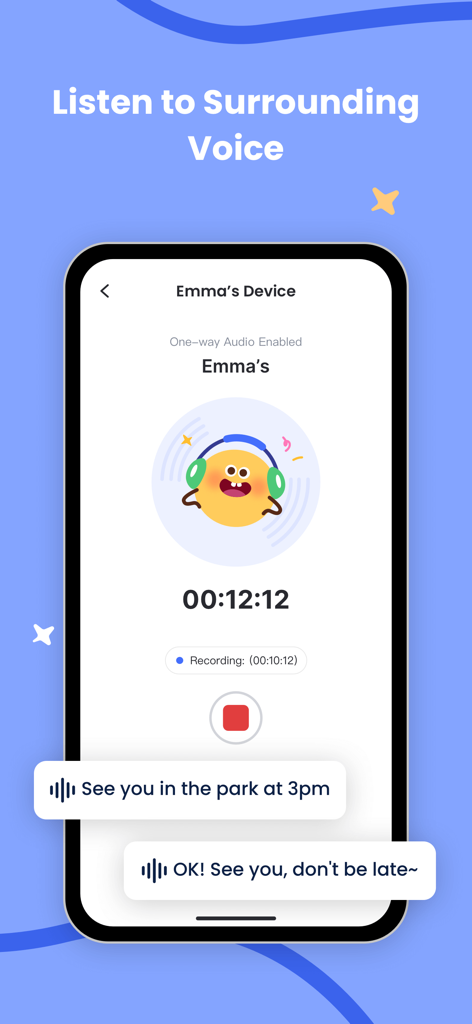
スマートフォン画面、録音タイマーとボイスメッセージバブル付きの子供の周囲の音を聞くAirDroidペアレンタルコントロール機能を表示
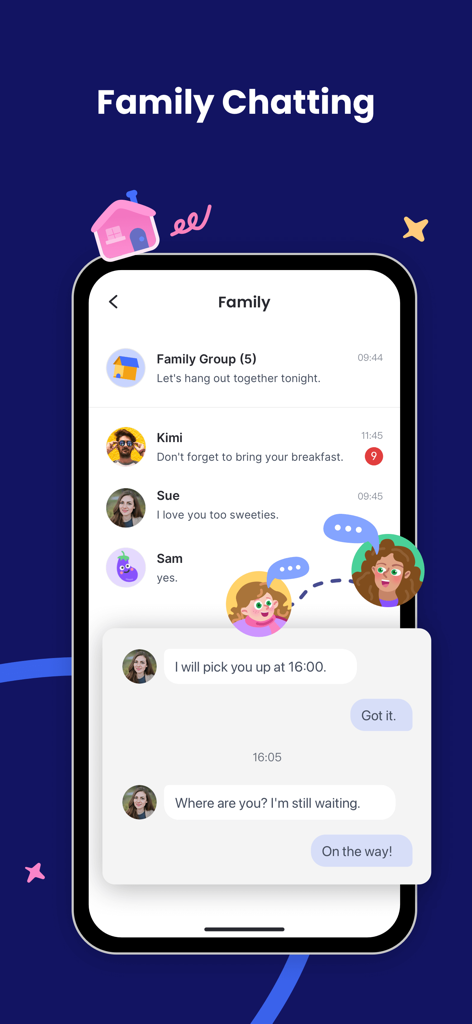
AirDroidペアレンタルコントロールアプリのインターフェース、親子間のメッセージが表示されるファミリーチャット機能を表示
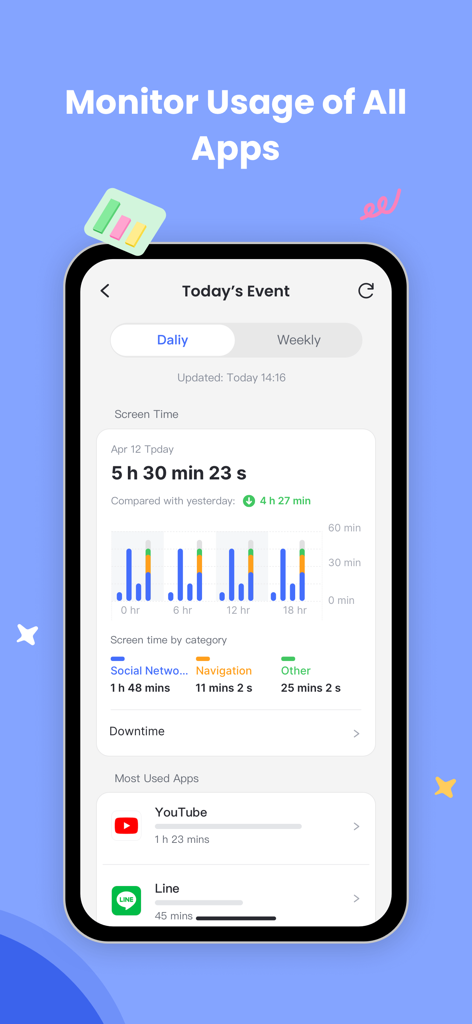
AirDroidペアレンタルコントロールアプリのスクリーンショット、毎日のスクリーンタイムと最も使用されたアプリの監視を表示
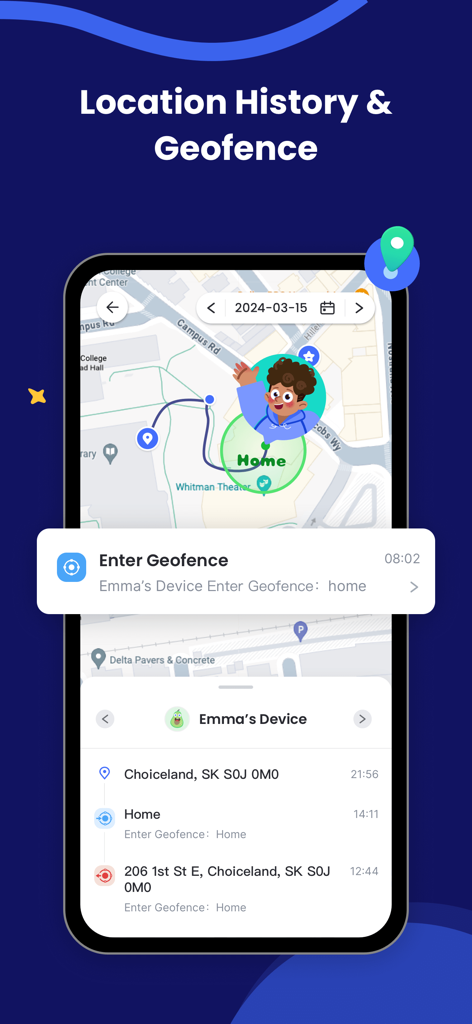
AirDroidペアレンタルコントロールアプリ、スマートフォン上の位置情報履歴とジオフェンスアラートを表示
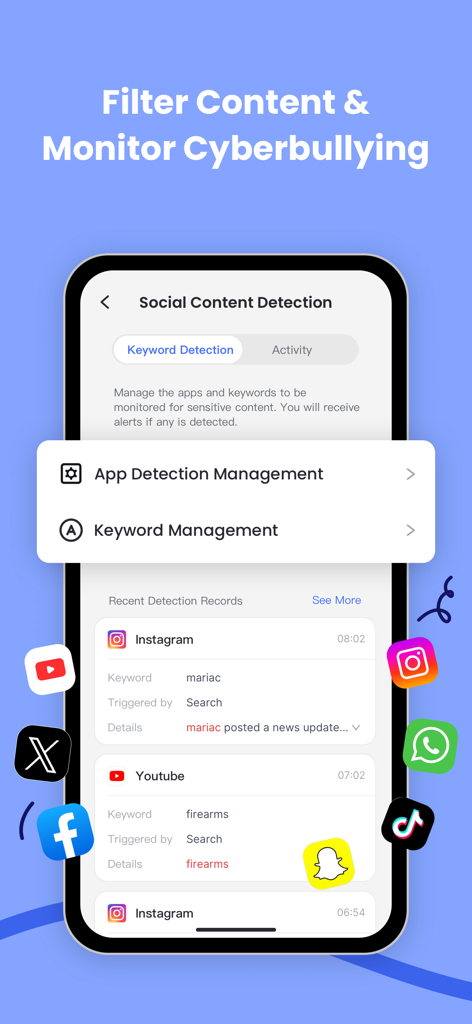
AirDroidアプリ画面、サイバーいじめ防止のためのソーシャルコンテンツ検出とキーワード監視を表示
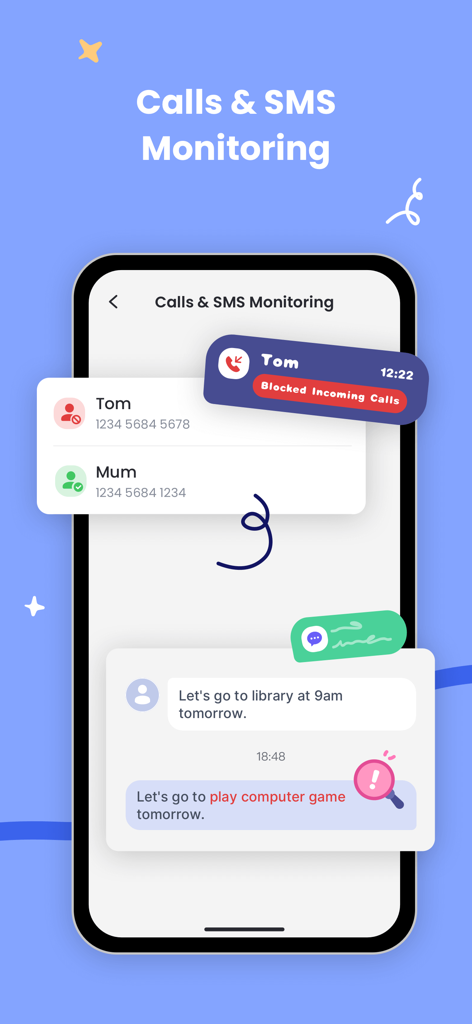
ペアレンタル監視のための通話ブロックとSMS監視機能を示すインターフェース
説明
Download
類似アプリ
似た機能とユーザー体験を持つアプリ

Findos - Find My Device
Pollux Bilisim Teknolojileri Sanayi ve Ticaret Limited Sirketi

Boost Family Guard
Smith Micro Software, Inc.

Google Family Link
Google LLC

Findmykids: GPS Phone Tracker
LETEM LTD

Nintendo Switch Parental Cont…
Nintendo Co., Ltd.

Parental Control App Kids360
ANKO SOLUTIONS LLC

JusTalk Kids - Safe Messenger
Ningbo Jus Internet Technology Co., Ltd.

FlashGet Kids:parental control
HONGKONG FLASHGET NETWORK TECHNOLOGY CO., LIMITED

Parental Control App - Kidsee
Alenrom sp. z o.o.
このページはアプリまたはその開発者の公式ページではなく、情報提供および論評を目的として作成された独立した編集出版物です。明示的に別段の記載がない限り、アプリおよびその開発者は、MWM、Apple、Google Play、アプリのパブリッシャー、またはアプリの開発者と提携、承認、後援、認可、またはその他の公式的な関係はなく、このページのいかなる内容も、アプリがMWMのサービスを使用して開発されたことを意味するものではありません。すべての商標、ロゴ、スクリーンショット、その他のコンテンツはそれぞれの所有者の財産です。