
このページはアプリまたはその開発者の公式ページではなく、情報提供および論評を目的として作成された独立した編集出版物です。明示的に別段の記載がない限り、アプリおよびその開発者は、MWM、Apple、Google Play、アプリのパブリッシャー、またはアプリの開発者と提携、承認、後援、認可、またはその他の公式的な関係はなく、このページのいかなる内容も、アプリがMWMのサービスを使用して開発されたことを意味するものではありません。すべての商標、ロゴ、スクリーンショット、その他のコンテンツはそれぞれの所有者の財産です。

Google Family Link
親は子のデジタル体験を設計し、その安全な軌道を確定する。
ダウンロード
25M+ユーザー評価
評価数
1.7M開発元
カテゴリ
Utilities対応言語
56最新バージョン
2.78.37981サイズ
190.2 MBリリース日
2017年4月13日Google Family Link: デジタル時代の子供の安全と健全な利用を支援する分析
保護者向けデジタルウェルビーイングツールの主要機能評価
オンラインコンテンツのフィルタリング
ユーザーは、Chrome、Play、YouTube、検索などのGoogleサービスで保護者による管理を設定し、不適切なサイトのブロック、新しいアプリの承認要求、アプリとウェブサイトの権限管理を行うことが可能です。
スクリーンタイムの制限設定
このアプリは、子供のデバイス利用時間を管理し、健康的なデジタルバランスを促進するための日次制限や、学校時間・休憩時間のスケジュール設定機能を提供します。
デバイスの位置情報確認
本ツールは、子供がデバイスを携帯している限り、保護者が地図上で子供の位置を特定する機能を提供します。
アプリの利用管理
本ツールは、個別のアプリに時間制限を設定したり、教育用アプリには無制限のアクセスを許可したりする機能を提供し、不要なアプリをブロックすることも可能です。
通知とアラート機能
このアプリは、子供が特定の場所に到着または出発した際の通知、デバイスの着信音鳴動、およびバッテリー残量確認といった重要なアラート機能を提供します。
アカウントとデータ設定の管理
このアプリは、保護者が子供のGoogleアカウントとそのデータ設定にアクセスし、パスワードのリセット、個人情報の編集、または必要に応じてアカウントの削除を支援する機能を提供します。
よくある質問
について知っておくべきこと Google Family Link
What is Google Family Link?
Google Family Link is a parental controls app designed to help families manage their children's online experience. It allows parents to set screen time limits, manage apps, filter content, track device location, and secure their child's Google account.
Can parents set screen time limits with Google Family Link?
Yes, parents can set daily screen time limits using Google Family Link. The app also allows for specific school time and downtime schedules for their children's devices.
How does Google Family Link manage a child's apps?
Google Family Link enables parents to set individual time limits for apps, designate unlimited time for educational apps, and block specific applications on their child's device.
Does Google Family Link allow parents to manage online content filters?
Yes, Google Family Link provides tools to set parental controls on Google services such as Chrome, Play, YouTube, and Search. It can block inappropriate sites and require approval for new apps.
Can I track my child's device location with Google Family Link?
Yes, Google Family Link allows parents to locate their children on a map, provided the child's device is powered on, recently active, and connected to the internet.
How can Google Family Link help secure my child's Google account?
Google Family Link provides parents with access to manage their child’s account settings. Parents can change or reset their child’s password, edit personal information, or delete the account if necessary.
Does Google Family Link require approval for all app purchases?
No, purchase approvals apply only when a child makes a purchase through Google Play’s billing system. It does not apply to app updates, previously approved apps, or purchases made via alternate billing systems.
What kind of notifications does Google Family Link provide?
Google Family Link delivers critical notifications, including alerts when a child arrives at or leaves a specific location. Parents can also ring devices and view the device's remaining battery life.
Is Google Family Link compatible with all devices?
No, Google Family Link's tools vary depending on the child's device. A list of compatible devices is available on the Google Families website.
Does Google Family Link guarantee internet safety for children?
No, Google Family Link does not guarantee internet safety. It provides tools for parents to manage their child's online experience and make decisions, but it cannot determine all content on the internet.
以下のスクリーンショットと説明は、アプリの公式ストアリスティングから直接取得されたものであり、アプリ開発者の所有物です。
アプリストア
スクリーンショット
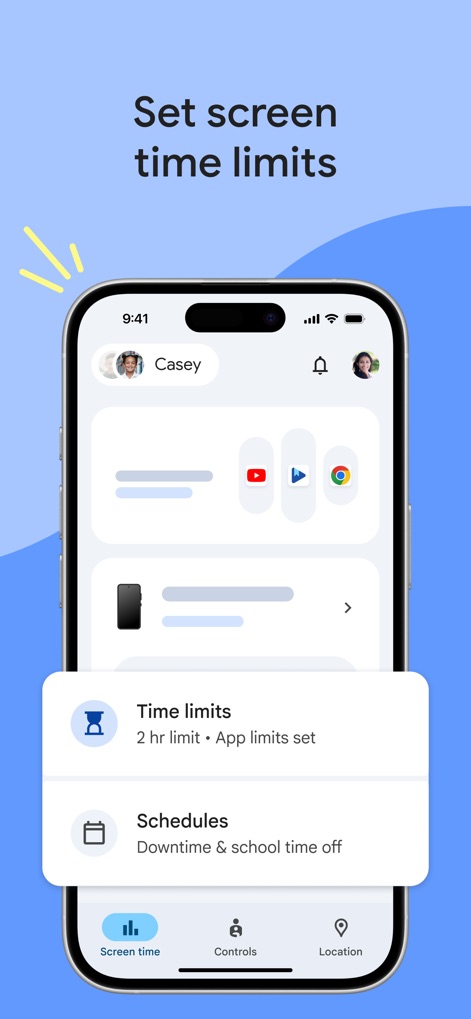
デジタル習慣の確立
この画面では、お子様のデバイス利用に関する「時間制限」を設定し、「スケジュール機能」で利用時間帯を柔軟に管理することが可能です。
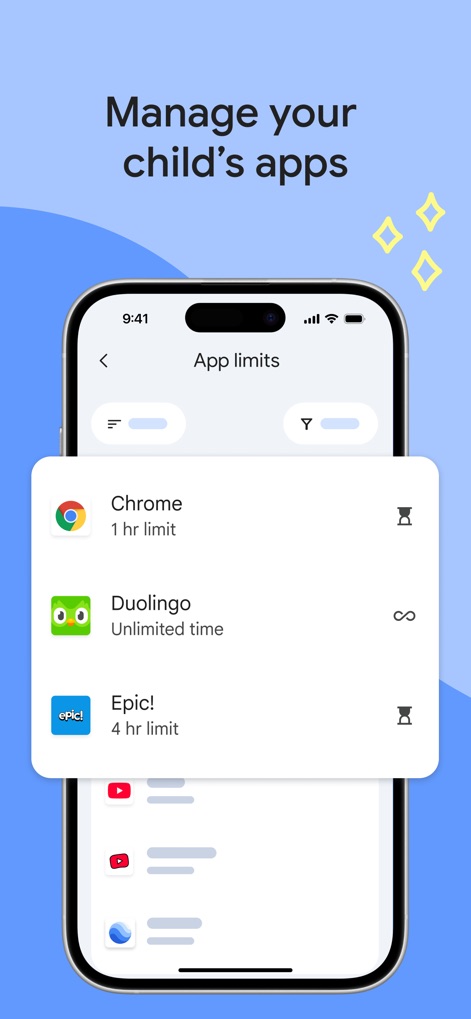
アプリ利用を細かく調整
本ツールは、各アプリに対する「利用時間制限」を個別に設定でき、学習用アプリなどには「無制限アクセス」を許可することで、バランスの取れた利用を促します。
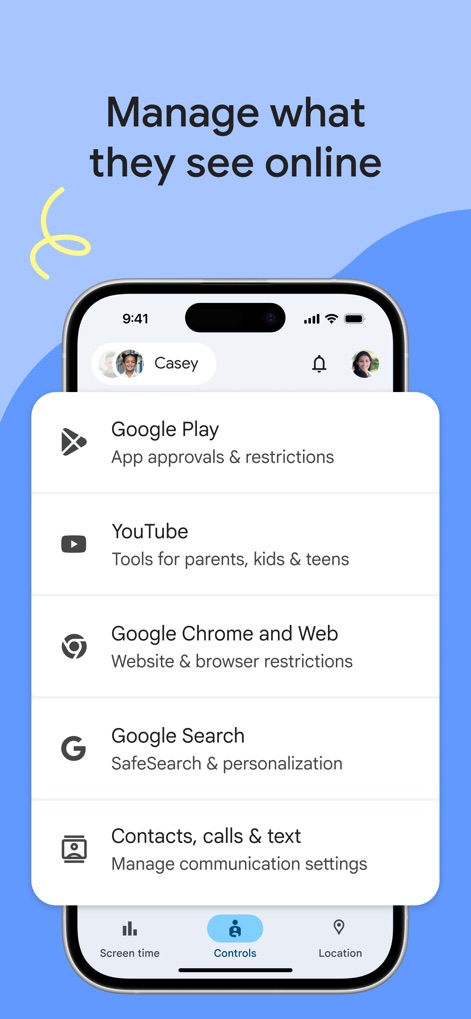
オンラインの閲覧を管理
保護者は「Google Playでのアプリ承認」を管理し、「Chromeでのウェブサイト制限」を設定することで、お子様がオンラインで閲覧するコンテンツを安全に保つことができます。
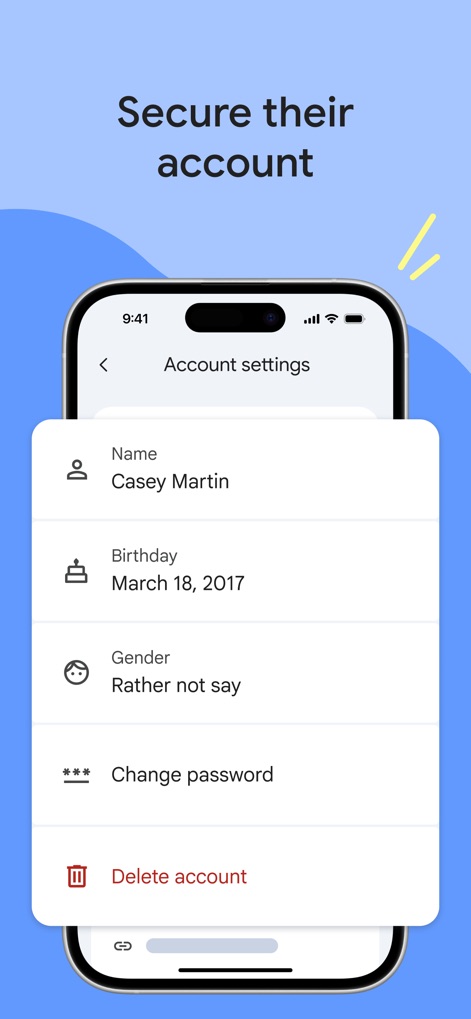
アカウント情報を保護
この機能により、お子様のアカウントに関する「パスワードの変更」や「個人情報(生年月日など)」の編集を簡単に行い、安全性を維持できます。
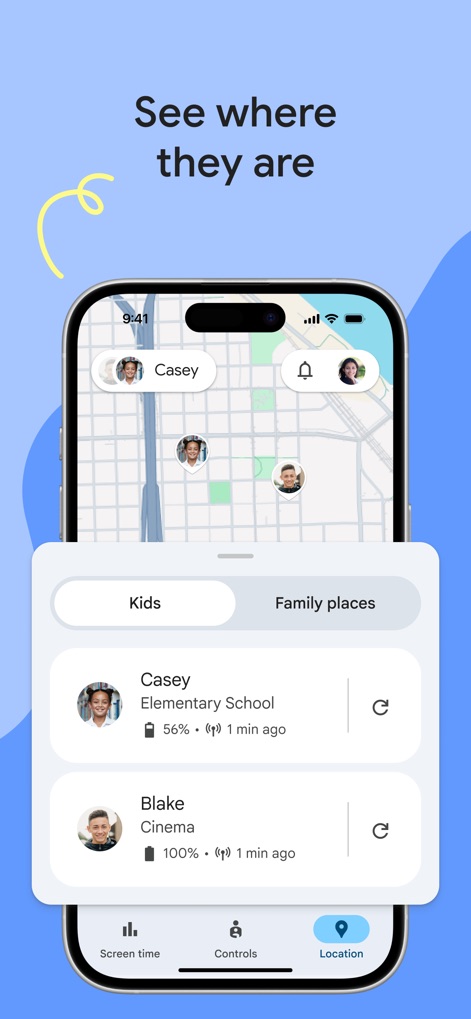
お子様の現在地を把握
マップ上で「お子様の現在地」を一目で確認できるほか、各デバイスの「バッテリー残量」も表示されるため、常に接続状況を把握できます。
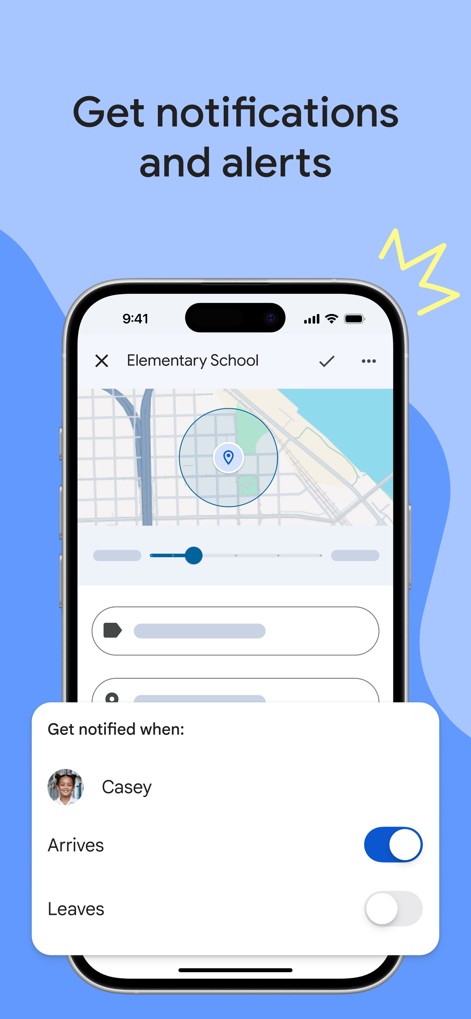
位置情報で安心を
特定の場所への「到着時」や「出発時」に通知を受け取る設定が可能で、「地理的境界に基づいたアラート」により、お子様の移動状況をリアルタイムで把握できます。
説明
Download
類似アプリ
似た機能とユーザー体験を持つアプリ

Findos - Find My Device
Pollux Bilisim Teknolojileri Sanayi ve Ticaret Limited Sirketi

Boost Family Guard
Smith Micro Software, Inc.

Findmykids: GPS Phone Tracker
LETEM LTD

Nintendo Switch Parental Cont…
Nintendo Co., Ltd.

Parental Control App Kids360
ANKO SOLUTIONS LLC

JusTalk Kids - Safe Messenger
Ningbo Jus Internet Technology Co., Ltd.

FlashGet Kids:parental control
HONGKONG FLASHGET NETWORK TECHNOLOGY CO., LIMITED

Parental Control App: AirDroid
SAND STUDIO CORPORATION LIMITED

Parental Control App - Kidsee
Alenrom sp. z o.o.
このページはアプリまたはその開発者の公式ページではなく、情報提供および論評を目的として作成された独立した編集出版物です。明示的に別段の記載がない限り、アプリおよびその開発者は、MWM、Apple、Google Play、アプリのパブリッシャー、またはアプリの開発者と提携、承認、後援、認可、またはその他の公式的な関係はなく、このページのいかなる内容も、アプリがMWMのサービスを使用して開発されたことを意味するものではありません。すべての商標、ロゴ、スクリーンショット、その他のコンテンツはそれぞれの所有者の財産です。