Clean Master - Manage Photos
ダウンロード: App Store

このページはアプリまたはその開発者の公式ページではなく、情報提供および論評を目的として作成された独立した編集出版物です。明示的に別段の記載がない限り、アプリおよびその開発者は、MWM、Apple、Google Play、アプリのパブリッシャー、またはアプリの開発者と提携、承認、後援、認可、またはその他の公式的な関係はなく、このページのいかなる内容も、アプリがMWMのサービスを使用して開発されたことを意味するものではありません。すべての商標、ロゴ、スクリーンショット、その他のコンテンツはそれぞれの所有者の財産です。


ロゴ: Clean Master - Manage Photos
ダウンロード: App Store

Clean Master - Manage Photos

「ストレージがいっぱいです」というアラートにさよなら。重複写真、ぼやけた写真、スクリーンショットを簡単に削除し、100%ローカル処理で機密性の高い位置情報をプライベートに保ちます。

主要数値

ダウンロード

2K+

ユーザー評価

3.2/5

評価数

0

開発元

永刚 陈

カテゴリ

Utilities

対応言語

3

最新バージョン

1.2.1

サイズ

8.8 MB

リリース日

2019年8月23日
機能

カメラロールを管理しよう

忙しいデジタルライフのために設計されたClean Masterは、ワンタップの効率でストレージの不安を解消し、プライバシーを保護します。

AIによる整理

「ストレージがいっぱいです」というアラートにうんざりしていませんか?類似写真、ぼやけた写真、忘れられたスクリーンショットを数秒で自動的に特定して削除します。

プライバシー重視の保護

自宅の位置情報をプライベートに保ちます。ソーシャルメディアで写真を共有する前に機密性の高いメタデータを削除し、すべての処理は安全にデバイス上で行われます。

以下のスクリーンショットと説明は、アプリの公式ストアリスティングから直接取得されたものであり、アプリ開発者の所有物です。

アプリストア

スクリーンショット
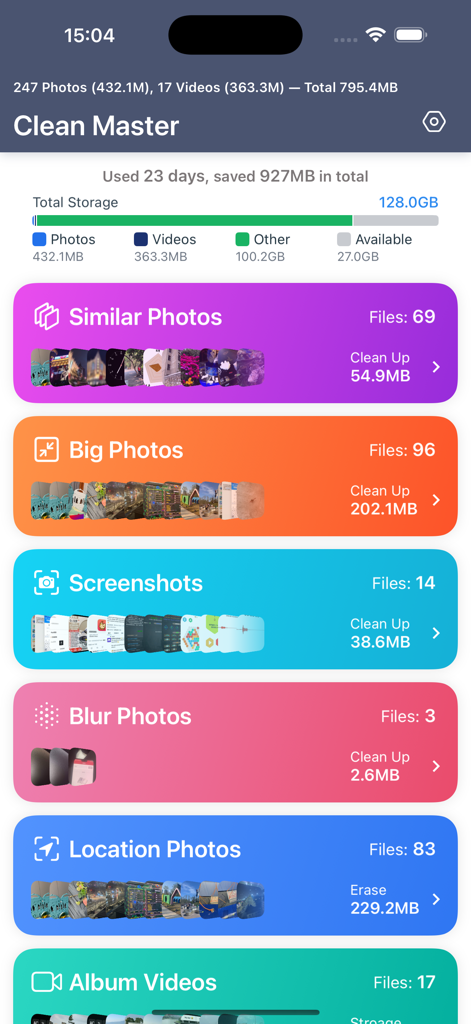
Clean Master - Manage Photos - Clean Masterアプリのダッシュボード。類似写真、大きな写真、スクリーンショットをクリーンアップするカテゴリが表示されています。
Clean Masterアプリのダッシュボード。類似写真、大きな写真、スクリーンショットをクリーンアップするカテゴリが表示されています。

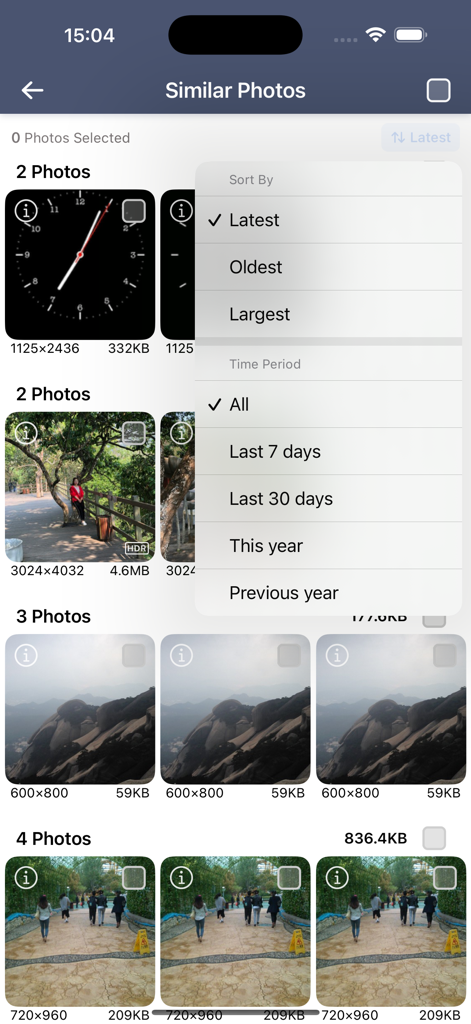
Clean Master - Manage Photos - Clean Masterアプリのインターフェース。類似写真がグループ化され、ソートおよび期間フィルターが表示されています。
Clean Masterアプリのインターフェース。類似写真がグループ化され、ソートおよび期間フィルターが表示されています。

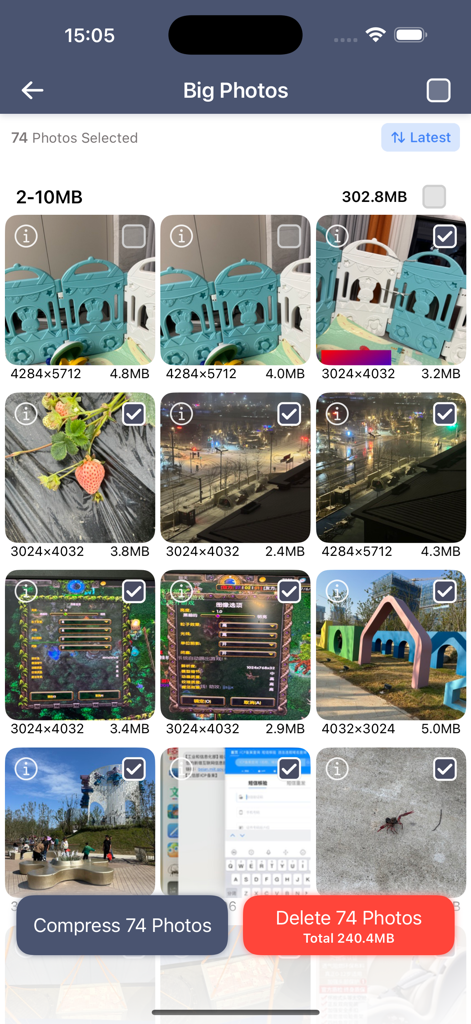
Clean Master - Manage Photos - 大きなファイルを削除および圧縮するオプションが表示される、iPhoneの写真クリーナーのClean Masterアプリ画面。
大きなファイルを削除および圧縮するオプションが表示される、iPhoneの写真クリーナーのClean Masterアプリ画面。

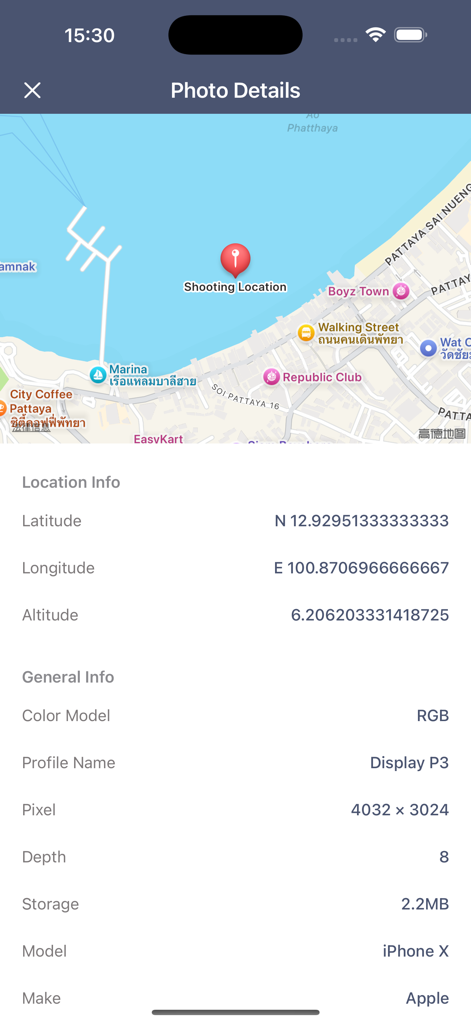
Clean Master - Manage Photos - 撮影場所の地図と技術的なメタデータ情報を含む写真の詳細が表示されるインターフェース。
撮影場所の地図と技術的なメタデータ情報を含む写真の詳細が表示されるインターフェース。

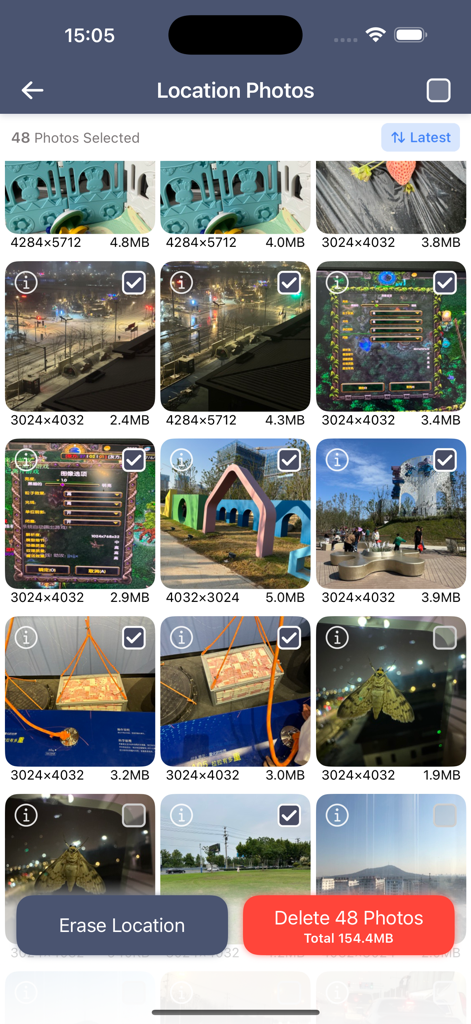
Clean Master - Manage Photos - 位置データを消去し、写真を一括削除するオプションが表示されるClean Masterアプリ画面。
位置データを消去し、写真を一括削除するオプションが表示されるClean Masterアプリ画面。

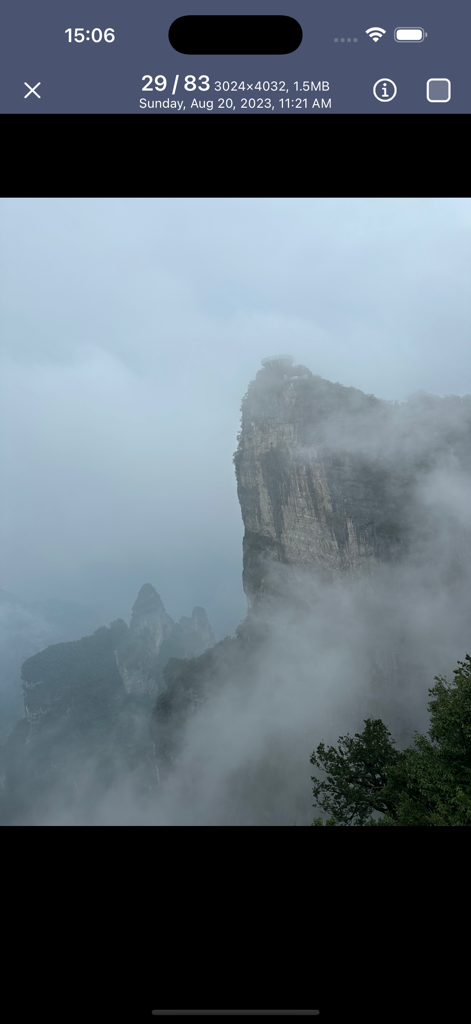
Clean Master - Manage Photos - 風景写真の解像度とファイルサイズを含む写真のメタデータが表示されるClean Masterアプリ。

風景写真の解像度とファイルサイズを含む写真のメタデータが表示されるClean Masterアプリ。

説明

Clean Master Your Smart Photo Management Assistant Effortlessly clean up your device by removing similar photos, screenshots, and blurry images. Identify photos with location data in your album and erase this information to prevent privacy leaks. Key Features With Photo Cleaner Master, you can easily: • Detect and delete similar photos. • Find and remove screenshots. • Identify and delete blurry photos. • Locate, delete, and compress large image files. • Discover, delete, and erase location metadata from photos. • Organize photos by location. • Sort videos by size, with options for multiple sorting and time period filters. • View image EXIF information. • Bulk delete selected photos or videos. Best Practices • For Similar Photos: Keep only one and delete the rest with a single tap on the “Select All” button. • For Large Files: Compress less important images to save space while keeping them accessible. • For Privacy: Use the location data removal feature before sharing photos to prevent sensitive information exposure. All operations, including analyzing similar and blurry photos, are performed locally on your device. No photos or private information will ever be uploaded to the internet, ensuring your privacy is fully protected. For any feedback or suggestions, feel free to contact us at commonemails@163.com. Auto-Renewal Information • Free Trial Period: A free trial is available. • Payment Confirmation: Charges will be applied to your iTunes account upon purchase confirmation. • Cancel Auto-Renewal: Disable auto-renewal at least 24 hours before the current period ends to avoid renewal. • Renewal Notification: Your account will be charged within 24 hours prior to the end of the current period, based on the selected subscription plan. • Manage Subscriptions: Users can manage subscriptions and turn off auto-renewal in Account Settings after purchase. • Trial Forfeiture: Any unused portion of the free trial will be forfeited if you purchase a subscription during the trial period. By using Clean Master, you agree to our Privacy Policy and Terms of Service. http://objc.top/apps/albumclean/privacypolicy.html http://objc.top/apps/albumclean/termsofservice.html

Download

ダウンロード: App Store

このページはアプリまたはその開発者の公式ページではなく、情報提供および論評を目的として作成された独立した編集出版物です。明示的に別段の記載がない限り、アプリおよびその開発者は、MWM、Apple、Google Play、アプリのパブリッシャー、またはアプリの開発者と提携、承認、後援、認可、またはその他の公式的な関係はなく、このページのいかなる内容も、アプリがMWMのサービスを使用して開発されたことを意味するものではありません。すべての商標、ロゴ、スクリーンショット、その他のコンテンツはそれぞれの所有者の財産です。








