Clicker Communicator: AAC
ダウンロード: App Store

このページはアプリまたはその開発者の公式ページではなく、情報提供および論評を目的として作成された独立した編集出版物です。明示的に別段の記載がない限り、アプリおよびその開発者は、MWM、Apple、Google Play、アプリのパブリッシャー、またはアプリの開発者と提携、承認、後援、認可、またはその他の公式的な関係はなく、このページのいかなる内容も、アプリがMWMのサービスを使用して開発されたことを意味するものではありません。すべての商標、ロゴ、スクリーンショット、その他のコンテンツはそれぞれの所有者の財産です。

ロゴ: Clicker Communicator: AAC
ダウンロード: App Store

Clicker Communicator: AAC

教室での参加と語彙開発に特化して設計された、研究に基づいた使いやすいコミュニケーションツールで、発話に課題を抱える学習者に力を与えましょう。

主要数値

ダウンロード

300

ユーザー評価

1.0/5

評価数

0

開発元

Crick Software Ltd

カテゴリ

Education

対応言語

1

最新バージョン

1.2.4

サイズ

857.6 MB

リリース日

2015年5月21日
機能

すべての子供の声に力を与える

Clicker Communicatorは、コミュニケーションと学習のギャップを埋めるように設計された研究に基づいたAACツールであり、教育者がカスタマイズしやすく、子供が直感的に使用できます。

すべての能力に対応

細かな運動能力や複雑なアクセスニーズが限られている子供向けに特別に設計されたSuperKeysテクノロジーとスワイプ不要のインターフェースで、身体的な障壁を取り除きます。

教室での成功のために構築

無料のカリキュラムベースの語彙セットと、コミュニケーションをリテラシーと学業の成長に直接結び付けるツールで、授業への積極的な参加を可能にします。

以下のスクリーンショットと説明は、アプリの公式ストアリスティングから直接取得されたものであり、アプリ開発者の所有物です。

アプリストア

スクリーンショット
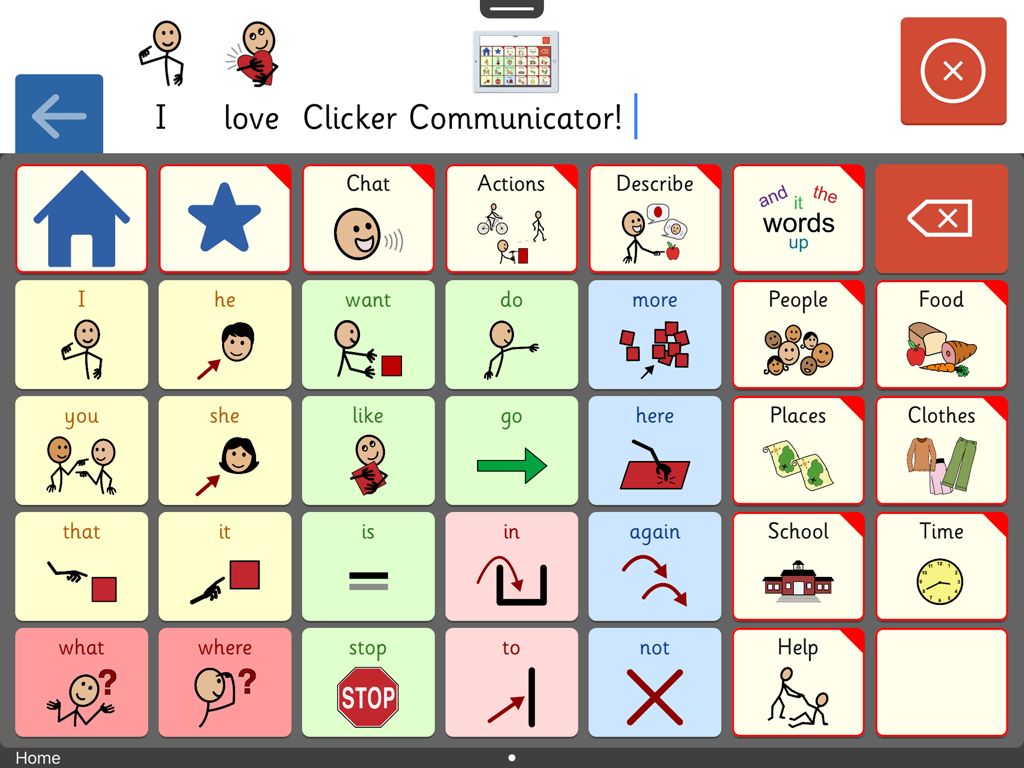
Clicker Communicator: AAC - Clicker Communicator AACアプリの画面。色分けされたシンボルとカテゴリを備えたコミュニケーションボードが表示され、子供向けです。
Clicker Communicator AACアプリの画面。色分けされたシンボルとカテゴリを備えたコミュニケーションボードが表示され、子供向けです。

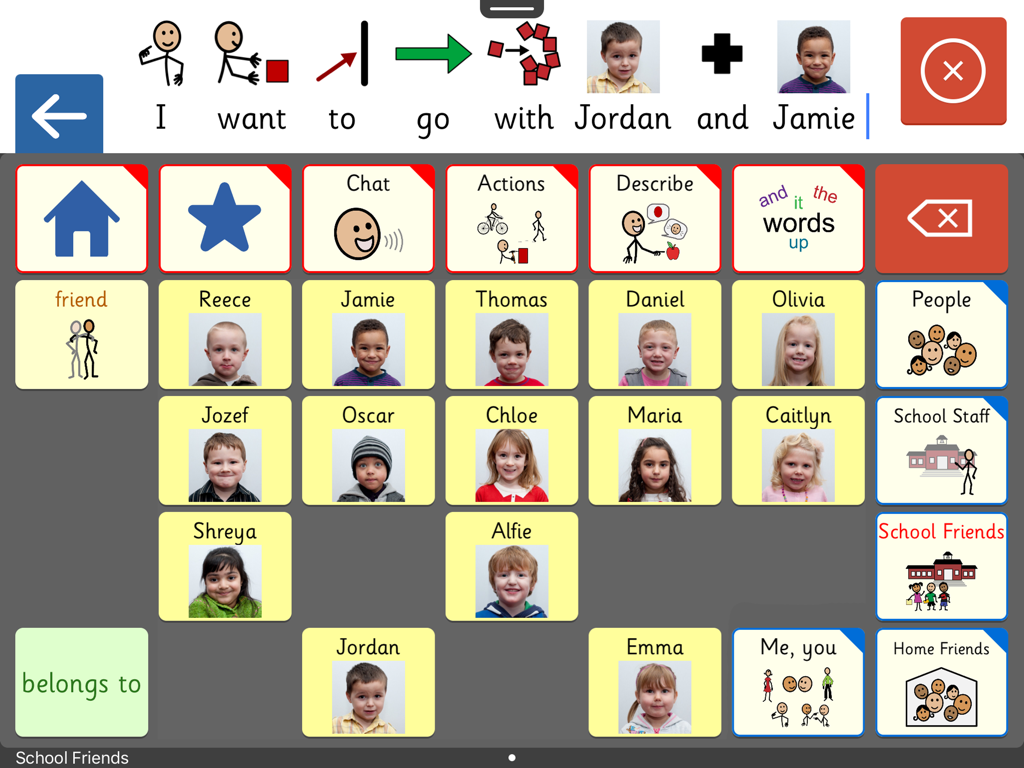
Clicker Communicator: AAC - Clicker Communicator AACアプリのインターフェース。簡単なコミュニケーションのために、名前と写真が付いた学校の友達のカスタムグリッドが表示されます。
Clicker Communicator AACアプリのインターフェース。簡単なコミュニケーションのために、名前と写真が付いた学校の友達のカスタムグリッドが表示されます。

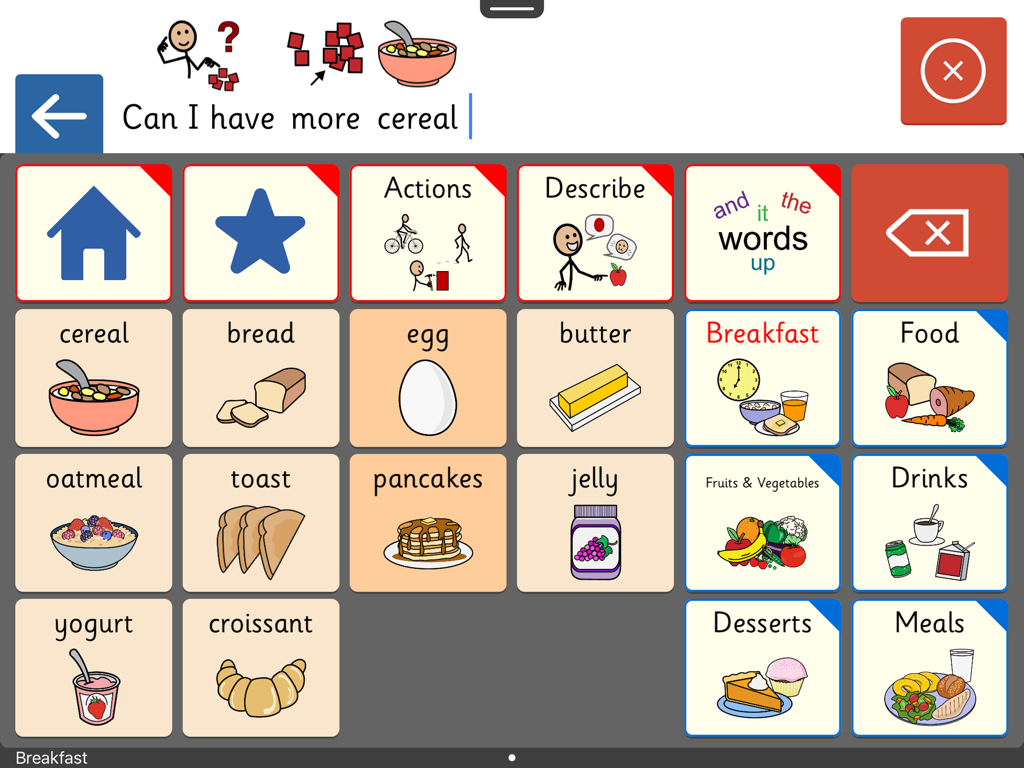
Clicker Communicator: AAC - Clicker Communicator AACアプリのインターフェース。朝食の食べ物のシンボルと文章バーを備えたコミュニケーショングリッドが表示されます。
Clicker Communicator AACアプリのインターフェース。朝食の食べ物のシンボルと文章バーを備えたコミュニケーショングリッドが表示されます。

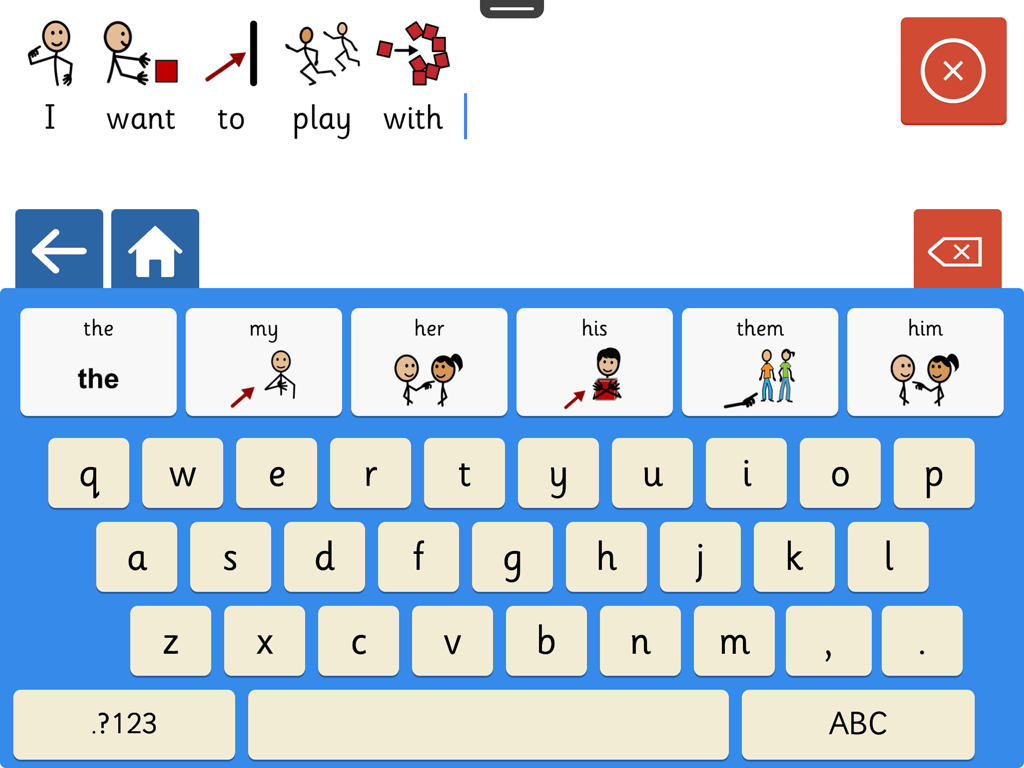
Clicker Communicator: AAC - Clicker Communicator AACアプリのスクリーンショット。シンボルサポート付きキーボードと文章ビルダーが表示されます。
Clicker Communicator AACアプリのスクリーンショット。シンボルサポート付きキーボードと文章ビルダーが表示されます。

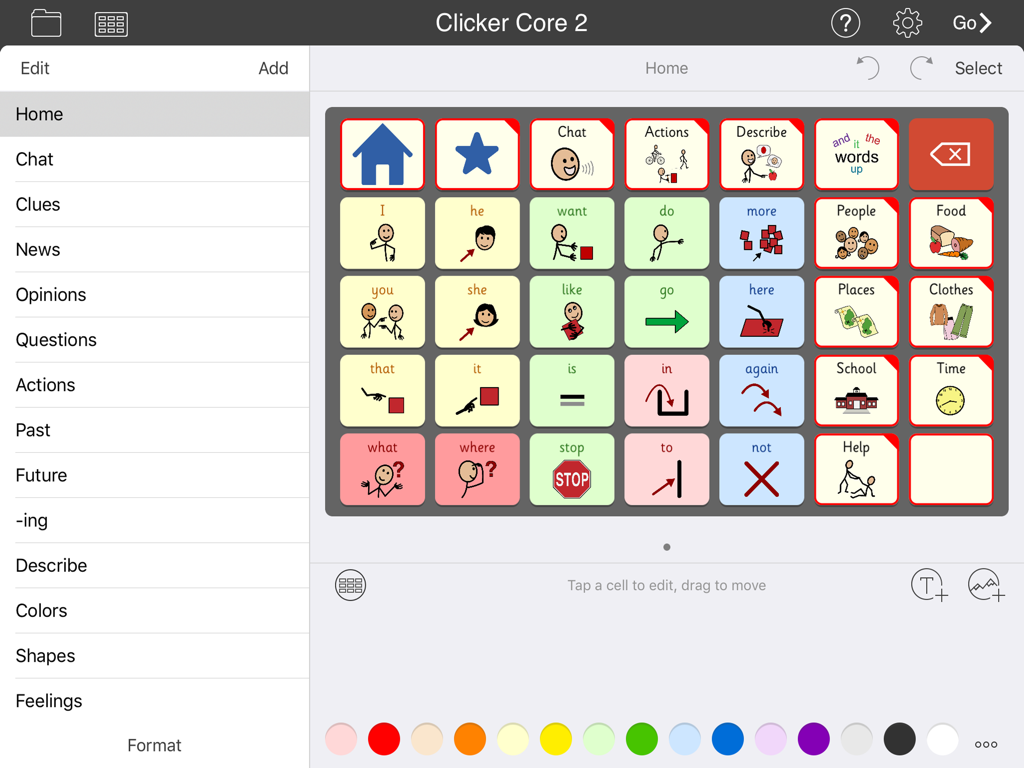
Clicker Communicator: AAC - Clicker Communicator AACアプリのインターフェース。コミュニケーションシンボルとカテゴリのグリッドが表示されます。

Clicker Communicator AACアプリのインターフェース。コミュニケーションシンボルとカテゴリのグリッドが表示されます。

説明

A VOICE FOR EVERYONE Clicker Communicator is the definitive AAC app that gives a voice to children and young people with speech and language challenges. This is the latest addition to Crick Software’s Clicker family, developed over 20 years and used worldwide. "The app is so user friendly and easy to customize. Personally, I think it is the BEST AAC app I have seen" - Rose Duszynski, AT Specialist “I love the crisp, easy-to-use interface! The thoughtfulness of features that no other AAC apps have speaks to Crick's continued dedication to students with special needs.” - Laura Giovanetti, CAGS, CCC-SLP, ATP GET STARTED QUICKLY The ready-made Vocabulary Sets are carefully constructed using color-coded, research-based core words - a proven approach for providing a rich communication experience and developing language skills. The three levels, Clicker Core 1, 2, and 3, cover a wide ability range and use consistent layouts to optimize motor-mapping and enable children to progress from one level to the next. CREATE AND EDIT IN MINUTES Clicker Communicator works in the same intuitive way as all the Clicker Apps, enabling you to meet the particular needs of your learners by editing the ready-made Vocabulary Sets or creating your own. Personalize every last detail by adding photos, colors, and topics, and repositioning cells. And you won’t find a faster way of searching and selecting symbols anywhere! DESIGNED FOR CHILDREN We’ve used our 20+ years of experience in developing special needs software to create an app that includes: • Easy to read Sassoon font • Realistic children’s voices • Child-friendly keyboard with symbol-supported predictor • Research-based Vocabulary Sets at three levels • Free curriculum-based Vocabulary Sets on LearningGrids SYMBOLSTIX SYMBOLS INCLUDED This app comes with the complete SymbolStix library. The Widgit and PCS libraries are also available as in-app purchases (please note that this is the only version of the app that enables you to purchase additional libraries). If you wish to ONLY use Widgit or PCS symbols, these versions of Clicker Communicator are available as separate apps in the App Store. Additional pictures are provided by the CrickPix library: 3,500 curriculum pictures to support a wide range of classroom topics. TALK IN CLASS Get your learners with speech challenges taking an active vocal part in the classroom. Our free LearningGrids resources provide the opportunity to respond to teaching points, participate in discussions, and ask and answer topic-based questions. These sets provide access to the vocabulary your learners will meet in their curriculum topics, and provide a natural link to literacy development. UNIQUELY ACCESSIBLE Clicker Communicator has a wide range of accessibility options: • SuperKeys – our unique access method for those who need big target areas. Just tap the cluster containing the symbol you want, and then tap the symbol in the enlarged cluster. • No scrolling or swiping – so every tap is accepted. • Switch access for one and two switches. • Toolbars only visible when editing – all navigation is done from the grid. • Favorite/Recent messages and Vocabulary Sets accessible with just two taps. SHARE AND BACKUP There’s a Backup Safe provided within the app, and Vocabulary Sets can be shared or backed up via email, AirDrop, Dropbox, Google Drive, OneDrive, or WebDAV. PART OF CRICK SOFTWARE’S CLICKER FAMILY Based in the UK and US, Crick Software has a worldwide reputation for quality educational software for learners of all abilities, and we provide free support by email, phone and the Clicker Communicator Users Group on Facebook. Clicker Communicator is part of the Clicker Apps family – find more in the App Store by searching for Crick Software.

Download

ダウンロード: App Store

このページはアプリまたはその開発者の公式ページではなく、情報提供および論評を目的として作成された独立した編集出版物です。明示的に別段の記載がない限り、アプリおよびその開発者は、MWM、Apple、Google Play、アプリのパブリッシャー、またはアプリの開発者と提携、承認、後援、認可、またはその他の公式的な関係はなく、このページのいかなる内容も、アプリがMWMのサービスを使用して開発されたことを意味するものではありません。すべての商標、ロゴ、スクリーンショット、その他のコンテンツはそれぞれの所有者の財産です。








