ClickMeeting Webinars Meetings

ClickMeeting Webinars Meetings

ダウンロード: App Store
ロゴ: ClickMeeting Webinars Meetings

ClickMeeting: 外出先でも主催、指導、販売が可能

プロフェッショナルなウェビナーやオンライン会議のための究極のモバイルプラットフォーム。ライブイベントの配信、リモートチームの管理、バックグラウンド対応のパフォーマンスと強力なリード転換ツールで視聴者を惹きつけます。

開発元

ClickMeeting Sp. z o.o.

カテゴリ

Business

ダウンロード

1M+

ユーザー評価

4.1/5

評価数

300

対応言語

1

あなたのバーチャルステージが待っています

このインターフェースを利用する 1M+ 人のユーザー.

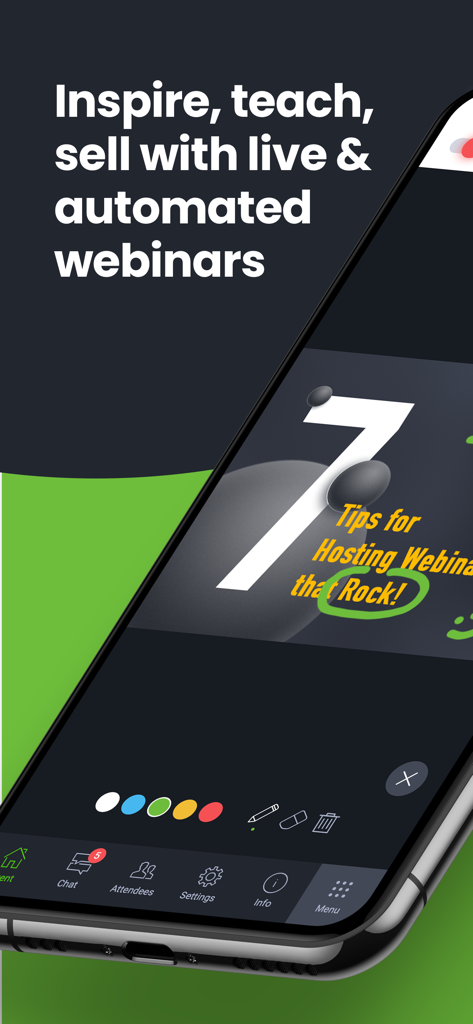
ウェビナーのプレゼンテーションとインタラクティブな描画ツールを表示したClickMeetingアプリのインターフェースのスマートフォン画面
ウェビナーのプレゼンテーションとインタラクティブな描画ツールを表示したClickMeetingアプリのインターフェースのスマートフォン画面

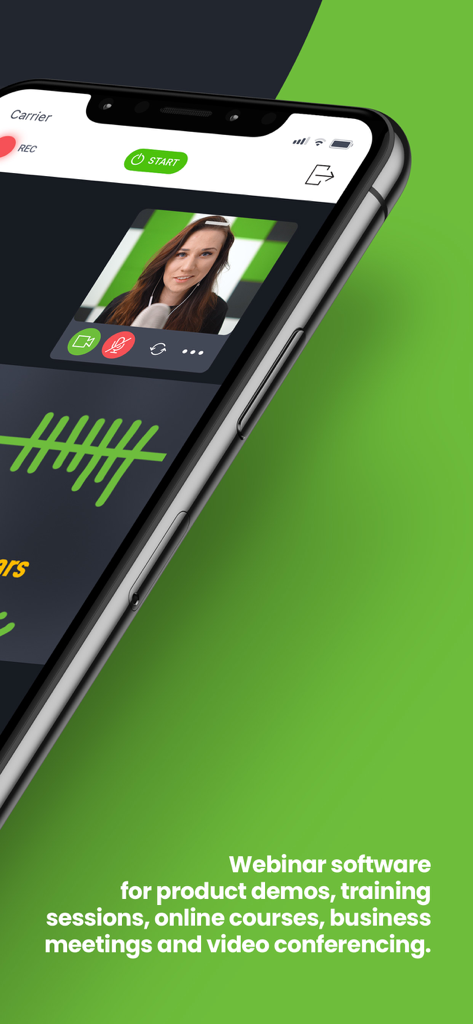
プレゼンターとプロフェッショナルな会議機能を備えたライブビデオウェビナーを表示したClickMeetingモバイルアプリのインターフェース
プレゼンターとプロフェッショナルな会議機能を備えたライブビデオウェビナーを表示したClickMeetingモバイルアプリのインターフェース

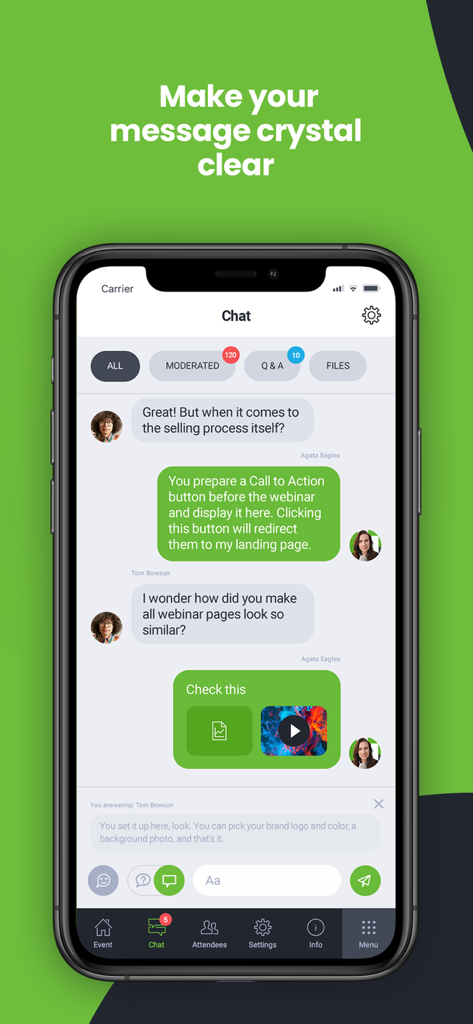
モデレーションと質疑応答タブを備えたインタラクティブなチャットインターフェースを表示したClickMeetingモバイルアプリのスクリーンショット
モデレーションと質疑応答タブを備えたインタラクティブなチャットインターフェースを表示したClickMeetingモバイルアプリのスクリーンショット

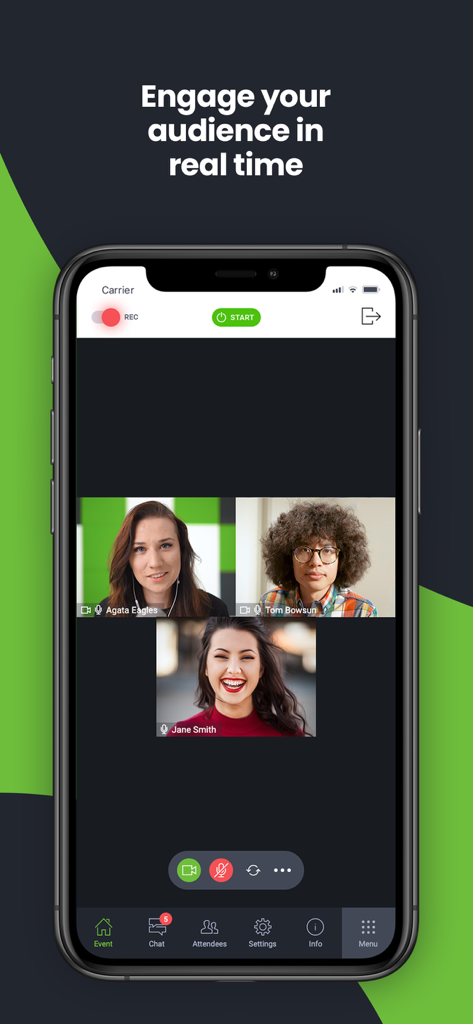
3人の参加者とエンゲージメントツールを備えたリアルタイムビデオ会議を表示したClickMeetingモバイルアプリのインターフェース
3人の参加者とエンゲージメントツールを備えたリアルタイムビデオ会議を表示したClickMeetingモバイルアプリのインターフェース

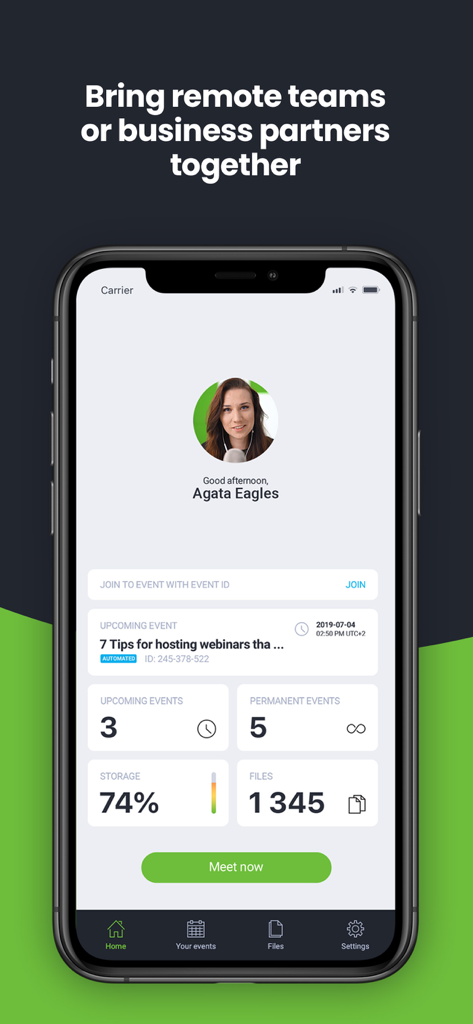
モバイルデバイス上での今後のウェビナーとイベント管理統計を表示したClickMeetingアプリのホーム画面

モバイルデバイス上での今後のウェビナーとイベント管理統計を表示したClickMeetingアプリのホーム画面

どこにいてもプロフェッショナルな存在感を高める

このアプリを際立たせるツール、 1M+ 人のユーザーが選択.

📱

中断のないマルチタスク

メールやメモをチェックしている間もバックグラウンドで接続を維持。アプリを切り替えてもイベントが途切れることはありません。

直感的なオールインワンビュー

画面のスワイプはもう不要。プレゼンター、スライド、チャットを1つの画面で確認でき、真に没入感のある体験を提供します。

🚀

即座のコンバージョンを促進

統合されたCTA(コール・トゥ・アクション)ボタンとライブ質疑応答セッションで、参加者をリードに変え、ビジネスの成長を促進します。

レビュー分析

ユーザーレビューの分析.

感情スコア

26%
ネガティブ

概要

This mobile app receives largely negative feedback, primarily due to persistent stability and connectivity issues, with many users experiencing frequent crashes and dropped connections during meetings. Reviewers also criticize the app for missing crucial features, such as screen sharing (especially on iPad), horizontal mode, and functions available in the web version, alongside a generally clunky and unintuitive user interface. While some users appreciate its ease of use and certain features like whiteboard functionality, widespread problems with audio device management, excessive battery drain, and difficulties with installation and updates significantly detract from the overall experience. Several users specifically reported issues with sound and video not working after an iOS 14.4.1 update and frequent crashes upon screen rotation.

主なテーマ

App Stability(10)
Connectivity Problems(7)
Missing Key Features(7)
User Interface Issues(7)
Audio Device Management(6)
Ease of Use(3)
Battery Drain(2)

アプリについて

について知っておくべきこと ClickMeeting Webinars Meetings.

説明

Attend or host online events of all shapes and sizes (online business meetings, virtual classrooms, mid-scale webinars, and huge virtual events) with the latest ClickMeeting app. Take valuable webinar content and important business meetings with you wherever you go. With fresh, intuitive UX design and stunning audio-video quality, the ClickMeeting online events app is a top choice for sharing knowledge and collaboration on the go. From now on, the app can work in the background, so your event is not going to turn off if: • You use other apps in the meantime, for instance, to send a message to a friend; • You don’t take any actions on your screen for a longer time. Attendees: What can you expect from using the app? • No screen-swiping to view a presentation, a presenter, and a chat. You can see it all on one screen. • An incredibly easy way to join online events. • The audio-video streaming quality will knock your socks off! J Organizers: With the ClickMeeting webinar app, you can: • Use a customized Call-To-Action button to redirect your events’ attendees to a landing page of your choice; • Stream your events live on Facebook or YouTube; • Interact with your audience in real-time through the Q&A mode; • Make the most of your files stored in your cloud (Dropbox, OneDrive, Google Drive). ClickMeeting – inspire, teach, sell, and collaborate ClickMeeting is a browser-based web conferencing platform loved by thousands of business customers all over the globe. Flexibility and scalability make their online events platform a top choice for solopreneurs, startups, small and medium companies, and large enterprises that discovered video conferencing as a perfect way to achieve their goals. Who makes the most of ClickMeeting digital get-togethers? • Marketers; • Sales teams; • Remote teams; • Online teachers and trainers; • C-level executives; • Business and professional associations; • HR specialists. What types of online events can you host on the ClickMeeting web conferencing platform? 1. Live webinars. A classic and most popular version of webinars. You schedule your online event to happen at a specific time and, then, you meet your audience live. Live webinars are an ideal match for onboarding and training purposes as well as with sales events and product demos. 2. On-demand webinars. With this option, you pre-record your webinar to release it to your contacts, leads, or students so they can watch it anytime and anywhere they want. If your goal is generating leads and running online courses, on-demand webinars will be a way to go! 3. Automated webinars. Unlike on-demand events, you schedule automated webinars to take place on a specific day and hour. However, just like above, you need to have a recorded material first and then enrich them with tools like Call-To-Action, a video clip, or a survey. 4. Online meetings. Planned in advance or organized spontaneously. Online meetings are smaller web gatherings where up to 25 participants can see, hear, and talk to each other in one virtual conference room. It’s a way to go if you’re on the lookout for a real-time collaboration tool and organize virtual meetups with your team, customers, or business partners. 5. Huge virtual events. Powered up with webcasting technology, huge virtual events give you a chance to stream your content for up to 10k viewers!

最新バージョン

6.0.1

サイズ

89.6 MB

リリース日

2016年10月13日

どこからでもプロフェッショナルなイベントを拡大する準備はできていますか?

外出先で刺激を与え、教え、販売するためにClickMeetingを信頼している何千人ものマーケティング担当者、教育者、リーダーの仲間入りをしましょう。今すぐダウンロードして、視聴者とつながるチャンスを逃さないようにしましょう。

ダウンロード: App Store
FAQ

よくある質問

について知っておくべきこと ClickMeeting Webinars Meetings

ClickMeetingアプリは、どのような種類のオンラインイベントをサポートしていますか?

ClickMeetingアプリは、ライブウェビナー、オンデマンドウェビナー、自動ウェビナー、最大25名までのオンライン会議、そしてウェブキャスティング技術を使用した最大1万人の視聴者を対象とした大規模なバーチャルイベントなど、さまざまなオンラインイベントをサポートしています。

ClickMeetingイベントをソーシャルメディアプラットフォームでライブストリーミングできますか?

はい、ClickMeetingウェビナーアプリを使用すると、主催者はFacebookまたはYouTubeでイベントをライブストリーミングできます。この機能により、より広範な視聴者にリーチし、エンゲージメントを高めることができます。

ClickMeetingは主催者向けにコールトゥアクションボタンを提供していますか?

はい、ClickMeetingでは主催者がカスタマイズされたコールトゥアクションボタンを使用できます。このボタンは、イベント参加者を主催者が選択したランディングページにリダイレクトし、マーケティング活動をサポートします。

ClickMeetingの参加者は、プレゼンテーション、発表者、チャットを1つの画面で表示できますか?

はい、ClickMeetingアプリを使用する参加者は、プレゼンテーション、発表者、チャットをすべて1つの画面で表示できます。このデザインにより、画面のスワイプが不要になり、スムーズな体験が得られます。

ClickMeetingイベント中に他のアプリに切り替えたり、画面が非アクティブになったりした場合はどうなりますか?

ClickMeetingアプリはバックグラウンドで動作します。他のアプリを使用したり、画面が長時間非アクティブになったりしても、イベントはオフにならないため、継続的な参加が保証されます。

ClickMeetingはファイルのクラウドストレージサービスと連携できますか?

はい、ClickMeetingでは、主催者はクラウドサービスに保存されているファイルを利用できます。Dropbox、OneDrive、Google Driveなどの一般的なプラットフォームと連携し、資料に簡単にアクセスできます。

ClickMeetingは大規模なバーチャルイベントに適していますか?

はい、ClickMeetingはウェブキャスティング技術によって強化された大規模なバーチャルイベントをサポートしています。最大1万人の視聴者にコンテンツをストリーミングできるため、大規模なオーディエンスに適しています。

ClickMeetingのデジタル交流会は、主にどのようなユーザーが恩恵を受けますか?

ClickMeetingは、マーケター、営業チーム、リモートチーム、オンライン教師、Cレベルエグゼクティブ、ビジネス協会、人事スペシャリストなど、さまざまな専門家にとって有益であり、多くのビジネスニーズに対応できる汎用性があります。

App information, icons, screenshots, and descriptions displayed on this page are sourced from the Apple App Store and are the property of their respective developers. Download estimates and rankings are based on MWM's proprietary models and may not reflect actual figures. This page is provided for informational and analytical purposes only.

Believe this page infringes your intellectual property? File a dispute