Clipboard PRO: Paste Anywhere

Clipboard PRO: Paste Anywhere

ダウンロード: App Store
ロゴ: Clipboard PRO: Paste Anywhere

Clipboard PRO: どこでもペースト — Appleエコシステムのための究極の生産性ハブ

摩擦をなくし、ワークフローをマスターしましょう。コードスニペット、デザインアセット、必須ドキュメントを1つの安全な場所に整理し、iPhone、iPad、Mac間で即座に同期。

ダウンロード: App Store

開発元

Beatcode Srl

カテゴリ

Utilities

ダウンロード

15K+

ユーザー評価

3.4/5

評価数

0

対応言語

3

あなたのワークフローを可視化

このインターフェースを利用する 15K+ 人のユーザー.

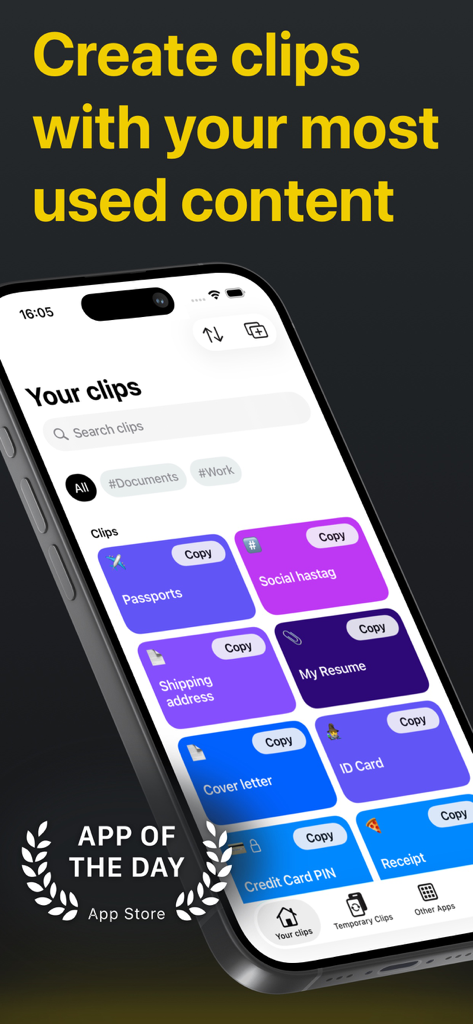
Clipboard PROアプリのインターフェース。iPhone上でドキュメントやテキスト用に整理されたクリップを表示。
Clipboard PROアプリのインターフェース。iPhone上でドキュメントやテキスト用に整理されたクリップを表示。

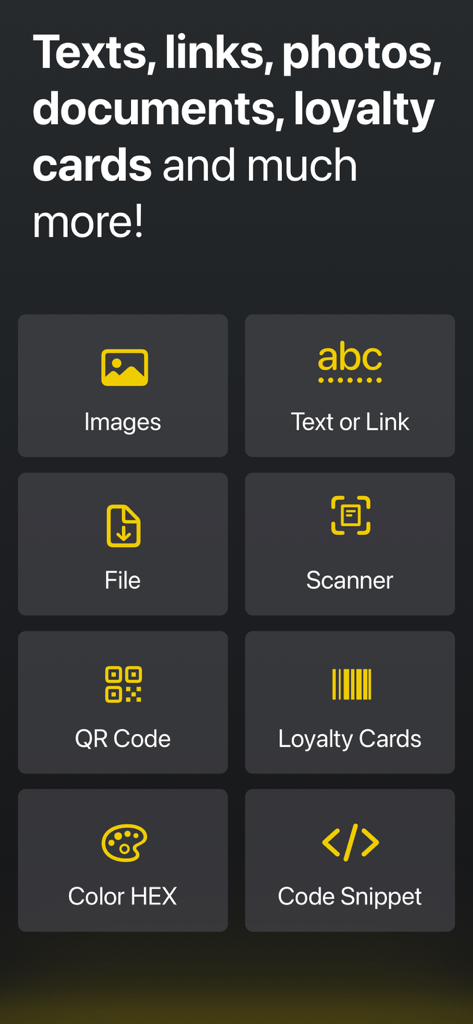
Clipboard PROアプリの生産性機能のグリッド。スキャナー、QRコード、コードスニペットツールを含む。
Clipboard PROアプリの生産性機能のグリッド。スキャナー、QRコード、コードスニペットツールを含む。

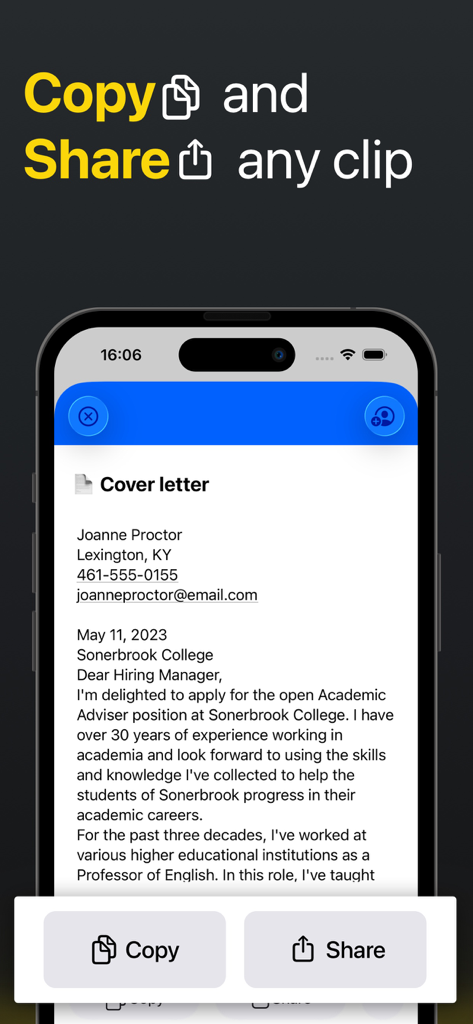
Clipboard PROアプリでドキュメントクリップのコピーおよび共有ボタンを表示するスマートフォン画面。
Clipboard PROアプリでドキュメントクリップのコピーおよび共有ボタンを表示するスマートフォン画面。

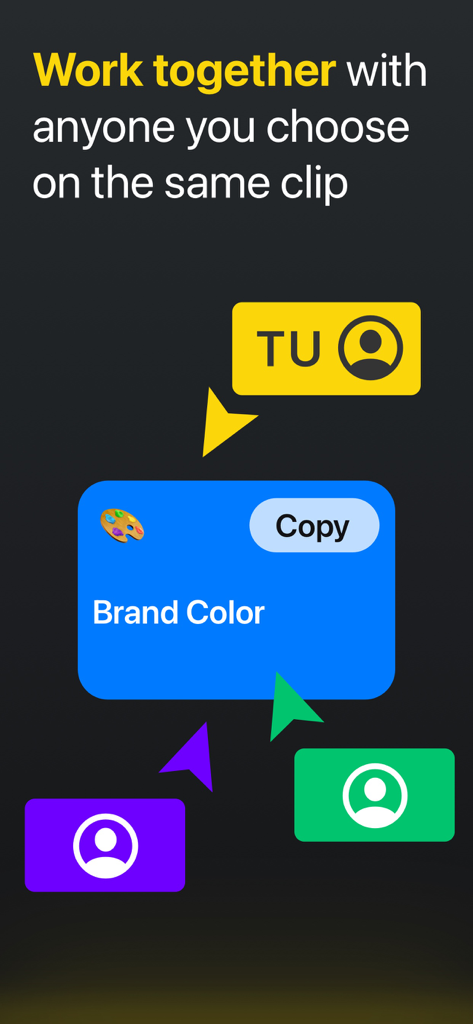
共有ブランドカラークリップで共同作業する複数のユーザーを示すインターフェース。
共有ブランドカラークリップで共同作業する複数のユーザーを示すインターフェース。

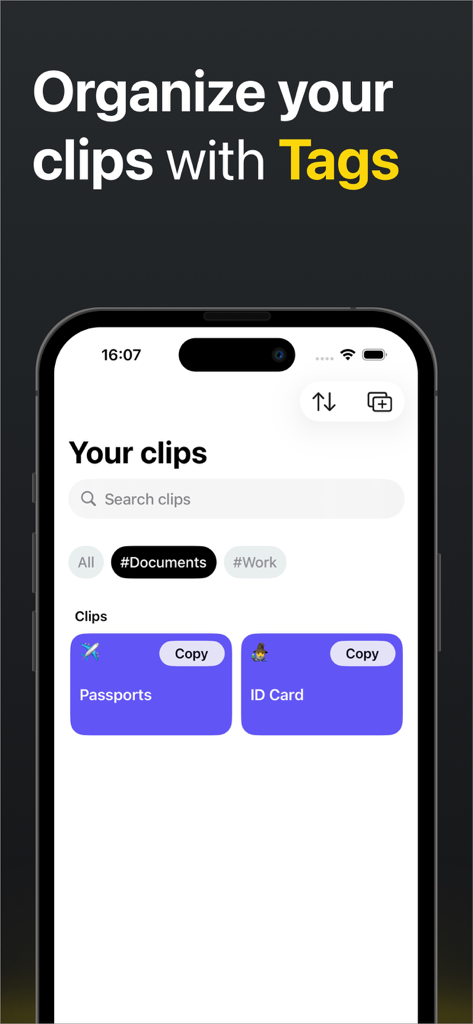
ドキュメントおよびワークタグで整理されたクリップを示すClipboard PROアプリのインターフェース。
ドキュメントおよびワークタグで整理されたクリップを示すClipboard PROアプリのインターフェース。

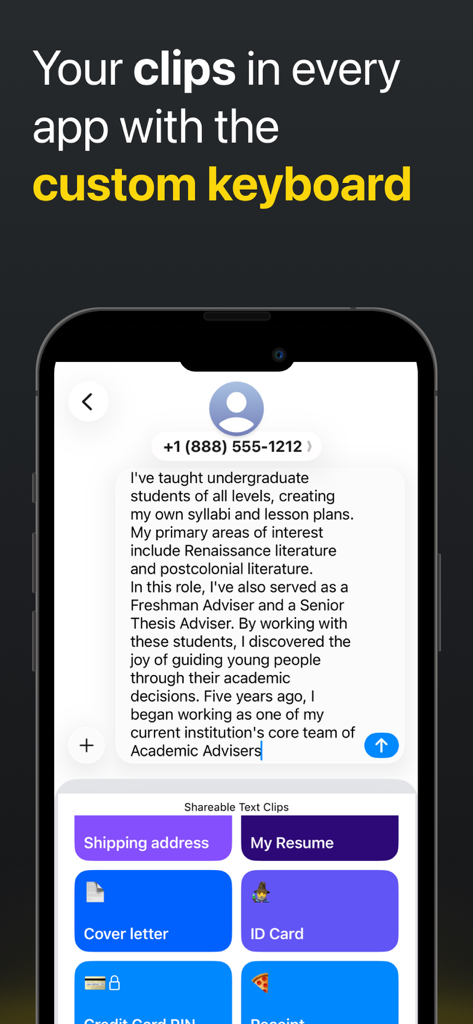
テキストメッセージに素早くペーストするための保存されたクリップを持つClipboard PROカスタムキーボードを表示するスマートフォン。
テキストメッセージに素早くペーストするための保存されたクリップを持つClipboard PROカスタムキーボードを表示するスマートフォン。

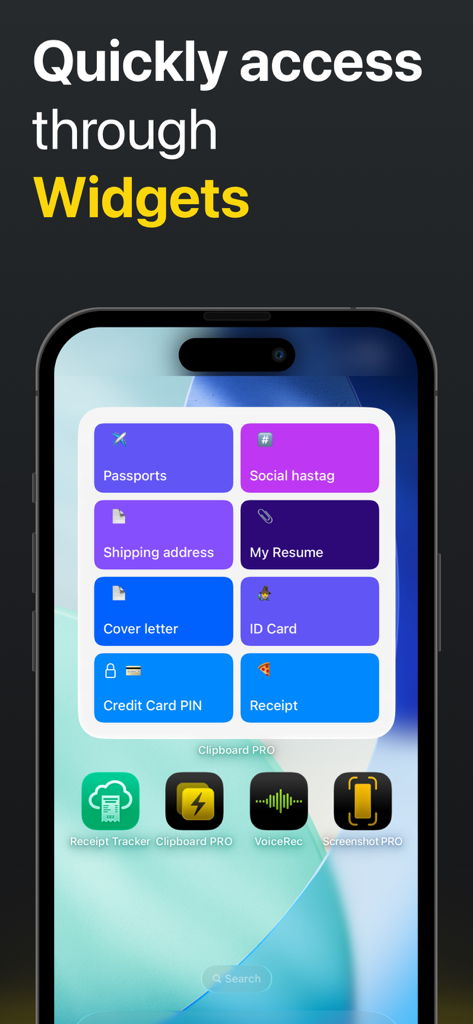
パスポート、履歴書、その他のクリップのショートカットを表示するClipboard PRO iOSウィジェット。
パスポート、履歴書、その他のクリップのショートカットを表示するClipboard PRO iOSウィジェット。

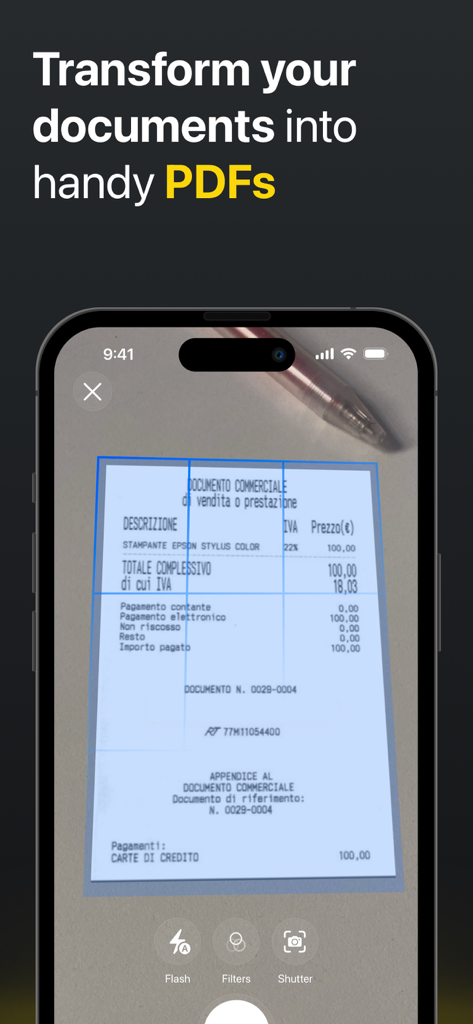
物理的な領収書からPDFを作成するためのClipboard PROのドキュメントスキャナー機能を示すiPhoneインターフェース。
物理的な領収書からPDFを作成するためのClipboard PROのドキュメントスキャナー機能を示すiPhoneインターフェース。

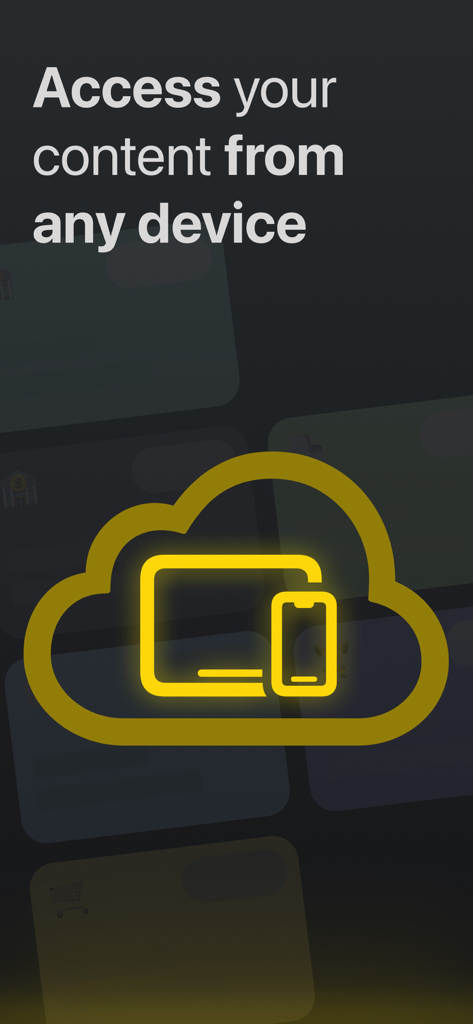
あらゆるデバイスからアクセスするためのClipboard PRO iCloud同期。

あらゆるデバイスからアクセスするためのClipboard PRO iCloud同期。

Face IDアイコンと「Face IDでクリップを保護」というテキストが表示された金色の南京錠のグラフィック。

Face IDアイコンと「Face IDでクリップを保護」というテキストが表示された金色の南京錠のグラフィック。

無限の生産性

このアプリを際立たせるツール、 15K+ 人のユーザーが選択.

⌨️

ワンタップカスタムキーボード

ビューを切り替えることなく、あらゆるアプリからスニペット、ハッシュタグ、返信テンプレートのライブラリ全体にアクセスできます。

☁️

シームレスなiCloud同期

あなたのクリップはiPhoneからMac、iPadまであなたについてきます。モバイルデバイスでコピーし、ワークステーションで即座にペースト。

🎨

専門的なプロフェッショナルキット

モダンな開発者やデザイナーのために特別に設計されたスマートプレビューで、HEXカラー、コードブロック、メディアファイルを保存。

アプリについて

について知っておくべきこと Clipboard PRO: Paste Anywhere.

説明

THE SMARTEST WAY TO ACCESS YOUR MOST USED CONTENT Clipboard PRO is the perfect tool to organize, access, copy and share many different contents with a single tap, such as: personal documents, loyalty cards, addresses, links, notes, images, colors and much more. Clipboard PRO is particularly helpful for: • Developers: you can copy/paste scripts and organize any frequently used code snippet. • Designers: you will have logos, templates, palettes, portfolios and other graphic assets available. • Social Media Managers: you keep texts, links, hashtags, and images for publications at hand. • Copywriters: you can save texts, drafts and copy quickly with a tap. • Commercial agents: you can have ready documents, catalogs, presentations and all the communication tools with the customer and with the company. • Support and assistance: to share standard instructions and procedures in a flash. • Travelers and travel agencies: all documents, tickets, routes and plans are immediately accessible and in order. • Families: loyalty cards, documents and everything you need organized in one app. MAIN FEATURES: • Create clips with text, a link, an image or a file • Preview in-app photos and files of the clips • Instantly copy, open or share clips with one tap • Tags: Assign tags to your clips, so you can group and find them easily • Scanner: scan your documents in-app and create a clip • Loyalty card: scan the barcode and create a clip of your loyalty card • HEX Color: insert a HEX color code and generate a color clip • Code Block: paste any script and create a code clip to be reused • QR code: insert any text or link to generate a QR code • Keyboard: paste your text clips directly from the custom keyboard • Collaborate with iCloud: share clips with iCloud and edit them with other people (from iOS 15) • iCloud Sync: store your clips on iCloud and access them from every device (iPhone, iPad, Watch and Macbook) • Widgets: for faster access to all your clips add our widget to your screen • Protect your clips: protect your content with Face ID or Touch ID • "Add to Siri" button for even faster access to all your content We hope it is also useful to you and we await your feedback to constantly improve Clipboard PRO. If you have any suggestions or feedback, write to us at feedback@beatcode.it Privacy Policy: https://www.iubenda.com/privacy-policy/62035904 Terms and Conditions: https://www.beatcode.it/clipboard_pro/tos.html

最新バージョン

1.29.1

サイズ

54.8 MB

リリース日

2020年11月23日

探すのをやめて、ペーストを始めましょう。

あなたのApple生産性スイートの欠けていたピースが、ワンタップで手に入ります。今日、iPhone、iPad、Mac全体でワークフローを効率化している15,000人以上のパワーユーザーに加わりましょう。

ダウンロード: App Store

App information, icons, screenshots, and descriptions displayed on this page are sourced from the Apple App Store and are the property of their respective developers. Download estimates and rankings are based on MWM's proprietary models and may not reflect actual figures. This page is provided for informational and analytical purposes only.

Believe this page infringes your intellectual property? File a dispute