ClockZ | Clock Display + Alarm
ダウンロード: App Store

このページはアプリまたはその開発者の公式ページではなく、情報提供および論評を目的として作成された独立した編集出版物です。明示的に別段の記載がない限り、アプリおよびその開発者は、MWM、Apple、Google Play、アプリのパブリッシャー、またはアプリの開発者と提携、承認、後援、認可、またはその他の公式的な関係はなく、このページのいかなる内容も、アプリがMWMのサービスを使用して開発されたことを意味するものではありません。すべての商標、ロゴ、スクリーンショット、その他のコンテンツはそれぞれの所有者の財産です。


ロゴ: ClockZ | Clock Display + Alarm
ダウンロード: App Store

ClockZ | Clock Display + Alarm

大きな高コントラストデジタルディスプレイでワークスペースを格上げ。集中力、生産性、完璧なデスクセットアップのためにデザインされたフォント、色、背景は完全にカスタマイズ可能です。

主要数値

ダウンロード

960K+

ユーザー評価

4.4/5

評価数

21K+

開発元

Makoto Katsumata

カテゴリ

Productivity

対応言語

16

最新バージョン

11.8.1

サイズ

7.8 MB

リリース日

2011年1月22日
機能

究極のデスク&ベッドサイドコンパニオン

iPhoneまたはiPadを、集中力、明瞭さ、スタイルに合わせてデザインされた、見事な常時表示デジタル時計にしましょう。

究極のデスクアクセサリー

カスタマイズ可能なテーマとフォントでワークスペースを格上げし、デバイスをプロフェッショナルで美しいステータスモニターに変えます。

比類なき視認性

大きく高コントラストな数字とピンチで拡大・縮小できるジェスチャーにより、高齢者や遠くからのセカンドスクリーンに最適な時計です。

以下のスクリーンショットと説明は、アプリの公式ストアリスティングから直接取得されたものであり、アプリ開発者の所有物です。

アプリストア

スクリーンショット
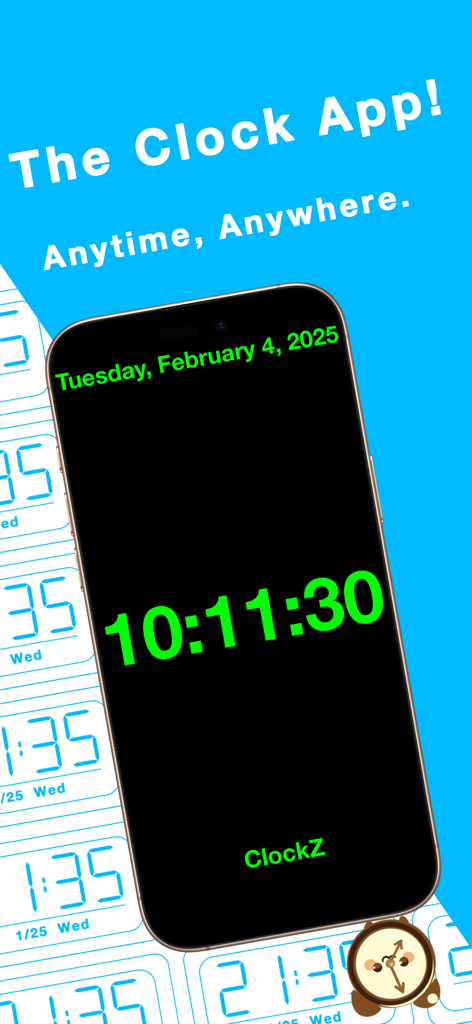
ClockZ | Clock Display + Alarm - 黒いスマートフォンの画面に、大きな緑色のテキストで時刻10:11:30を表示するデジタル時計アプリ。
黒いスマートフォンの画面に、大きな緑色のテキストで時刻10:11:30を表示するデジタル時計アプリ。

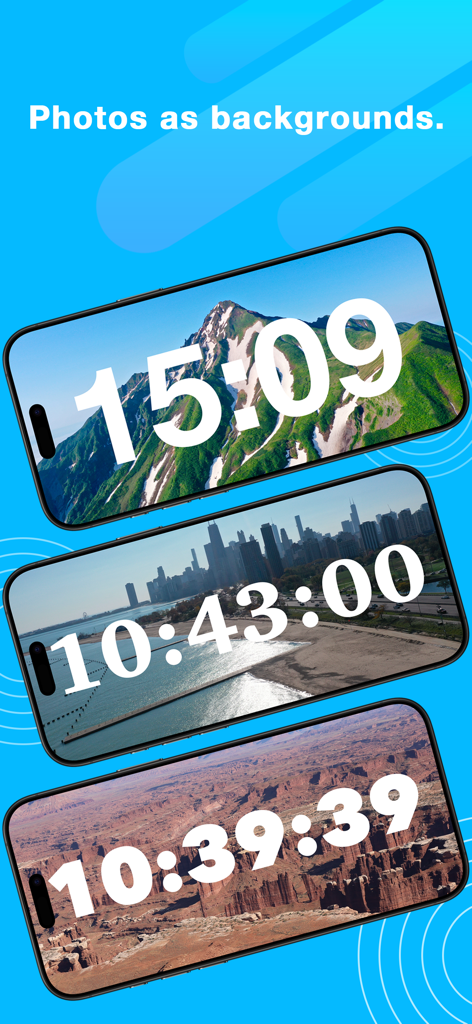
ClockZ | Clock Display + Alarm - 山、都市、砂漠などのカスタマイズ可能な写真の背景を持つデジタル時計ディスプレイ
山、都市、砂漠などのカスタマイズ可能な写真の背景を持つデジタル時計ディスプレイ

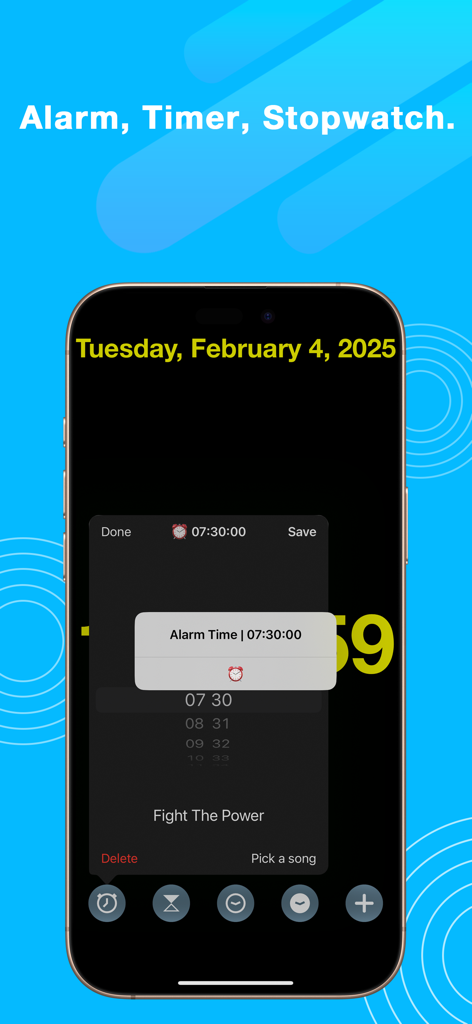
ClockZ | Clock Display + Alarm - 大きなデジタル時計の背景で、アラームタイマーとストップウォッチの設定が表示されているスマートフォンの画面上のClockZアプリインターフェースのスクリーンショット。
大きなデジタル時計の背景で、アラームタイマーとストップウォッチの設定が表示されているスマートフォンの画面上のClockZアプリインターフェースのスクリーンショット。

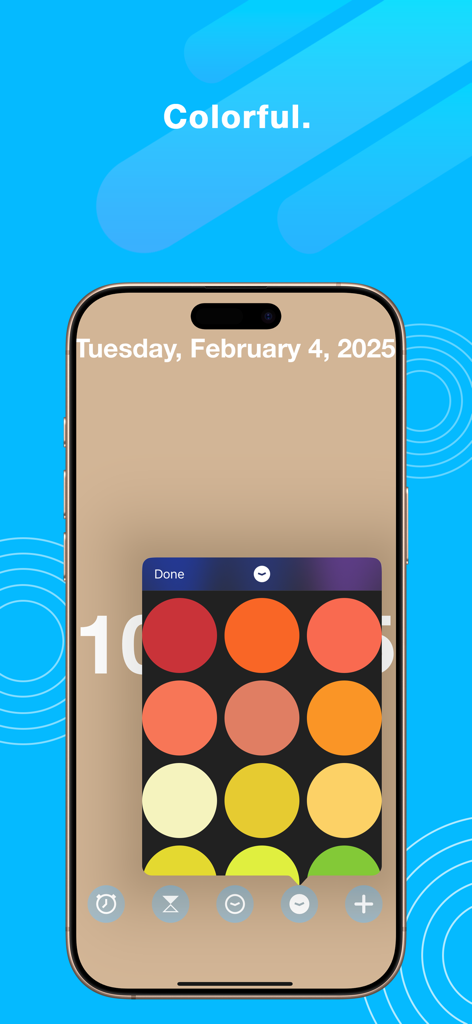
ClockZ | Clock Display + Alarm - パーソナライズされた時計テーマ用の鮮やかな色のグリッドを示すClockZアプリのモバイルスクリーンショット。
パーソナライズされた時計テーマ用の鮮やかな色のグリッドを示すClockZアプリのモバイルスクリーンショット。

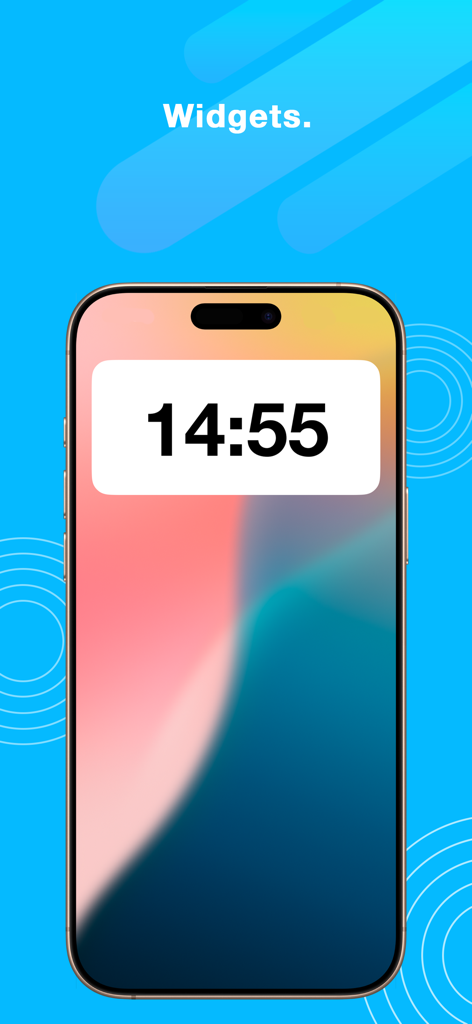
ClockZ | Clock Display + Alarm - iPhoneのホーム画面に表示される大きなデジタル時計ウィジェット

iPhoneのホーム画面に表示される大きなデジタル時計ウィジェット

説明

ClockZ is a clock app that displays accurate current time. The largest digital clock is always displayed on the screen and can be extensively customized. In addition to the basic clock features, you can use the timer, alarm, stopwatch, widget, and many other features for free. Free Features • Digital Clock • Option to display or hide seconds, date, and day of the week • Music alarm (wake-up alarm) • Timer • Stopwatch • Widget (current time display) • Photo backgrounds • Automatic unlock (no sleep when the app is launched) • Tap for full screen • Clock font settings • Clock size adjustment (pinch gesture) • Four-directional rotation (portrait and landscape) Design: • Large and easy-to-read clock • Versatility • Optimized for nighttime use Frequently Asked Questions Q. About the 24-hour time format A. You can change it by going to Settings → General → Date & Time → 24-Hour Time. Q. Why isn’t the alarm sounding? A. Please check that notifications are enabled by launching the app, tapping the + button, and going to Settings. Also, ensure that your ringtone volume, silent mode, and the set time are correct. Q. What about time discrepancies? A. ClockZ synchronizes with your device’s time. Please check the time settings on your device. About ClockZ Premium: • ClockZ Premium is $2.99/month (US dollar standard) • Multiple devices with single purchase • Cancel anytime • No additional purchases, subscription only. • Auto renewable subscription Premium Features: • All text colors and themes • 3D map backgrounds • Battery display • Outline display Prices may vary by country and currency. Premium membership fees will be charged to your iTunes account. Your account will be charged for renewal within 24 hours before the current subscription period ends, with the renewal fee specified. Your subscription will automatically renew unless you cancel at least 24 hours before the end of the current period. You can manage or change the automatic renewal for ClockZ Premium in your Apple ID account within the Settings app (go to Settings → iTunes & App Store → Apple ID → View Apple ID → Subscriptions). Cancellation of your current paid membership will take effect after the end of the current subscription period. If you have any questions, please contact us through the contact information on our website. Privacy Policy: https://flymapslive.com/jp/privacy Terms of Use: https://flymapslive.com/jp/legal

Download

ダウンロード: App Store

このページはアプリまたはその開発者の公式ページではなく、情報提供および論評を目的として作成された独立した編集出版物です。明示的に別段の記載がない限り、アプリおよびその開発者は、MWM、Apple、Google Play、アプリのパブリッシャー、またはアプリの開発者と提携、承認、後援、認可、またはその他の公式的な関係はなく、このページのいかなる内容も、アプリがMWMのサービスを使用して開発されたことを意味するものではありません。すべての商標、ロゴ、スクリーンショット、その他のコンテンツはそれぞれの所有者の財産です。