Clone Phone - Smart Switch
ダウンロード: App Store

このページはアプリまたはその開発者の公式ページではなく、情報提供および論評を目的として作成された独立した編集出版物です。明示的に別段の記載がない限り、アプリおよびその開発者は、MWM、Apple、Google Play、アプリのパブリッシャー、またはアプリの開発者と提携、承認、後援、認可、またはその他の公式的な関係はなく、このページのいかなる内容も、アプリがMWMのサービスを使用して開発されたことを意味するものではありません。すべての商標、ロゴ、スクリーンショット、その他のコンテンツはそれぞれの所有者の財産です。

ロゴ: Clone Phone - Smart Switch
ダウンロード: App Store

Clone Phone - Smart Switch

AndroidとiOS間で写真、連絡先、メッセージを簡単に移行できます。ケーブルやインターネットは不要。安全で、驚くほど高速な転送で新しいデバイスへ。

主要数値

ダウンロード

156K+

ユーザー評価

4.2/5

評価数

200

開発元

Rajeev kumar

カテゴリ

Utilities

対応言語

11

最新バージョン

13

サイズ

73.4 MB

リリース日

2022年8月4日
機能

デジタルライフ全体を、シームレスに転送

新しい携帯電話への移行は、もう面倒ではありません。iOSまたはAndroidへの移行にかかわらず、ケーブル、インターネット、データ損失なしで、写真、連絡先、思い出を数分で転送できます。

クロスプラットフォームの自由

AndroidとiOSの究極の架け橋。ネイティブツールでは見落としがちな信頼性の高い接続で、履歴全体を新しいデバイスへ簡単に移行できます。

超高速・オフライン

遅いクラウドバックアップはもう不要。安全な個人ホットスポットを作成し、インターネット接続なしで、巨大な写真ライブラリや4K動画を最大限の速度で転送します。

以下のスクリーンショットと説明は、アプリの公式ストアリスティングから直接取得されたものであり、アプリ開発者の所有物です。

アプリストア

スクリーンショット
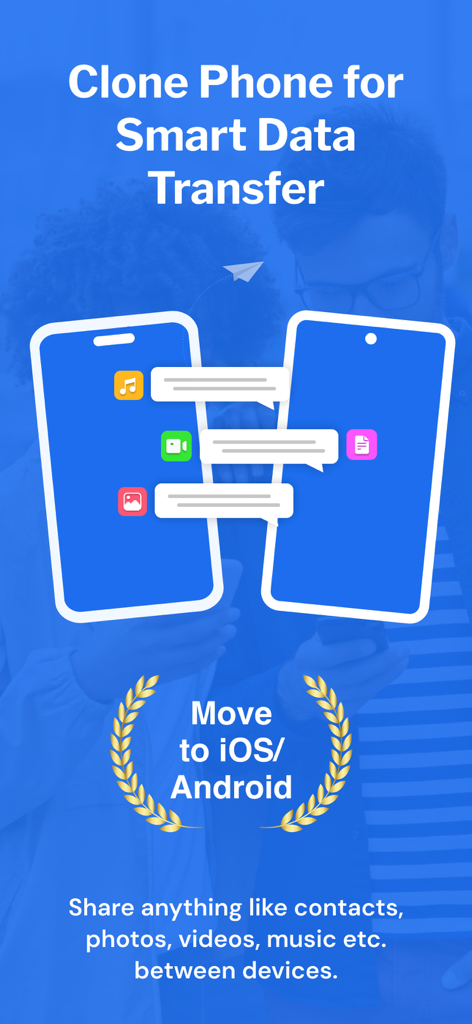
Clone Phone - Smart Switch - iOSまたはAndroidへの機種変更のために、2台のスマートフォン間でモバイルデータ転送が行われている様子を示すグラフィック
iOSまたはAndroidへの機種変更のために、2台のスマートフォン間でモバイルデータ転送が行われている様子を示すグラフィック

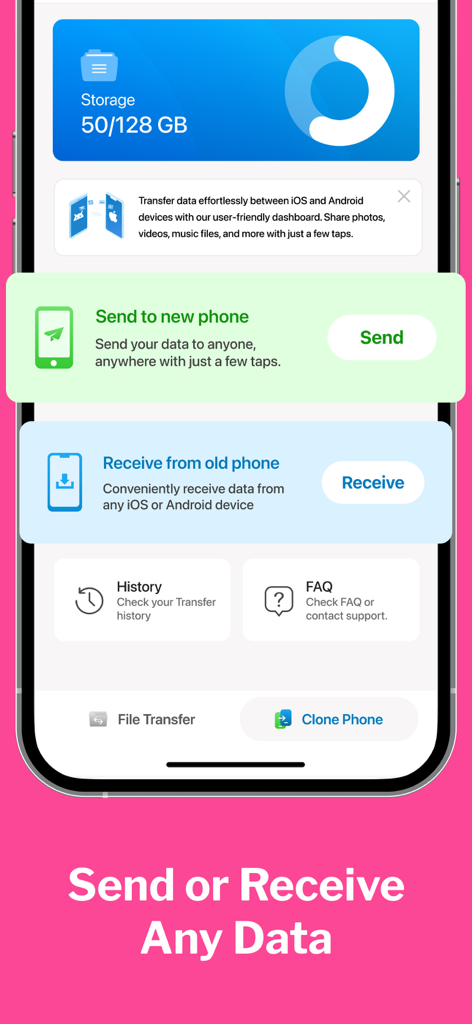
Clone Phone - Smart Switch - モバイルデータ転送の送受信オプションを示すClone Phone Smart Switchアプリのダッシュボード。
モバイルデータ転送の送受信オプションを示すClone Phone Smart Switchアプリのダッシュボード。

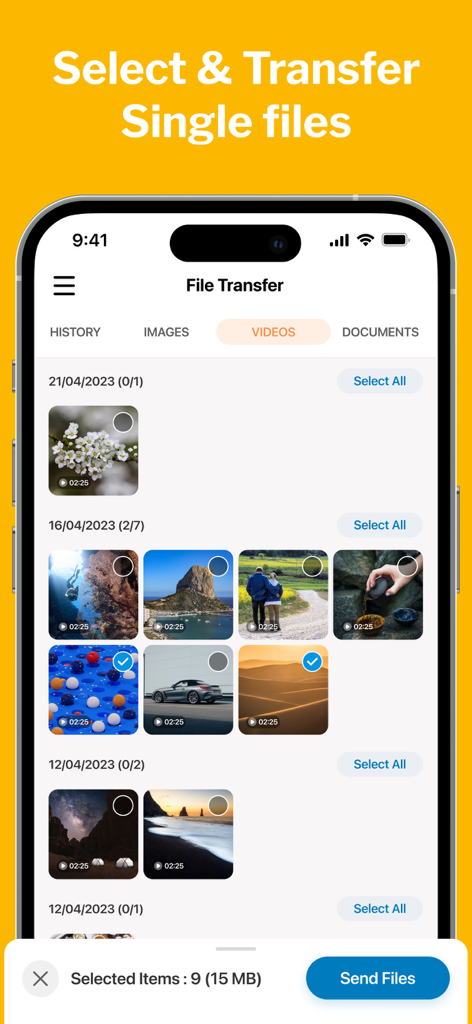
Clone Phone - Smart Switch - Clone Phoneアプリでの選択的なビデオファイル転送を示すユーザーインターフェイス。
Clone Phoneアプリでの選択的なビデオファイル転送を示すユーザーインターフェイス。

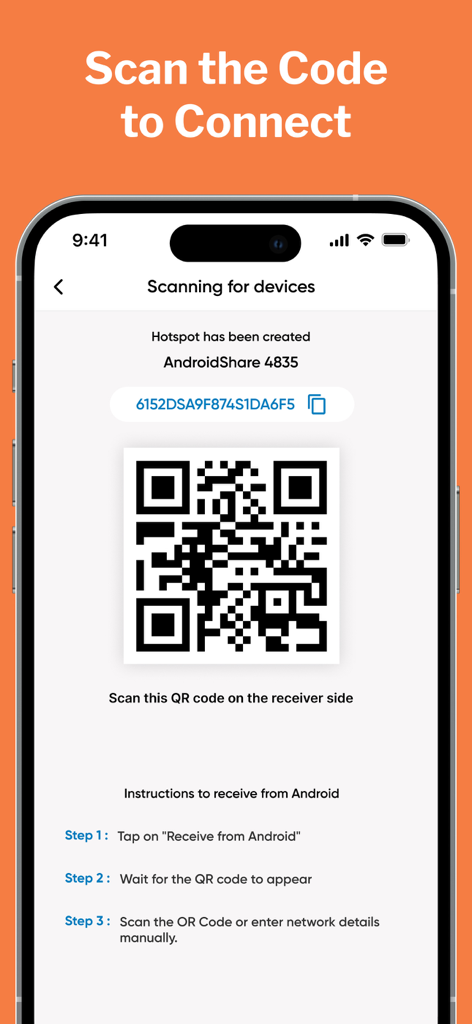
Clone Phone - Smart Switch - Clone Phoneアプリでのデータ転送のためにデバイスを接続するためのQRコードを示すスマートフォンの画面。
Clone Phoneアプリでのデータ転送のためにデバイスを接続するためのQRコードを示すスマートフォンの画面。

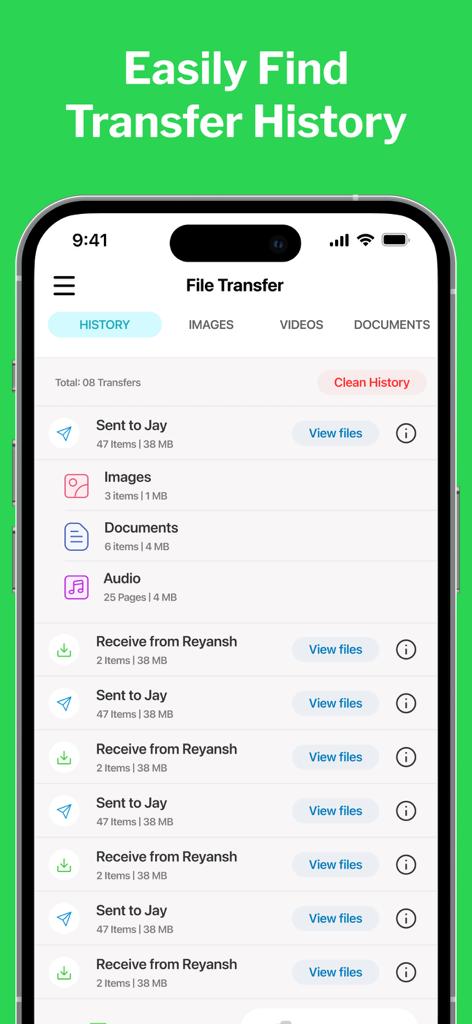
Clone Phone - Smart Switch - ファイル数とサイズとともに完了したデータ転送のリストを表示するClone Phoneアプリのインターフェイス。
ファイル数とサイズとともに完了したデータ転送のリストを表示するClone Phoneアプリのインターフェイス。

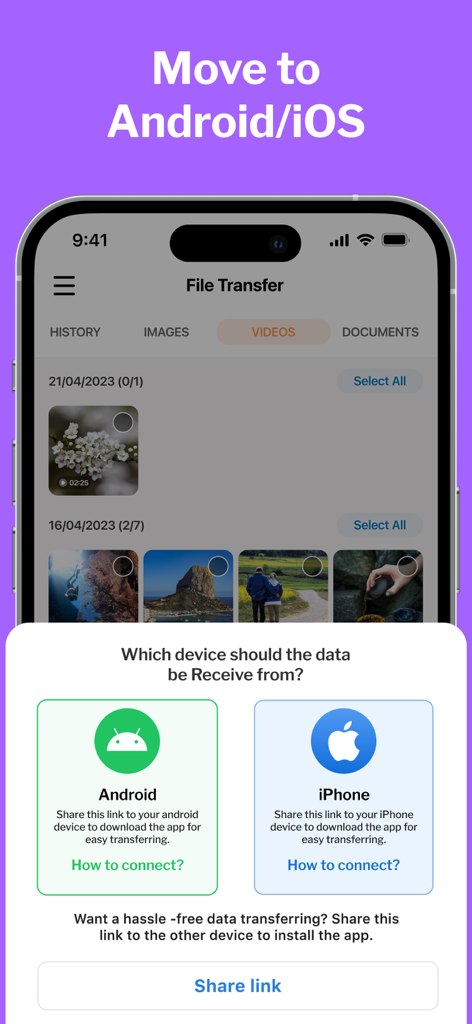
Clone Phone - Smart Switch - AndroidまたはiPhoneからデータを転送するオプションを示すClone Phoneアプリのインターフェイス。

AndroidまたはiPhoneからデータを転送するオプションを示すClone Phoneアプリのインターフェイス。

説明

CLONE your PHONE & SWITCH DATA between android & iOS. Phone Clone is a highly convenient file sharing app that enables seamless transfer of data between devices and allows users to effortlessly migrate their data to their new phones. It offers a hassle-free way to move contacts, photos, videos, messages, music, and more with just a few taps. Unlike other data transfer methods, Clone Phone doesn't require the internet, Bluetooth, or cables. Instead, it creates a personal hotspot to connect the two devices and transfer the data securely and efficiently. New Features MOVE to iOS Make Your Move Effortless with the Move to iOS feature. The Move to iOS feature is here to ensure a smooth and hassle-free transition between your android & iOS devices. SINGLE FILE TRANSFER Only want to transfer specific files only? With our File Transfer feature, whether it's photos, videos, documents, music, or any other file type, our app supports a wide range of file formats for seamless transfer. Why CLONE PHONE? Clone Phone is a smart data transfer and clone that allows easy migration of data to new phones. You can now clone your phone between from Android to iPhone. * It can move contacts, photos, videos, messages, and music between devices. * This app doesn't need the internet, Bluetooth, or cables to transfer data * It uses a personal hotspot to securely and efficiently switch data. * This app is free to use and offers lightning-fast transfer speeds * It allows users to select the data they want to clone. * Phone Switch has a move to iPhone File Sharing feature to smart switch data between Android and iPhone. Move to iOS phone from Android. * The user interface is well-designed and user-friendly. * The app displays free and used space on your phone and your clone history. Whether you're switching from Android to iOS or vice versa, this app makes it a breeze. You can easily copy all your data from your old phone and transfer it to your new phone using this app. The transfer speeds are lightning-fast, and the app even lets you select the data you need to switch. Plus, the app is completely free to use. How to USE: 1. After installation, the user must give the Smart Switch my Phone app all permissions it requires. 2. As a sender, simply select the files you wish to transfer and hit "Share". 3. The app will create a personal hotspot, and a QR code will be shown on the screen. 4. To start the transfer by creating a connection, the receiver must scan the QR code. 5. The user can find all his transferred files on the transfer history page. Some of the data we collect - Device-specific information such as device model, OS version being used. This provides knowledge of how our application is being used so we can improve the user experience and the app itself. - We collect anonymized data such as statistics, analytics, insights about your activity in order to provide you a reliable and high-quality experience. - Payment data & an optional Email (if using paid Services). Premium Plans Monthly - $2.99 Yearly - $5.99 Subscription Info - The user can cancel his/her subscription at any time by going into iTunes and App Store Apple ID Settings. - All prices include applicable local sales taxes. - Payment will be charged to your iTunes Account after confirmation of purchase. - Subscription automatically renews at least 24-hours before the end of the current period. - The user's account will be charged for renewal within 24-hours before the end of the current period. Privacy policy: https://m24apps.com/web/phoneclone/privacy-policy Terms of use: https://m24apps.com/web/phoneclone/tandc EULA: https://m24apps.com/web/phoneclone/eula

Download

ダウンロード: App Store

このページはアプリまたはその開発者の公式ページではなく、情報提供および論評を目的として作成された独立した編集出版物です。明示的に別段の記載がない限り、アプリおよびその開発者は、MWM、Apple、Google Play、アプリのパブリッシャー、またはアプリの開発者と提携、承認、後援、認可、またはその他の公式的な関係はなく、このページのいかなる内容も、アプリがMWMのサービスを使用して開発されたことを意味するものではありません。すべての商標、ロゴ、スクリーンショット、その他のコンテンツはそれぞれの所有者の財産です。








