
このページはアプリまたはその開発者の公式ページではなく、情報提供および論評を目的として作成された独立した編集出版物です。明示的に別段の記載がない限り、アプリおよびその開発者は、MWM、Apple、Google Play、アプリのパブリッシャー、またはアプリの開発者と提携、承認、後援、認可、またはその他の公式的な関係はなく、このページのいかなる内容も、アプリがMWMのサービスを使用して開発されたことを意味するものではありません。すべての商標、ロゴ、スクリーンショット、その他のコンテンツはそれぞれの所有者の財産です。


Collage Maker - Photos Editor
写真の断片から、デジタル世界の支配者へと変貌を遂げる。平凡な画像を、見る者の目を釘付けにするビジュアルストーリーへと昇華させる力を、このアプリは与えている。
ダウンロード
100k+ユーザー評価
評価数
158開発元
カテゴリ
Photo & Video対応言語
17最新バージョン
2.1.8サイズ
397.3 MBリリース日
2024年11月1日ソーシャルメディアクリエイター向け主要機能の評価
Collage Maker - Photos Editor アプリ分析
ソーシャルメディアへのダイレクト共有
完成した作品は、InstagramやTikTokへ直接投稿できるため、ユーザーはシームレスなワークフローでコンテンツを共有できます。これにより、時間と手間を節約し、より迅速な情報発信が可能です。
テンプレート豊富なコラージュ作成
ユーザーは多様なテンプレートを活用し、簡単にプロ品質のコラージュを作成できます。これにより、様々なスタイルや場面に合わせた魅力的なコンテンツを生み出すことが可能です。
Instagramストーリー/リール用テンプレート
本アプリは、Instagramストーリーやリール向けの印象的なテンプレートを提供しており、ユーザーはこれらを使って魅力的な投稿を簡単に作成し、フォロワーと直接共有できます。
自由形式のコラージュ作成
テンプレートに縛られず、ユーザーはグリッドやアニメーションテンプレート、フリーフォームキャンバスを使って、独自のレイアウトやデザインを自由に構築できます。細部にまでこだわったパーソナルな作品作りが可能です。
強力な画像編集ツール
本アプリは、トリミング、回転、サイズ変更、ぼかし、美化といった基本的な機能に加え、スタンプ、テキスト、背景、落書き、モザイクなどの豊富なオプションを提供します。ユーザーは写真の明るさやコントラストなども細かく調整できます。
高度な装飾・調整機能
本アプリは、背景のカスタマイズ(色、グラデーション、パターン)、100種類以上の厳選されたフォント、プロフェッショナルグレードのフィルターを提供します。ユーザーはこれらの機能で作品のムードを大きく変え、視覚的な魅力を高めることができます。
豊富なグリッドレイアウト
アプリは、1:1、16:9などの人気のアスペクト比に対応した既成のグリッドレイアウトを提供します。ユーザーは複数の写真にまたがる美しいInstagramレイアウトを簡単に作成し、統一感のあるフィードを構築できます。
豊富な無料スタンプとオーバーレイ
ユーザーは、数百種類に及ぶ無料のスタンプとオーバーレイライブラリを利用して、コラージュに楽しさやディテールを簡単に追加し、個性を表現できます。
よくある質問
について知っておくべきこと Collage Maker - Photos Editor
What features does Collage Maker - Photos Editor offer for creating collages?
Collage Maker - Photos Editor allows users to combine scenic shots, create food collages, design product comparisons, make holiday greetings, and craft personal digital scrapbooks. It offers various templates, grids, and freestyle options.
Can users edit photos within the Collage Maker - Photos Editor app?
Yes, Collage Maker - Photos Editor includes a powerful photo editor. Users can crop, rotate, resize, blur, beautify, add stickers, text, backgrounds, and adjust brightness, contrast, saturation, and layout.
Does Collage Maker - Photos Editor provide pre-made templates and grid layouts?
Yes, Collage Maker - Photos Editor provides hundreds of hand-picked templates, from minimalist to extravagant styles. It also features premade grid layouts for collages in popular aspect ratios like 1:1, 3:4, and 16:9.
Can I share collages directly to social media from Collage Maker - Photos Editor?
Yes, Collage Maker - Photos Editor supports instant posting directly to Instagram and TikTok. Users can also create Instagram stories or reels using provided templates and share them seamlessly.
How can I change photo backgrounds in Collage Maker - Photos Editor?
Collage Maker - Photos Editor allows users to change photo backgrounds. Options include modifying colors, adjusting opacity, applying gradients and patterns, or using the dedicated background eraser tool.
Does Collage Maker - Photos Editor offer a free trial?
Yes, Collage Maker - Photos Editor offers a free trial for 3 days. This trial includes unlimited gallery cleaning for a limited period.
What are the subscription options for Collage Maker - Photos Editor?
Collage Maker - Photos Editor offers weekly, monthly, and yearly subscription types. These subscriptions automatically renew unless auto-renewal is turned off at least 24 hours before the current period ends.
How do users manage auto-renewal for Collage Maker - Photos Editor subscriptions?
Users manage auto-renewal for Collage Maker - Photos Editor subscriptions through their Account Settings after purchase. Auto-renewal must be turned off at least 24 hours before the current period expires.
Where can I find the privacy policy for Collage Maker - Photos Editor?
The privacy policy for Collage Maker - Photos Editor is available at https://pzmobile.com/app/en/policy. This document outlines how user data is collected and processed.
Can I add stickers and doodles to my collages in Collage Maker - Photos Editor?
Yes, Collage Maker - Photos Editor provides hundreds of free stickers and overlays. Users can also create their own drawings and doodles to add personalized artistic touches to their collages.
以下のスクリーンショットと説明は、アプリの公式ストアリスティングから直接取得されたものであり、アプリ開発者の所有物です。
アプリストア
スクリーンショット
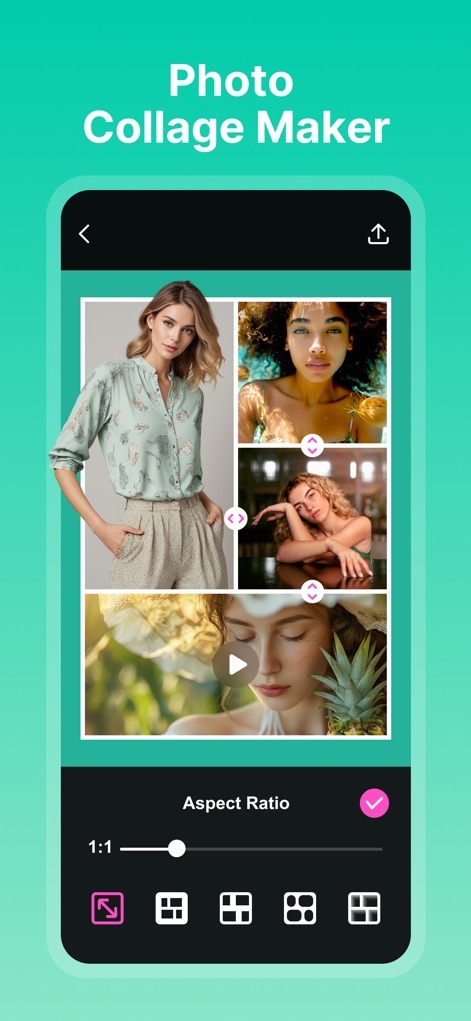
このアプリでは、画像のアスペクト比を自由に調整できるだけでなく、複数の写真を組み合わせてユニークなコラージュを簡単に作成できます。
自由なコラージュ作成
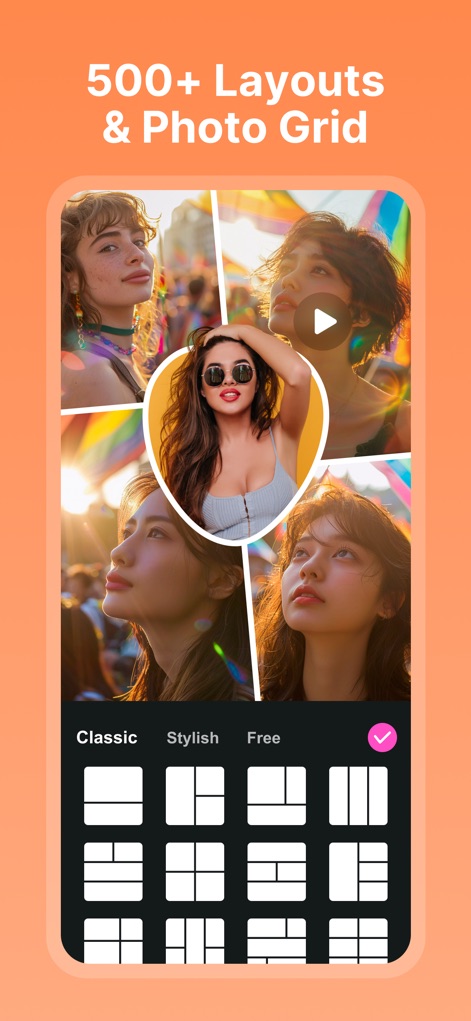
500種類以上の豊富なレイアウトと多様な写真グリッドスタイルを活用し、クラシックからスタイリッシュまで、あらゆるニーズに応えるデザインが可能です。
多彩なレイアウト&グリッド
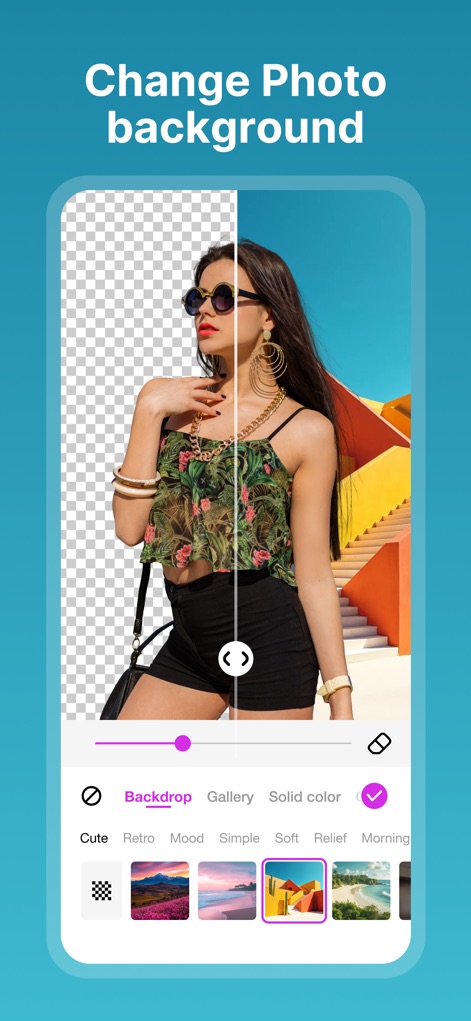
写真の背景を瞬時に変更し、用意された多彩な背景オプションやソリッドカラーで画像を際立たせることができます。
背景を簡単に変更

背景消去ツールを使用すると、画像の不要な部分を正確に除去し、さらに編集内容を復元またはリセットして調整できます。
背景の精密消去

目を引くスタイリッシュなポスターテンプレートを多数利用し、洗練されたデザインでソーシャルメディア投稿を格上げできます。
洗練されたポスター
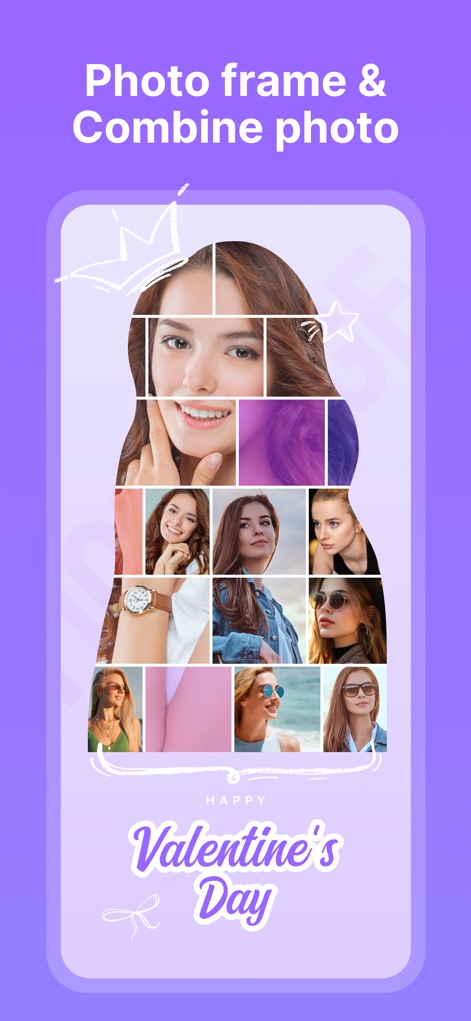
複雑な写真の組み合わせ機能を活用し、様々なテーマのフォトフレームでクリエイティブな作品を簡単に作り出すことができます。
写真を組み合わせて作成

コラージュに最適な背景をテクスチャやパターンから選択し、全体の雰囲気を思い通りにカスタマイズすることが可能です。
背景で個性を表現
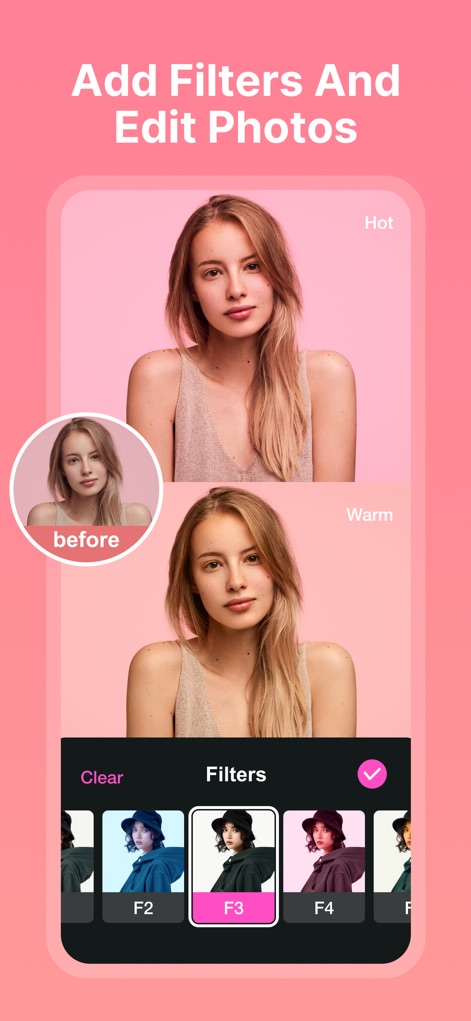
プロフェッショナルな品質のフィルターを適用して写真の雰囲気を劇的に変化させ、ビフォーアフターでその効果を確認できます。
フィルターで写真編集
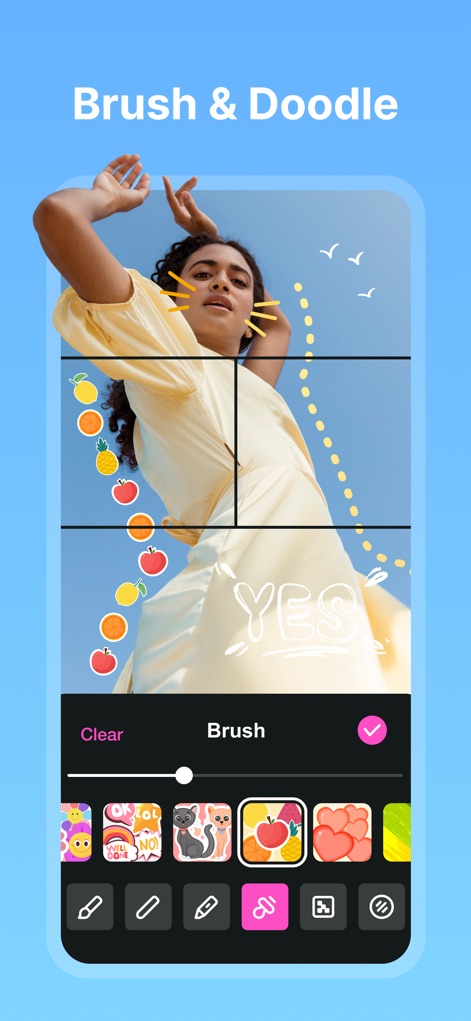
自由なブラシと落書きツールを使って、写真に手書きのメッセージやイラストを追加し、パーソナルなタッチを加えることができます。
ブラシ&自由な落書き
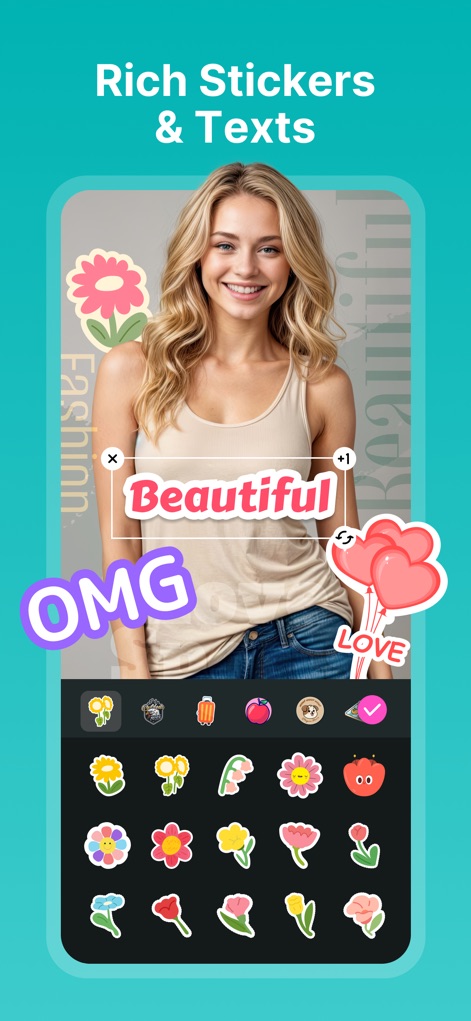
豊富なステッカーコレクションと多彩なフォントオプションを利用して、画像に魅力的なテキストや装飾を追加できます。
豊富なステッカー&テキスト
説明
Download
類似アプリ
似た機能とユーザー体験を持つアプリ

SCRL: Photo Collage Maker
Appostrophe AB

PhotoGrid: Video Collage Maker
JUPITER PALACE PTE. LTD.

Layout for Instagram: Collage
Shamble, Inc.

Photo Collage Maker: InCollage
SHANTANU PTE. LTD.

TicPic
Zhuhai Kuxiong Network Technology Co., Ltd.

Collage Maker: CollagePlus
Shamble, Inc.

Photo Collage Montage Maker
Honk Honk Punch Pty Ltd

Photo Collage Maker & Creator
Honk Honk Punch Pty Ltd

Photo Collage Montage & Layout
Honk Honk Punch Pty Ltd
このページはアプリまたはその開発者の公式ページではなく、情報提供および論評を目的として作成された独立した編集出版物です。明示的に別段の記載がない限り、アプリおよびその開発者は、MWM、Apple、Google Play、アプリのパブリッシャー、またはアプリの開発者と提携、承認、後援、認可、またはその他の公式的な関係はなく、このページのいかなる内容も、アプリがMWMのサービスを使用して開発されたことを意味するものではありません。すべての商標、ロゴ、スクリーンショット、その他のコンテンツはそれぞれの所有者の財産です。