ComicReader
ComicReader
ダウンロード: App Store

このページはアプリまたはその開発者の公式ページではなく、情報提供および論評を目的として作成された独立した編集出版物です。明示的に別段の記載がない限り、アプリおよびその開発者は、MWM、Apple、Google Play、アプリのパブリッシャー、またはアプリの開発者と提携、承認、後援、認可、またはその他の公式的な関係はなく、このページのいかなる内容も、アプリがMWMのサービスを使用して開発されたことを意味するものではありません。すべての商標、ロゴ、スクリーンショット、その他のコンテンツはそれぞれの所有者の財産です。


ロゴ: ComicReader
ダウンロード: App Store

ComicReader

1,500冊以上のコミックを遅延ゼロで管理できる、熱心なコレクターのために構築されました。Apple Siliconに最適化された洗練されたインターフェースで、CBR、CBZ、PDFファイルに即座にアクセスできます。

主要数値

ダウンロード

5K+

ユーザー評価

3.6/5

評価数

100

開発元

Pablo Clemente

カテゴリ

Utilities

対応言語

1

最新バージョン

1.0.1

サイズ

16.0 MB

リリース日

2021年12月1日
機能

真剣なコレクターのために構築

何千もの号数や巨大なライブラリを、手間なく処理できるように設計されたリーダーで、シームレスなパフォーマンスを体験してください。

比類なきライブラリ容量

ついに、1,500冊以上のコミックや数十GBのデータを、クラッシュや速度低下なしで楽に管理できるiPadリーダーが登場しました。

待つことのない即時リーディング

プリプロセスをスキップ。デバイスに届いた瞬間に、ネイティブレンダリングで.cbr、.cbz、PDFファイルを開きます。

以下のスクリーンショットと説明は、アプリの公式ストアリスティングから直接取得されたものであり、アプリ開発者の所有物です。

アプリストア

スクリーンショット

ComicReader - コミックブック風のイラストで、赤いハーフトーンの背景に黄色いバースト状の吹き出しで「COOL」という文字が書かれています
コミックブック風のイラストで、赤いハーフトーンの背景に黄色いバースト状の吹き出しで「COOL」という文字が書かれています

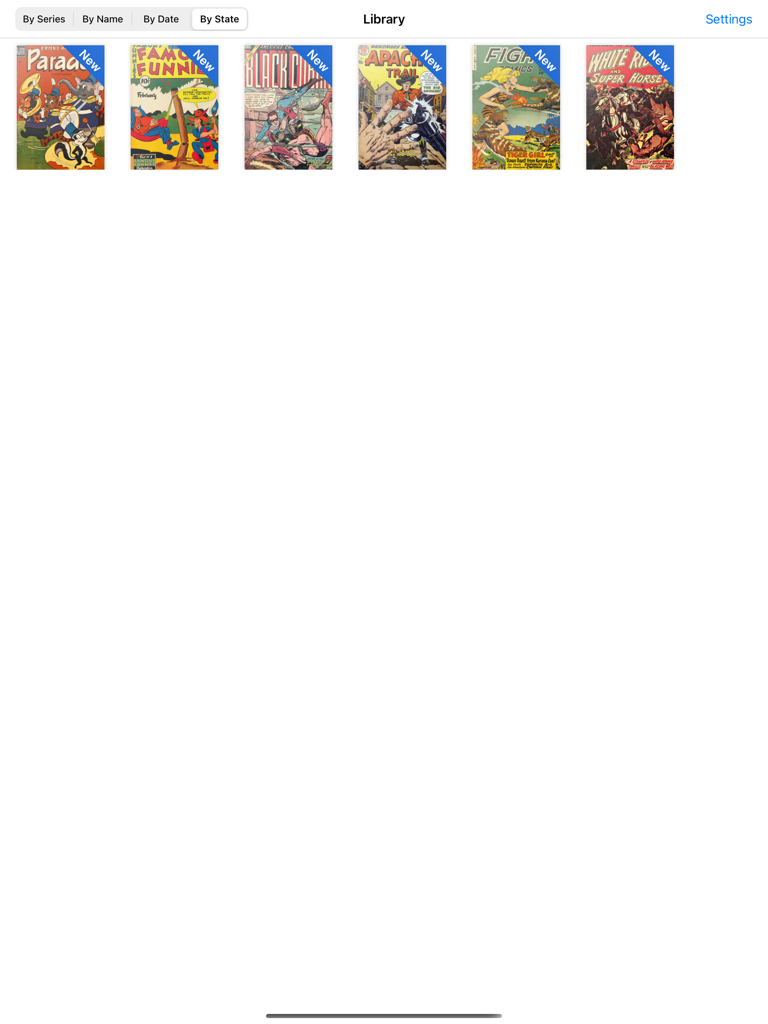
ComicReader - iPad上のComicReaderアプリのライブラリインターフェース。ビンテージコミックブックのコレクションが表示されています
iPad上のComicReaderアプリのライブラリインターフェース。ビンテージコミックブックのコレクションが表示されています

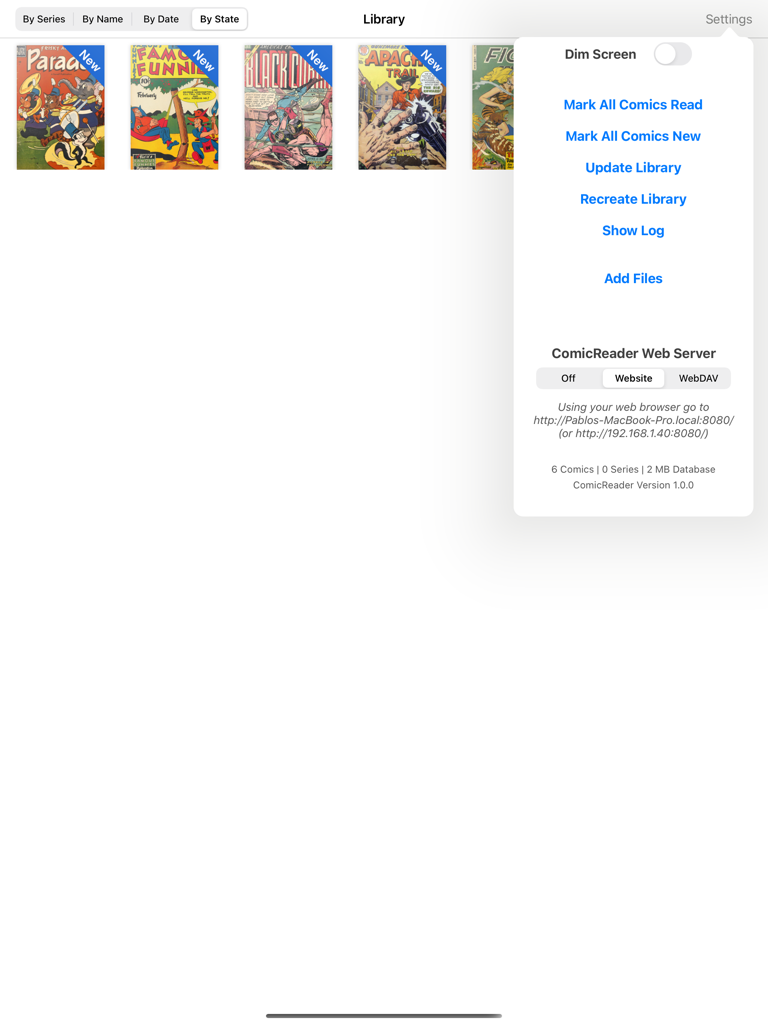
ComicReader - ComicReader iPadアプリ。デジタルコミックのライブラリと、ファイル管理およびWebサーバーオプションを含む設定メニューが表示されています
ComicReader iPadアプリ。デジタルコミックのライブラリと、ファイル管理およびWebサーバーオプションを含む設定メニューが表示されています

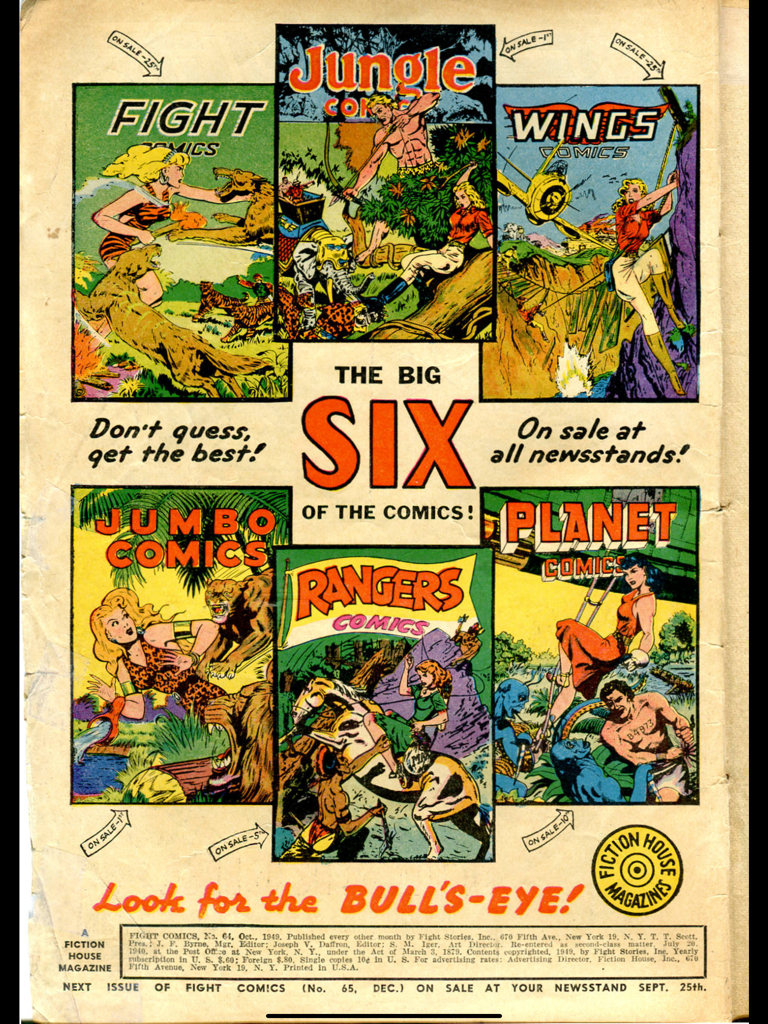
ComicReader - Fiction House Magazinesのビンテージ広告。Fight ComicsやPlanet Comicsを含む6つのクラシックコミックブックカバーが特徴です
Fiction House Magazinesのビンテージ広告。Fight ComicsやPlanet Comicsを含む6つのクラシックコミックブックカバーが特徴です

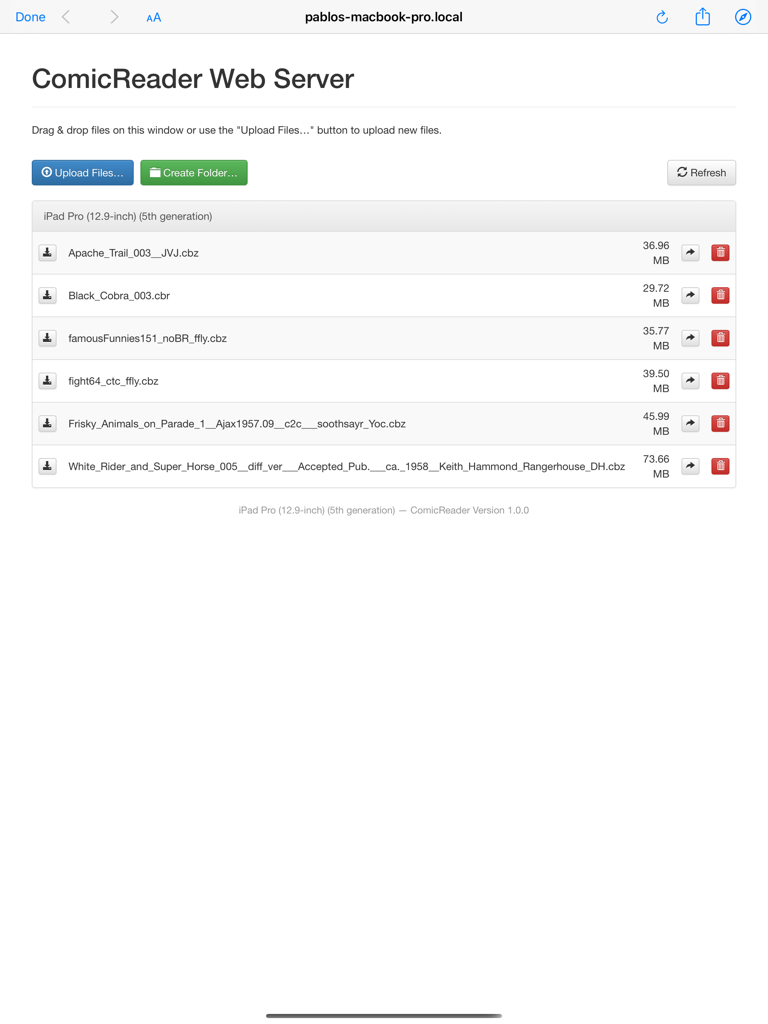
ComicReader - iPad上のComicReaderにコミックファイルをアップロードするためのWebサーバーインターフェース

iPad上のComicReaderにコミックファイルをアップロードするためのWebサーバーインターフェース

説明

Finally a comic reader for iPad done right! ComicReader was designed with one goal in mind: providing the best experience for comic fans with large collections. This is an open source App based on ComicFlow, which stopped receiving updates and wasn’t optimised for the latest devices. Features: - Polished interface - Can handle very large comic collections (1,500+ comics and dozens of GB) without crashing or becoming unusable - Imports new comics in the background - Doesn't need to pre-process comic files before you can read them - Supports .cbr, .cbz and pdf files Importing Comics - iTunes with USB cable: - Connect your iPad to your computer and launch iTunes - In the Applications section, select ComicReader in the list at the bottom - Drag and drop comic files into the Documents area - If ComicReader is already running, display the settings window (upper-right button) and tap on "Update Library" Importing Comics - Web Server over WiFi: - Make sure your iPad and computer are on the same WiFi network - Launch ComicReader - Display the settings window (upper-right button) and set the Web Server setting to "Website" mode - Open the provided URL in a web browser on your computer - To upload comics as part of series, first create a folder then upload the comic files into it Instead of a web browser, if you prefer to use a WebDAV client (e.g. Transmit or ForkLift for Mac or CyberDuck for Mac / Windows), set the Web Server setting to "WebDAV" mode and connect the client to the provided URL. -Alternatively you can use the "Add Files" from the settings menu to use the build in browser which will allow you to add from the files app. Deleting or changing a comic or series status: - Tap and hold on a comic thumbnail or a series thumbnail - Choose the appropriate option in the pop-up menu that appears ComicReader (like ComicFlow before it) is also the first (and only?) open-source comic reader for iPad: get the full source from https://github.com/pclemente/ComicReader, forked from https://github.com/swisspol/ComicFlow under GPL v3 license. ComicReader improves from ComicFlow by adding a dark theme, improvements to the efficiency and adapts to all modern iOS devices, taking full advantage of Apple Silicon. Looking for free public domain comics? Check out http://digitalcomicmuseum.com!

Download

ダウンロード: App Store

このページはアプリまたはその開発者の公式ページではなく、情報提供および論評を目的として作成された独立した編集出版物です。明示的に別段の記載がない限り、アプリおよびその開発者は、MWM、Apple、Google Play、アプリのパブリッシャー、またはアプリの開発者と提携、承認、後援、認可、またはその他の公式的な関係はなく、このページのいかなる内容も、アプリがMWMのサービスを使用して開発されたことを意味するものではありません。すべての商標、ロゴ、スクリーンショット、その他のコンテンツはそれぞれの所有者の財産です。








