
このページはアプリまたはその開発者の公式ページではなく、情報提供および論評を目的として作成された独立した編集出版物です。明示的に別段の記載がない限り、アプリおよびその開発者は、MWM、Apple、Google Play、アプリのパブリッシャー、またはアプリの開発者と提携、承認、後援、認可、またはその他の公式的な関係はなく、このページのいかなる内容も、アプリがMWMのサービスを使用して開発されたことを意味するものではありません。すべての商標、ロゴ、スクリーンショット、その他のコンテンツはそれぞれの所有者の財産です。


Commerzbank photoTAN
Commerzbankのバンキングにおける究極のセキュリティを体験してください。ワンクリックのプッシュ通知とデジタルファーストのアクティベーションで、数秒で取引を承認できます。国際的なライフスタイルに合わせてカスタマイズされています。
ダウンロード
3M+ユーザー評価
評価数
242K+開発元
カテゴリ
Finance対応言語
15最新バージョン
15.1.0サイズ
61.5 MBリリース日
2012年11月23日妥協のないセキュリティ、簡単なアクセス
米国ベースのライフスタイルとドイツのバンキングのギャップを埋めます。photoTANアプリは、世界中のどこからでも国際取引を承認するための最も速く、最も安全な方法を提供します。
ワンタップのプッシュ承認
photoTAN-Pushでシームレスなバンキングを体験してください。手動でのコード入力なしで、安全な通知を通じて即座に送金を承認できます。
エリートセキュリティ基準
ドイツで最も革新的なセキュリティ技術を活用してください。リアルタイムのハードウェアチェックと高度な暗号化を利用して、大西洋を跨いだ資産を保護します。
よくある質問
について知っておくべきこと Commerzbank photoTAN
CommerzbankのphotoTANアプリは何に使われますか?
CommerzbankのphotoTANアプリは、オンラインバンキングおよびモバイルバンキングのセキュリティ方法です。トランザクション番号(TAN)を生成し、プッシュ通知またはグラフィックスキャンを使用して、注文データの検証とログインおよびトランザクションの保護を行います。
CommerzbankアプリのphotoTANプッシュ機能はどのように機能しますか?
photoTANプッシュ機能は、新しい注文の通知を送信します。ユーザーはアプリを開き、注文を確認して、ワンクリックで承認します。これにより、Commerzbankアプリ内で迅速かつ安全なトランザクション承認が可能になります。
CommerzbankのphotoTANアプリをデジタルで有効化できますか?
はい、ユーザーはVideoIdentアプリを使用して完全に本人確認を行うことができます。本人確認後、SMSでコードを受け取り、3時間以内にphotoTANアプリを迅速にデジタルで有効化できます。これにより、アクティベーショングラフィックを待つ必要がなくなります。
CommerzbankのphotoTANアプリは無料で利用できますか?
はい、CommerzbankのphotoTANアプリの利用は、すべてのユーザーに無料で提供されます。これは、アプリのサービスにおける主な利点の1つとして明確に記載されています。
CommerzbankのphotoTANアプリはどのようなセキュリティチェックを実行しますか?
CommerzbankのphotoTANアプリは、ルート化/ジェイルブレイクされたデバイスや悪意のあるアプリなどの既知の攻撃ベクトルに対して、実行時のセキュリティチェックを実行します。アプリのインストールと使用には、これらのチェックへの同意が必要です。
CommerzbankのphotoTANアプリをオフラインで使用できますか?
はい、CommerzbankのphotoTANアプリはオフラインでの使用をサポートしています。スマートフォンがオフラインの場合でも、スキャン機能を使用して注文を簡単に承認できます。
CommerzbankアプリのphotoTANスキャン機能はどのように機能しますか?
オンラインで注文を行うと、モザイクのようなグラフィックが表示されます。これをphotoTANアプリでスキャンしてTANを生成します。アプリは、TANを入力する前に検証のために注文の詳細を表示します。
CommerzbankのphotoTANアプリを通じて、CommerzbankのオンラインバンキングのPINをリセットできますか?
はい、CommerzbankのphotoTANアプリには、CommerzbankのオンラインバンキングのPINをリセットする機能が含まれています。この機能は、アプリのインターフェースから直接アクセスできます。
CommerzbankのphotoTANアプリは、クレジットカード決済のために生体認証をサポートしていますか?
はい、CommerzbankのphotoTANアプリは、クレジットカード決済のために生体認証をサポートしています。この機能は、ユーザーの利便性とセキュリティのために、新しいホーム画面で利用可能なアクションの1つとして記載されています。
以下のスクリーンショットと説明は、アプリの公式ストアリスティングから直接取得されたものであり、アプリ開発者の所有物です。
アプリストア
スクリーンショット
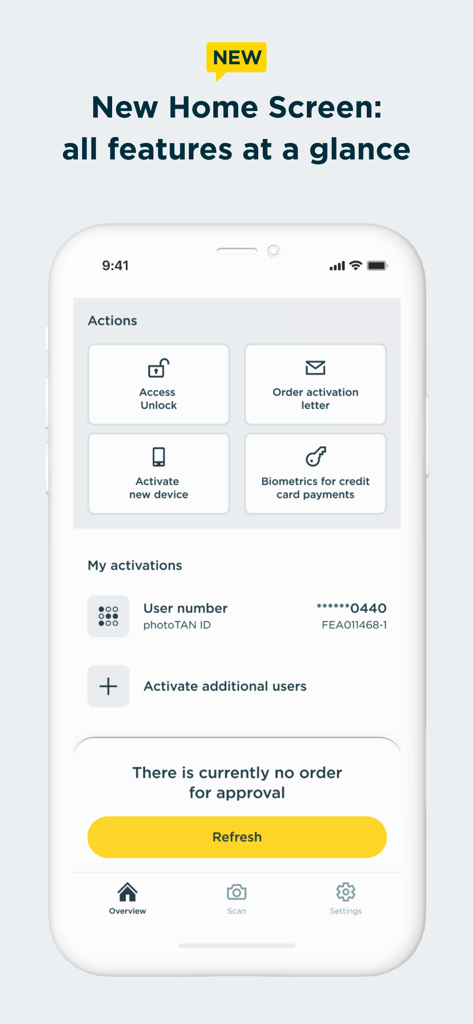
Commerzbank photoTANアプリのホーム画面。アクションショートカットとアカウントのアクティベーション状態が表示されています。
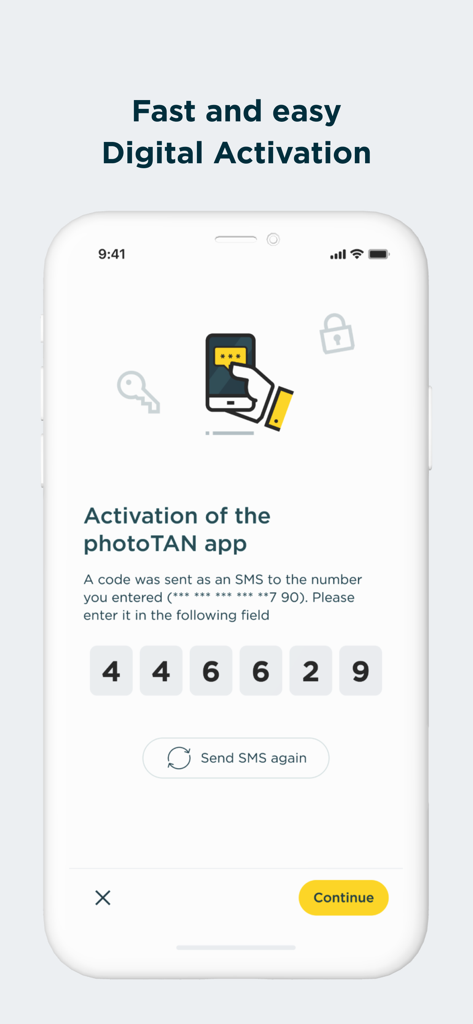
Commerzbank photoTANアプリのデジタルアクティベーション画面。6桁のSMSコード入力フィールドが表示されています。
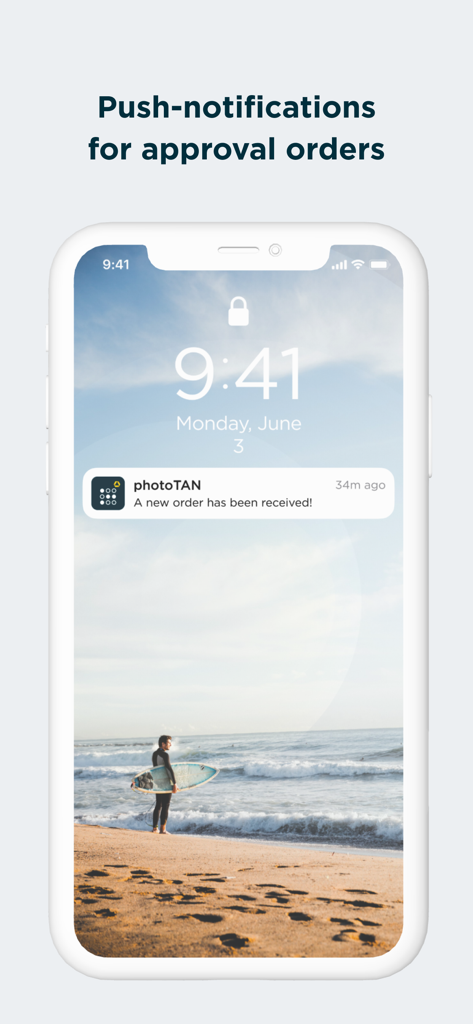
Commerzbank photoTANのプッシュ通知。注文承認用です。
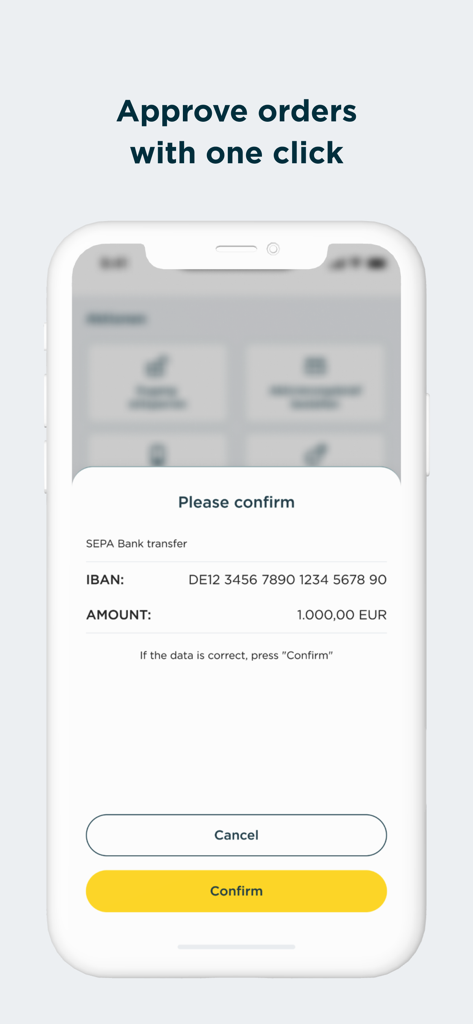
Commerzbank photoTANアプリのモバイル画面。1000ユーロのSEPA銀行振込確認リクエストと、黄色い確認ボタンが表示されています。
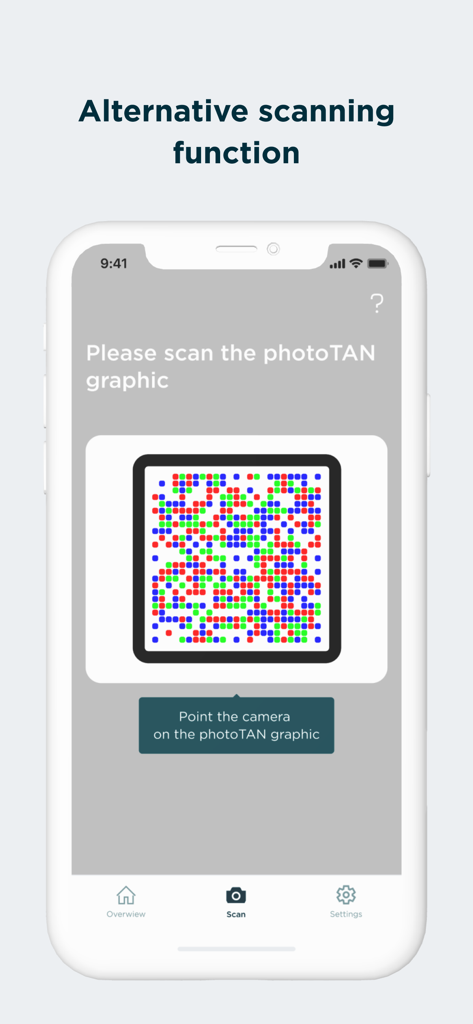
Commerzbank photoTANアプリの画面。セキュリティグラフィックスの代替スキャン機能が表示されています。
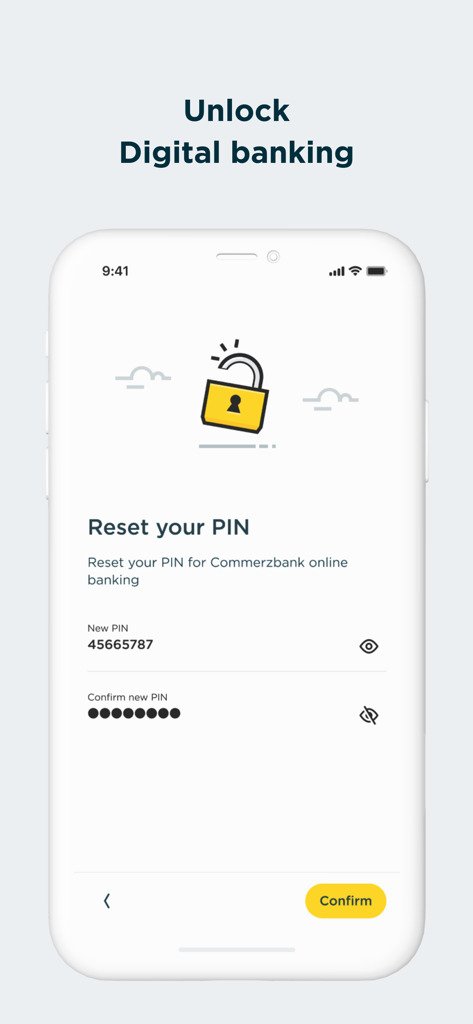
Commerzbank photoTANアプリの画面。デジタルバンキングのPINをリセットします。
説明
Download
類似アプリ
似た機能とユーザー体験を持つアプリ

Mi_Pass
Banco de Chile

Raiffeisen SmartToken
Raiffeisen Bank S.A.

Synology Secure SignIn
Synology Inc.

DATEV SmartLogin
DATEV eG

VR SecureGo plus
Atruvia AG

Namirial OTP
Namirial Spa

UBS Access – secure login
UBS AG

Mobilní klíč eGovernmentu
MINISTERSTVO VNITRA

comdirect photoTAN App
Commerzbank Aktiengesellschaft
このページはアプリまたはその開発者の公式ページではなく、情報提供および論評を目的として作成された独立した編集出版物です。明示的に別段の記載がない限り、アプリおよびその開発者は、MWM、Apple、Google Play、アプリのパブリッシャー、またはアプリの開発者と提携、承認、後援、認可、またはその他の公式的な関係はなく、このページのいかなる内容も、アプリがMWMのサービスを使用して開発されたことを意味するものではありません。すべての商標、ロゴ、スクリーンショット、その他のコンテンツはそれぞれの所有者の財産です。