UBS Access – secure login
ダウンロード: App Store

このページはアプリまたはその開発者の公式ページではなく、情報提供および論評を目的として作成された独立した編集出版物です。明示的に別段の記載がない限り、アプリおよびその開発者は、MWM、Apple、Google Play、アプリのパブリッシャー、またはアプリの開発者と提携、承認、後援、認可、またはその他の公式的な関係はなく、このページのいかなる内容も、アプリがMWMのサービスを使用して開発されたことを意味するものではありません。すべての商標、ロゴ、スクリーンショット、その他のコンテンツはそれぞれの所有者の財産です。

ロゴ: UBS Access – secure login
ダウンロード: App Store

UBS Access – secure login

金融機関レベルのセキュリティを指先で。スキャンや生体認証だけで、デジタルバンキングへのログイン、支払いの承認、リアルタイムのセキュリティアラートの受信が可能です。

主要数値

ダウンロード

1M+

ユーザー評価

4.7/5

評価数

80K+

開発元

UBS AG

カテゴリ

Finance

対応言語

7

最新バージョン

7.12

サイズ

52.3 MB

リリース日

2018年12月11日
機能

グローバルな富のための妥協なきセキュリティ

スイス基準のセキュリティで国際バンキングを保護しましょう。UBS Accessアプリは、ビジネスでどこにいても、お客様の口座へのシームレスで多層的なゲートウェイを提供します。

即座の生体認証ログイン

FaceIDやTouchIDを使用して、Eバンキングやモバイルバンキングに安全にアクセス。安全性を損なうことなく、ストレスのない体験を提供します。

取引のトータルな監視

銀行レベルの多要素認証により、新しい振込先の確認や高額なオンライン購入の承認を、スマートフォンから直接行えます。

FAQ

よくある質問

について知っておくべきこと UBS Access – secure login

UBS E-BankingにUBS Access Appを使ってログインするにはどうすればよいですか?

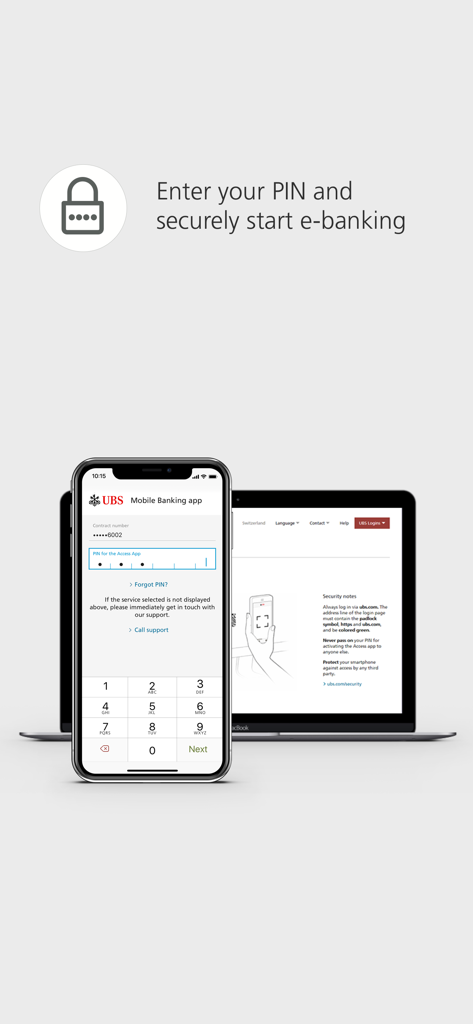
UBS E-Bankingにログインするには、ログインページを開き、UBS Access AppでQRコードをスキャンしてから、PINを入力するか、生体認証を使用します。これにより安全なログインが保証されます。

UBS Access Appは生体認証に対応していますか?

はい、UBS Access AppはE-Bankingとモバイルバンキングの両方のログインで生体認証に対応しています。ユーザーは、セキュリティと利便性を向上させるために、新しい受取人を承認するために生体認証を設定することもできます。

UBS Access Appはどのようなセキュリティ対策を提供していますか?

UBS Access Appは、選択したPINで保護され、スマートフォンのセキュリティをチェックし、ログインコードを自動計算し、多層的なデータ送信セキュリティを使用します。常に最適な保護を提供します。

以下のスクリーンショットと説明は、アプリの公式ストアリスティングから直接取得されたものであり、アプリ開発者の所有物です。

アプリストア

スクリーンショット
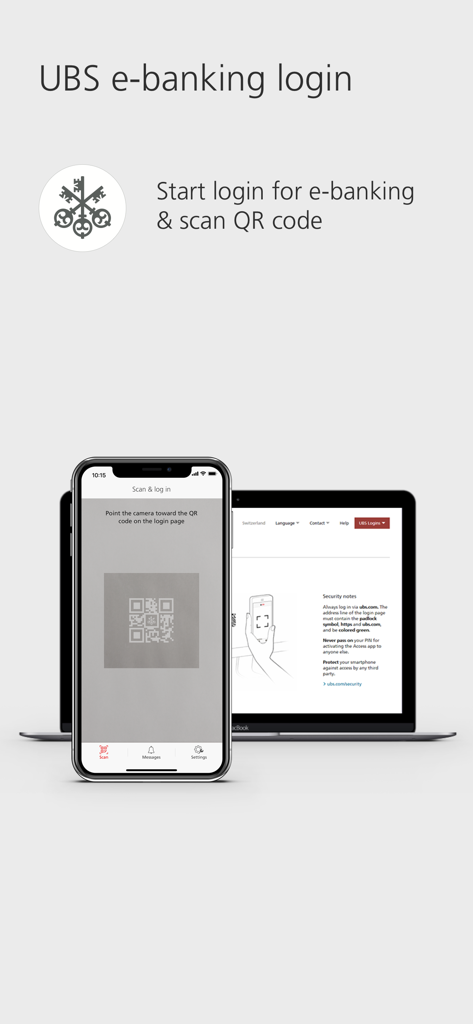
UBS Access – secure login - UBS Eバンキングに安全にログインするために、ノートパソコンの画面上のQRコードをスキャンしているスマートフォン
UBS Eバンキングに安全にログインするために、ノートパソコンの画面上のQRコードをスキャンしているスマートフォン

UBS Access – secure login - UBS AccessのPIN入力画面が表示されたスマートフォンと、Eバンキングのログインポータルが表示されたノートパソコン
UBS AccessのPIN入力画面が表示されたスマートフォンと、Eバンキングのログインポータルが表示されたノートパソコン

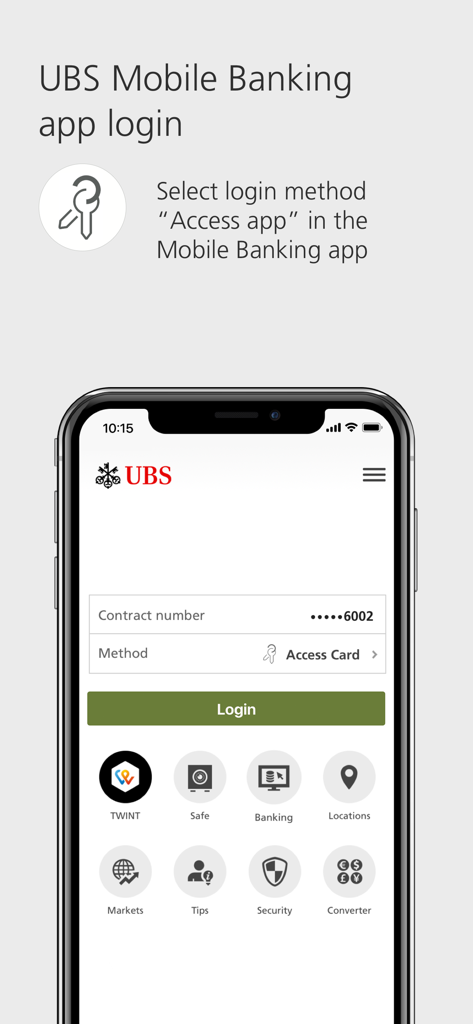
UBS Access – secure login - ログイン方法としてAccessアプリを選択する手順が表示されたUBSモバイルバンキングのログイン画面
ログイン方法としてAccessアプリを選択する手順が表示されたUBSモバイルバンキングのログイン画面

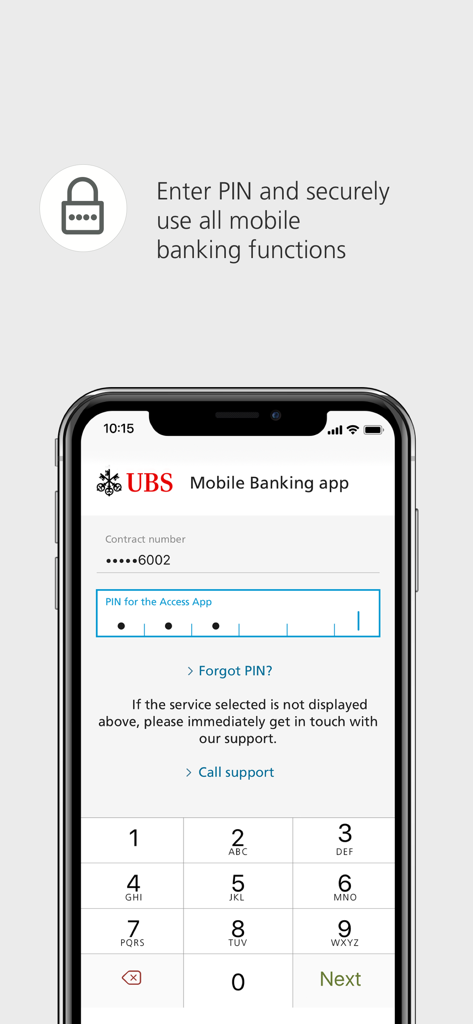
UBS Access – secure login - モバイルバンキングにアクセスするために安全なPINを入力する、UBS Accessアプリのログイン画面

モバイルバンキングにアクセスするために安全なPINを入力する、UBS Accessアプリのログイン画面

説明

With the UBS Access App you can log in to E-Eanking and the Mobile Banking App easily and securely. The UBS Access App also allows you to confirm new payees and online purchases made using credit or prepaid card, and it informs you about security-related events. 1. Log in easily to Digital Banking - E-Banking: Open the login page, scan the QR code with the Access App, enter your PIN or use biometrics and you’ll be immediately and securely logged in to E-Banking. - Mobile Banking: Launch the Mobile Banking App and select “Access App” as the login method. Afterwards, you can easily and securely log in using a PIN or biometrics. 2. Approve online payments securely - When you make online payments by credit or prepaid card, you will receive a push notification and can simply confirm the payment. - The highest standards in security reduce the risk of fraud. 3. Confirm new payees - Unblock the Access App with a PIN or using biometrics, check payees and approve payments. 4. Receive security messages - Receive information concerning security-related events such as changes to your security settings or contact details. Using the UBS Access App is this secure: - A PIN of your choice protects the Access App – even if you lose your smartphone. - The Access App always checks the security of your smartphone before you log in to Digital Banking. - The security code for the login is calculated automatically and transferred directly to UBS. Data transmission is protected by multi-level security. - The Access App is always up-to-date and offers optimum protection. - Set up biometrics to log in more easily and to confirm new payees. UBS Switzerland AG and other non-US affiliated companies of UBS Group AG only make the use of the UBS Access App (“App”) available to existing clients of UBS Switzerland AG and of other non-US affiliated companies of UBS Group AG. Other persons are not permitted to use the App. The App is not intended for US persons nor persons domiciled in Australia. The provision of the App for download in the Apple App Store does not constitute a solicitation, offer or recommendation to enter into any transaction, nor is it to be understood as a solicitation or offer to establish a client relationship between the person who downloads the App and UBS Switzerland AG or other non-US affiliated companies of UBS Group AG. Requirements: Banking relationship at UBS Switzerland AG, UBS Europe SE (Germany, Italy) or UBS AG (Hong Kong, Singapore) with Digital Banking contract: For activation, you will need a mobile number stored in Digital Banking for security messages. Enter this mobile number in the profile of your Mobile Banking App: Tap on your name and go to "Phone". You can also do this in E-Banking via your profile: In "My contact details" click on the pencil symbol and then "Phone numbers". Please enter your phone number without the initial 0 and modify the country code if you do not have a Swiss mobile number. Banking relationship at UBS Europe SE (UK, France, Monaco or Luxembourg): For activation, you will need a saved mobile number. Please contact your client advisor to set this up. Banking relationship at UBS Europe SE (Jersey) with a "Digital Banking" contract: For activation, you will need an Access Card with card reader or an Access Card Display. The range of functions may differ depending on the country. We hope you will enjoy using the UBS Access App. We look forward to receiving your feedback and your rating in the Apple App Store.

Download

ダウンロード: App Store

このページはアプリまたはその開発者の公式ページではなく、情報提供および論評を目的として作成された独立した編集出版物です。明示的に別段の記載がない限り、アプリおよびその開発者は、MWM、Apple、Google Play、アプリのパブリッシャー、またはアプリの開発者と提携、承認、後援、認可、またはその他の公式的な関係はなく、このページのいかなる内容も、アプリがMWMのサービスを使用して開発されたことを意味するものではありません。すべての商標、ロゴ、スクリーンショット、その他のコンテンツはそれぞれの所有者の財産です。