
このページはアプリまたはその開発者の公式ページではなく、情報提供および論評を目的として作成された独立した編集出版物です。明示的に別段の記載がない限り、アプリおよびその開発者は、MWM、Apple、Google Play、アプリのパブリッシャー、またはアプリの開発者と提携、承認、後援、認可、またはその他の公式的な関係はなく、このページのいかなる内容も、アプリがMWMのサービスを使用して開発されたことを意味するものではありません。すべての商標、ロゴ、スクリーンショット、その他のコンテンツはそれぞれの所有者の財産です。


Compress Videos & Resize Video
大切な思い出を削除するのはもうやめましょう。200万人以上のユーザーが、あらゆるディテールを鮮明に保ちながら動画ファイルを最大90%縮小しています。シンプル、プライベート、そしてウォーターマークなし。
ダウンロード
2M+ユーザー評価
評価数
43K+開発元
カテゴリ
Photo & Video対応言語
1最新バージョン
2.13サイズ
15.3 MBリリース日
2019年8月14日ストレージを解放するために必要なすべて
お気に入りの思い出を削除するのはやめましょう。強力なツールが、お気に入りの高画質を維持しながら、動画ファイルを最大90%縮小するお手伝いをします。
「ストレージ容量不足」の警告を解消
数秒でギガバイト単位の空き容量を確保。全動画ライブラリを圧縮して、現在のデバイスに最大10倍の動画を保存できるようになります。
プロ品質、より小さなサイズ
インテリジェント圧縮エンジンにより、動画は鮮明なままです。シャープさやディテールに目に見える損失なくファイルを縮小できます。
よくある質問
について知っておくべきこと Compress Videos & Resize Video
Compress Videos & Resize Videoとは何ですか?
Compress Videos & Resize Videoは、iPhoneやiPadデバイスのストレージ容量を節約するために、画質を低下させることなく動画のファイルサイズを圧縮するアプリです。
Compress Videos & Resize Videoは動画の画質を低下させますか?
いいえ、Compress Videos & Resize Videoは動画の画質を低下させません。インテリジェント圧縮エンジンにより、90%以上圧縮しても、目立った違いなくファイルサイズを縮小します。
Compress Videos & Resize VideoはどのようにiPhoneの容量を節約しますか?
Compress Videos & Resize Videoは動画ファイルのサイズを縮小し、ユーザーがストレージ容量を回復できるようにします。iPhoneやiPadに最大10倍の動画を保存するのに役立ちます。
Compress Videos & Resize Videoはユーザーのプライバシーを尊重しますか?
はい、Compress Videos & Resize Videoはユーザーのプライバシーを尊重します。動画はデバイス上で直接処理され、リモートサーバーにアップロードされることはありません。また、ウォーターマークも含まれません。
Compress Videos & Resize Videoはどのような動画ファイルタイプをサポートしていますか?
Compress Videos & Resize Videoは、iPhoneがサポートするすべての動画ファイルタイプをサポートしています。H.264、MPEG-4、HEVC、.m4v、.mp4、.mov形式などが含まれます。
Compress Videos & Resize Videoで圧縮された動画はどこに保存されますか?
圧縮された動画は、メインの写真ライブラリと、デバイス上の「Compressed Videos」という専用アルバムの両方に保存されます。このアルバムはアプリによって自動的に作成されます。
広告なしでCompress Videos & Resize Videoを使用するにはどうすればよいですか?
Compress Videos & Resize VideoのProバージョンにアップグレードすると、広告を削除できます。Proバージョンでは、複数の動画を一度に圧縮したり、無制限に日々の圧縮を行うことも可能です。
Compress Videos & Resize VideoのProバージョンでは、支払いと更新はどのように処理されますか?
Proバージョンの支払いは、購入確認時にiTunesアカウントに請求されます。期間終了の24時間前までにキャンセルされない限り、同じ価格で毎年自動更新されます。
Compress Videos & Resize Videoで複数の動画を一度に圧縮できますか?
はい、Compress Videos & Resize VideoのProバージョンでは、一度に複数の動画を圧縮したり、毎日無制限に動画を圧縮したりできます。
Compress Videos & Resize Videoで推奨される動画圧縮設定は何ですか?
最適な結果を得るために、Compress Videos & Resize Videoでは、フレームレートを24、動画の解像度を80%に設定することを推奨しています。これにより、目立った画質の変化なしにファイルサイズを大幅に縮小できます。
以下のスクリーンショットと説明は、アプリの公式ストアリスティングから直接取得されたものであり、アプリ開発者の所有物です。
アプリストア
スクリーンショット

動画を8.31GBから1.79GBに圧縮してiPhoneの容量を節約する様子を示すインフォグラフィック
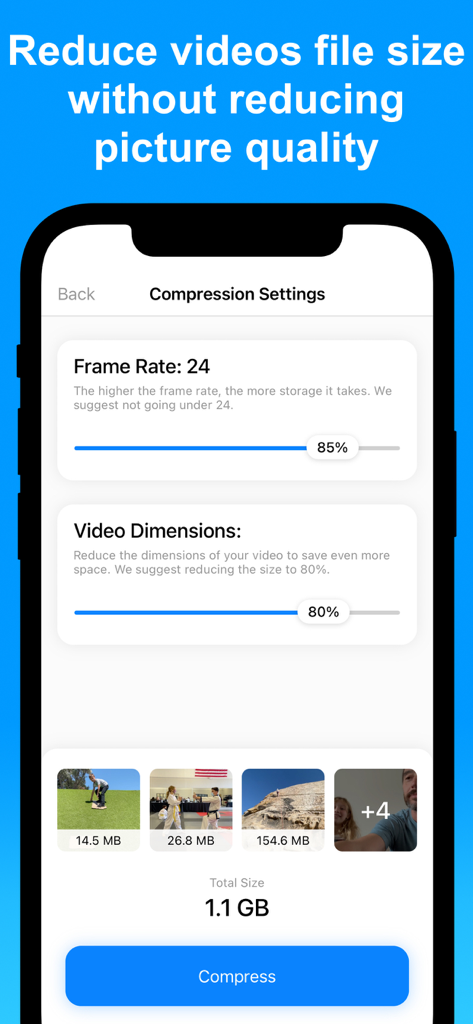
iPhone画面に表示された、フレームレートや寸法を含む調整可能な動画圧縮設定
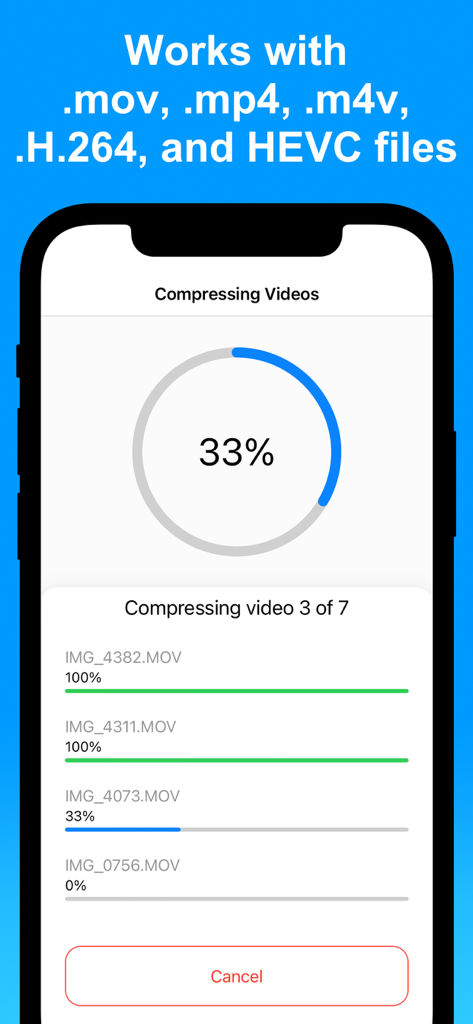
アプリで複数の動画が同時に圧縮されている進捗状況を示すiPhone画面
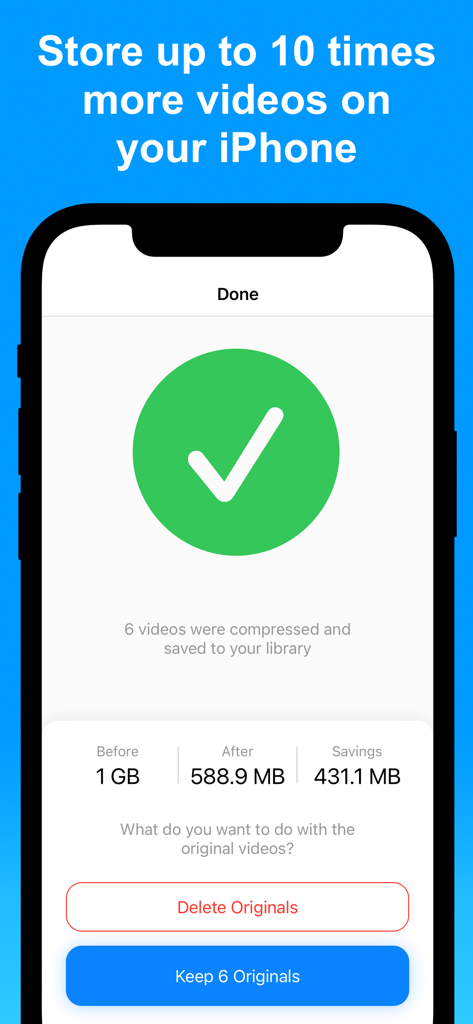
動画圧縮の成功結果とストレージ節約量を示すiPhoneアプリインターフェース
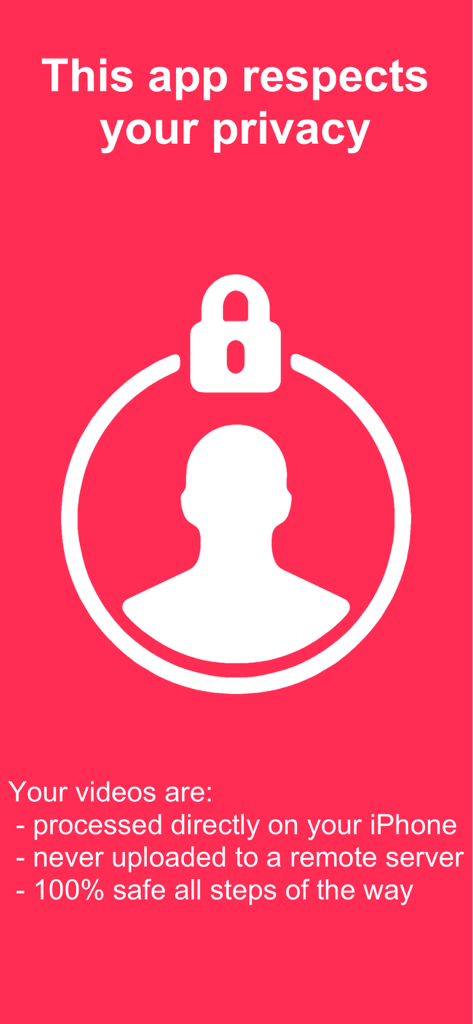
Compress Videosアプリのプライバシー情報画面。オンデバイスでのローカル処理を示す
説明
Download
類似アプリ
似た機能とユーザー体験を持つアプリ

Video compressor - save space
俊杰 阮

SlimSpace - Compressor
琛 王

转换猫-视频音频图片格式转换
ZHN Co., Ltd.

Video Compressor - HQ Compress
LightByte Co., Ltd.

The Video Compressor
Dalian Hengwei Electronics Co., Ltd

Media Converter - video to mp3
俊杰 阮

Easy Video Compressor - Resize
Osawa Shunsuke

Video Compress - Shrink Vids
Brachmann Online Marketing GmbH & Co. KG

Panda - Video Compressor
Farluner Apps Grzegorz Balcerzak
このページはアプリまたはその開発者の公式ページではなく、情報提供および論評を目的として作成された独立した編集出版物です。明示的に別段の記載がない限り、アプリおよびその開発者は、MWM、Apple、Google Play、アプリのパブリッシャー、またはアプリの開発者と提携、承認、後援、認可、またはその他の公式的な関係はなく、このページのいかなる内容も、アプリがMWMのサービスを使用して開発されたことを意味するものではありません。すべての商標、ロゴ、スクリーンショット、その他のコンテンツはそれぞれの所有者の財産です。