Connect TV Remote

Connect TV Remote

ダウンロード: App Store
ロゴ: Connect TV Remote

Connect TV Remote:iPhone用オールインワンスマートコントローラー

紛失したリモコンや電池切れの心配はもういりません。Wi-Fi経由でRoku、Samsung、LG、Vizio TVを、タッチジェスチャーと簡単なキーボードで瞬時にコントロール。

開発元

East End Technologies Ltd.

カテゴリ

Utilities

ダウンロード

1M+

ユーザー評価

4.5/5

評価数

2K+

対応言語

1

あなたの画面をマスター

このインターフェースを利用する 1M+ 人のユーザー.

iPhoneのConnect TV Remoteアプリに表示されるユニバーサルコントロールインターフェース
iPhoneのConnect TV Remoteアプリに表示されるユニバーサルコントロールインターフェース

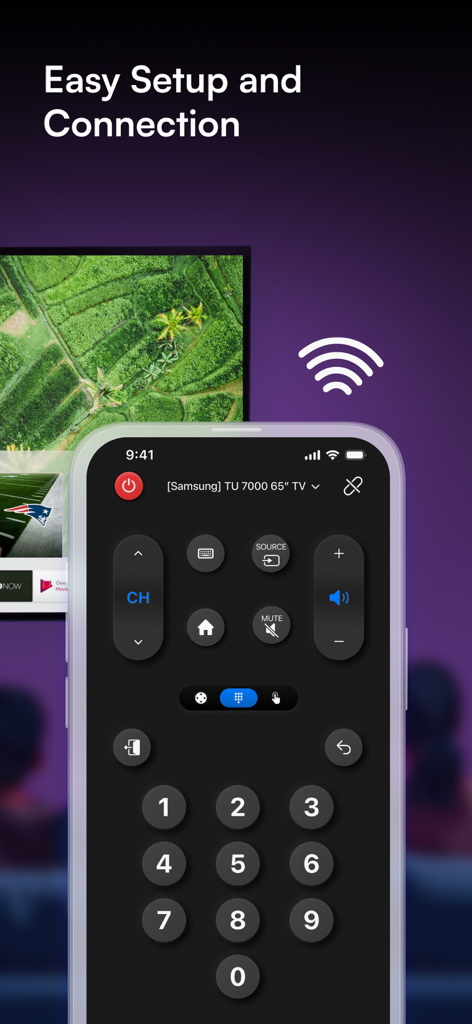
SamsungスマートTV用のデジタルリモコンボタンを表示するiPhone上のConnect TV Remoteアプリインターフェース。
SamsungスマートTV用のデジタルリモコンボタンを表示するiPhone上のConnect TV Remoteアプリインターフェース。

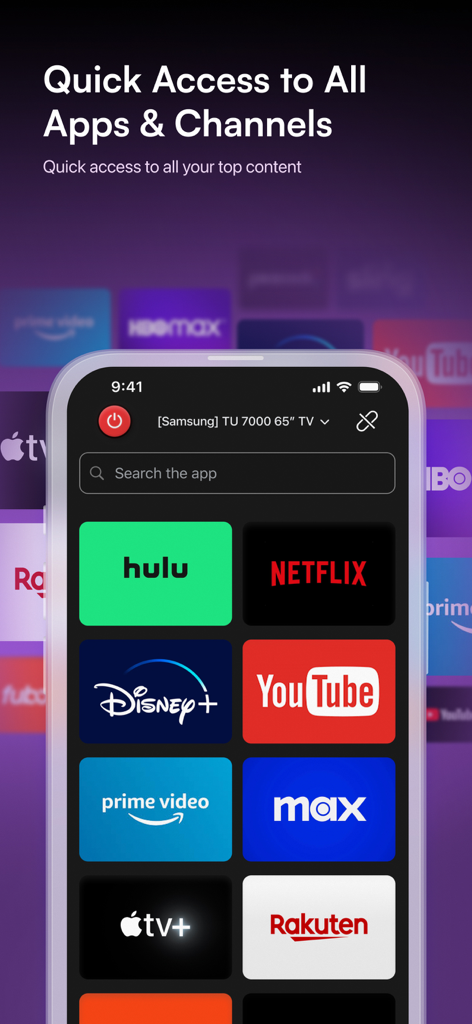
NetflixやHuluなどの人気ストリーミングサービスへのクイックアクセスアイコンが表示されたConnect TV Remoteアプリを表示するスマートフォンスクリーン。
NetflixやHuluなどの人気ストリーミングサービスへのクイックアクセスアイコンが表示されたConnect TV Remoteアプリを表示するスマートフォンスクリーン。

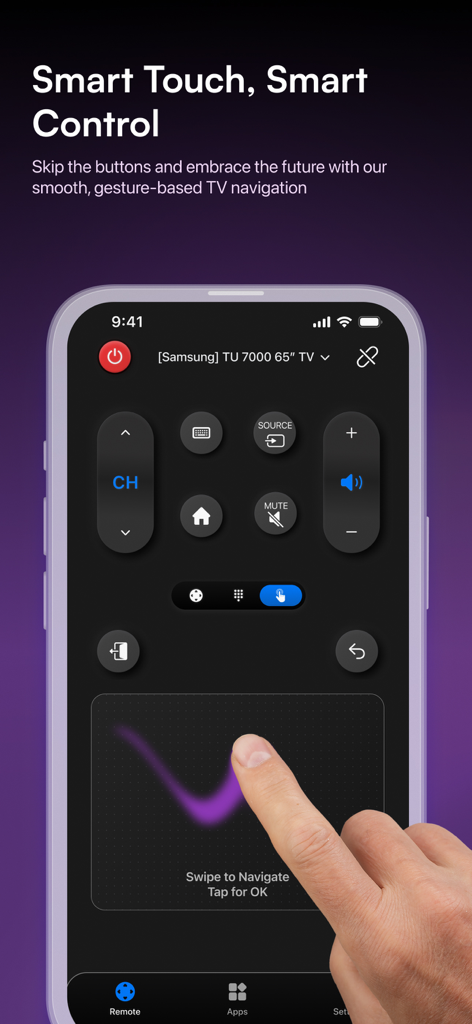
スマートTVナビゲーション用のジェスチャーベースのタッチパッドを特徴とするConnect TV Remoteアプリインターフェース
スマートTVナビゲーション用のジェスチャーベースのタッチパッドを特徴とするConnect TV Remoteアプリインターフェース

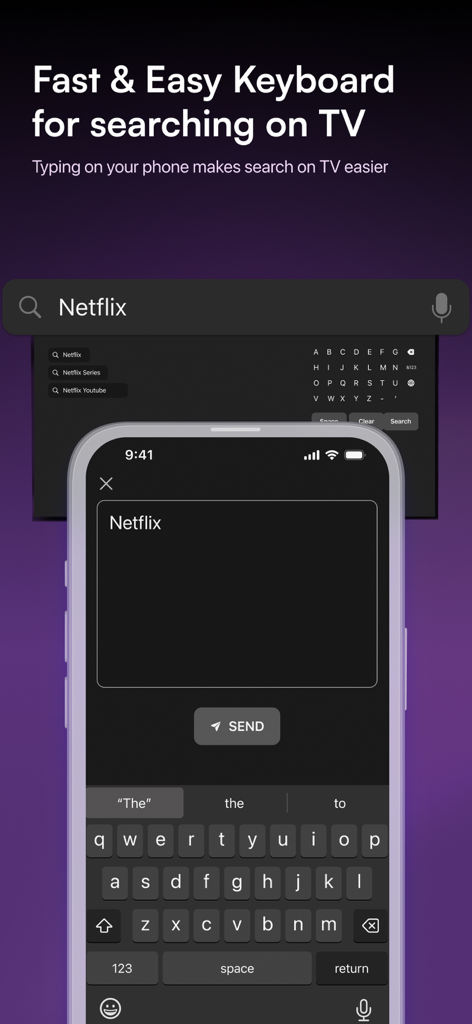
スマートTVでコンテンツを検索するためのiPhoneキーボードインターフェース
スマートTVでコンテンツを検索するためのiPhoneキーボードインターフェース

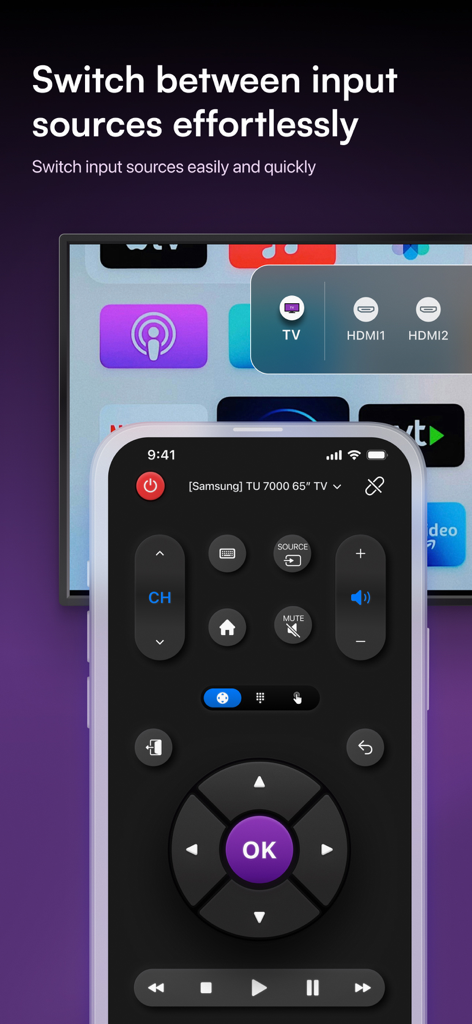
iPhone上でHDMIなどのTV入力ソースを切り替える機能を示すConnect TV Remoteアプリインターフェース。

iPhone上でHDMIなどのTV入力ソースを切り替える機能を示すConnect TV Remoteアプリインターフェース。

スマートホームのためのスマートコントロール

このアプリを際立たせるツール、 1M+ 人のユーザーが選択.

🏠

統一されたマルチブランド対応

Roku、Samsung、LG、Vizioを1つのアプリで操作。埃をかぶったプラスチック製リモコンを切り替えたり、ソファの隙間を探したりする必要はもうありません。

⌨️

簡単なキーボード入力

探しては打つ、というイライラに終止符を。iPhoneのキーボードを使って、数秒で映画を検索したり、ストリーミングログインを入力したりできます。

インスタントWi-Fi接続

複雑なセットアップコードは不要。同じWi-Fiに接続されていれば、技術的なハードルなしに接続してストリーミングを開始できます。

アプリについて

について知っておくべきこと Connect TV Remote.

説明

"Finally—a single remote that works with all my TVs!" "No more hunting for remotes—this app controls my Roku, Samsung, Vizio, and LG in seconds." Easily control your television from your iPhone — no matter where the remote went! Connect TV Remote supports the most popular smart TVs on the market: • Roku OS • Sony • Samsung • LG • TCL • Hisense • Vizio • Philips • Sharp • Panasonic • Xiaomi • JVC • RCA Say goodbye to remote clutter and hello to seamless control with Connect TV Remote—your all-in-one solution for smart TV control. Built for simplicity and power, this app connects to your favorite devices using Wi-Fi and gives you instant access to essential TV functions. Why You'll Love It: • Smart Setup for Roku, LG, Vizio & More: Connect in seconds—no codes or pairing issues. • Multi-Brand Support: Works with most popular TV devices and streaming platforms. • Streaming Shortcuts: Launch Netflix, Prime Video, Hulu, and more right from your phone. • Custom Remote Layouts: Create personalized controls for each TV. • Touch Navigation: Use swipe gestures instead of clunky arrows. • Eco-Friendly & Hassle-Free: No batteries or physical remotes needed. Features at a Glance: • Full support for Roku, LG, Vizio, Samsung, Sony, TCL, and more • Works with Wi-Fi—no need for line-of-sight • Power, volume, keyboard, and input controls • Quick launch buttons for major streaming apps • Clean, customizable interface • No setup codes needed Easy Setup: Make sure your phone and TV are on the same Wi-Fi network. Launch the app, select your device, and you're ready to control. Whether you're streaming your favorite show or just changing the volume from the other room, Connect TV Remote App gives you full control—no remote required. Download now and experience the future of smart TV control. Subscription: You can subscribe to Connect TV Remote and get access to premium features, like the power, volume buttons and keyboard feature. 3-day free trial, then renews weekly for $9.99 Terms of Use: https://universaltvremoteapp.com/legal/terms Privacy: https://universaltvremoteapp.com/legal/privacy

最新バージョン

1.37

サイズ

182.0 MB

リリース日

2024年4月3日

ご家庭のあらゆるテレビを完全にコントロール

リモコンを探したり、電池切れに悩んだりするのはもうやめましょう。100万人以上のユーザーに加わり、今すぐiPhoneを究極のユニバーサルリモコンに変えましょう。

ダウンロード: App Store

App information, icons, screenshots, and descriptions displayed on this page are sourced from the Apple App Store and are the property of their respective developers. Download estimates and rankings are based on MWM's proprietary models and may not reflect actual figures. This page is provided for informational and analytical purposes only.

Believe this page infringes your intellectual property? File a dispute