Continuous .NET C# and F# IDE
ダウンロード: App Store

このページはアプリまたはその開発者の公式ページではなく、情報提供および論評を目的として作成された独立した編集出版物です。明示的に別段の記載がない限り、アプリおよびその開発者は、MWM、Apple、Google Play、アプリのパブリッシャー、またはアプリの開発者と提携、承認、後援、認可、またはその他の公式的な関係はなく、このページのいかなる内容も、アプリがMWMのサービスを使用して開発されたことを意味するものではありません。すべての商標、ロゴ、スクリーンショット、その他のコンテンツはそれぞれの所有者の財産です。


ロゴ: Continuous .NET C# and F# IDE
ダウンロード: App Store

Continuous .NET C# and F# IDE

iPadを高性能ワークステーションに変革。ネットワーク不要、ローカル環境でC#とF#のコードを記述、コンパイル、実行。即時のフィードバックとゼロレイテンシを実現します。

主要数値

ダウンロード

152K+

ユーザー評価

4.2/5

評価数

300

開発元

Krueger Systems, Inc.

カテゴリ

Developer Tools

対応言語

-

最新バージョン

1.5.1

サイズ

391.3 MB

リリース日

2016年7月6日
機能

iPadのために再設計されたプロフェッショナル・コーディング

C#とF#のコードをリアルタイムで記述、コンパイル、実行。どこでも動作するネイティブIDEで、摩擦のない開発フローを体験してください。

即時フィードバックループ

遅いビルドサイクルを待つのはやめましょう。入力中にコードがコンパイル・実行されるため、UIの変更やロジックの更新を即座に視覚化できます。

真のデスクトップ級ポータビリティ

電車内や機内でもコーディング。Continuousはクラウドに依存せずiPad上でローカルに動作し、ネイティブiOSフレームワークへのフルアクセスを提供します。

以下のスクリーンショットと説明は、アプリの公式ストアリスティングから直接取得されたものであり、アプリ開発者の所有物です。

アプリストア

スクリーンショット
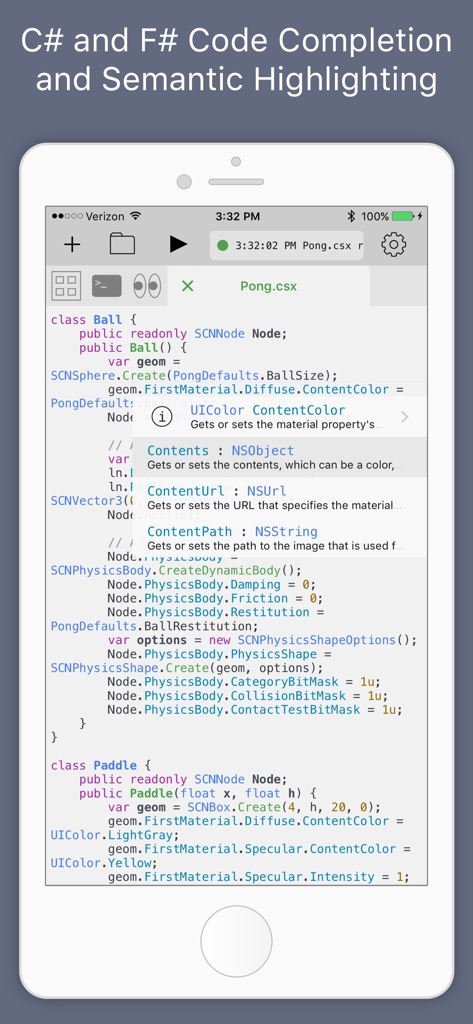
Continuous .NET C# and F# IDE - iPhone上でC#のコード補完とセマンティックハイライトを表示するiOS用Continuous IDEのスクリーンショット
iPhone上でC#のコード補完とセマンティックハイライトを表示するiOS用Continuous IDEのスクリーンショット

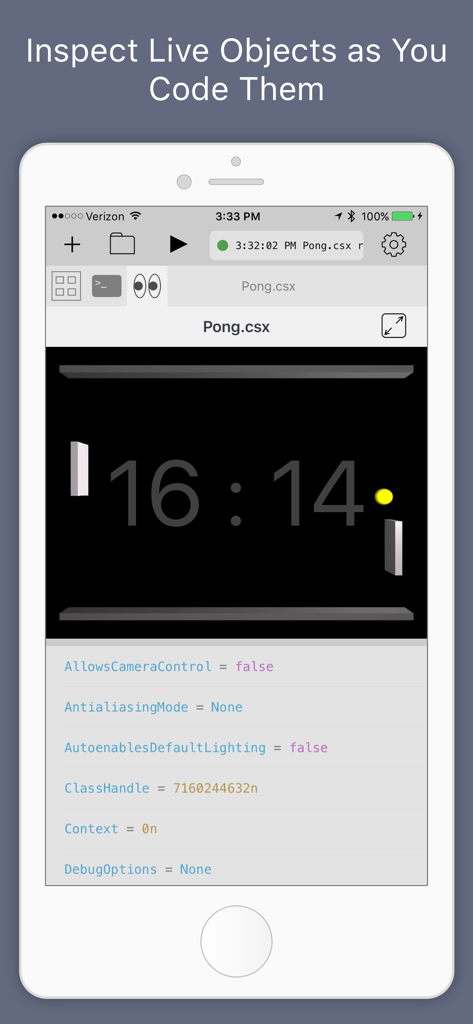
Continuous .NET C# and F# IDE - iPhone上のContinuous .NET IDEにおけるPongゲームのリアルタイムオブジェクト検査とデバッグ
iPhone上のContinuous .NET IDEにおけるPongゲームのリアルタイムオブジェクト検査とデバッグ

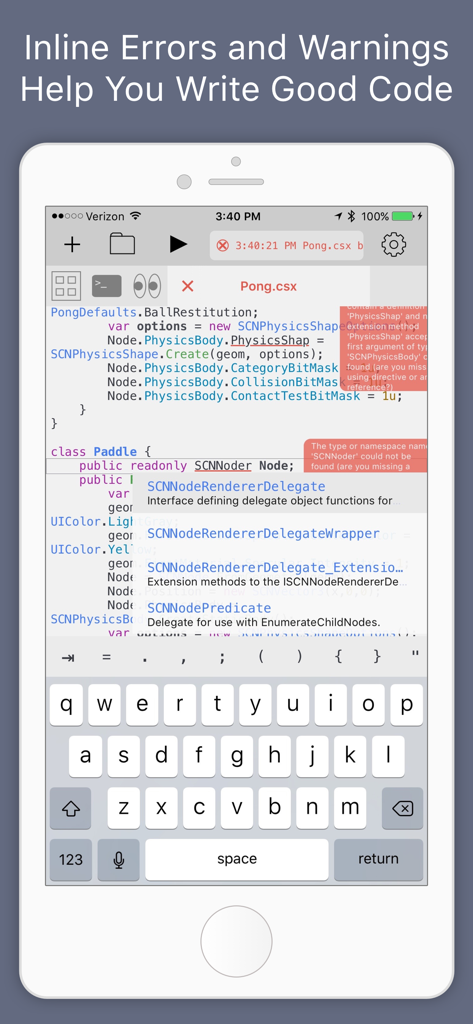
Continuous .NET C# and F# IDE - インラインコードエラーとオートコンプリート候補を表示するiPhone上のContinuous .NET C# & F# IDE
インラインコードエラーとオートコンプリート候補を表示するiPhone上のContinuous .NET C# & F# IDE

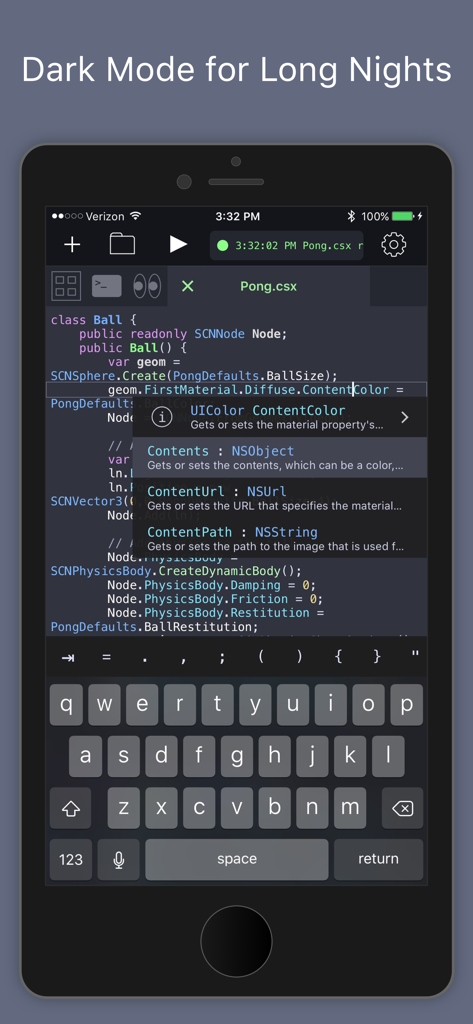
Continuous .NET C# and F# IDE - iPhone上でC#のコード補完と構文ハイライトを表示するContinuous .NET IDEのダークモードインターフェース
iPhone上でC#のコード補完と構文ハイライトを表示するContinuous .NET IDEのダークモードインターフェース

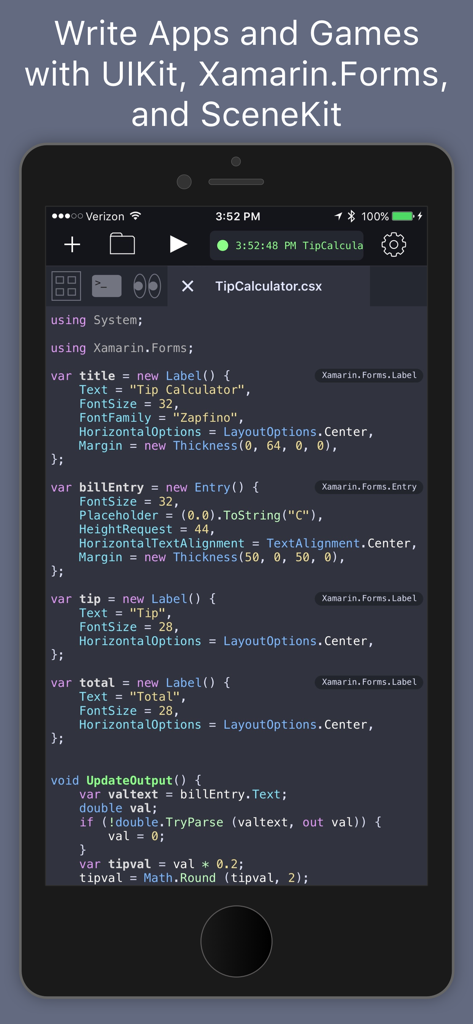
Continuous .NET C# and F# IDE - Xamarin Formsを使用したチップ計算アプリのC#コードを表示するモバイルコードエディタのインターフェース

Xamarin Formsを使用したチップ計算アプリのC#コードを表示するモバイルコードエディタのインターフェース

説明

Continuous is a fast and powerful .NET C# and F# IDE that runs directly on the iPad and iPhone (no network needed!). With it, you can write apps and games using your favorite languages on your favorite devices. Continuous is always building and running your code so you can see changes as you type. Writing interactive apps in Continuous is a pleasure compared to the traditional code-build-run cycle. It frees you to make lots of small changes and see their effects immediately - no more waiting for builds or deployments and no more clicking around trying to get to the screen you're trying to code. Continuous looks and works in many of the same ways as traditional .NET IDEs so you'll feel right at home, but it also strives to advance the state of the art in IDEs with these features: >>> Full C# 8 and F# 4.7 compilers so you can use the latest tech >>> Xamarin.Forms Live XAML Editing >>> Automatic compiling and running so you can focus on the code and the results >>> Fancy text editor with tabs, semantic highlighting, inline error bubbles, and inline values that are updated as you type >>> Watch window enables you to view graphical objects in your app (UI and images), inspect live objects as your app runs, create instances of new objects, and call methods >>> Code completion with inline type info and documentation makes learning new APIs fun >>> Uses standard .NET file and project formats so you can share code with other IDEs >>> Includes Xamarin.Forms and UIKit to build apps and SpriteKit and SceneKit to build games. You can access many iOS APIs including CoreMotion, the Social framework, and HealthKit to read data. >>> Split screen support so you can keep documentation by your side >>> Execution powered by a new IL interpreter If you're new to .NET or iOS coding, you will love the code completion with integrated documentation and the fun examples that come with the app. If you're a .NET pro, then you will love the support for projects and the ability to inspect objects as you code them - whether they're in a script or just a normal project file. If you're new to programming, C# is an great language to learn: it's powerful yet friendly language, example code is all over the internet, and there are plenty of jobs out there waiting for you. If you enjoy thinking a little differently, then you will love that F# is included and fully supported. This amazing programming language will teach you to write better code and will arm you to solve problems that you thought were too big or hard to solve - like writing an IDE.

Download

ダウンロード: App Store

このページはアプリまたはその開発者の公式ページではなく、情報提供および論評を目的として作成された独立した編集出版物です。明示的に別段の記載がない限り、アプリおよびその開発者は、MWM、Apple、Google Play、アプリのパブリッシャー、またはアプリの開発者と提携、承認、後援、認可、またはその他の公式的な関係はなく、このページのいかなる内容も、アプリがMWMのサービスを使用して開発されたことを意味するものではありません。すべての商標、ロゴ、スクリーンショット、その他のコンテンツはそれぞれの所有者の財産です。








