Converter Files & PDF Editor

Converter Files & PDF Editor

ダウンロード: App Store
ロゴ: Converter Files & PDF Editor

Converter Files & PDF Editor:オールインワンのデスクトップグレードモバイルオフィス

移動中のプロや学生向けの究極の生産性向上ツール。ラップトップ不要で、デスクトップ並みの精度で、大容量ファイルでも簡単にスキャン、編集、変換できます。

開発元

Shenzhen Miguo Qudong Technology Co., Ltd

カテゴリ

Productivity

ダウンロード

100K+

ユーザー評価

4.9/5

評価数

900

対応言語

5

生産性を可視化

このインターフェースを利用する 100K+ 人のユーザー.

PDFのテキストと画像の編集ツールを示すモバイルアプリケーションインターフェイス
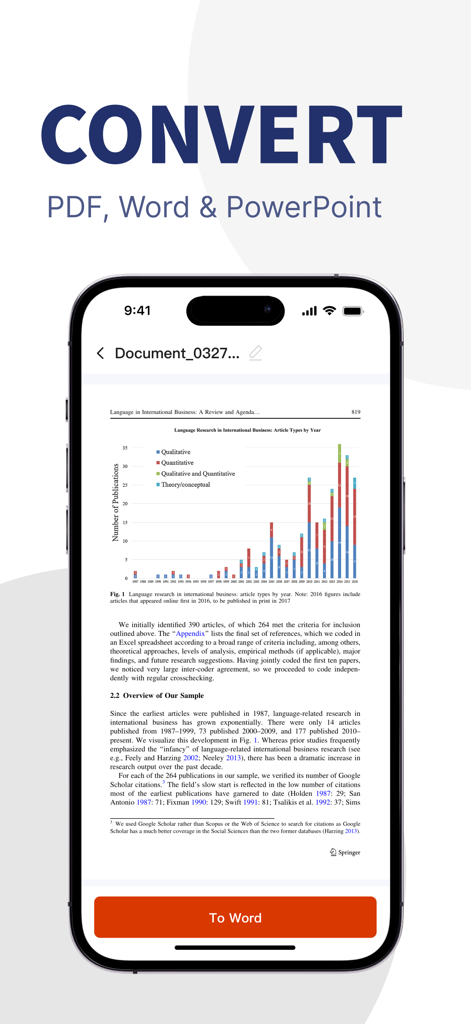
PDFのテキストと画像の編集ツールを示すモバイルアプリケーションインターフェイス

モバイル生産性向上のためのPDFからWordへの変換インターフェイスを示すスマートフォンの画面
モバイル生産性向上のためのPDFからWordへの変換インターフェイスを示すスマートフォンの画面

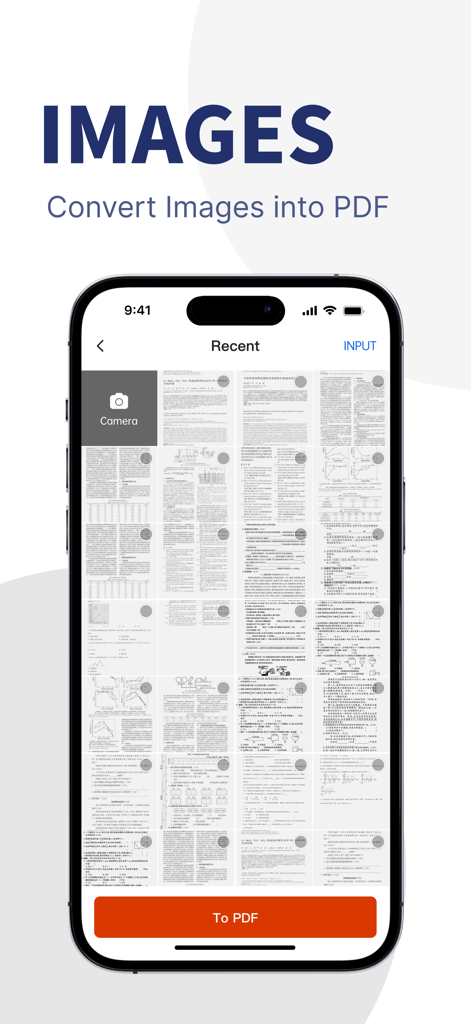
単一のPDFファイルに変換する準備ができたスキャンされたドキュメントと画像のギャラリーを示すモバイルアプリの画面
単一のPDFファイルに変換する準備ができたスキャンされたドキュメントと画像のギャラリーを示すモバイルアプリの画面

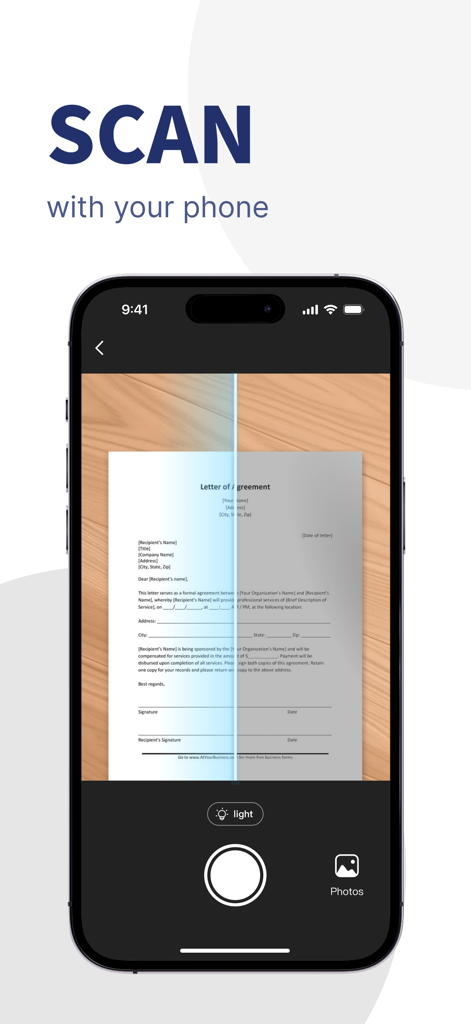
デジタルPDFドキュメントを作成するために、契約書の書面によるレターをスキャンするスマートフォンのインターフェイス
デジタルPDFドキュメントを作成するために、契約書の書面によるレターをスキャンするスマートフォンのインターフェイス

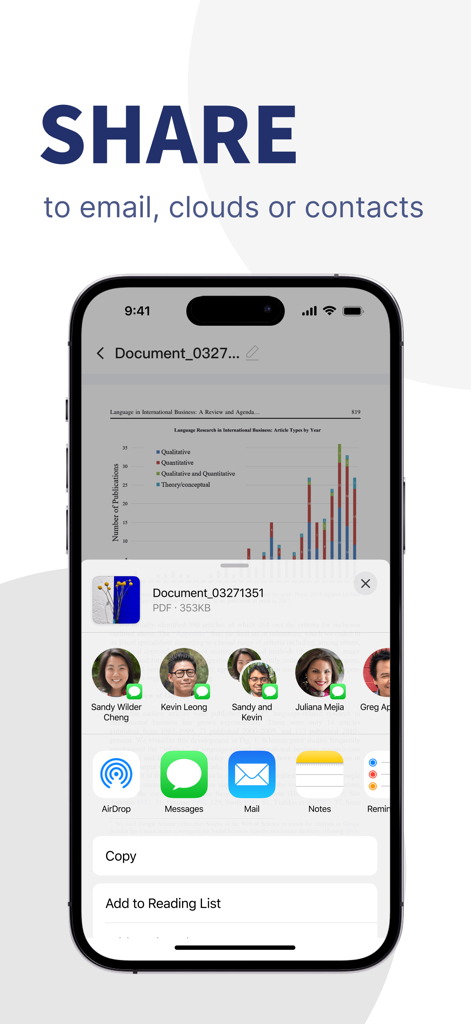
電子メール、クラウド、または連絡先経由でPDFドキュメントを共有するオプションを示すiOSインターフェイス

電子メール、クラウド、または連絡先経由でPDFドキュメントを共有するオプションを示すiOSインターフェイス

どこでもプロフェッショナルなPDFパワー

このアプリを際立たせるツール、 100K+ 人のユーザーが選択.

🔄

完璧なマルチフォーマット変換

レイアウトを100%そのままに、Word、Excel、PPT、PDF間で切り替えます。複雑な100MBを超えるファイルでも、文字化けせずに処理します。

✍️

高度なPDF編集とセキュリティ

移動中でもテキストを編集、契約に署名、ドキュメントをマージできます。プロフェッショナルな編集、透かし、安全な注釈でプライバシーを保護します。

📸

高解像度ポケットスキャナー

カメラを使用して、請求書、メモ、契約書を即座にデジタル化します。鮮明なPDFを生成し、スマートフォルダに整理してペーパーレスワークフローを実現します。

アプリについて

について知っておくべきこと Converter Files & PDF Editor.

説明

----- Key Features ----- [PDF Editor] With the PDF Editor, you can perform various operations on PDF documents, such as format conversion, editing text within PDF, editing images, inserting text and images into PDF, extracting images, merging, splitting, deleting pages, and reordering. By using the “PDF scissors” feature, you can easily handle large files, as well as apply redactions, annotations, and add watermarks, enhancing your workflow and making document processing more efficient and professional. 【PDF Converter】 PDF Converter is a powerful tool that supports efficient multi-format conversion. It allows you to convert PDF documents into Word, Excel, PPT, images, TXT, and more with just one click—while perfectly preserving the original layout and formatting. It also supports fast conversion from various file formats to PDF, making it ideal for office, study, and contract scenarios. Whether you're exporting editable content, extracting tables, or batch processing files, PDF Converter delivers a smooth and accurate conversion experience, improving your work efficiency. 【Powerful Format Conversion】 No more worries about handling large files! We support conversions of files over 100MB, ensuring stable formatting and no garbled text, helping you manage complex document processing tasks with ease. 【Mobile Scanner】 Simply use your phone’s camera to convert paper documents into high-resolution digital files. Whether it’s contracts, invoices, or other paper documents, the Mobile Scanner can generate PDFs or image files, helping you easily digitize your documents. 【Image to PDF】 With just a few steps, you can quickly merge multiple images into a single PDF. Whether photos, scans, or screenshots, the Image to PDF feature ensures clear and readable files, perfect for saving and sharing work materials. 【Personal Document Manager】 Easily manage and categorize all your files, whether PDFs, images, or other formats, with labels and multiple folders. The personal document manager makes it easy to organize and locate work, study, and daily life resources. Use Cases: 1. Daily Office Scenarios - Contract Processing: Quickly edit, modify, or sign PDF contracts. Handle lengthy contracts with ease using the large file conversion feature, and batch-convert to Word or other formats for easy editing and archiving. - Invoice Organization: Scan paper invoices to generate digital copies with batch processing, making it easy to archive and quickly share with the finance department to enhance efficiency. - Document Archiving and Sharing: Companies can scan, batch-manage, and convert documents to PDFs, organizing for easy access and collaborative use within the organization. 2. Education and Learning Scenarios - Textbook and Lecture Note Management: Teachers and students can scan textbooks and lecture notes into PDFs, use OCR to extract text, add notes and annotations, and efficiently organize study materials. - Study Material Organization: Merge multiple study images into a single PDF for unified management; convert PDF study materials to Word documents for easy editing and note-taking, boosting learning efficiency. - With PDF Document Manager, whether handling complex work tasks or managing study materials, you can complete various document operations easily and efficiently, enhancing productivity in both work and study! ==== Related Agreements ==== - User Service Agreement: https://mgfun.cloudtofun.com/download/agreement/MgPDF-servicepolicy.html - Privacy Policy: https://mgfun.cloudtofun.com/download/agreement/MgPDF-privacypolicy.html

最新バージョン

1.2.0

サイズ

62.7 MB

リリース日

2024年11月4日

必要なのはこのPDFパワーツールだけ

デスクから離れて、携帯電話から直接、重いファイル、複雑な変換、プロフェッショナルな編集を処理します。今日、100,000人以上のモバイルファーストのプロに加わりましょう。

ダウンロード: App Store
FAQ

よくある質問

について知っておくべきこと Converter Files & PDF Editor

Converter Files & PDF Editor アプリで PDF のテキストや画像を編集できますか?

はい、「Converter Files & PDF Editor」アプリでは、PDF ドキュメント内のテキストを編集したり、画像を編集したり、新しいテキストや画像を挿入したり、ページのマージ、分割、並べ替えなどのさまざまな操作を実行したりできます。

Converter Files & PDF Editor はどのファイル形式の変換をサポートしていますか?

「Converter Files & PDF Editor」アプリは、PDF ドキュメントを Word、Excel、PPT、画像、TXT などの形式に変換します。また、元のレイアウトを保持しながら、さまざまな他のファイル形式を PDF に変換することもサポートしています。

Converter Files & PDF Editor は大きなファイルの変換をサポートしていますか?

はい、「Converter Files & PDF Editor」は 100MB を超えるファイルの変換をサポートしています。安定した書式設定を保証し、文字化けを防ぐため、複雑で大きなドキュメント処理タスクを効率的に管理するのに適しています。

Converter Files & PDF Editor のモバイルスキャナー機能はどのように機能しますか?

「Converter Files & PDF Editor」のモバイルスキャナー機能は、スマートフォンのカメラを使用して、紙のドキュメントを高解像度のデジタルファイルに変換します。契約書や請求書などのアイテムから PDF または画像ファイルを生成します。

Converter Files & PDF Editor は複数の画像を 1 つの PDF に結合できますか?

はい、「Converter Files & PDF Editor」を使用すると、写真、スキャン、スクリーンショットなどの複数の画像を 1 つの PDF ファイルにすばやく結合できます。この機能により、明確で読みやすいファイルが作成され、共有が容易になります。

Converter Files & PDF Editor はドキュメント管理にどのように役立ちますか?

「Converter Files & PDF Editor」アプリには、個人用ドキュメントマネージャーが含まれています。この機能を使用すると、ラベルと複数のフォルダーを使用して、PDF や画像を含むすべてのファイルを簡単に管理および分類できます。

Converter Files & PDF Editor アプリでドキュメントを共有するにはどうすればよいですか?

「Converter Files & PDF Editor」から、メール、さまざまなクラウドサービス、または連絡先に直接ドキュメントを共有できます。この機能により、処理済みファイルの配布と共同利用が簡素化されます。

Converter Files & PDF Editor のプライバシーポリシーはどこで見つけられますか?

「Converter Files & PDF Editor」のプライバシーポリシーは、アプリの説明にあるリンクから入手できます: https://mgfun.cloudtofun.com/download/agreement/MgPDF-privacypolicy.html。

App information, icons, screenshots, and descriptions displayed on this page are sourced from the Apple App Store and are the property of their respective developers. Download estimates and rankings are based on MWM's proprietary models and may not reflect actual figures. This page is provided for informational and analytical purposes only.

Believe this page infringes your intellectual property? File a dispute