CozyBlanket
CozyBlanket
ダウンロード: App Store

このページはアプリまたはその開発者の公式ページではなく、情報提供および論評を目的として作成された独立した編集出版物です。明示的に別段の記載がない限り、アプリおよびその開発者は、MWM、Apple、Google Play、アプリのパブリッシャー、またはアプリの開発者と提携、承認、後援、認可、またはその他の公式的な関係はなく、このページのいかなる内容も、アプリがMWMのサービスを使用して開発されたことを意味するものではありません。すべての商標、ロゴ、スクリーンショット、その他のコンテンツはそれぞれの所有者の財産です。

ロゴ: CozyBlanket
ダウンロード: App Store

CozyBlanket

デスクから離れて、ソファからモデル最適化をマスターしましょう。面倒な技術的タスクを、強力なApple Pencilファーストワークフローで満足感のある触覚的な体験に変えましょう。

主要数値

ダウンロード

90K+

ユーザー評価

3.5/5

評価数

300

開発元

Sparseal SL

カテゴリ

Graphics & Design

対応言語

1

最新バージョン

2.1.7

サイズ

377.3 MB

リリース日

2022年4月11日
機能

面倒なタスクをリラックスできるワークフローに変える

CozyBlanketは、プログレードのリトポロジー、UV展開、ベイクをiPadにもたらし、3Dパイプラインの最も技術的な部分を触覚的で楽しい体験に変えます。

直感的なPencilファーストリトポロジー

マウスとキーボードはスキップ。ハイポリのスカルプトに直接描画することで、クリーンなエッジフロー、パッチ、グリッドを作成し、ゲームのようなパズルを解く感覚を得られます。

シームレスなデスクトップ連携

エクスポートの必要なく、PCからiPadへ、そしてiPadからPCへとジオメトリを直接ストリーミングできるネットワークプロトコルで、ファイル管理の疲労を回避しましょう。

以下のスクリーンショットと説明は、アプリの公式ストアリスティングから直接取得されたものであり、アプリ開発者の所有物です。

アプリストア

スクリーンショット
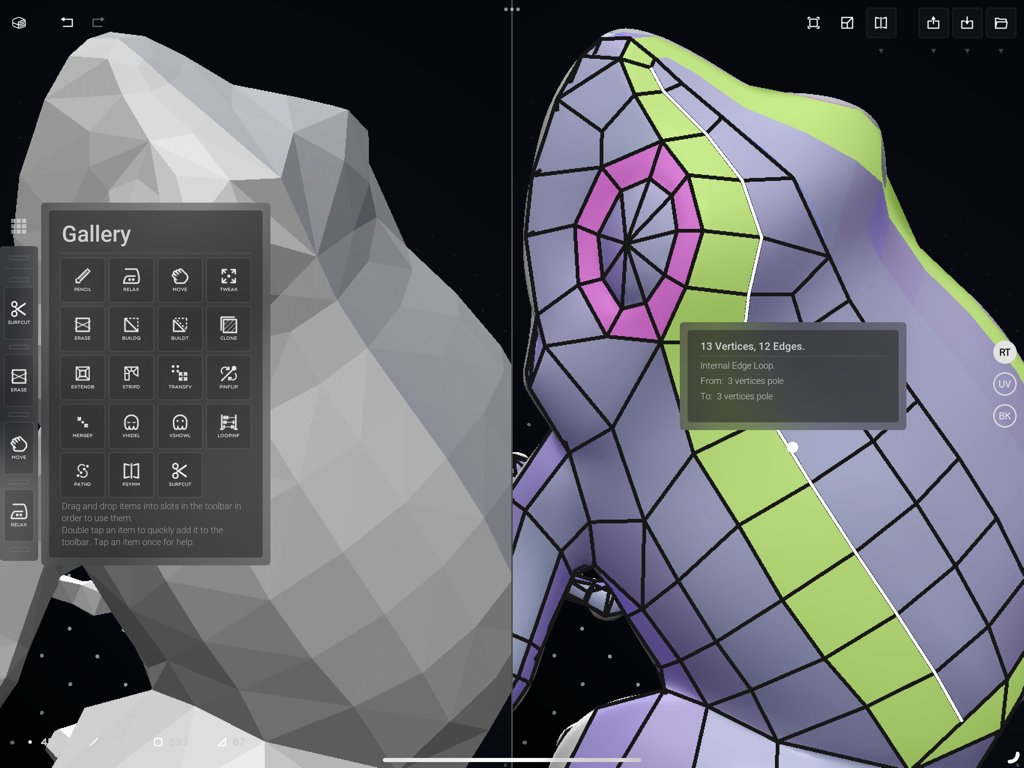
CozyBlanket - CozyBlanketアプリのインターフェース。3Dモデルのリトポロジーとツールギャラリーが表示されています。
CozyBlanketアプリのインターフェース。3Dモデルのリトポロジーとツールギャラリーが表示されています。

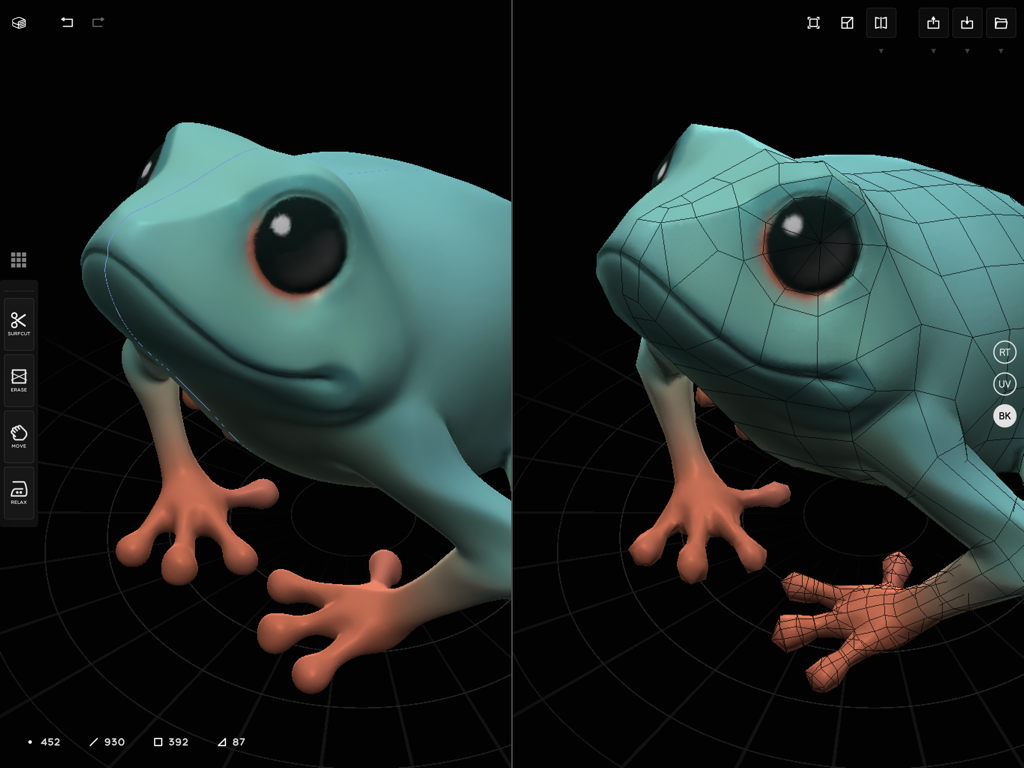
CozyBlanket - 滑らかなカエルの3Dスカルプトと、手動でリトポロジーされたメッシュのサイドバイサイド比較。
滑らかなカエルの3Dスカルプトと、手動でリトポロジーされたメッシュのサイドバイサイド比較。

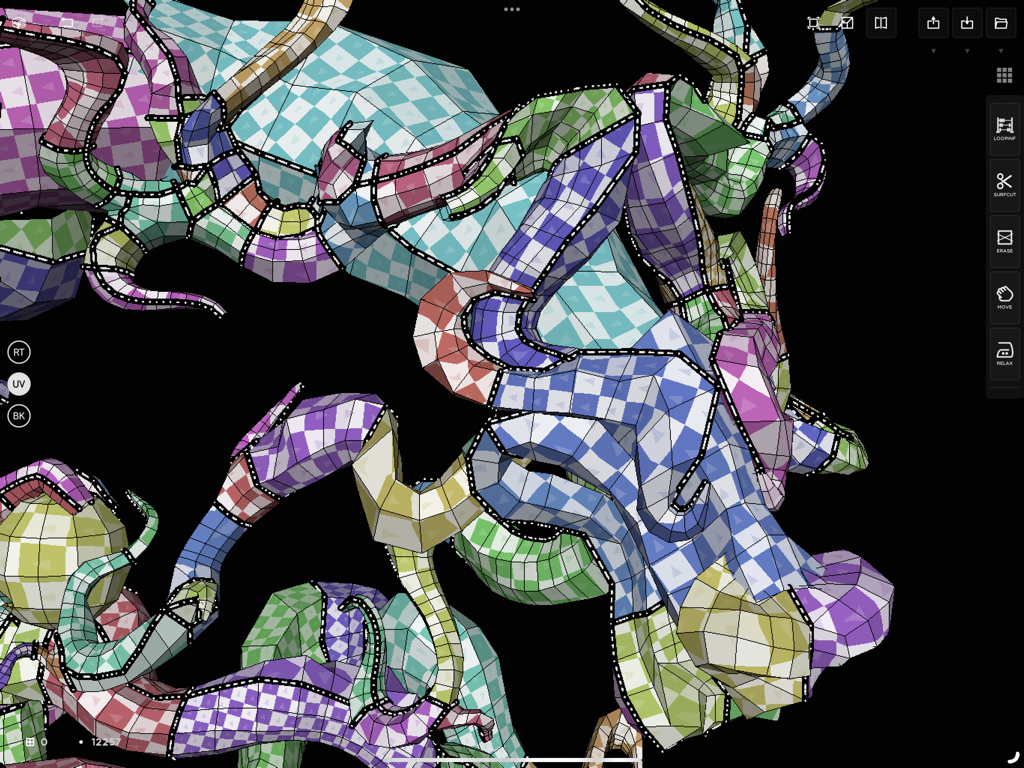
CozyBlanket - CozyBlanketアプリのインターフェースでUV展開中の3Dモデル。チェッカーボードテクスチャが表示されています。
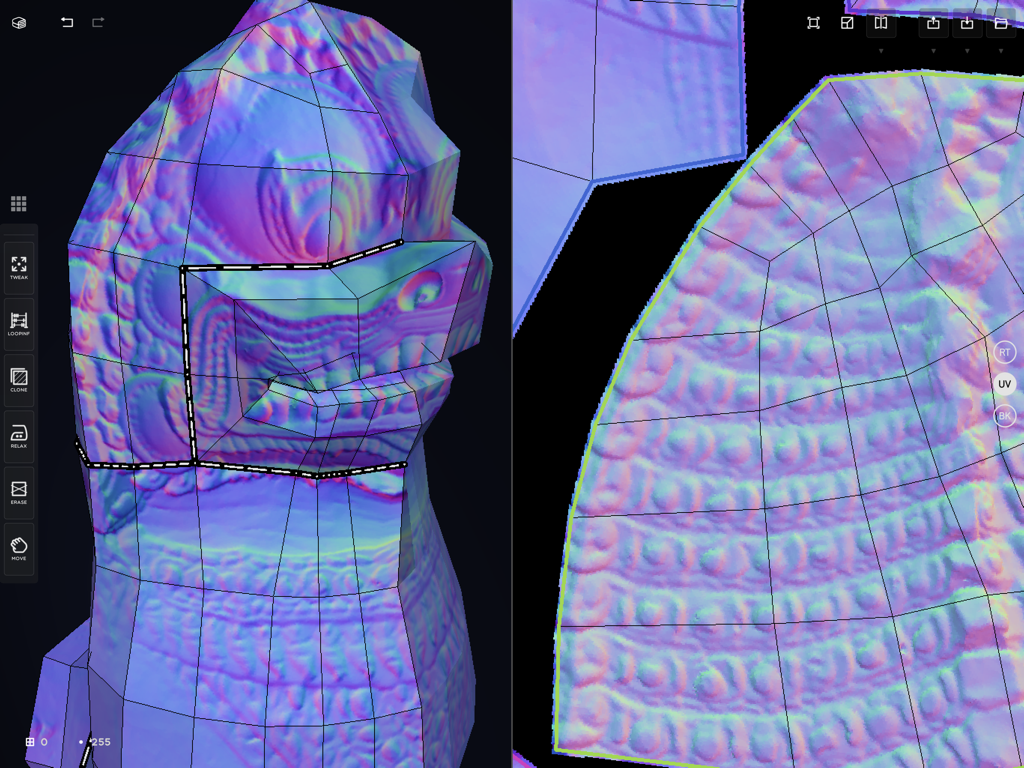
CozyBlanketアプリのインターフェースでUV展開中の3Dモデル。チェッカーボードテクスチャが表示されています。

CozyBlanket - CozyBlanketの分割画面インターフェース。3DリトポロジーとUV展開が表示されています。
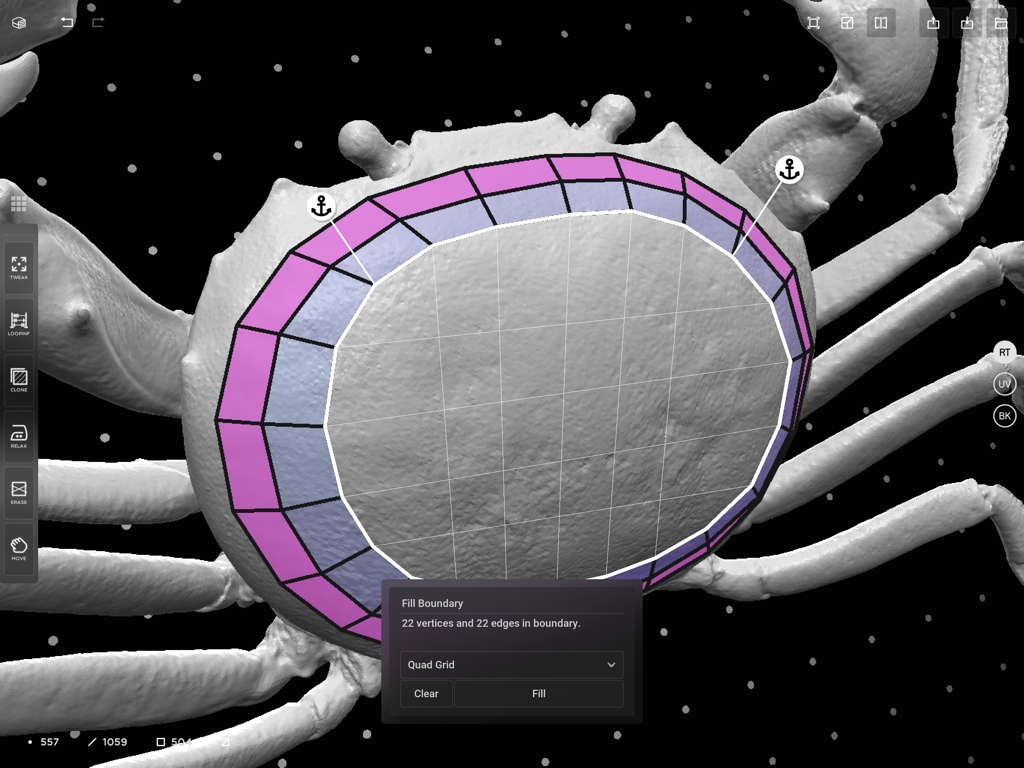
CozyBlanketの分割画面インターフェース。3DリトポロジーとUV展開が表示されています。

CozyBlanket - CozyBlanketアプリのiPadでリトポロジー中のカニの3Dモデル。境界線塗りつぶしツールが表示されています。
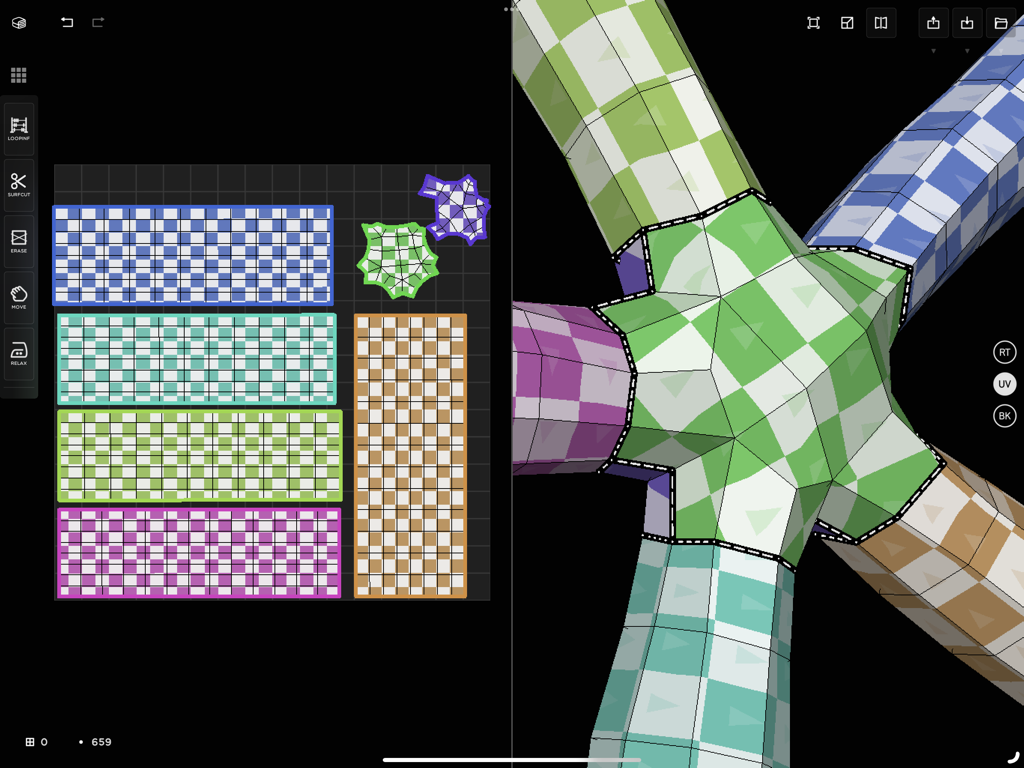
CozyBlanketアプリのiPadでリトポロジー中のカニの3Dモデル。境界線塗りつぶしツールが表示されています。

CozyBlanket - CozyBlanket iPadアプリのインターフェース。3Dモデルの分割ビューと対応する2D UVマップレイアウト、チェッカーボードテクスチャが表示されています。
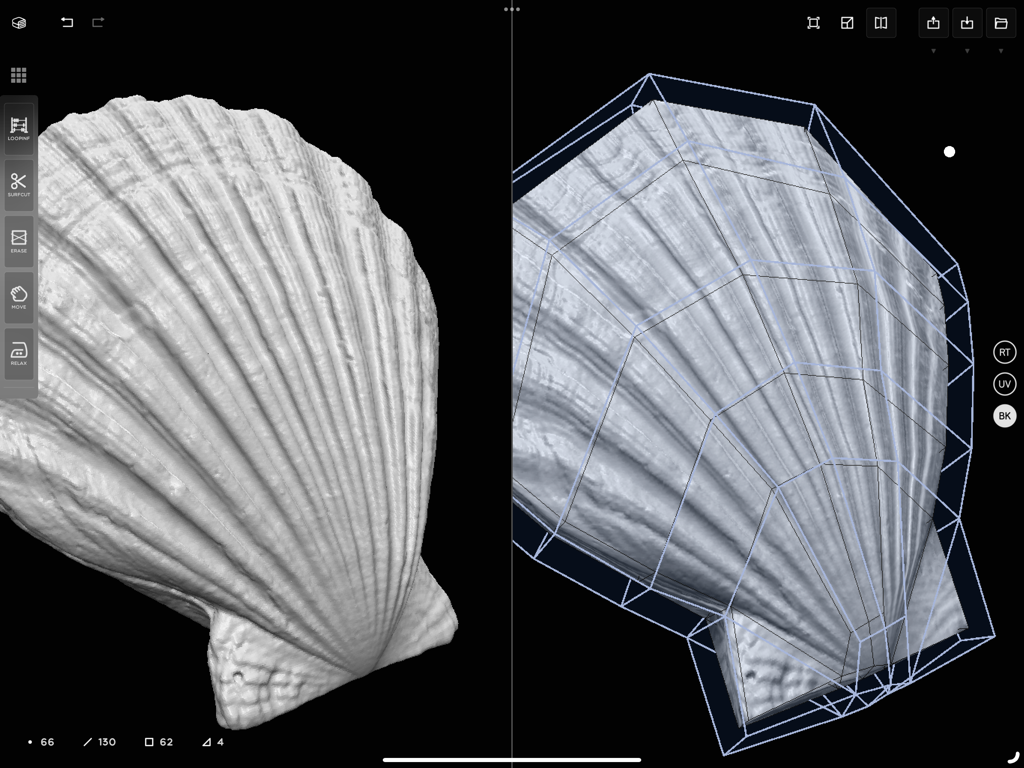
CozyBlanket iPadアプリのインターフェース。3Dモデルの分割ビューと対応する2D UVマップレイアウト、チェッカーボードテクスチャが表示されています。

CozyBlanket - CozyBlanketアプリのインターフェース。3Dの貝殻ハイポリモデルとリトポロジーワイヤーフレームのサイドバイサイドビューが表示されています。

CozyBlanketアプリのインターフェース。3Dの貝殻ハイポリモデルとリトポロジーワイヤーフレームのサイドバイサイドビューが表示されています。

説明

CozyBlanket includes in-app purchases to fully unlock its import/export options and advanced features. For the best experience, Apple Pencil is recommended, but not required. ## A complete suite for model preparation and optimization CozyBlanket can perform manual retopology, seam-based UV unwrapping, manual packing, normal maps and vertex colors baking. With CozyBlanket you can take your high poly models and manually prepare them for animation, video games, real-time rendering and surfacing. All with a single app. With CozyBlanket you can move the technical, manual work of creating 3D assets from your desktop to your iPad. By using a minimal UI and its innovative UX you can perform retopology, uv and baking as an enjoyable, game-like process similar to solving a puzzle, from the comfort of your sofa, on the train or while enjoying a hot chocolate at your favorite cafe. CozyBlanket was designed to be able to handle high resolution meshes coming from scans and desktop DCCs in mobile devices. Its performance is mostly limited by the iPad available memory. CozyBlanket allows you to import a high-poly sculpt and export a game-ready asset that looks the same, all without common pipeline issues such as scale mismatches, tangent space errors and snapping artifacts. ## A different approach to retopology, UV and baking CozyBlanket was designed to be beginner friendly and approachable, but very powerful. You can learn CozyBlanket's fundamentals and start working with it just by seeing it in action. From there, you can start digging into the included instructive tutorial slides and Action Gallery to discover its advanced features. All tooling was designed to take the most advantage of Apple Pencil and multitouch screens. When doing retopology, you create new quads, patches and grids by directly drawing on the high poly mesh. You can also transform the UV coordinates and texture position by using multitouch over the 3D mesh. CozyBlanket actions are also coherent between different tasks. Fox example, its Relax action behaves identically when using it for smoothing topology positions, UV coordinates or the baking cage's shape. ## Integrates with desktop software and pipelines CozyBlanket Standard version supports network functionality, This way it can be integrated with desktop software and pipelines by streaming geometry over the local network. No exporting and transferring files between devices is needed. CozyBlanket provides a network protocol that can be fully scripted to fit the requirements of your studio pipelines and custom tooling.

Download

ダウンロード: App Store

このページはアプリまたはその開発者の公式ページではなく、情報提供および論評を目的として作成された独立した編集出版物です。明示的に別段の記載がない限り、アプリおよびその開発者は、MWM、Apple、Google Play、アプリのパブリッシャー、またはアプリの開発者と提携、承認、後援、認可、またはその他の公式的な関係はなく、このページのいかなる内容も、アプリがMWMのサービスを使用して開発されたことを意味するものではありません。すべての商標、ロゴ、スクリーンショット、その他のコンテンツはそれぞれの所有者の財産です。







