Crook Catcher Anti Theft Alarm
ダウンロード: App Store

このページはアプリまたはその開発者の公式ページではなく、情報提供および論評を目的として作成された独立した編集出版物です。明示的に別段の記載がない限り、アプリおよびその開発者は、MWM、Apple、Google Play、アプリのパブリッシャー、またはアプリの開発者と提携、承認、後援、認可、またはその他の公式的な関係はなく、このページのいかなる内容も、アプリがMWMのサービスを使用して開発されたことを意味するものではありません。すべての商標、ロゴ、スクリーンショット、その他のコンテンツはそれぞれの所有者の財産です。

ロゴ: Crook Catcher Anti Theft Alarm
ダウンロード: App Store

Crook Catcher Anti Theft Alarm

泥棒と覗き見をその場で阻止。スマートな移動アラート、ポケットからの盗難防止、自動侵入者セルフィーでプライバシーを守りましょう。

主要数値

ダウンロード

4K+

ユーザー評価

4.6/5

評価数

0

開発元

Axel Le Pennec

カテゴリ

Utilities

対応言語

1

最新バージョン

2026.3

サイズ

36.1 MB

リリース日

2025年5月8日
機能

どこにいても保護されよう

GotchaはあなたのiPhoneをスマートセキュリティシステムに変え、インスタントアラートと写真証拠で泥棒や覗き見からデバイスを保護します。

移動&盗難アラート

図書館やカフェに最適—誰かがあなたの携帯電話を手に取ったり、ポケットから盗もうとした瞬間に大音量アラームが鳴ります。

カメラに映った証拠

あなたの個人メッセージを覗き見しようとした人物を正確に特定する自動「ロック解除セルフィー」でデジタルプライバシーを保護しましょう。

以下のスクリーンショットと説明は、アプリの公式ストアリスティングから直接取得されたものであり、アプリ開発者の所有物です。

アプリストア

スクリーンショット
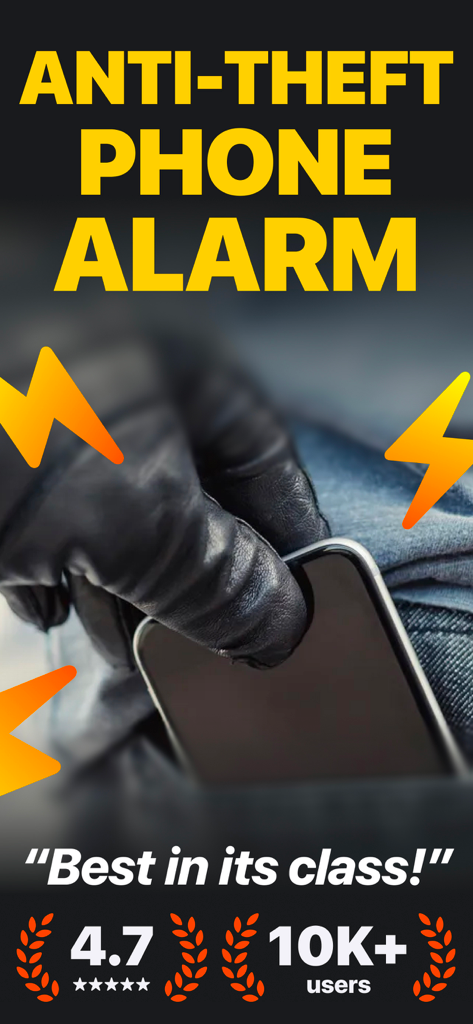
Crook Catcher Anti Theft Alarm - 泥棒がポケットから携帯電話を盗んでいるイラスト(黒い手袋、稲妻アラーム記号付き)。
泥棒がポケットから携帯電話を盗んでいるイラスト(黒い手袋、稲妻アラーム記号付き)。

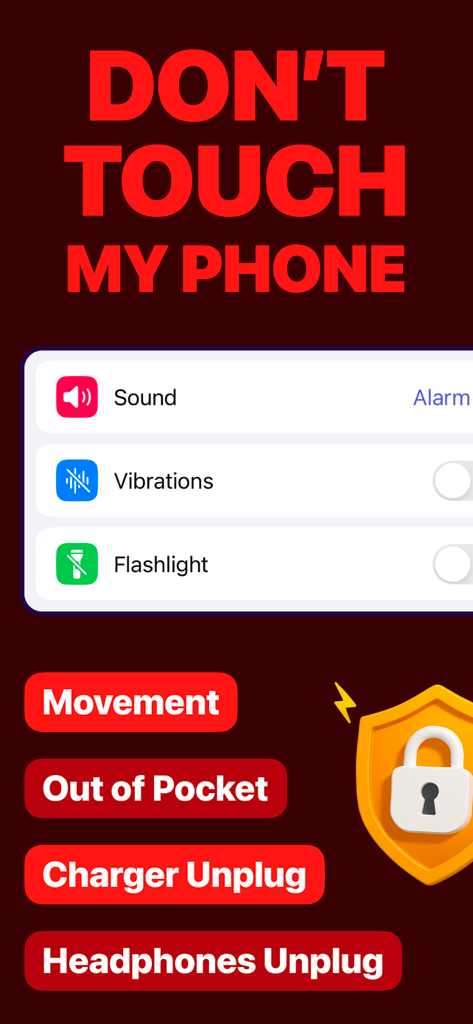
Crook Catcher Anti Theft Alarm - Crook Catcher盗難防止アプリのインターフェース。移動、ポケットからの取り出し、充電器の抜取りアラートのオプションが表示されています。
Crook Catcher盗難防止アプリのインターフェース。移動、ポケットからの取り出し、充電器の抜取りアラートのオプションが表示されています。

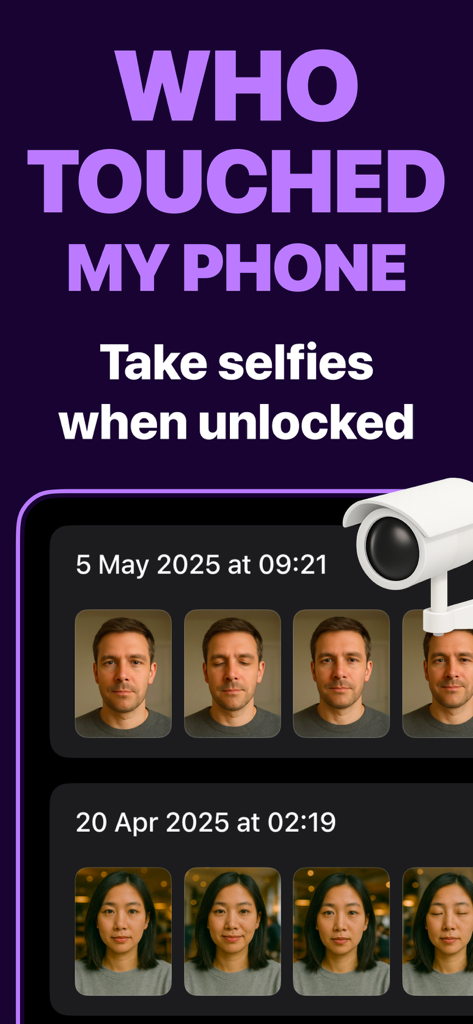
Crook Catcher Anti Theft Alarm - Gotchaアプリのインターフェース。不正な電話ロック解除試行中にキャプチャされた侵入者セルフィーのログが表示されています。
Gotchaアプリのインターフェース。不正な電話ロック解除試行中にキャプチャされた侵入者セルフィーのログが表示されています。

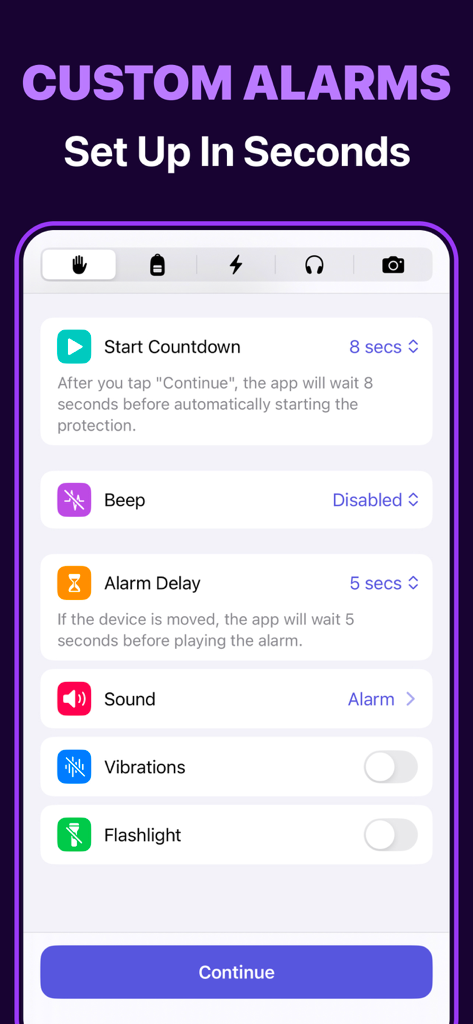
Crook Catcher Anti Theft Alarm - Crook Catcher盗難防止アプリのカスタムアラーム設定画面。セキュリティ設定オプションが表示されています。
Crook Catcher盗難防止アプリのカスタムアラーム設定画面。セキュリティ設定オプションが表示されています。

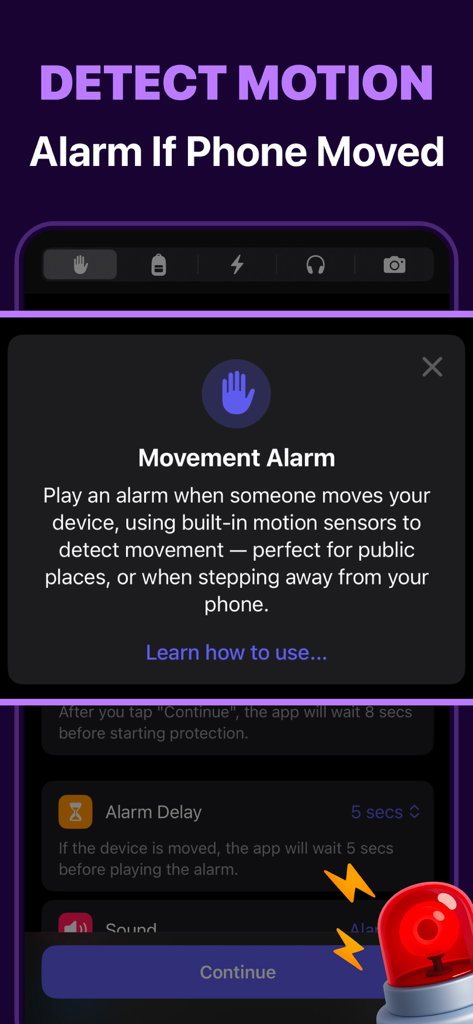
Crook Catcher Anti Theft Alarm - Crook Catcherアプリのインターフェース。移動アラーム機能が表示され、モーションセンサー保護の説明があります。
Crook Catcherアプリのインターフェース。移動アラーム機能が表示され、モーションセンサー保護の説明があります。

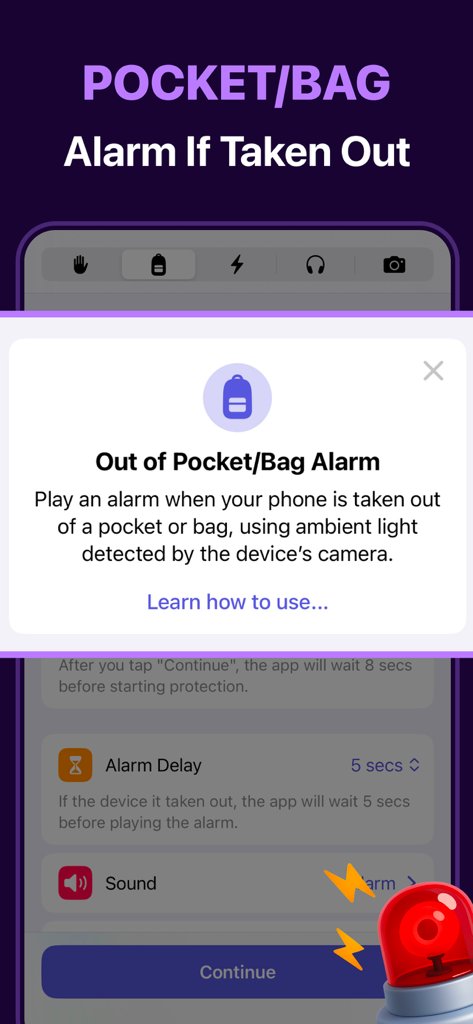
Crook Catcher Anti Theft Alarm - Crook Catcherアプリ画面。携帯電話保護のためのポケットとバッグアラーム設定が表示されています。
Crook Catcherアプリ画面。携帯電話保護のためのポケットとバッグアラーム設定が表示されています。

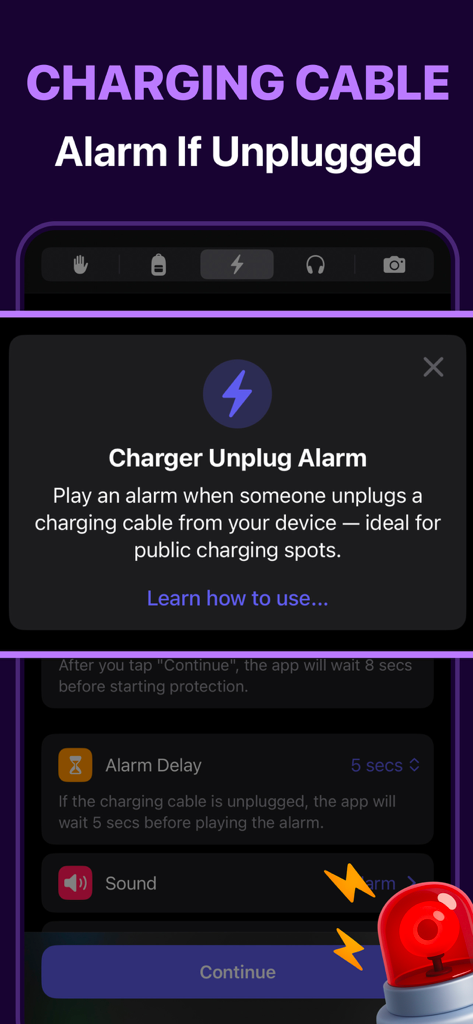
Crook Catcher Anti Theft Alarm - Crook Catcher盗難防止モバイルアプリの充電器抜取りアラーム機能のインターフェース。
Crook Catcher盗難防止モバイルアプリの充電器抜取りアラーム機能のインターフェース。

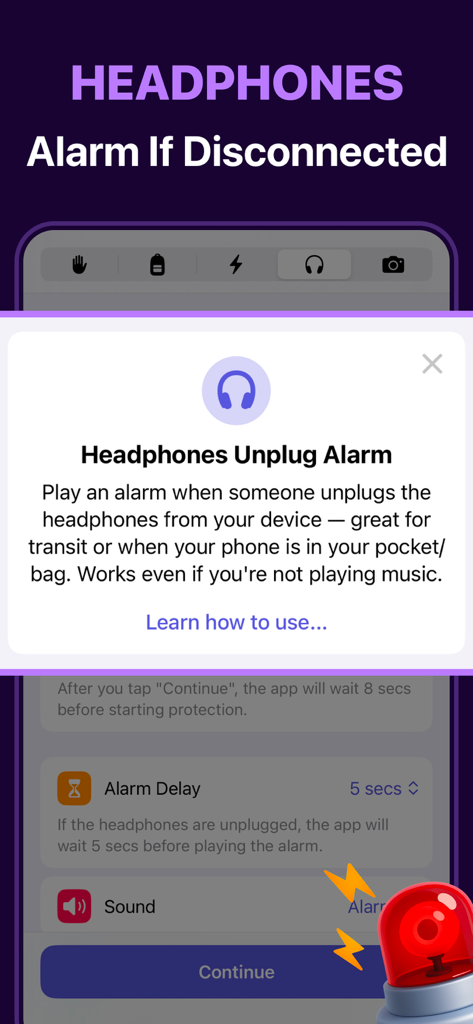
Crook Catcher Anti Theft Alarm - Crook Catcherアプリのヘッドフォン抜取りアラームの機能概要。

Crook Catcherアプリのヘッドフォン抜取りアラームの機能概要。
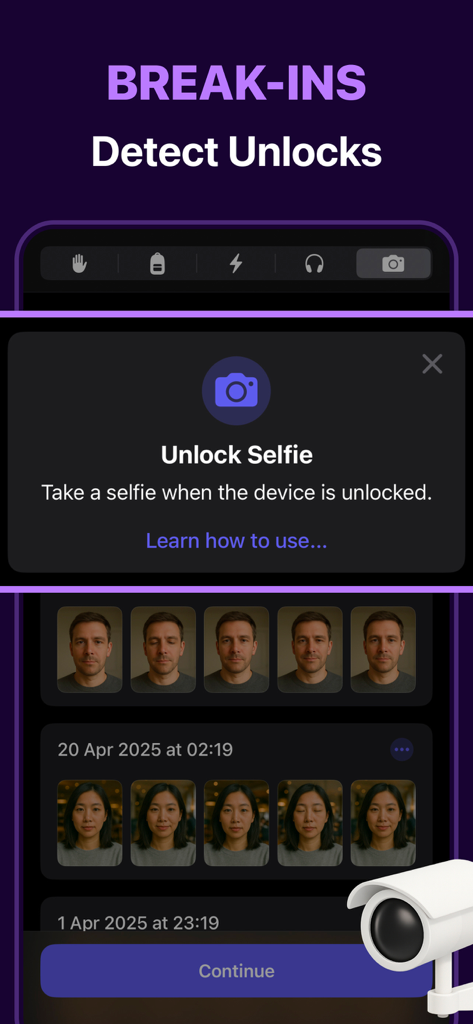
Crook Catcher Anti Theft Alarm - Gotchaアプリのモバイルアプリ画面。侵入者の前面セルフィーが表示され、電話ロック解除中にキャプチャされました。
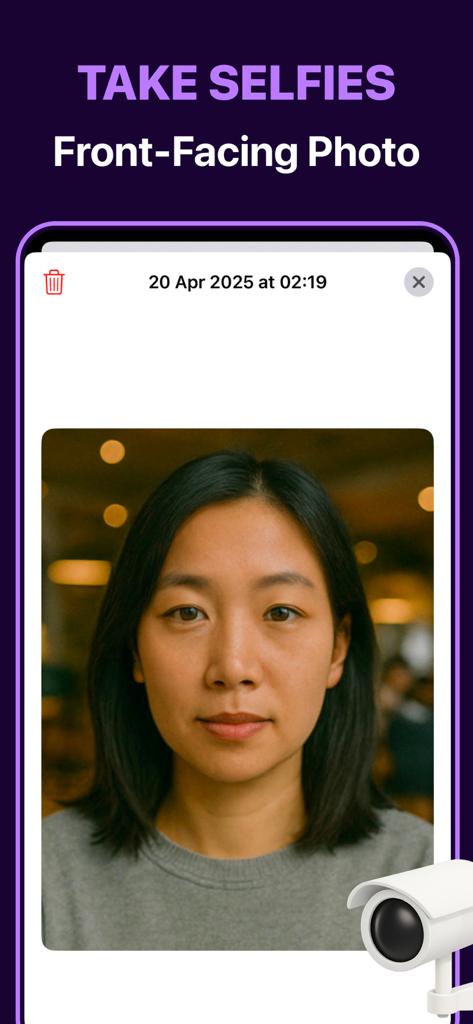
Gotchaアプリのモバイルアプリ画面。侵入者の前面セルフィーが表示され、電話ロック解除中にキャプチャされました。

Crook Catcher Anti Theft Alarm - Gotchaアプリのスクリーンショット。電話ロック解除試行中にキャプチャされた侵入者の前面セルフィーが表示されています。

Gotchaアプリのスクリーンショット。電話ロック解除試行中にキャプチャされた侵入者の前面セルフィーが表示されています。

説明

Protect Your Phone from Thieves and Snoops Dont Touch My Phone: Gotcha is your smart security companion that allows you catch anyone who touches your phone. Whether it's a thief, a nosy friend, a stranger, or even your partner — Gotcha alerts you so you're always in control. Features ▶ Movement alarm: trigger an alarm when your phone is picked up or moved. ▶ Out of pocket/bag alarm: get alerted when your phone is removed from your pocket or bag. ▶ Charging cable unplug alarm: trigger an alarm you if someone unplugs the charging cable from your device. ▶ Headphones unplug alarm: get alerted when someone disconnects the headphones from your device. ▶ Unlock selfie: take a front-facing photo when your device is unlocked. Use Cases ▶ At cafés or restaurants: get alerted instantly if someone tries to pick up or move your phone from the table. ▶ In transit: catch sneaky hands trying to steal your phone while you're walking, commuting, or distracted. ▶ In shared spaces: stay protected from cable tampering or theft with the charging cable unplug alarm. Why Choose Dont Touch My Phone: Gotcha? ▶ Multiple alarm modes: movement, pocket/bag, charging cable unplug and headphones unplug. ▶ Customizable alarm settings: tune delays and personalize sound/flashlight/vibrations to your need. ▶ Simple & intuitive design: no learning curve, just tap and go. ▶ Fast & efficient: light on battery, quick to react. Protect your phone without complexity — Dont Touch My Phone: Gotcha makes security seamless. --- The app includes limited free usage, allowing you to try all its features. For continued access and an enhanced experience, additional options are available through in-app purchases. Payment will be charged to your Apple Account at the confirmation of purchase. The subscription automatically renews unless it is canceled at least 24 hours before the end of the current period. Your account will be charged for renewal within 24 hours before the end of the current period. You can manage your subscription or turn off auto-renew by going to your App Store account settings after purchase. Cancellation of the current active subscription period is not allowed. ▶ Privacy: https://alpennec.com/privacy/dont-touch ▶ Terms and Conditions: https://www.apple.com/legal/internet-services/itunes/dev/stdeula

Download

ダウンロード: App Store

このページはアプリまたはその開発者の公式ページではなく、情報提供および論評を目的として作成された独立した編集出版物です。明示的に別段の記載がない限り、アプリおよびその開発者は、MWM、Apple、Google Play、アプリのパブリッシャー、またはアプリの開発者と提携、承認、後援、認可、またはその他の公式的な関係はなく、このページのいかなる内容も、アプリがMWMのサービスを使用して開発されたことを意味するものではありません。すべての商標、ロゴ、スクリーンショット、その他のコンテンツはそれぞれの所有者の財産です。








