Cross Stitch Pattern Creator

Cross Stitch Pattern Creator

ダウンロード: App Store
ロゴ: Cross Stitch Pattern Creator

クロスステッチパターンクリエーター:お気に入りの写真からカスタム傑作をデザイン

現代のクリエイターのための究極のタブレットファーストツール。画像を変換し、公式DMC糸の色を使い、次の家宝プロジェクトのためにプロレベルのパターンを作成します。

ダウンロード: App Store

開発元

Sand Castle Designs, Inc

カテゴリ

Graphics & Design

ダウンロード

2K+

ユーザー評価

1.0/5

評価数

0

対応言語

1

すべてのステッチをデザイン

このインターフェースを利用する 2K+ 人のユーザー.

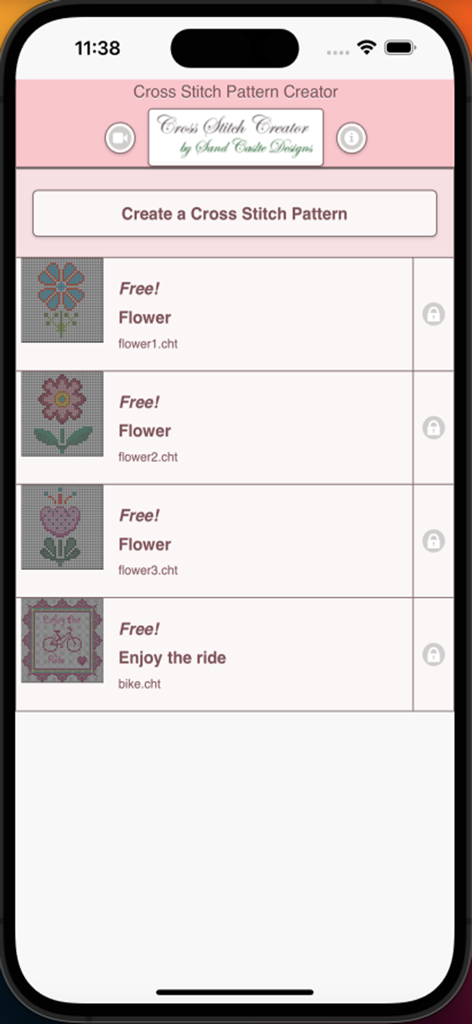
クロスステッチパターンクリエーターアプリのホーム画面。無料の花や自転車のパターンのリストが表示されています。
クロスステッチパターンクリエーターアプリのホーム画面。無料の花や自転車のパターンのリストが表示されています。

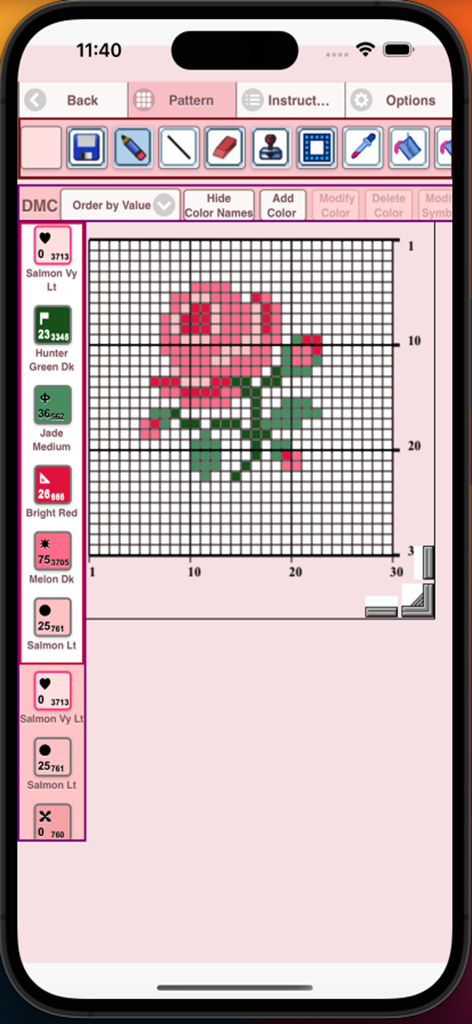
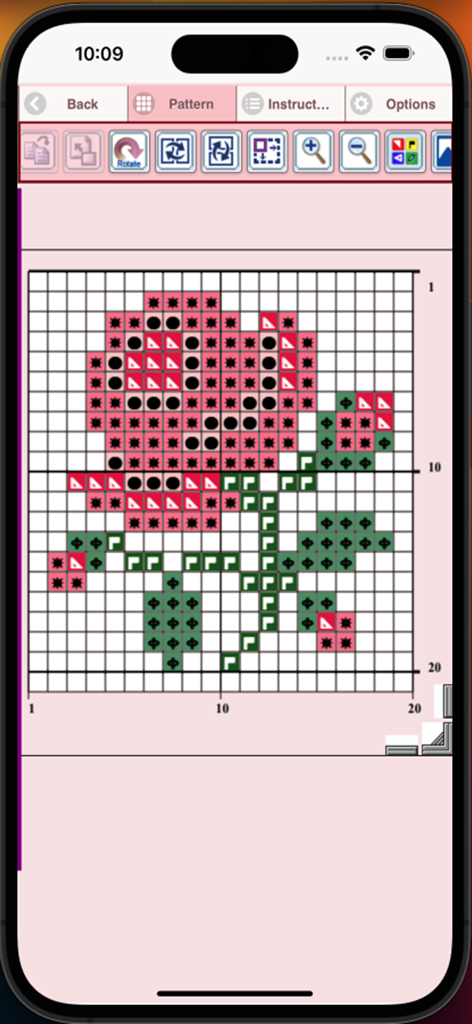
クロスステッチパターンクリエーターアプリ。DMC糸のカラーコード付きのバラのデザインがグリッドに表示されています。
クロスステッチパターンクリエーターアプリ。DMC糸のカラーコード付きのバラのデザインがグリッドに表示されています。

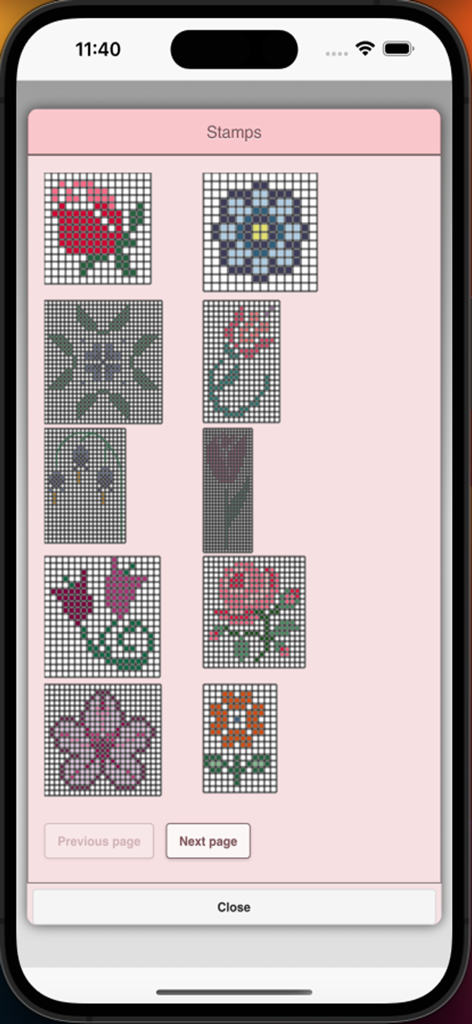
モバイルアプリでクロスステッチパターンの作成に使用する花のスタンプのライブラリ
モバイルアプリでクロスステッチパターンの作成に使用する花のスタンプのライブラリ

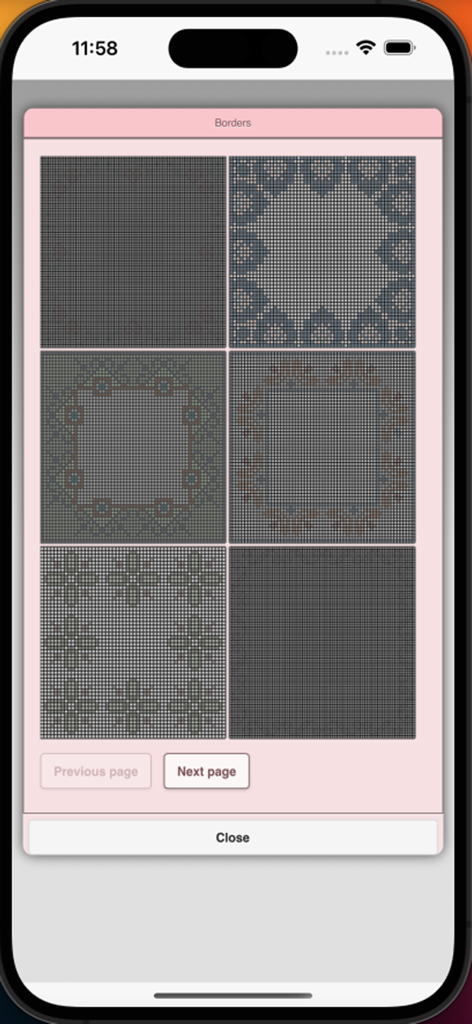
アプリメニューのクロスステッチの境界線パターンの選択
アプリメニューのクロスステッチの境界線パターンの選択

クロスステッチパターンクリエーターアプリのインターフェース。シンボルと番号付きグリッドにバラの花のデザインが表示されています。
クロスステッチパターンクリエーターアプリのインターフェース。シンボルと番号付きグリッドにバラの花のデザインが表示されています。

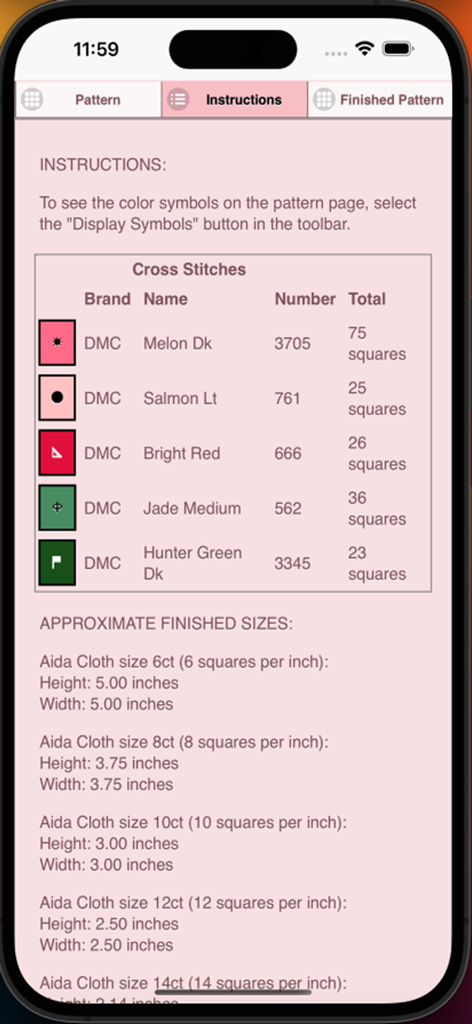
DMC糸の色とアイーダ布のサイズが表示されたクロスステッチパターンの説明
DMC糸の色とアイーダ布のサイズが表示されたクロスステッチパターンの説明

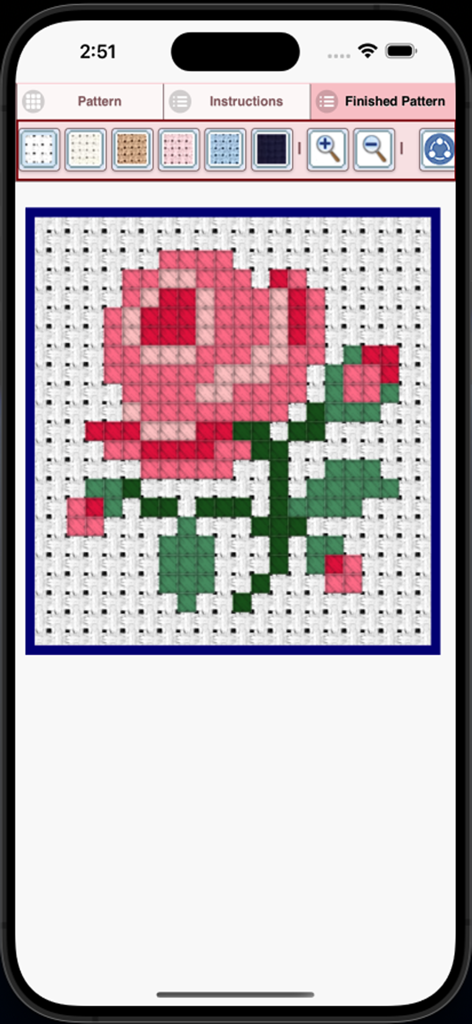
アプリで完成したピンクのバラのクロスステッチパターンのプレビュー
アプリで完成したピンクのバラのクロスステッチパターンのプレビュー

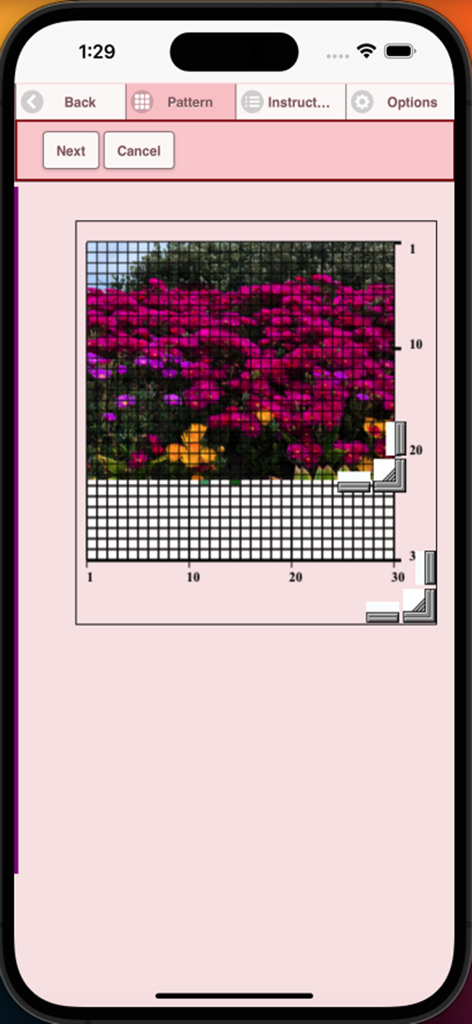
花の写真をクロスステッチグリッドパターンに変換しているモバイルアプリのインターフェース

花の写真をクロスステッチグリッドパターンに変換しているモバイルアプリのインターフェース

あなただけの傑作を創作

このアプリを際立たせるツール、 2K+ 人のユーザーが選択.

📸

思い出をパターンに

ペット、愛する人、風景の写真をアップロードして、プロ仕様のステッチ可能なグリッドに即座に変換します。

🎨

精密なプロツール

DMC全糸ライブラリ、バックステッチツール、クリアなシンボルを使ってデザインし、デジタルアートが布地で完璧に見えるようにします。

🖨️

印刷、共有&ステッチ

カスタムデザインを印刷可能なチャートとしてエクスポートしたり、コミュニティと共有して、すぐに次の手作りプロジェクトを開始できます。

アプリについて

について知っておくべきこと Cross Stitch Pattern Creator.

説明

Cross Stitch Pattern Creator Comes with 4 sample cross stitch patterns. Download is free. To activate is $2.99. Create your own cross stitch patterns using Cross Stitch Pattern Creator Highly recommended to use a tablet because of cross stitch pattern size. To create cross stitch patterns, select Create a Cross Stitch Pattern button. The Cross Stitch Pattern Editor will appear. Fill in the squares with DMS floss colors. You can even add your own colors if you want. To get started - Use the pencil to fill in squares to your cross stitch pattern. Use the Eraser to clear filled squares from your cross stitch pattern. You also can select from over 80 stamps and borders to apply to your cross stitch pattern. Buttons from left to right in the button bar are: DMC Floss Color button - use to select the floss color you want to use Save - button to save your pattern Pencil - button to fill in squares on your cross stitch pattern Eraser - use to erase filled squares and backstitch lines from your pattern Backstitch - First select the color button to select the color for the backstitch. Now select Backstitch button to add backstitch lines on your cross stitch pattern Backstitch move - Select a backstitch and drag it to a new location Backstitch move stitch end - Select a backstitch. Blue boxes will appear over each end of the backstitch. Now move either end to new location. Stamps - selectable little stamps (little cross stitch designs) to add to your cross stitch pattern Borders - selectable borders to add to your pattern. Borders automatically wrap around your cross stitch pattern. Dropper - lets you extract a color from your pattern and add more of that color to your cross stitch pattern Bucket - use to fill selected area with the current selected color Bucket+ - used to replace a color with the currently selected color Undo - undo each last change you made to the pattern Redo - redo each changes you undid Selection box - select the area of the pattern to cut/copy/rotate/flip Cut- First select the "Selection box" button to select an area of the pattern. Now select the cut button to remove select area of your cross stitch pattern Copy - First select the "Selection box" button to select an area of the pattern. Now select the copy button to copy the selected area of your cross stitch pattern to the clipboard. Paste - Paste copied area to your cross stitch pattern. Now drag the pasted box to the location you want. Rotate - rotated selected area of the pattern or whole pattern Flip right/left - flip selected area of the pattern or whole pattern Flip top/bottom - flip selected area of your cross stitch pattern or whole pattern Zoom in - magnify the pattern Zoom out - minify the pattern Symbols - displays a unique symbol on each color to indicate it's color value Picture - select a picture from your device and convert to a pattern Print pattern - select to print your pattern Social media - use social media to share your pattern (email, text etc.) Resize bars - resize bars are display at the bottom right corner of your pattern. Drag them to resize your cross stitch pattern Option settings - change the grid color, change fill style from Solid to X's, select not to display the row/column counter. Instruction page - displays the DMC colors used and finished sizes for different Aida Cloth sizes Finished Product page - displays what your pattern looks like after cross stitched. You can also change the fabric color.

最新バージョン

8

サイズ

12.2 MB

リリース日

2024年1月18日

今日からあなたの次の傑作のデザインを始めましょう

何千人ものクリエイターが思い出をカスタムDMCチャートに変えています。無料でダウンロードして、iPadで創造力をフルに解き放ちましょう。ワンタイムアクティベーションはわずか2.99ドルです。

ダウンロード: App Store

App information, icons, screenshots, and descriptions displayed on this page are sourced from the Apple App Store and are the property of their respective developers. Download estimates and rankings are based on MWM's proprietary models and may not reflect actual figures. This page is provided for informational and analytical purposes only.

Believe this page infringes your intellectual property? File a dispute