Cut Paste Photos, Retouch Pics
ダウンロード: App Store

このページはアプリまたはその開発者の公式ページではなく、情報提供および論評を目的として作成された独立した編集出版物です。明示的に別段の記載がない限り、アプリおよびその開発者は、MWM、Apple、Google Play、アプリのパブリッシャー、またはアプリの開発者と提携、承認、後援、認可、またはその他の公式的な関係はなく、このページのいかなる内容も、アプリがMWMのサービスを使用して開発されたことを意味するものではありません。すべての商標、ロゴ、スクリーンショット、その他のコンテンツはそれぞれの所有者の財産です。


ロゴ: Cut Paste Photos, Retouch Pics
ダウンロード: App Store

Cut Paste Photos, Retouch Pics

顔の入れ替え、背景削除、人物追加が瞬時に可能。タップ数回で、プロ品質の写真やSNS映えするコラージュを作成できます。

主要数値

ダウンロード

1M+

ユーザー評価

4.5/5

評価数

28K+

開発元

Dexati LLC

カテゴリ

Photo & Video

対応言語

1

最新バージョン

3.0

サイズ

120.6 MB

リリース日

2017年3月3日
機能

経験不要、プロのように編集

シームレスな背景削除からクリエイティブな顔の入れ替えまで。SNSに最適な写真を作るために設計されたAIツールを活用しましょう。

瞬時のAI背景削除

タップ1回で人物やペットを自動抽出。手動の手間をかけずに綺麗な切り抜きを作成するのに最適です。

思い出を逃さない

集合写真にいない家族を簡単に追加したり、自分を憧れの場所に配置して、デジタルな思い出をアップグレード。

以下のスクリーンショットと説明は、アプリの公式ストアリスティングから直接取得されたものであり、アプリ開発者の所有物です。

アプリストア

スクリーンショット
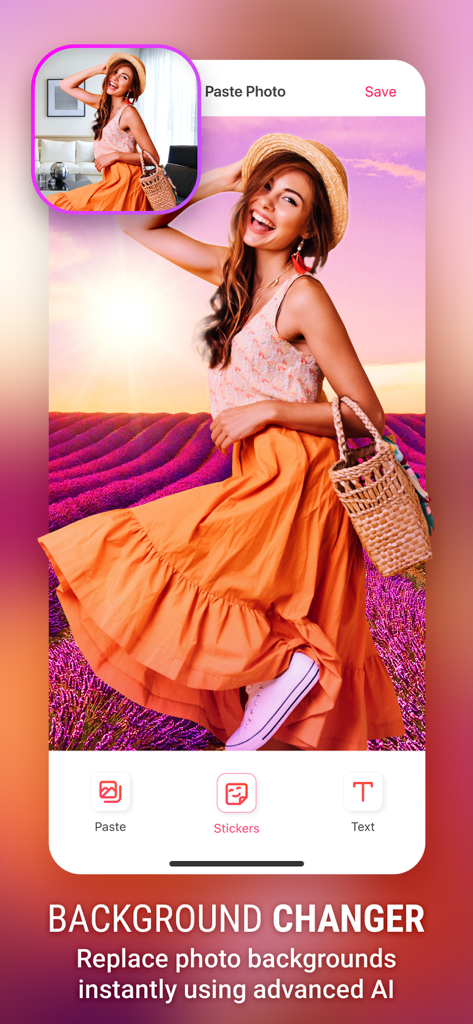
Cut Paste Photos, Retouch Pics - 屋内にいた女性をラベンダー畑に移動させる様子を示すAI背景チェンジャーツール
屋内にいた女性をラベンダー畑に移動させる様子を示すAI背景チェンジャーツール

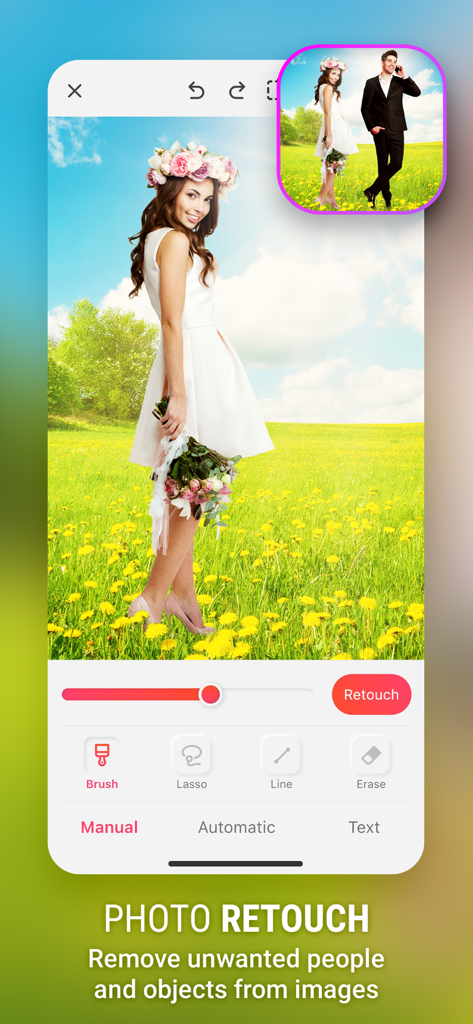
Cut Paste Photos, Retouch Pics - 野外の結婚式の写真から不要な人物を削除するレタッチ機能の使用画面

野外の結婚式の写真から不要な人物を削除するレタッチ機能の使用画面

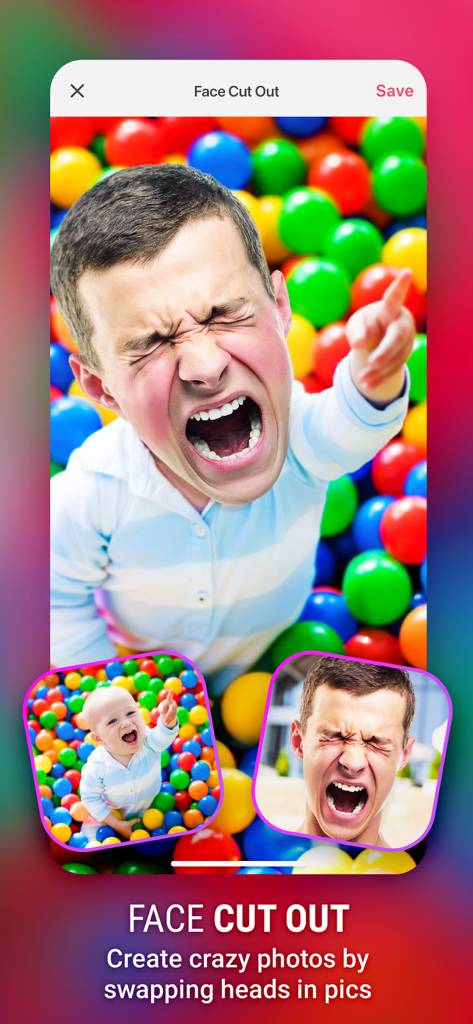
Cut Paste Photos, Retouch Pics - ボールプールにいる赤ちゃんの体に大人の顔を入れ替える顔切り抜き機能のスクリーンショット
ボールプールにいる赤ちゃんの体に大人の顔を入れ替える顔切り抜き機能のスクリーンショット

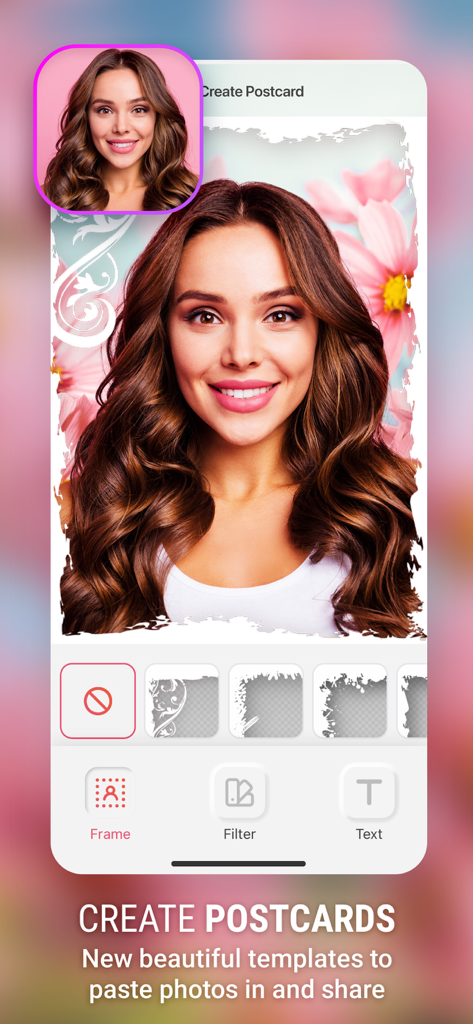
Cut Paste Photos, Retouch Pics - 装飾的な花のポストカードフレームの中に女性のポートレートが表示された、Cut Paste Photosアプリのユーザーインターフェース

装飾的な花のポストカードフレームの中に女性のポートレートが表示された、Cut Paste Photosアプリのユーザーインターフェース

説明

Cut or copy people, animals, cars, and backgrounds into other photos and create new photo collages. Want to swap faces? Cut one face and paste it onto another. Want to remove photo background? Cut the people out and put them on another background. Want to remove people from photos? Then this is the app for you. Missed someone in a family photo? Add them into photos without the need professional photo editing tools. This is the best copy paste tool for photos. 1. Cut Photos with AI Background Eraser: Cut photos or extract people or your pets from photo background. Auto Background Eraser removes background instantly and gives you photos you can paste on any background. 2. Copy Photos with Manual Copy: Copy photos using our Manual Photo Cut to cut out exactly the parts you want. Ideal for Face Swap and Face Changer. Swap faces by cutting photo and placing cut face over another face. 3. Advanced Photo Editor: Edit the cut photos for sharper, exact edges. Ideal to remove people or objects from photos. 4. Paste On Photos: Paste the cut photos on any backgrounds from your gallery. Add yourself into famous locations or in photos with famous people. 5. Photo Collages: Create your own collages by pasting cut photos on our custom backgrounds, or create without grids to make freeform collages. Many more tools that help you in day to day photo editing. Cut Paste Photos with advanced tools like Advanced Photo Editor, Magnifying Glass Support, Collage Maker and more lets you create the best-looking photos and Photo Collages. Changing photo backgrounds is now just one click away. The subscription Unlock all the features. The in-app purchase is charged to your iTunes account. The auto-renewal of subscription can be turned off via iTunes account settings after purchase. There are three options for in-app purchase: A> Weekly subscription with 3-Day Free Trial only for $4.99. B> Monthly subscription only for $9.99. C> Yearly Subscription only for $79.99 with 3-Day free Trial. The subscriptions automatically renew unless the subscription is canceled when the subscription period expires • Subscription automatically renews unless auto-renew is turned off at least 24-hours before the end of the current period • Account will be charged for renewal within 24-hours prior to the end of the current period, and identify the cost of the renewal • Subscriptions may be managed by the user and auto-renewal may be turned off by going to the user's Account Settings after purchase • Any unused portion of a free trial period, if offered, will be forfeited when the user purchases a subscription to that publication, where applicable Terms of use (Including subscription terms): https://www.dexati.com/ioscutpasteterms.html Privacy Policy : https://www.dexati.com/ioscutpastephotos.html

Download

ダウンロード: App Store

このページはアプリまたはその開発者の公式ページではなく、情報提供および論評を目的として作成された独立した編集出版物です。明示的に別段の記載がない限り、アプリおよびその開発者は、MWM、Apple、Google Play、アプリのパブリッシャー、またはアプリの開発者と提携、承認、後援、認可、またはその他の公式的な関係はなく、このページのいかなる内容も、アプリがMWMのサービスを使用して開発されたことを意味するものではありません。すべての商標、ロゴ、スクリーンショット、その他のコンテンツはそれぞれの所有者の財産です。