Cute CUT Pro

Cute CUT Pro

ダウンロード: App Storeダウンロード: Google Play
ロゴ: Cute CUT Pro

Cute CUT Pro: 手描きハリウッド風映画のためのあなたのクリエイティブキャンバス

他にはないユニークなビデオで際立ちましょう。映像に直接描画し、最大6つのメディアタイプをレイヤー化し、あなたのユニークな美的感覚のために設計されたインターフェイスでプロレベルの編集をマスターしましょう。

開発元

波 余

カテゴリ

Photo & Video

ダウンロード

1M+

ユーザー評価

4.4/5

評価数

37K+

対応言語

12

手作りの創造性

このインターフェースを利用する 1M+ 人のユーザー.

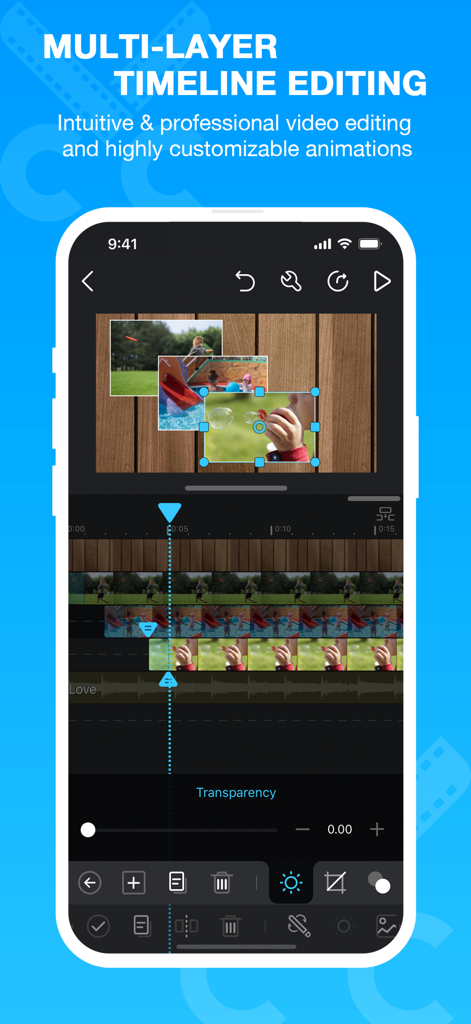
Cute CUT Proモバイルアプリのインターフェイス。マルチレイヤータイムライン編集とピクチャーインピクチャービデオ機能が表示されています。
Cute CUT Proモバイルアプリのインターフェイス。マルチレイヤータイムライン編集とピクチャーインピクチャービデオ機能が表示されています。

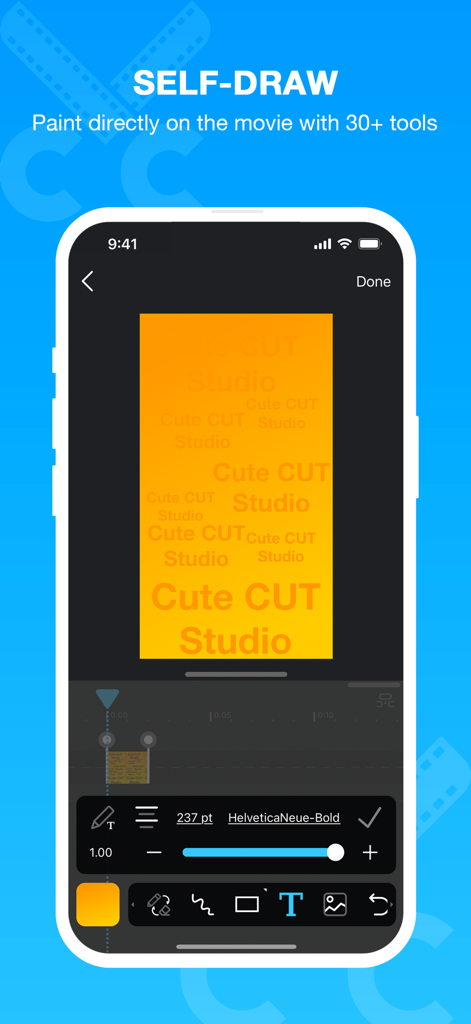
Cute CUT Proアプリのインターフェイス。ユーザーがビデオクリップに描画したり、テキストオーバーレイを追加したりしている様子が表示されています。
Cute CUT Proアプリのインターフェイス。ユーザーがビデオクリップに描画したり、テキストオーバーレイを追加したりしている様子が表示されています。

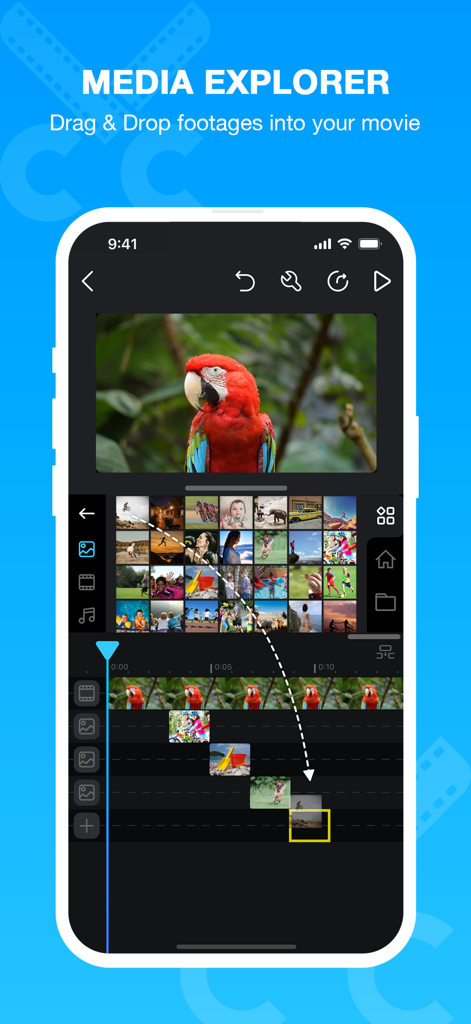
Cute CUT Proアプリのインターフェイス。メディアエクスプローラーと、スマートフォンでのドラッグ&ドロップビデオ編集機能が表示されています。
Cute CUT Proアプリのインターフェイス。メディアエクスプローラーと、スマートフォンでのドラッグ&ドロップビデオ編集機能が表示されています。

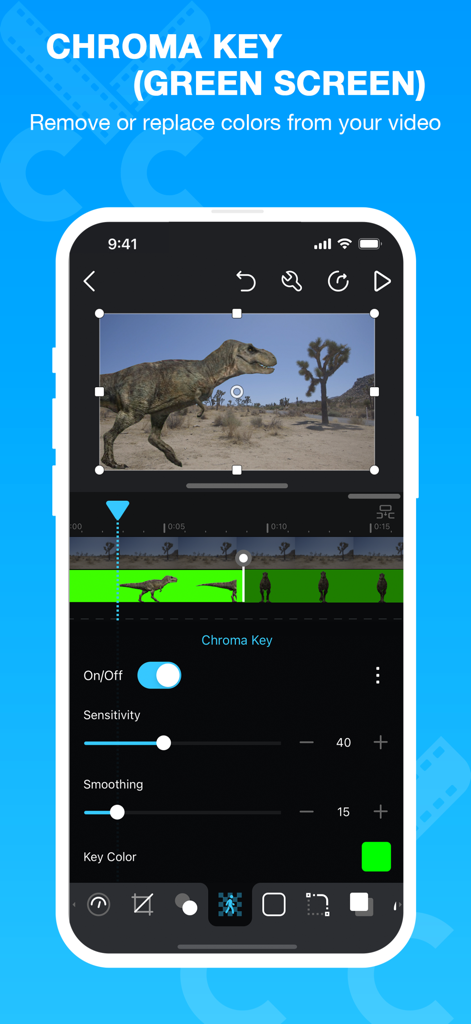
Cute CUT Proアプリのインターフェイス。クロマキーとグリーンバック編集機能が表示されています。
Cute CUT Proアプリのインターフェイス。クロマキーとグリーンバック編集機能が表示されています。

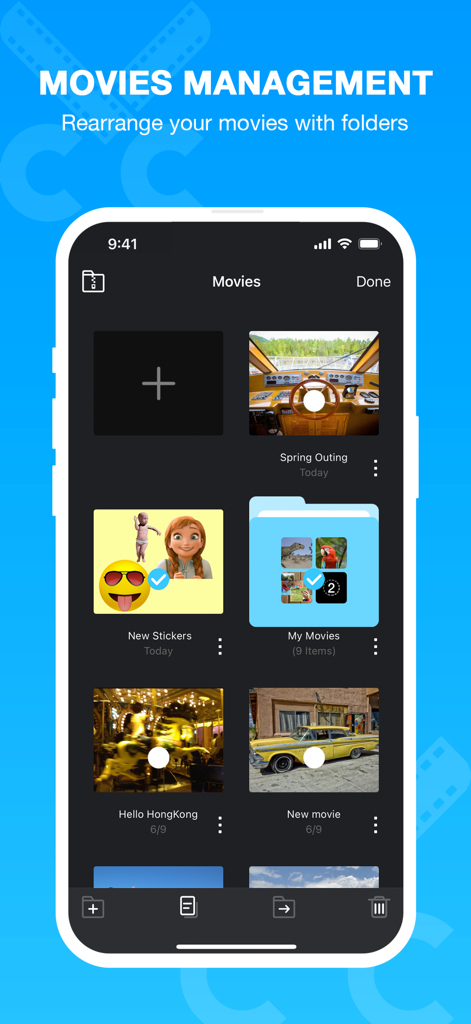
Cute CUT Proのムービー管理画面。ビデオプロジェクトとフォルダのグリッドが表示されています。

Cute CUT Proのムービー管理画面。ビデオプロジェクトとフォルダのグリッドが表示されています。

あなたのユニークな創造的ビジョンを解き放つ

このアプリを際立たせるツール、 1M+ 人のユーザーが選択.

🎨

あなたの映画に直接描画

30種類以上の描画ツールと高度なブラシで、手作りのようなコンテンツを作成しましょう。カスタムの落書き、手書きのメモ、またはあなたのVlogを際立たせる美しいきらめきを追加しましょう。

📑

強力なマルチレイヤー編集

ビデオ、写真、自作の描画など、最大6種類のメディアを同時に組み合わせることができます。シンプルなドラッグ&ドロップで、プロフェッショナルなPicture-in-Pictureエフェクトや複雑なファン編集を作成できます。

完全な創造的コントロール

ワンクリックフィルターはもう不要です。すべてのトランジション、シャドウ、グラデーションをあなたの個人的な美的感覚に合わせてカスタマイズし、コンテンツがあなたの想像通りに仕上がるようにしましょう。

レビュー分析

ユーザーレビューの分析.

感情スコア

28%
ネガティブ

概要

This app receives predominantly negative feedback, with a significant decline in user satisfaction following recent updates. Many long-time users report frequent crashes, freezing, and issues with importing and exporting videos and audio, often rendering the app unusable. While some users appreciate its historical ease of use and versatility for non-professionals, the current version suffers from bugs affecting core editing functionalities like text tools, transitions, and overall video quality, including a lack of 60fps support. Users are frustrated, especially given the app's paid nature, with many suggesting alternatives or requesting a rollback to previous, more stable versions.

主なテーマ

App Stability & Performance(22)
Media Import & Export(21)
Impact of Updates(17)
Core Editing Functionality(13)
Cost & Value for Money(10)
Ease of Use(7)
Developer Responsiveness(2)

アプリについて

について知っておくべきこと Cute CUT Pro.

説明

Now, you can DRAW movies, AND you can draw ON movies! Cute CUT’s powerful, easy-to-use editing features put YOU in control, allowing you to make the highest quality movies, DIFFERENT from anything you’ve seen! Do you want to create your own unique movie? Cute CUT’s robust and intuitive feature set will have you doing so in no time, drawing gorgeous, one-of-a-kind movies and so much more!
 Besides providing the utilities of a common video editor, Cute CUT brings to the table exceptionally advanced, Hollywood-style editing functionality!
 We’re continually working to enrich and strengthen Cute CUT’s top-tier functionality, and its refreshingly simple, unique presence in today’s digital market. Are you with us? Join more than one million others who’ve dared to discover the delightful difference that’s Cute CUT! =================================================================== Key Features: - User-Friendly UI. 
Just drag and drop; you can arrange your media segments easily. Sleek, bookshelf-style organizer showcases your movies. UI supports both portrait and landscape modes. 
 - Make DIFFERENT movies, make movies DIFFERENT! Supports SIMULTANEOUS Adding of UP TO SIX different types of media into movie projects: Video, Photo (both from Album or Camera), as well as SELF-DRAW, Text, Music, and Voice.  
 - Supports various Resolutions and Aspect Ratios, including HD (16:9, 19.5:9 and 21:9), SD (4:3 and 5:4), SQUARE (1:1) and even Portrait Mode! Creating a PIP (Picture-In-Picture) movie is EASY: Merely place one movie atop another; Cute CUT even supports independent Resizing of each and every video segment!  - Draw directly on movie. 30+ drawing tools.  
 - 3 Advanced Brushes for pro effects: Texture, Linear Gradient, Radial Gradient, gradients editable. - Highly customizable transitions. - 20+ Pre-Defined Transitions. - Transparency, Border, Corner, Shadow, Transform, and Sound Volume ... ALL Customizable! - Share Your Movie. Export to Camera Roll. Send to YouTube/Facebook. Send via e-mail. 
 - Multiple Tutorials, and even Full Video Walkthroughs available, easily accessible. =================================================================== Cute CUT is available BOTH on iPhone and iPad. Homepage: https://cutecut2.mobivio.com Feedback and Support: support@mobivio.com

最新バージョン

2.6

サイズ

104.6 MB

リリース日

2013年3月21日

あなただけのストーリーを描く準備はできましたか?

平凡なテンプレートを捨て、完全な創造的自由を手に入れた100万人以上のクリエイターに参加しましょう。今すぐCute CUT Proをダウンロードして、あなただけの映画を作り始めましょう。

ダウンロード: App Storeダウンロード: Google Play

App information, icons, screenshots, and descriptions displayed on this page are sourced from the Apple App Store and are the property of their respective developers. Download estimates and rankings are based on MWM's proprietary models and may not reflect actual figures. This page is provided for informational and analytical purposes only.

Believe this page infringes your intellectual property? File a dispute