Daily Notes Planner 3
ダウンロード: App Store

このページはアプリまたはその開発者の公式ページではなく、情報提供および論評を目的として作成された独立した編集出版物です。明示的に別段の記載がない限り、アプリおよびその開発者は、MWM、Apple、Google Play、アプリのパブリッシャー、またはアプリの開発者と提携、承認、後援、認可、またはその他の公式的な関係はなく、このページのいかなる内容も、アプリがMWMのサービスを使用して開発されたことを意味するものではありません。すべての商標、ロゴ、スクリーンショット、その他のコンテンツはそれぞれの所有者の財産です。

ロゴ: Daily Notes Planner 3
ダウンロード: App Store

Daily Notes Planner 3

ごちゃごちゃしたカレンダーやアプリの複雑さから解放されよう。iPhoneとMac間で瞬時に同期される、ストレスフリーな日付ベースの記録を体験してください。

主要数値

ダウンロード

300

ユーザー評価

4.5/5

評価数

0

開発元

Truth Honest Messaging, Inc.

カテゴリ

Utilities

対応言語

15

最新バージョン

1.28

サイズ

11.0 MB

リリース日

2024年5月17日
機能

必要なものだけ、すべてここに

Daily Notes Planner 3は、複雑な生産性ツールの手間を省き、Appleエコシステム全体であなたの思考、記録、計画のためのクリーンで邪魔にならない空間を提供します。

直感的な日付ベースの記録

固定された時間ごとのスケジュールに縛られるのはもうやめましょう。日付をタップして、すぐに書き始めるだけ。精神的な明晰さを重視するあなたに最適な、カレンダーと日記のハイブリッドです。

MacとiPhone間のシームレスな同期

Macで快適にタイプし、外出先でノートを参照しましょう。一度ログインすれば、リアルタイムで安全にすべてのデバイス間でデータが瞬時に同期される様子を確認できます。

以下のスクリーンショットと説明は、アプリの公式ストアリスティングから直接取得されたものであり、アプリ開発者の所有物です。

アプリストア

スクリーンショット
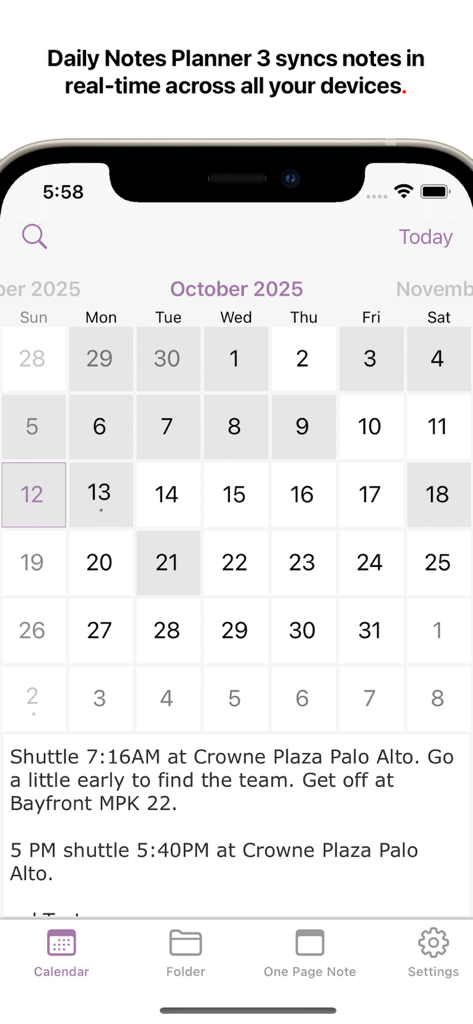
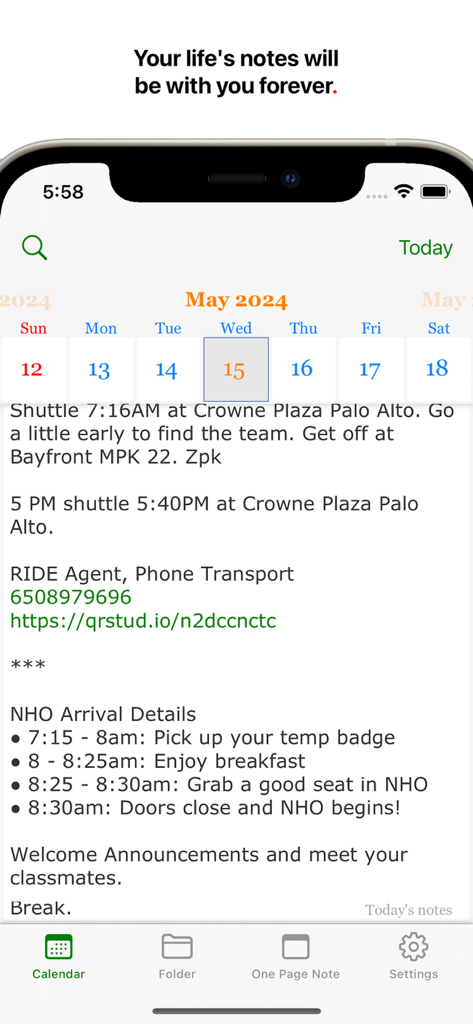
Daily Notes Planner 3 - iPhoneのDaily Notes Planner 3アプリで、特定の日のテキストノートが表示された月間カレンダービュー
iPhoneのDaily Notes Planner 3アプリで、特定の日のテキストノートが表示された月間カレンダービュー

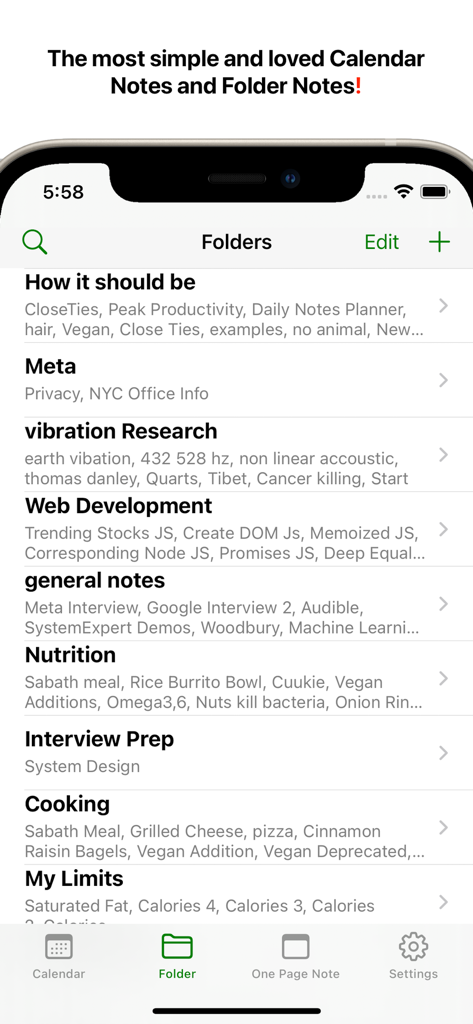
Daily Notes Planner 3 - Daily Notes Planner 3アプリのインターフェースで、「栄養」「ウェブ開発」「面接準備」などのトピックの整理されたフォルダリストを表示
Daily Notes Planner 3アプリのインターフェースで、「栄養」「ウェブ開発」「面接準備」などのトピックの整理されたフォルダリストを表示

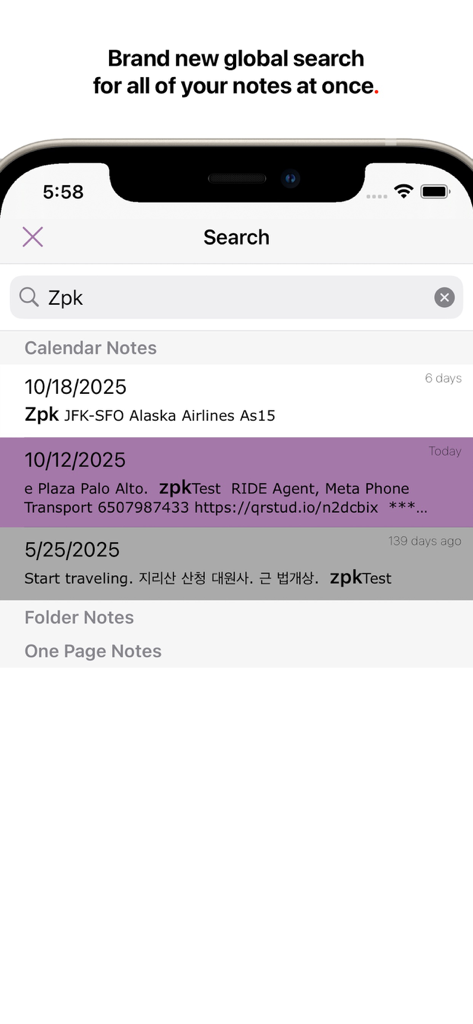
Daily Notes Planner 3 - Daily Notes Planner 3のグローバル検索インターフェースで、日付ごとに分類されたノートを表示
Daily Notes Planner 3のグローバル検索インターフェースで、日付ごとに分類されたノートを表示

Daily Notes Planner 3 - Daily Notes Plannerアプリのスクリーンショットで、カレンダーインターフェース上に日付ごとに整理されたテキストノートを表示
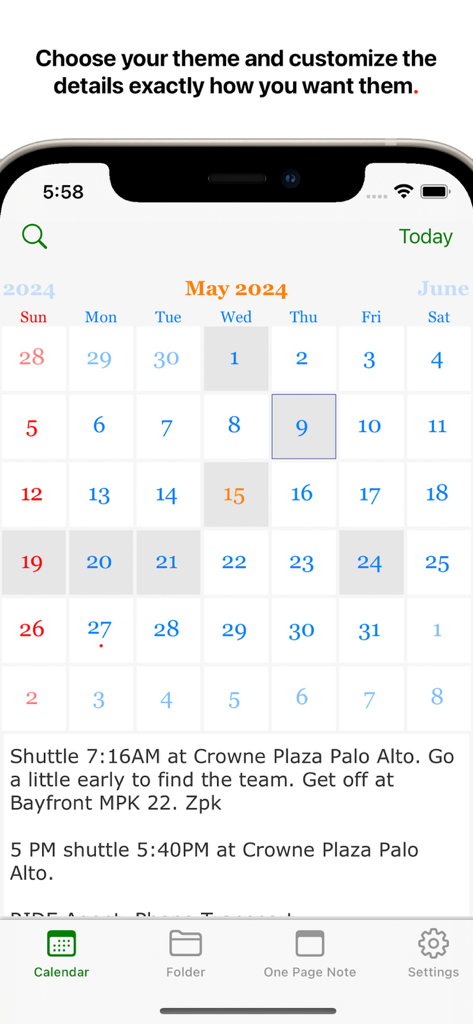
Daily Notes Plannerアプリのスクリーンショットで、カレンダーインターフェース上に日付ごとに整理されたテキストノートを表示

Daily Notes Planner 3 - Daily Notes Planner 3のインターフェースで、毎日のテキストログが表示された月間カレンダービュー

Daily Notes Planner 3のインターフェースで、毎日のテキストログが表示された月間カレンダービュー

説明

Daily Notes Planner 3 is the simplest notes app that satisfies all of your life's needs for notes, and much improved from Daily Notes Planner 2, it improves the UI and search and syncs your notes automatically, in real-time across all of your devices. As a much simpler calendar app than the built-in iCalendar app, Daily Notes Planner 3 allows you to type in plain-text-notes for every date (no complicated hourly scheduling or reminders here). Because notes are organized by date, you will know exactly where to look for when you reference them later. Tap on the date in the calendar to go into that date and record or reference notes. The dates with notes are highlighted in the calendar. "Folder Notes" organizes your notes with folders and files. Create folders and note files inside them. Also, you can long press any file or folder row to change its name. Also you can press "edit" button in the bottom to delete or rearrange rows. N.B. The two notes formats: calendar notes and folder notes would satisfy all of your life's needs for notes, and they are super intuitive to use. One more super tip: it is much easier to type your notes on your Mac so please check out Daily Notes Planner 3+ in the Mac App Store too so that you can edit your notes both from the Mac and the iPhone. You just have to log in with the same Email address on those devices to sync the same notes. "One Page Note" has just one page of note. If you need to jot something and don't want to save it permanently, this is a good place to put it. To transfer your notes from Daily Notes Planner 2, use the Mac version of Daily Notes Planner (it is FREE to download) and in the top menu, click "Cloud" -> "Save all notes to Daily Notes Planner 3". Your notes are tied to an Email address so if you login with the same Email address in multiple devices, they all will sync automatically, securely, and instantly. In fact, you could even do real-time corroborations with multiple people because notes sync so quickly. Privacy Policy and Terms: https://dailynotesplanner.com/privacy_policy.html

Download

ダウンロード: App Store

このページはアプリまたはその開発者の公式ページではなく、情報提供および論評を目的として作成された独立した編集出版物です。明示的に別段の記載がない限り、アプリおよびその開発者は、MWM、Apple、Google Play、アプリのパブリッシャー、またはアプリの開発者と提携、承認、後援、認可、またはその他の公式的な関係はなく、このページのいかなる内容も、アプリがMWMのサービスを使用して開発されたことを意味するものではありません。すべての商標、ロゴ、スクリーンショット、その他のコンテンツはそれぞれの所有者の財産です。








