
このページはアプリまたはその開発者の公式ページではなく、情報提供および論評を目的として作成された独立した編集出版物です。明示的に別段の記載がない限り、アプリおよびその開発者は、MWM、Apple、Google Play、アプリのパブリッシャー、またはアプリの開発者と提携、承認、後援、認可、またはその他の公式的な関係はなく、このページのいかなる内容も、アプリがMWMのサービスを使用して開発されたことを意味するものではありません。すべての商標、ロゴ、スクリーンショット、その他のコンテンツはそれぞれの所有者の財産です。

Data Transfer - MobileTrans
機種変更のたびにデータが消える恐怖に終止符を打つ。MobileTransは、あらゆるデジタル遺産を新デバイスへ瞬間移動させるワープマシンだ。
ダウンロード
5M+ユーザー評価
評価数
3.1K開発元
カテゴリ
Utilities対応言語
12最新バージョン
V4.7.34サイズ
272.7 MBリリース日
2021年1月21日データ移行の課題を解決する主要機能の評価
MobileTrans 主要機能分析
異なるOS間データ転送
本ツールは、iOSからAndroid、AndroidからiOS、さらにはiOSからiOSへのデータ移行をサポートしており、ユーザーはデバイスやOSの種類に縛られずに大切なデータを新しい端末へ移すことが可能です。
WhatsAppデータ転送
このアプリは、チャット履歴、写真、ビデオ、連絡先、ステッカーを含むWhatsAppデータを新しい携帯電話へ簡単かつ安全に転送する機能を提供します。
バックアップ&復元機能
本アプリは、データ損失を防ぐために、携帯電話を切り替える前にデータのバックアップを確保し、iCloudからの復元もサポートしています。
あらゆる種類のデータ転送
このアプリは、画像、ビデオ、オーディオ、連絡先、音楽、ドキュメント、カレンダーイベント、さらにはアプリまで、あらゆる種類のデータを新しいモバイル端末へ転送することをサポートします。
高いプライバシーとデータセキュリティ
本アプリは、データ転送の橋渡し役として機能し、ユーザーのプライバシー保護と安全なデータ移行に重点を置いています。
高速データ転送
本ツールは、Bluetoothと比較して最大200倍の速度でデータを転送するため、ユーザーは待ち時間を気にすることなく大容量のデータを迅速に移行することが可能です。
QRコード接続
ユーザーはQRコードをスキャンするだけで2つのデバイスを接続でき、異なるOSや多様な携帯電話ブランド間での簡単かつ安全なデータ転送を可能にします。
通信料不要のデータ転送
本ツールは、ローカルホットスポットを利用してデータを転送するため、Wi-Fi接続が不要であり、ユーザーのデータプランを消費することなくデータ移行が可能です。
よくある質問
について知っておくべきこと Data Transfer - MobileTrans
What is MobileTrans and what does it do?
MobileTrans is a data transfer tool that moves content like photos, videos, contacts, WhatsApp data, music, files, recordings, documents, apps, and calendars between phones. It supports cross-platform transfer, backup, and restore features.
What types of data can I transfer using MobileTrans?
MobileTrans supports the transfer of all data types including images, videos, WhatsApp data, audio, contacts, music, documents, and calendar events to your new mobile phone. It also handles common file formats like Word, Excel, PowerPoint, and PDF.
Does MobileTrans support cross-platform data transfer between different phone brands?
Yes, MobileTrans supports cross-platform data transfer. It can move data from iOS to Android, Android to iOS, and iOS to iOS. It is not limited by specific phone brands.
How fast is data transfer with the MobileTrans app?
MobileTrans provides lightning-fast data transfer speeds, up to 200x faster than Bluetooth. It achieves an average speed of 30MB/s, enabling the transfer of a 1GB video in approximately 30 seconds.
Does MobileTrans consume mobile data during the transfer process?
No, MobileTrans does not use your cellular data during transfer. It utilizes a local hotspot for direct data transfer between devices, which eliminates the need for a Wi-Fi connection and saves your data plan.
How do I connect two devices using MobileTrans for data transfer?
Devices are connected in MobileTrans by scanning a QR code. This QR Code-Based Connection allows for quick and secure pairing between two devices, supporting various operating systems and phone brands.
Can MobileTrans transfer and backup WhatsApp data?
Yes, MobileTrans supports WhatsApp transfer, including chat history, photos, videos, contacts, and stickers. It also provides backup and restore features for WhatsApp data, including iCloud restore.
Is MobileTrans a secure and private application for transferring data?
Yes, MobileTrans ensures high privacy and data security. It functions as a secure bridge for data transfer, prioritizing privacy protection and safe migration of user information between devices.
What subscription options are available for MobileTrans?
MobileTrans offers monthly subscription plans including Phone Transfer Monthly, Full Feature Monthly, and WhatsApp Monthly. Subscribing grants unlimited access to all features like Phone Transfer, File Transfer, and iCloud Transfer.
How do MobileTrans subscriptions renew?
MobileTrans subscriptions automatically renew. Renewal charges are applied to your iTunes account within 24 hours before the current period ends. You can manage and turn off auto-renewal in your Account Settings anytime after purchase.
以下のスクリーンショットと説明は、アプリの公式ストアリスティングから直接取得されたものであり、アプリ開発者の所有物です。
アプリストア
スクリーンショット
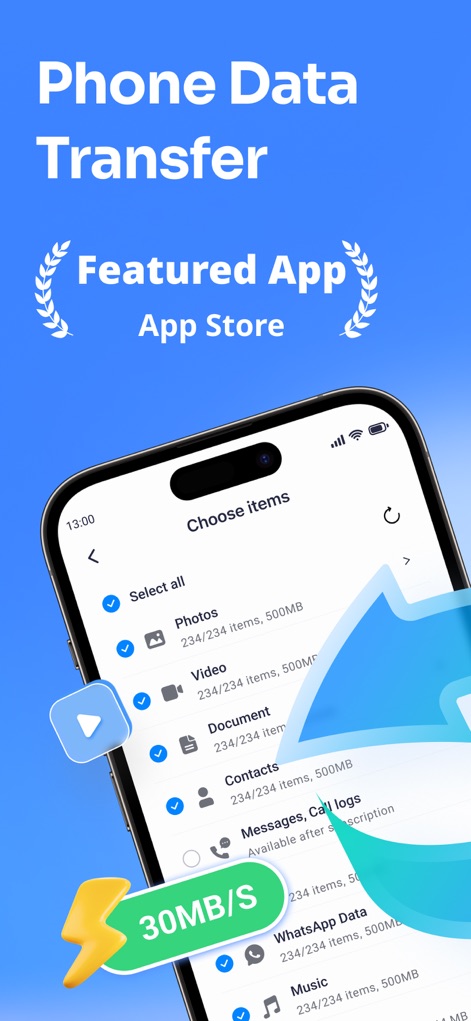
このアプリでは、写真、ビデオ、連絡先などの多様なデータタイプを選択し、30MB/Sという高速でデバイスへ転送できます。
移行データ選択
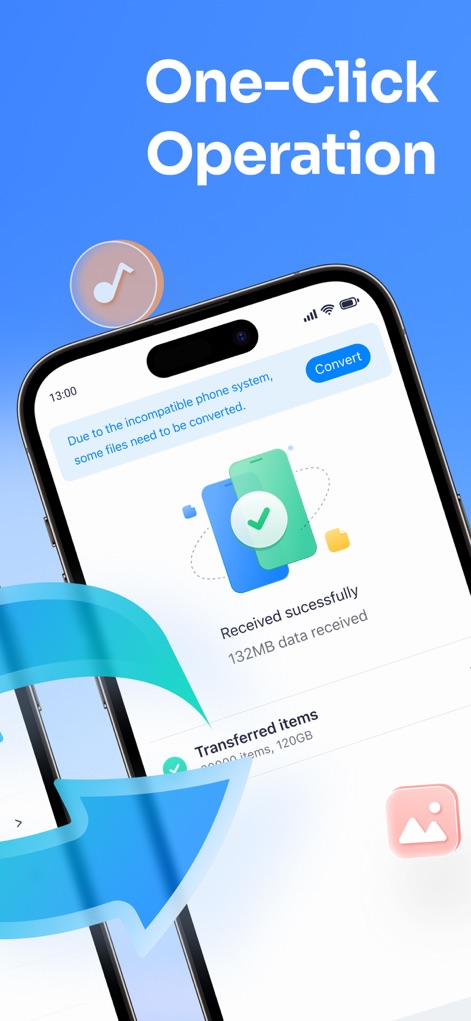
転送が正常に完了したことを示す「Received successfully」メッセージと、転送されたアイテムの総数により、ユーザーは簡単に移行状況を確認できます。
ワンクリック完了
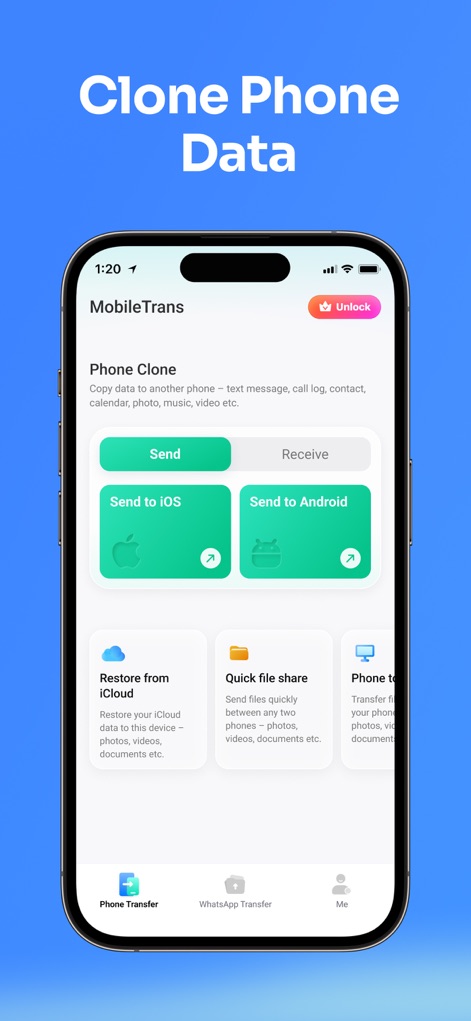
このツールは、iOSやAndroidへのデータ送信オプションを提供し、またiCloudからのデータ復元機能も搭載しています。
クローンと復元
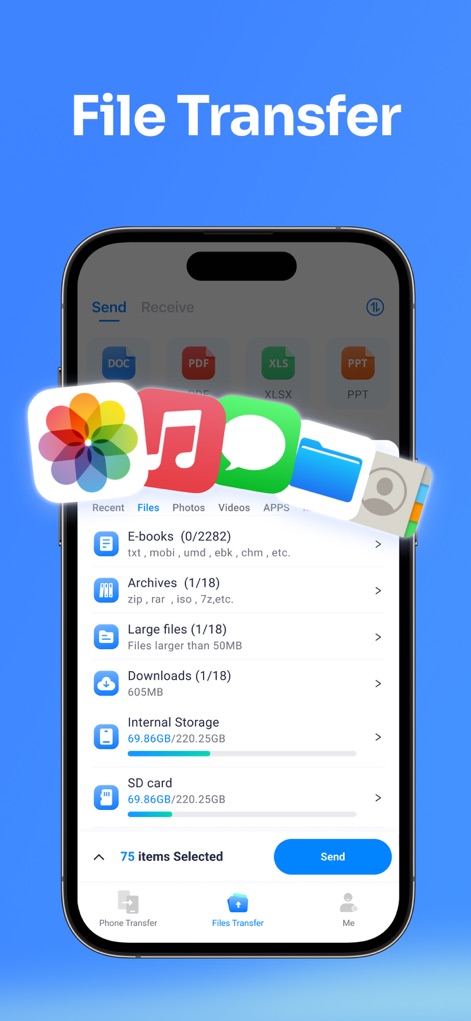
ドキュメント(DOC、PDF、XLS、PPT)を含む多様なファイル形式に対応し、E-booksやアーカイブといったカテゴリ別にファイルを閲覧・選択できます。
多彩なファイル転送
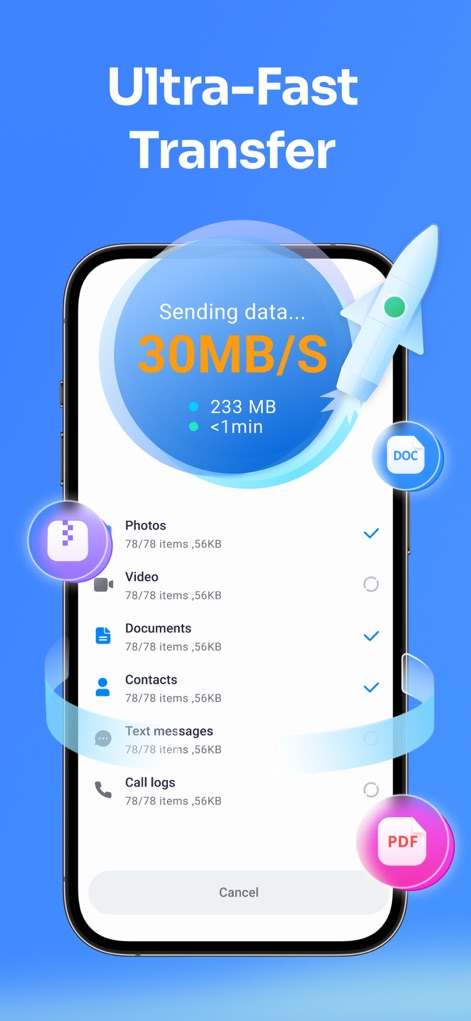
30MB/Sの表示速度で迅速なデータ転送を実現し、写真、ビデオ、ドキュメントなど複数タイプのデータ移行を効率的に行います。
超高速データ送信
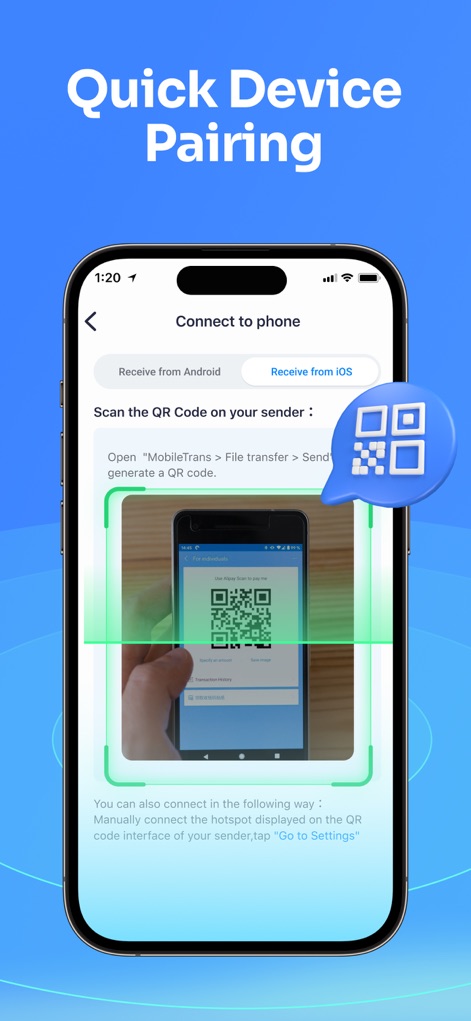
ユーザーはQRコードスキャンでデバイスを簡単にペアリングでき、またはホットスポット設定を介して手動で接続することも可能です。
簡単デバイス接続
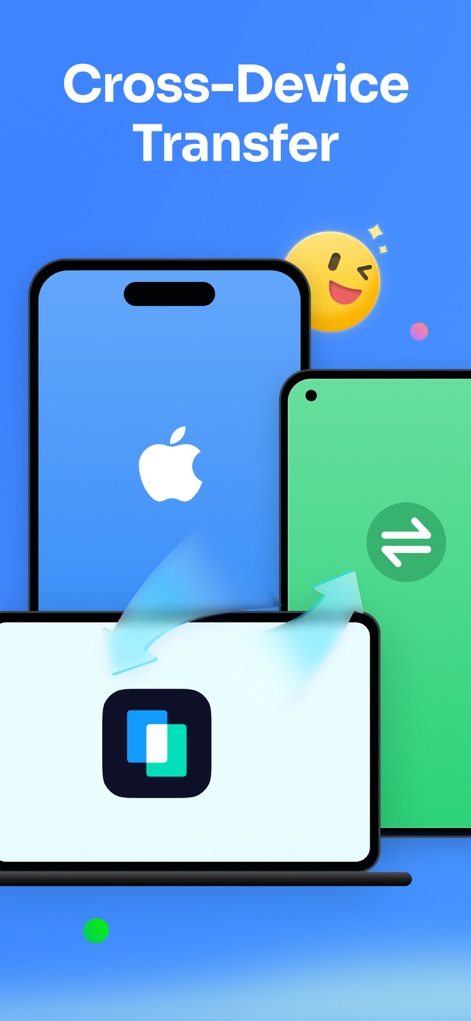
iOSとAndroid間のクロスプラットフォーム転送をサポートし、スマートフォンからPCへのデータ移行もシームレスに行うことができます。
柔軟なデバイス間転送
説明
Download
類似アプリ
似た機能とユーザー体験を持つアプリ

Data Transfer - Copy My Data
Simple Health Limited

互传 - 快速换机数据迁移智能助手
家呈 郭

Copy My Data - Smart Transfer
Red Sky Labs, SOCIEDAD LIMITADA
Smart Switch - Copy My Data
学斌 林
Copy My Data - Mobile Transfer
KHD Plaza LLC

Phone Clone - Smart Switch .
俊杰 刘

Smart Switch: Data Transfer
Zadore Tracy
Smart Switch: Copy & Move Data
JW Marketing group s.r.o.
手机同步传输-同步转移数据文件
冰 杜
このページはアプリまたはその開発者の公式ページではなく、情報提供および論評を目的として作成された独立した編集出版物です。明示的に別段の記載がない限り、アプリおよびその開発者は、MWM、Apple、Google Play、アプリのパブリッシャー、またはアプリの開発者と提携、承認、後援、認可、またはその他の公式的な関係はなく、このページのいかなる内容も、アプリがMWMのサービスを使用して開発されたことを意味するものではありません。すべての商標、ロゴ、スクリーンショット、その他のコンテンツはそれぞれの所有者の財産です。