Desmos Test Mode
Desmos Test Mode
ダウンロード: App Store

このページはアプリまたはその開発者の公式ページではなく、情報提供および論評を目的として作成された独立した編集出版物です。明示的に別段の記載がない限り、アプリおよびその開発者は、MWM、Apple、Google Play、アプリのパブリッシャー、またはアプリの開発者と提携、承認、後援、認可、またはその他の公式的な関係はなく、このページのいかなる内容も、アプリがMWMのサービスを使用して開発されたことを意味するものではありません。すべての商標、ロゴ、スクリーンショット、その他のコンテンツはそれぞれの所有者の財産です。


ロゴ: Desmos Test Mode
ダウンロード: App Store

Desmos Test Mode

高価なハードウェアはもう必要ありません。自信を持って試験を受けましょう。安全で州の承認を受けた環境で、学習に使うのと同じ美しく直感的な計算機を使用してください。あなたの成功のために設計されています。

主要数値

ダウンロード

188K+

ユーザー評価

1.8/5

評価数

400

開発元

Desmos, Inc.

カテゴリ

Education

対応言語

18

最新バージョン

7.46.0

サイズ

14.5 MB

リリース日

2015年4月4日
機能

自信を持って試験をマスターする

宿題で使うのと同じ強力で直感的なツールが、高リスク試験のために最適化されました。ハードウェアではなく、数学に集中しましょう。

州の承認を受けたコンプライアンス

物理的な計算機を必要とせずに、SAT、ACT、STAARなどの試験の特定の全国および州のガイドラインに完全に準拠します。

学習曲線ゼロ

一年中練習してきたのと同じインターフェースを使用することで、試験当日の不安を軽減し、解答に完全に集中できます。

以下のスクリーンショットと説明は、アプリの公式ストアリスティングから直接取得されたものであり、アプリ開発者の所有物です。

アプリストア

スクリーンショット
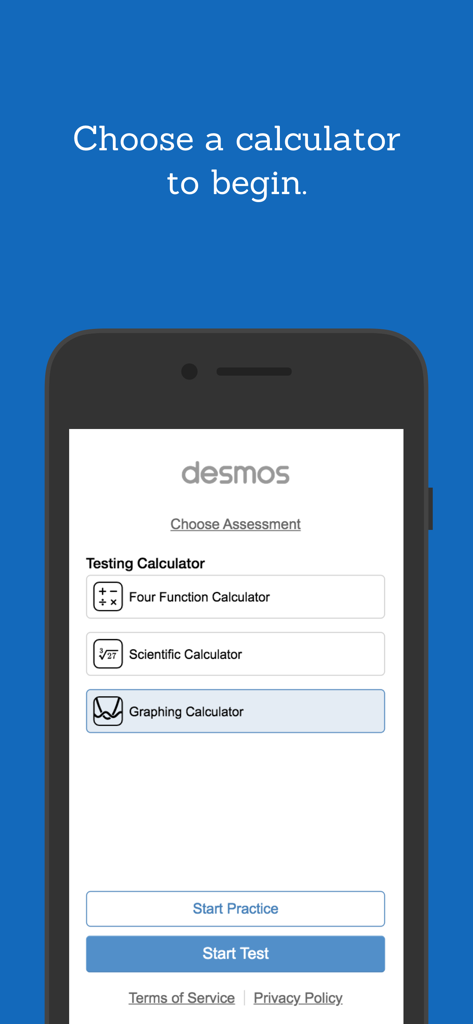
Desmos Test Mode - Desmosテストモードアプリのインターフェース。4関数、科学、またはグラフ作成計算機を選択するオプションと、練習またはテストを開始するためのボタンが表示されています。
Desmosテストモードアプリのインターフェース。4関数、科学、またはグラフ作成計算機を選択するオプションと、練習またはテストを開始するためのボタンが表示されています。

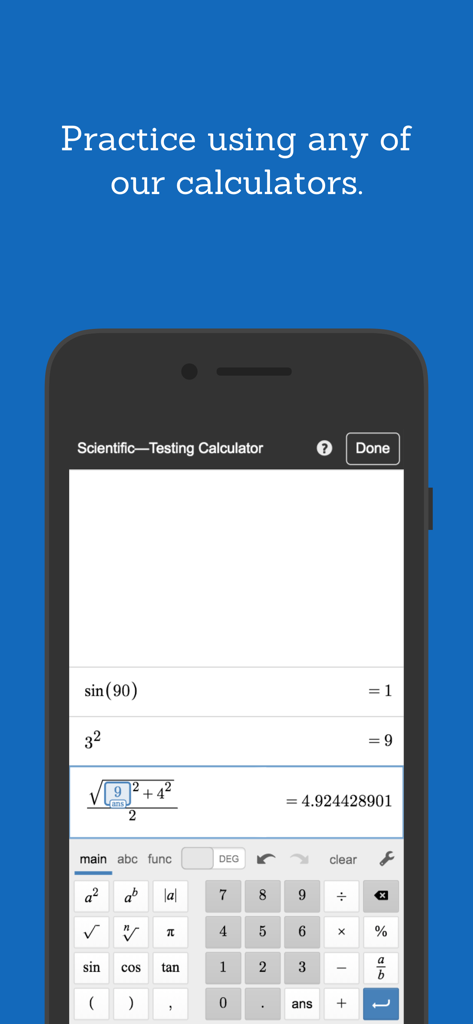
Desmos Test Mode - スマートフォン画面上のDesmosテストモード科学計算機のインターフェース。数式とデジタルキーパッドが表示されています。
スマートフォン画面上のDesmosテストモード科学計算機のインターフェース。数式とデジタルキーパッドが表示されています。

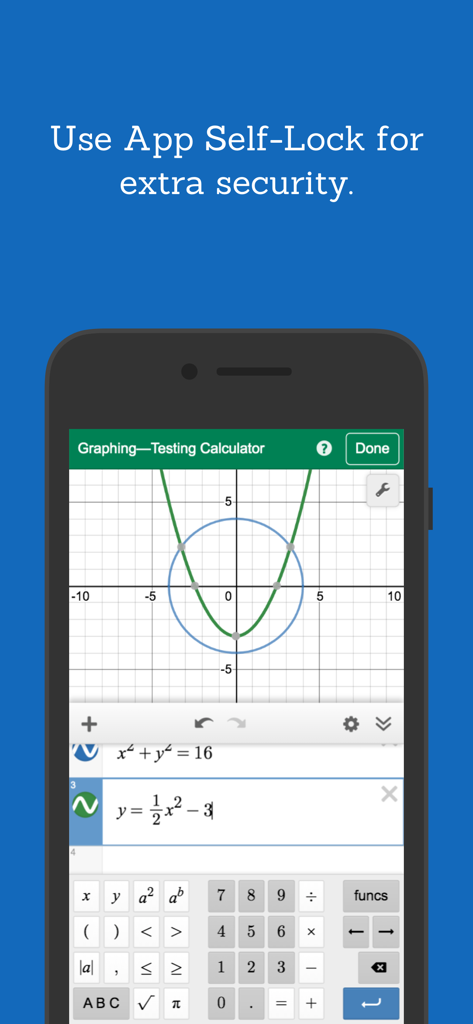
Desmos Test Mode - Desmosテストモードグラフ作成計算機のインターフェースと、アプリのセルフロックセキュリティメッセージが表示されたスマートフォン。
Desmosテストモードグラフ作成計算機のインターフェースと、アプリのセルフロックセキュリティメッセージが表示されたスマートフォン。

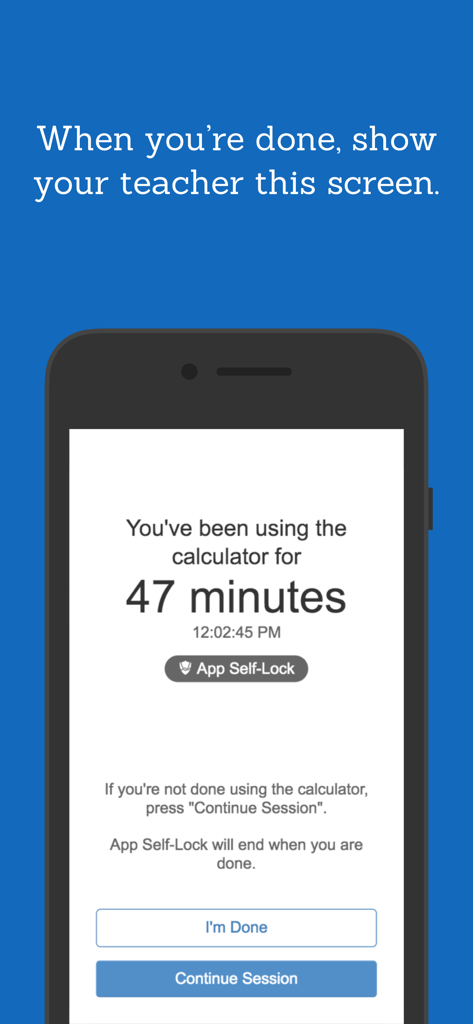
Desmos Test Mode - Desmosテストモードアプリの完了画面。セッション時間と、先生に示すためのプロンプトが表示されています。

Desmosテストモードアプリの完了画面。セッション時間と、先生に示すためのプロンプトが表示されています。

説明

** These are restricted versions of the Desmos Calculators that comply with exam requirements. To prepare for specific state or national assessments, select the corresponding test from the menu in the app. Find out whether Desmos is used for your test at www.desmos.com/testing. If you’d like to use full, unrestricted versions of the calculators, download the Scientific or Graphing Calculator apps or visit www.desmos.com. ** At Desmos, we imagine a world of universal math literacy where math is accessible and enjoyable for all students. To that end, we’ve built simple yet powerful calculators. They’re intuitive, beautiful, and completely free. - - - Graphing Calculator Features: Graphing: Plot polar, Cartesian, and parametric graphs. There’s no limit to how many expressions you can graph at one time—and you don’t even need to enter expressions in y= form! Sliders: Adjust values interactively to build intuition, or animate any parameter to visualize its effect on the graph. Tables: Input and plot data, or create an input-output table for any function. Statistics: Use regressions to find the lines (or other curves!) that best fit your data. Zooming: Scale the axes independently or at the same time with the pinch of two fingers, or edit the window size manually to get the perfect view of your graph. Points of Interest: Touch a curve to show its maximum and minimum values, intercepts, and points of intersection with other curves. Tap any of these points of interest to see their coordinates. Hold and drag along a curve to see the coordinates change under your finger as you trace. - - - Scientific Calculator Features: Variables: Assign values to variables that you can use in other expressions. Since all of your work is held in the expressions list, you can compute a value once and use it in many places simultaneously. Take advantage of the “ans” key, which always stores the value of the previous expression. Arithmetic: Beyond the four basic operations, the scientific calculator also supports exponentiation, radicals, absolute value, logarithms, rounding, and percentages. Trigonometry: Evaluate the fundamental trigonometric functions and their inverses using either radians or degrees for angle measure. Statistics: Compute the mean and standard deviation (sample or population) of a list of data. Combinatorics: Count combinations and permutations and calculate factorials. - - - Four-Function Calculator Features: Simple and Beautiful: Just the basics done right. Add, subtract, multiply, divide, and take square roots. Multiple Expressions: Unlike many four-function calculators, all of your previous work remains visible on the screen. The special “ans” key always holds the value of the previous computation (and updates automatically!), so you never have to remember or copy a result.

Download

ダウンロード: App Store

このページはアプリまたはその開発者の公式ページではなく、情報提供および論評を目的として作成された独立した編集出版物です。明示的に別段の記載がない限り、アプリおよびその開発者は、MWM、Apple、Google Play、アプリのパブリッシャー、またはアプリの開発者と提携、承認、後援、認可、またはその他の公式的な関係はなく、このページのいかなる内容も、アプリがMWMのサービスを使用して開発されたことを意味するものではありません。すべての商標、ロゴ、スクリーンショット、その他のコンテンツはそれぞれの所有者の財産です。








