Device Monitor Z: CPU x RAM OS

Device Monitor Z: CPU x RAM OS

ダウンロード: App Store
ロゴ: Device Monitor Z: CPU x RAM OS

Device Monitor Z: CPU x RAM OS — プロフェッショナルなシステム洞察&パフォーマンス監視

包括的なツールキットでiPhoneを強化しましょう。リアルタイムのCPU/GPU使用率を追跡し、ネットワーク遅延を分析し、精密に設計されたウィジェットとプロフェッショナルな診断機能でハードウェアをベンチマークします。

開発元

Phan Nhut

カテゴリ

Developer Tools

ダウンロード

61K+

ユーザー評価

4.3/5

評価数

0

対応言語

5

内部を覗く

このインターフェースを利用する 61K+ 人のユーザー.

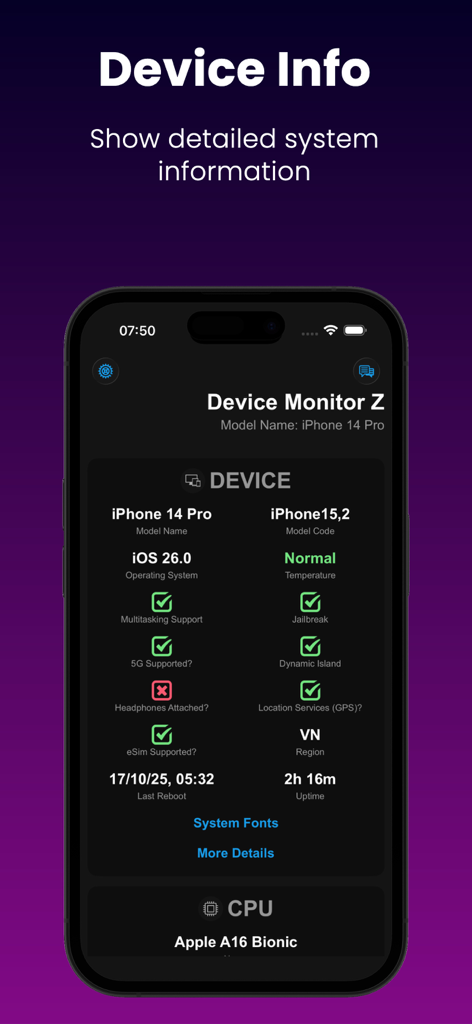
iPhoneの画面に詳細なシステムとCPU情報を表示するDevice Monitor Zアプリ。
iPhoneの画面に詳細なシステムとCPU情報を表示するDevice Monitor Zアプリ。

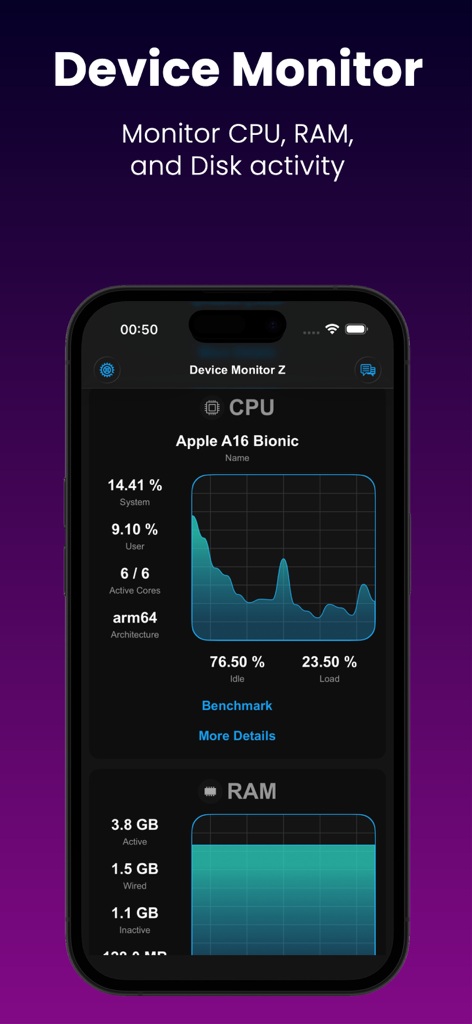
iPhone用Device Monitor ZアプリのリアルタイムCPUおよびRAM監視ダッシュボード。
iPhone用Device Monitor ZアプリのリアルタイムCPUおよびRAM監視ダッシュボード。

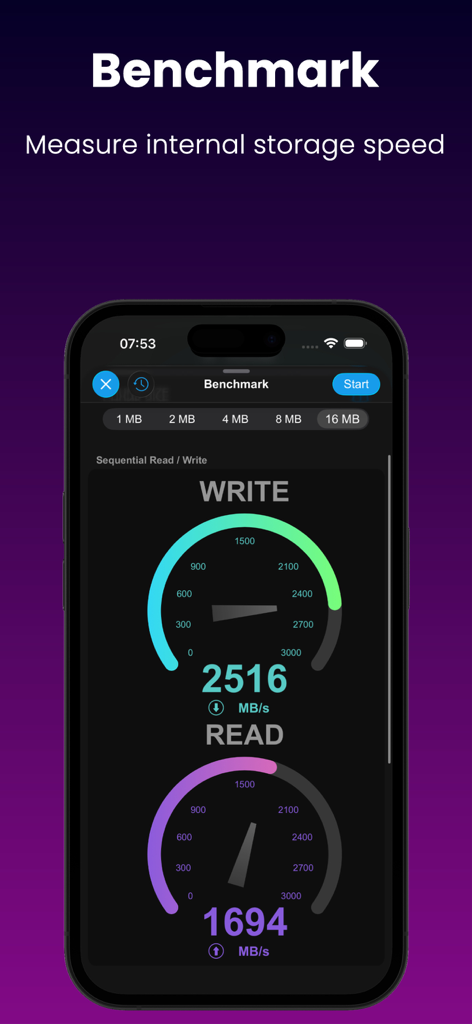
視覚的なゲージでシーケンシャル読み書き速度を測定するディスクベンチマークツールを示すモバイルアプリ画面。
視覚的なゲージでシーケンシャル読み書き速度を測定するディスクベンチマークツールを示すモバイルアプリ画面。

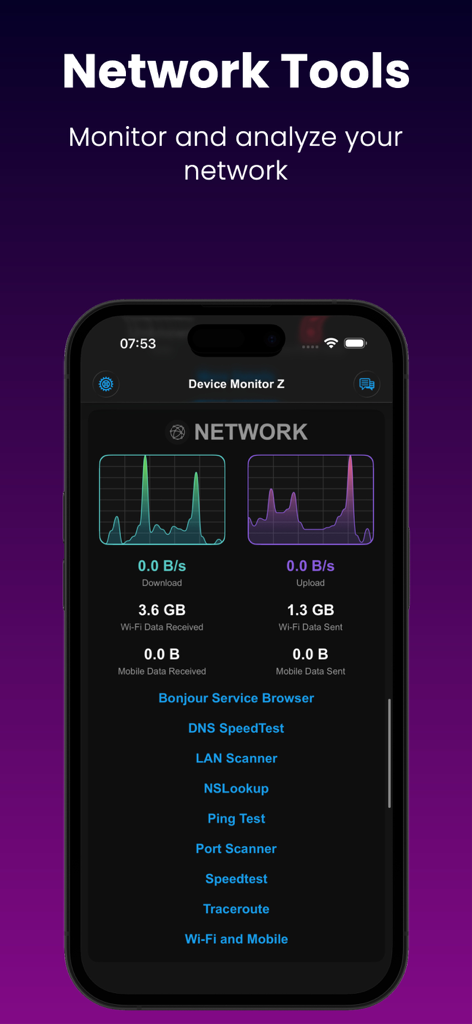
診断ツールのリストとともにリアルタイムのネットワークダウンロードおよびアップロードグラフを表示するDevice Monitor Zアプリ画面。
診断ツールのリストとともにリアルタイムのネットワークダウンロードおよびアップロードグラフを表示するDevice Monitor Zアプリ画面。

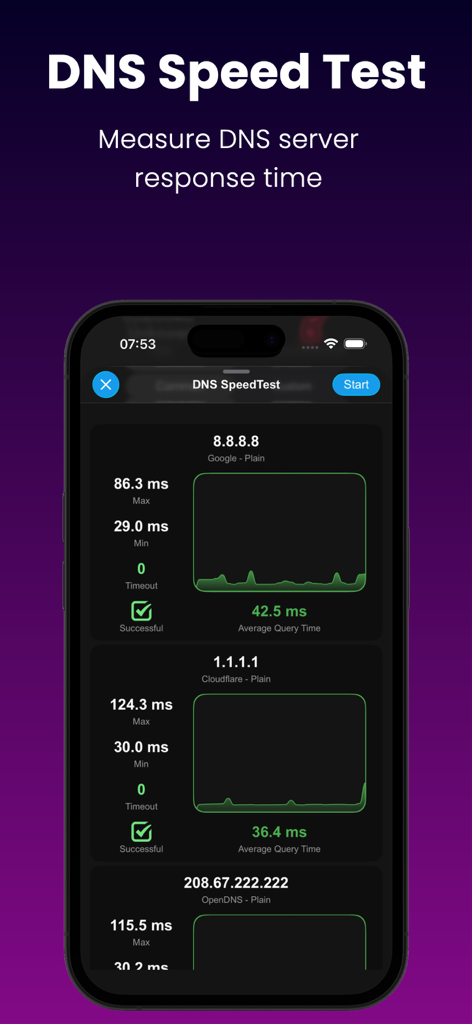
Google、Cloudflare、OpenDNSサーバーの応答時間を比較するDNSスピードテストを示すDevice Monitor Zアプリのインターフェイス。
Google、Cloudflare、OpenDNSサーバーの応答時間を比較するDNSスピードテストを示すDevice Monitor Zアプリのインターフェイス。

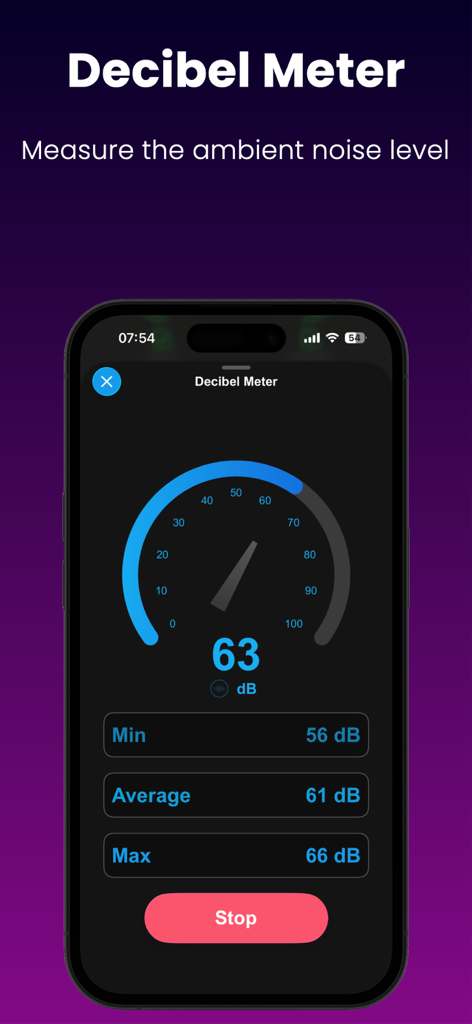
リアルタイムの周囲騒音レベルを示すDevice Monitor Zアプリのデシベルメーターインターフェイス。
リアルタイムの周囲騒音レベルを示すDevice Monitor Zアプリのデシベルメーターインターフェイス。

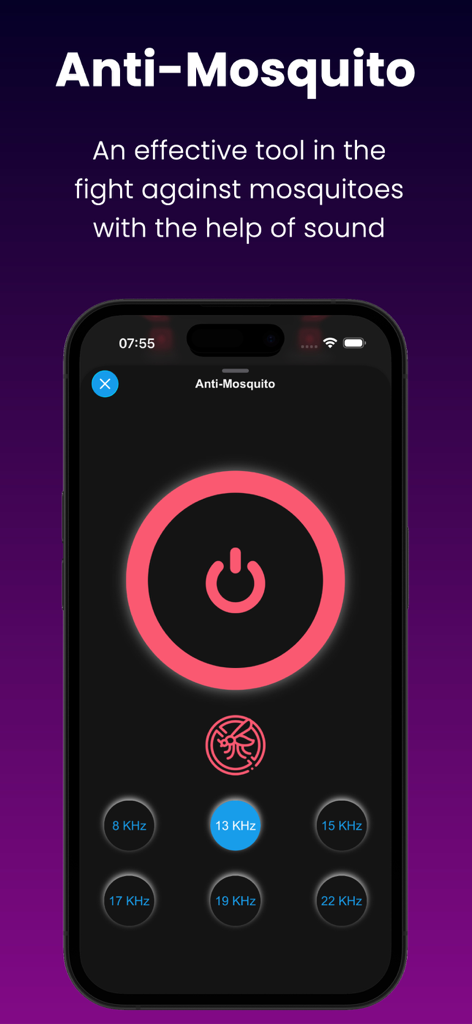
さまざまなサウンド周波数オプションを示すアンチモスキートツールのインターフェイス。
さまざまなサウンド周波数オプションを示すアンチモスキートツールのインターフェイス。

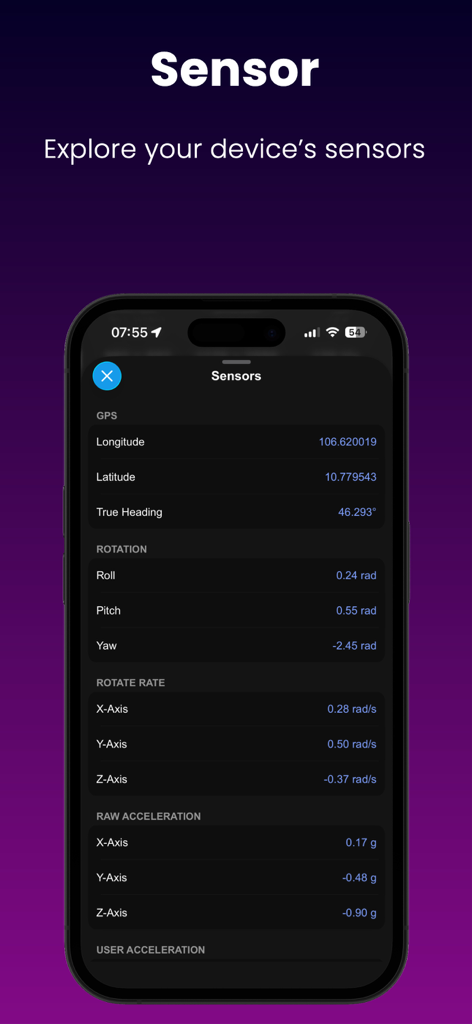
GPS、回転、加速度のリアルタイムセンサーデータを表示するDevice Monitor Zアプリ。
GPS、回転、加速度のリアルタイムセンサーデータを表示するDevice Monitor Zアプリ。

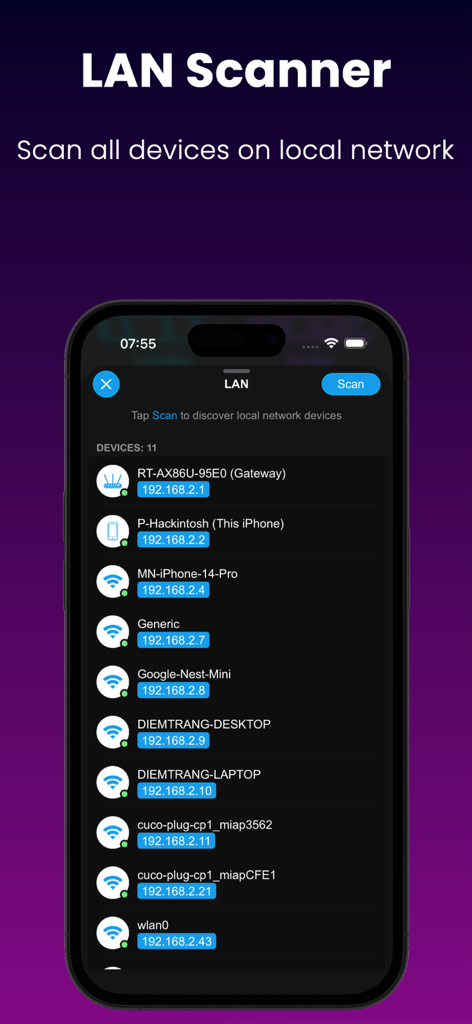
ローカルネットワーク上のデバイスとIPアドレスをリストするLANスキャナーインターフェイス。
ローカルネットワーク上のデバイスとIPアドレスをリストするLANスキャナーインターフェイス。

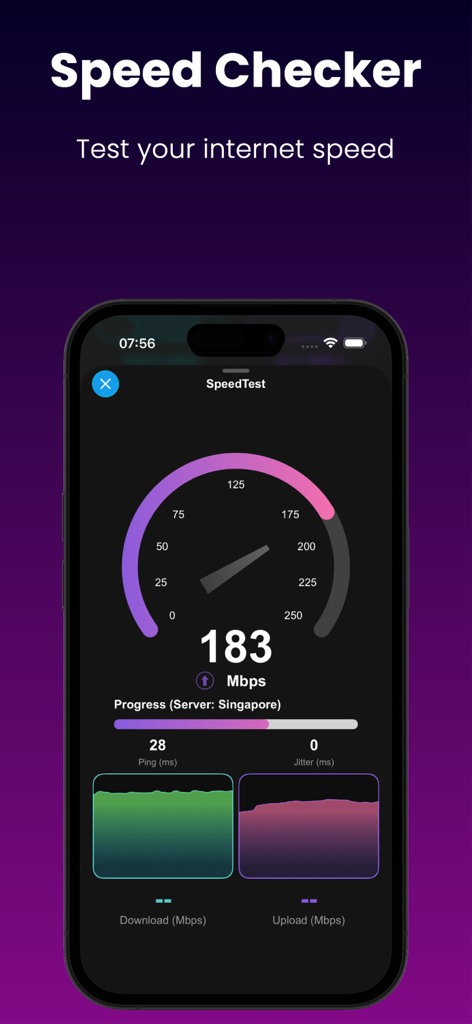
ダウンロードとアップロードのメトリクスを示すインターネットスピードテストを表示するスマートフォンの画面。

ダウンロードとアップロードのメトリクスを示すインターネットスピードテストを表示するスマートフォンの画面。

ハードウェアパフォーマンスをマスターする

このアプリを際立たせるツール、 61K+ 人のユーザーが選択.

📊

ライブシステム監視

CPU、RAM、ディスクの使用率をリアルタイムで追跡します。リソースのボトルネックを特定し、高密度データでデバイスをピーク効率で実行し続けます。

🌐

プロネットワークツールキット

基本的なスピードテストを超えましょう。ローカルネットワークを分析し、DNSルックアップを実行し、ポートスキャナーを使用して接続性とゲームの遅延を最適化します。

🚀

高精度ベンチマーク

CPUおよびディスクベンチマークでハードウェアをストレステストします。複数の形式で詳細なパフォーマンスレポートをエクスポートして、デバイスの機能を文書化します。

アプリについて

について知っておくべきこと Device Monitor Z: CPU x RAM OS.

説明

Discover the power of our app - Device Monitor Z (also known as iDevice Monitor) is an app optimized for iPhone, iPod Touch, and iPad users. It provides a quick and efficient way to access activity monitor (CPU monitor, detailed RAM, Storage space, ...) and system information of device. - Key Features: • View basic CPU information and real-time CPU monitor • View basic GPU information. • View basic device information (System status) • View basic OS (Operating System) information • View basic battery information • Check Memory & Disk (RAM & Storage) information details. • Monitor network traffic with real-time upload and download speeds. • Support Quick Actions to run functions quickly from Home Screen • Access camera information. • Access display information. • Check supported sensors - Support Widget to display device information such as RAM/Disk/CPU/Battery/Network info: • iOS 14 Home Widget • iOS 16 Lock Widget • iOS 17 Standby Mode for Widget - System Fonts: → Show all fonts available in the system - Additional Tools: • Performance Benchmark: → CPU Benchmark: Measure the computational capability of the device's CPU. → Disk Benchmark: Measure sequential read/write speed, random 4K read/write speed, and latency of internal storage. • Network Analyzer (also known as Wifi Analyzer or Network Tool), including: → SpeedTest: Evaluate internet download speed and upload speed (powered by SpeedChecker) → LAN Scanner (also known as Wifi Scanner or Network Scanner): Scan devices on your local network → Ping tool: Measure latency to a domain/IP Address → Traceroute → Port Scanner: Verify open or closed ports on domain/IP Address → DNS Lookup (support DoH and DoT): Retrieve domain information → DNS Speed Test (support DoH and DoT): Measures and compares the query response times of various DNS servers, helping users identify and select the fastest server for enhanced network performance. → Bonjour Service Browser: List the Bonjour services advertised on your wireless network. • Screen Test: → Perform quick screen tests • Sensor Monitor, including: → GPS → ALTIMETER → ACCELEROMETER → MAGNETOMETER → GYRO → MOTION COPROCESSOR → MAGNETIC → GRAVITY → ROTATION → ROTATE RATE • Toolkit: → Anti-Mosquito → Decibel Meter: Gauge ambient noise levels accurately in your surroundings. → Bluetooth Scanner: Find Bluetooth devices near your device. → Flashlight Torch. → Export all device information into a file with multiple formats (csv, pdf, xlsx, json, rtf, txt). • Thank you for choosing our app as your device information and monitoring app.

最新バージョン

26.0

サイズ

38.8 MB

リリース日

2023年7月13日

ハードウェアパフォーマンスを完全に制御

61,000人以上のパワーユーザーとITプロフェッショナルに参加しましょう。システムをベンチマークし、リアルタイムのCPU/RAMのバイタルサインを監視し、プロのようにネットワークをトラブルシューティングします。

ダウンロード: App Store

App information, icons, screenshots, and descriptions displayed on this page are sourced from the Apple App Store and are the property of their respective developers. Download estimates and rankings are based on MWM's proprietary models and may not reflect actual figures. This page is provided for informational and analytical purposes only.

Believe this page infringes your intellectual property? File a dispute