
このページはアプリまたはその開発者の公式ページではなく、情報提供および論評を目的として作成された独立した編集出版物です。明示的に別段の記載がない限り、アプリおよびその開発者は、MWM、Apple、Google Play、アプリのパブリッシャー、またはアプリの開発者と提携、承認、後援、認可、またはその他の公式的な関係はなく、このページのいかなる内容も、アプリがMWMのサービスを使用して開発されたことを意味するものではありません。すべての商標、ロゴ、スクリーンショット、その他のコンテンツはそれぞれの所有者の財産です。


Dext: Expense Tracker App
Dextは、領収書の山に埋もれた事業者を解放する。このアプリは、データのデジタル化にとどまらず、手書きのメモさえも完璧に読み取り、経費管理のあり方を根底から覆している。
ダウンロード
1M+ユーザー評価
評価数
84.6K開発元
カテゴリ
Business対応言語
2最新バージョン
5.2.4サイズ
82.4 MBリリース日
2011年2月15日中小企業および会計プロフェッショナル向け主要機能の評価
Dext: 経費追跡アプリの機能分析
自動データ抽出とOCR(AI搭載)
領収書や請求書から99%の精度でデータを自動抽出し、手書き文字にも対応することで、データ入力の手間と時間を大幅に削減します。
主要会計システムとの連携
Xero、QuickBooks、Sageなど1,400以上の主要会計システムとシームレスに連携し、経費データを自動転送・同期することで、税務申告の簡素化と業務の効率化を実現します。
自動ブックキーピングと照合
経費の抽出から照合まで、ブックキーピングプロセスを自動化することで、データの信頼性を確保し、手動でのデータ入力ミスを排除し、迅速な経営判断を支援します。
詳細な経費項目別分類と管理
業界タイプ、経費カテゴリ、文書タイプなどに基づいて経費データを細かく分類し、各項目を簡単に編集・管理できるため、財務状況の正確な把握と分析を可能にします。
高度なセキュリティとGDPR準拠
銀行レベルの暗号化とGDPRに完全に準拠したデータ保護により、すべての財務データが安全に保管され、ユーザーの信頼とプライバシーを確保します。
多様な経費提出方法
モバイルアプリ、PCからのアップロード、専用メールアドレス、サプライヤーとのFetch接続など、複数の方法で領収書や請求書を提出できるため、どこにいても効率的に経費を記録できます。
従業員のリアルタイム経費報告
従業員が出張中や外出先からリアルタイムで経費を提出できるため、経費報告プロセスを迅速化し、企業全体の経費管理効率を向上させます。
クラウドベースの文書一元管理
請求書、経費報告書、銀行取引明細書、領収書データなど、すべての財務関連文書をクラウド上で一元的に保存・管理することで、必要な情報へのアクセスを簡素化し、データ紛失のリスクを低減します。
よくある質問
について知っておくべきこと Dext: Expense Tracker App
How does Dext: Expense Tracker App streamline expense management?
Dext streamlines expense management by effortlessly extracting data from receipts, itemizing and categorizing it. It integrates with accounting systems, simplifies tax compliance, and offers various submission methods, saving users time.
What are the main ways to submit expenses using the Dext app?
Users can submit expenses to Dext via the mobile app, by uploading from a computer, emailing invoices to a dedicated Dext Prepare address, or by setting up a Fetch connection with a supplier.
Does Dext: Expense Tracker App use OCR technology for data extraction?
Yes, Dext uses Optical Character Recognition (OCR) with 99% accuracy, combined with AI, to digitize receipts, bills, and invoices. It effectively decodes even handwritten information from documents.
Can Dext integrate with popular accounting software like QuickBooks and Xero?
Yes, Dext integrates with popular accounting software including QuickBooks (QBO) and Xero directly from the app. It also connects with Sage and other systems via its cloud platform.
What camera modes does the Dext app offer for capturing receipts?
Dext offers three camera modes: Single for one receipt, Multiple for several expenses (each photo is a separate item), and Combine for expense data spread over multiple pages into one item.
Is Dext: Expense Tracker App GDPR compliant and secure for data storage?
Yes, Dext ensures receipt data is safely stored using bank-level encryption and is fully GDPR compliant. It centralizes all documents securely for business operations.
Does Dext offer a free trial for new users?
Yes, Dext offers a 14-day free trial for new users to get started. Users can sign up through the app, tap '+', and begin capturing receipts immediately.
What types of information does Dext itemize and categorize from expenses?
Dext itemizes and categorizes data by industry type, expense category, document type, owner, submission details, supplier, currency, tax amount, and payment status, which users can easily edit.
Can Dext: Expense Tracker App track mileage for business expenses?
Yes, Dext accurately tracks mileage for business expenses. The app includes a dedicated feature for mileage claims, showing total distance and amount to help manage travel costs.
What is the accuracy rate of data extraction in Dext?
Dext's Optical Character Recognition (OCR) technology, enhanced with AI, achieves a 99% accuracy rate for digitizing receipts, bills, and invoices, including handwritten elements.
以下のスクリーンショットと説明は、アプリの公式ストアリスティングから直接取得されたものであり、アプリ開発者の所有物です。
アプリストア
スクリーンショット

本アプリがQuickBooksやTrustpilotといった主要なプラットフォームで獲得した高い評価と、数千件に及ぶユーザーレビュー数が表示されており、その信頼性と満足度を明確に示します。
世界中の評価
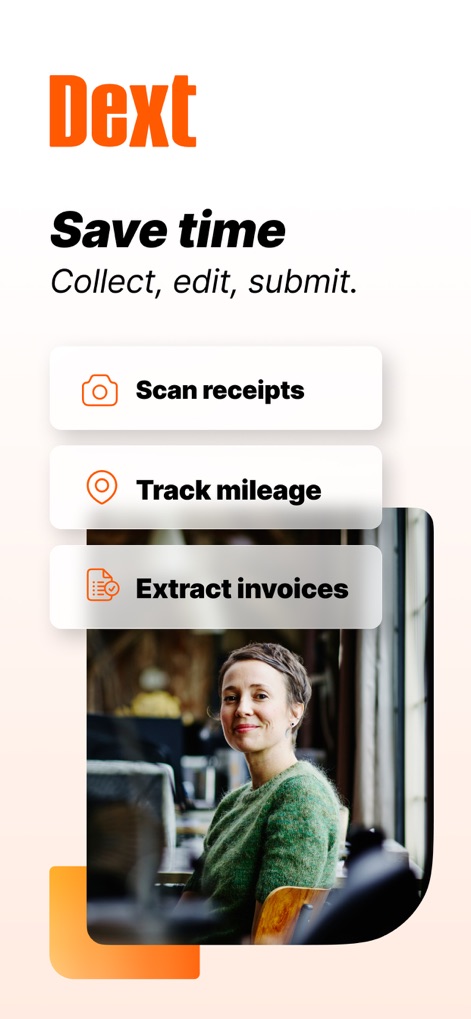
時間管理を効率化するための「Scan receipts」ボタンと、「Track mileage」ボタンが明確に示されており、主要な機能への素早いアクセスを提供します。
時間短縮の秘訣
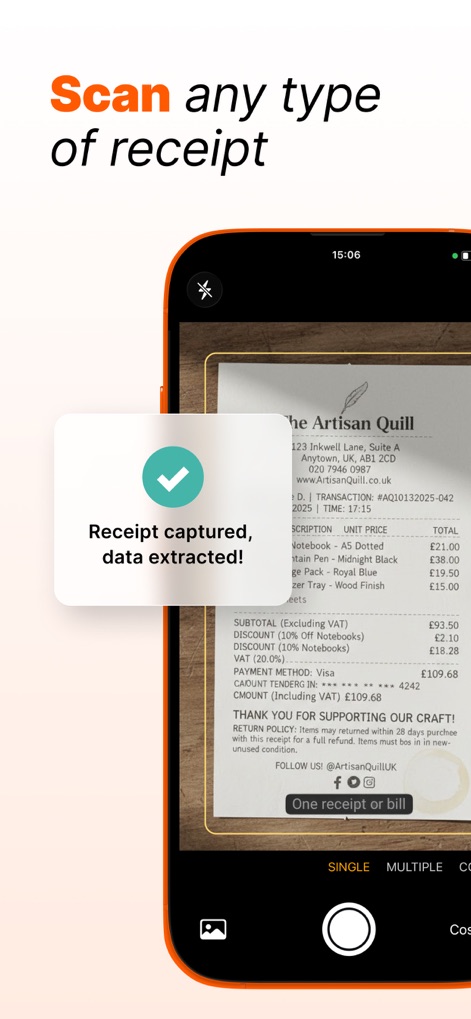
レシートが正常にキャプチャされ、データが抽出されたことを示す確認メッセージが表示されており、単一レシート用の「SINGLE」モードと複数レシート用の「MULTIPLE」モードという異なるスキャンオプションを確認できます。
レシートをスキャン
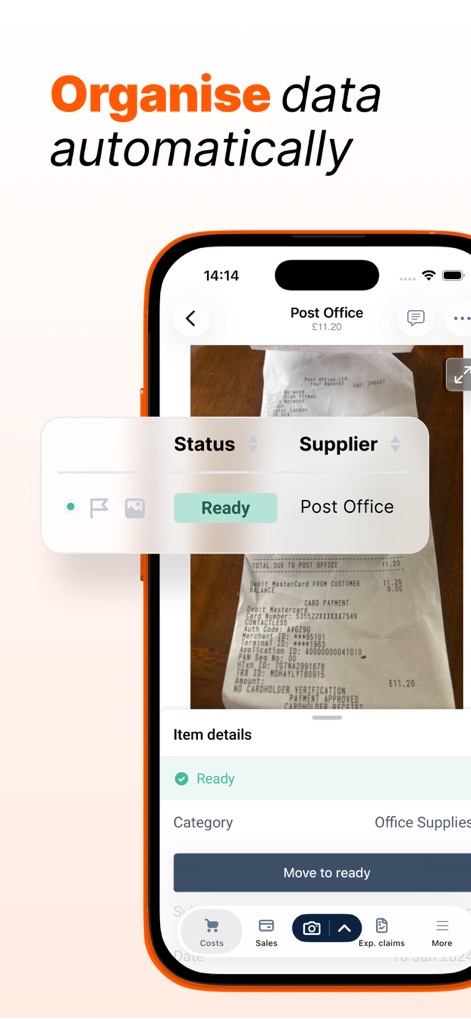
経費データの自動整理機能を示しており、「Status」や「Supplier」といった詳細項目が明確に表示され、現在の経費が「Ready」ステータスにあることを確認できます。
自動で整理
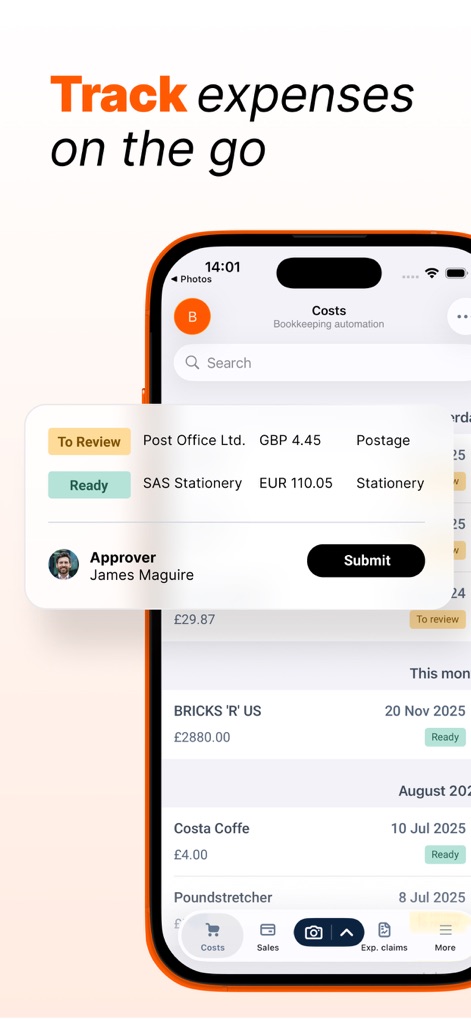
移動中でも経費を追跡できる機能を示しており、「To Review」や「Ready」といった各経費のステータスと、承認者である「James Maguire」の名前が表示されています。
移動中の経費追跡
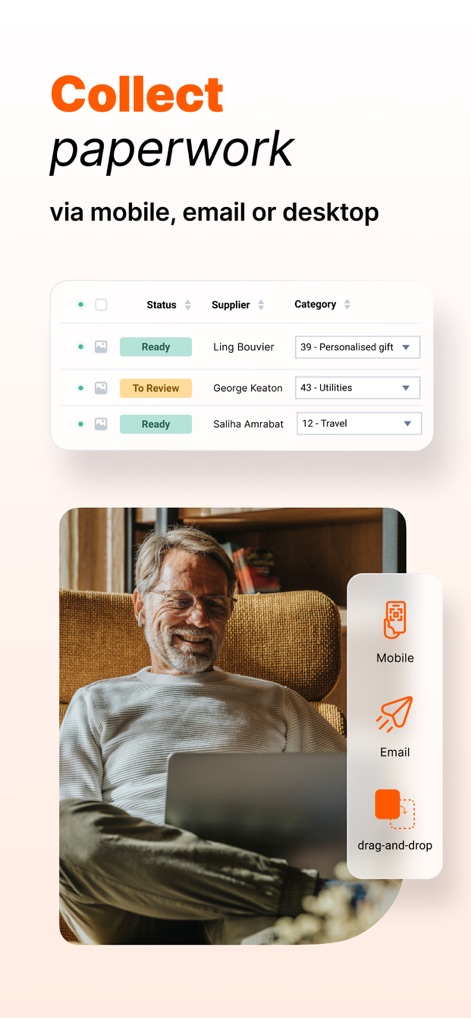
モバイル、Eメール、デスクトップからの多様な書類収集方法を示しており、「Mobile」「Email」「drag-and-drop」のアイコンが確認でき、「Status」「Supplier」「Category」で整理された書類リストが表示されます。
書類を収集
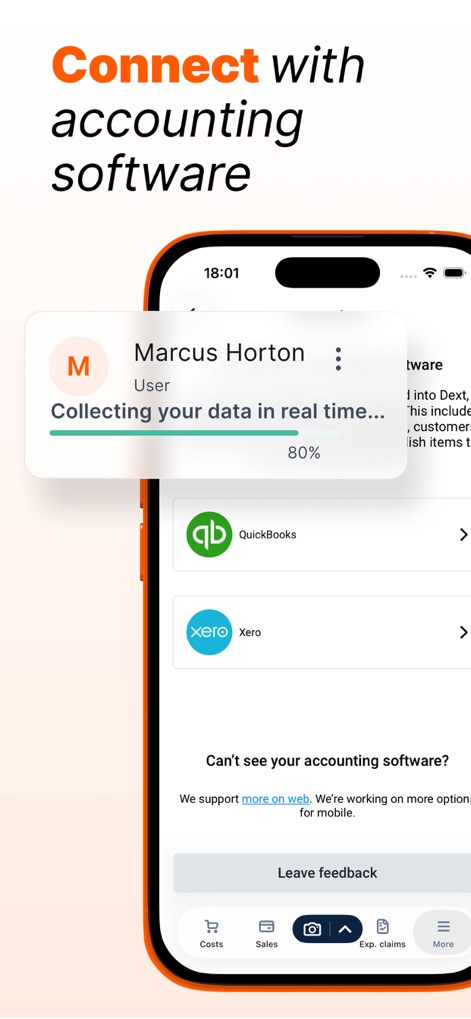
主要な会計ソフトウェアとのシームレスな連携機能を示しており、「QuickBooks」や「Xero」への接続オプション、そしてデータ収集の進行状況バーが確認できます。
会計ソフト連携
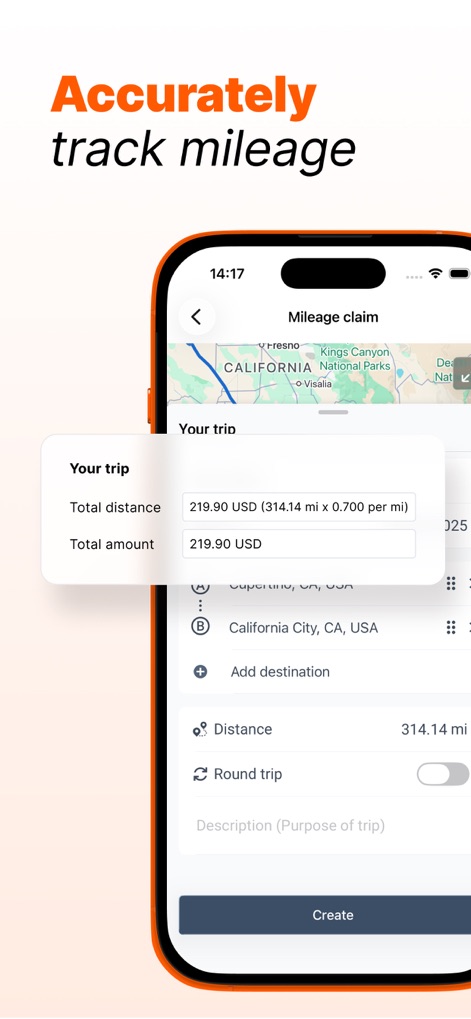
走行距離を正確に追跡する機能を紹介しており、「Total distance」と「Total amount」が明確に表示され、移動経路計画のために「Add destination」オプションが提供されています。
走行距離を正確に
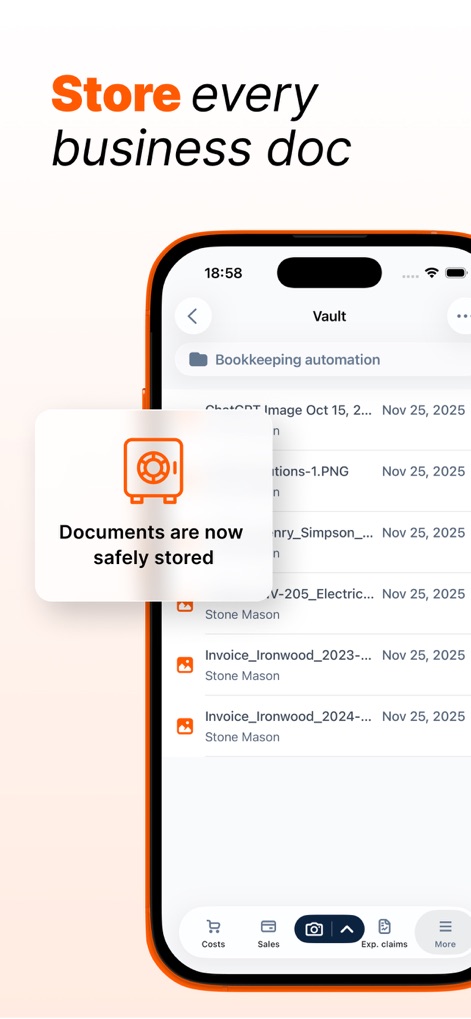
全てのビジネス書類を安全に保管する機能を示しており、「Documents are now safely stored」という確認メッセージが表示され、保管されているファイルが「Vault」画面にリスト表示されています。
ビジネス書類を保管
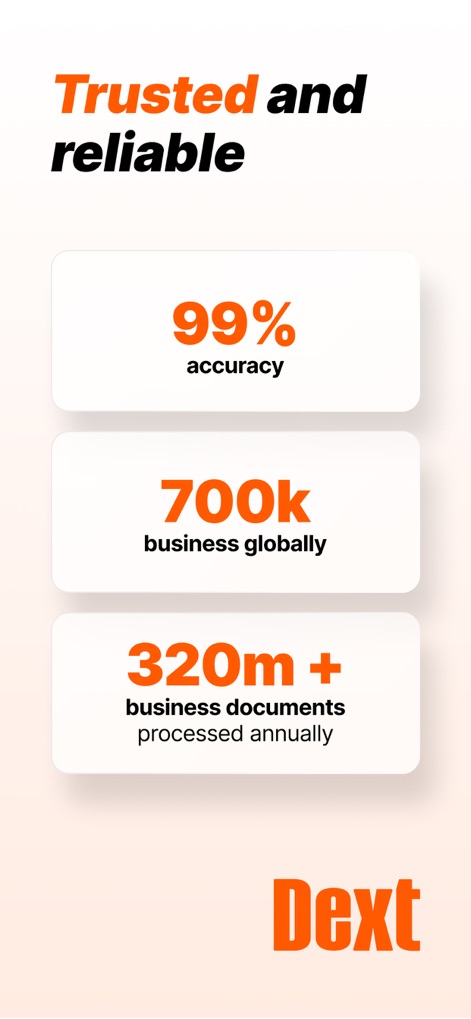
本アプリの信頼性と実績を強調しており、「99% accuracy」という高いデータ処理精度と、「700k business globally」という世界規模での利用企業数が示されています。
信頼と実績
説明
Download
類似アプリ
似た機能とユーザー体験を持つアプリ

柠檬云财务
Shenzhen Yicai Information Technology Co., Ltd.

FreeAgent Mobile Accounting
FreeAgent Central Ltd

myBillBook Billing Software
Valorem Stack Private Limited

Book Keeper Accounting
Just Apps Private Limited

Kashoo Cloud Accounting
Kashoo Cloud Accounting USA Inc.

Vyapar - Billing & Accounting
Simply Vyapar Apps private limited

烽火钱包
Hefei Yuanchu Network Technology Co., Ltd.

Plate Pro: Recipe & Food Cost
Coffee Alchymists Pty Ltd
このページはアプリまたはその開発者の公式ページではなく、情報提供および論評を目的として作成された独立した編集出版物です。明示的に別段の記載がない限り、アプリおよびその開発者は、MWM、Apple、Google Play、アプリのパブリッシャー、またはアプリの開発者と提携、承認、後援、認可、またはその他の公式的な関係はなく、このページのいかなる内容も、アプリがMWMのサービスを使用して開発されたことを意味するものではありません。すべての商標、ロゴ、スクリーンショット、その他のコンテンツはそれぞれの所有者の財産です。