DICOM Camera
DICOM Camera
ダウンロード: App Store

このページはアプリまたはその開発者の公式ページではなく、情報提供および論評を目的として作成された独立した編集出版物です。明示的に別段の記載がない限り、アプリおよびその開発者は、MWM、Apple、Google Play、アプリのパブリッシャー、またはアプリの開発者と提携、承認、後援、認可、またはその他の公式的な関係はなく、このページのいかなる内容も、アプリがMWMのサービスを使用して開発されたことを意味するものではありません。すべての商標、ロゴ、スクリーンショット、その他のコンテンツはそれぞれの所有者の財産です。


ロゴ: DICOM Camera
ダウンロード: App Store

DICOM Camera

モバイルデバイスを安全な医療モダリティに変換。HIPAA準拠の写真や動画を撮影し、MWL経由で患者データを取得し、アーカイブサーバーに直接送信。個人のカメラロールから臨床データを排除します。

主要数値

ダウンロード

900

ユーザー評価

5.0/5

評価数

0

開発元

Raster Images Pvt. Ltd

カテゴリ

Medical

対応言語

8

最新バージョン

3.0.1

サイズ

26.6 MB

リリース日

2023年8月18日
機能

プロフェッショナル画像処理をシンプルに

モバイルの柔軟性と病院グレードの標準とのギャップを埋めるように設計された、安全でDICOM準拠のソリューションで臨床ワークフローを合理化します。

HIPAA準拠のセキュアストレージ

臨床メディアを個人のフォトライブラリと混在させない、安全なアプリ内「ウォールドガーデン」に隔離することで、患者のプライバシーを保護します。

シームレスなPACS & HL7同期

リアルタイムで画像を病院のアーカイブサーバーや通信システムに直接送信することで、手動アップロードを排除します。

以下のスクリーンショットと説明は、アプリの公式ストアリスティングから直接取得されたものであり、アプリ開発者の所有物です。

アプリストア

スクリーンショット
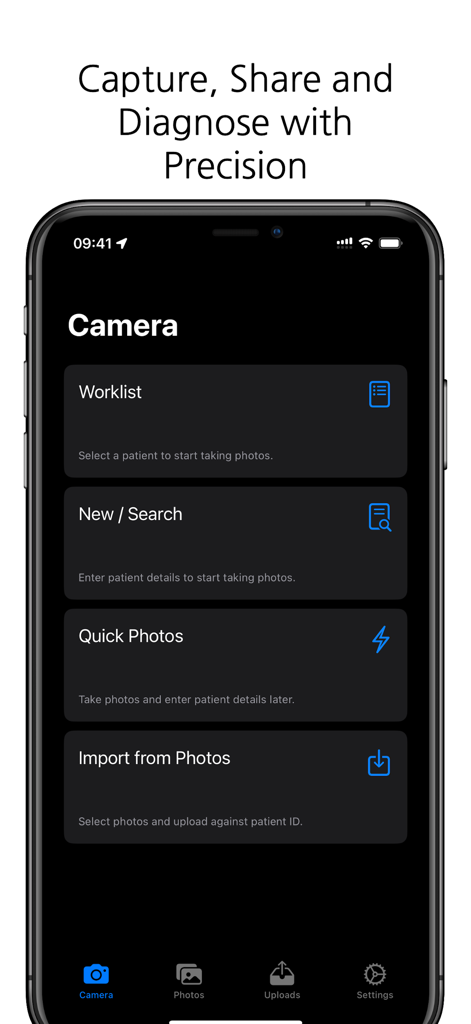
DICOM Camera - 医療従事者向けの患者ワークリストと写真撮影オプションを表示するDICOMカメラアプリのメインメニュー
医療従事者向けの患者ワークリストと写真撮影オプションを表示するDICOMカメラアプリのメインメニュー

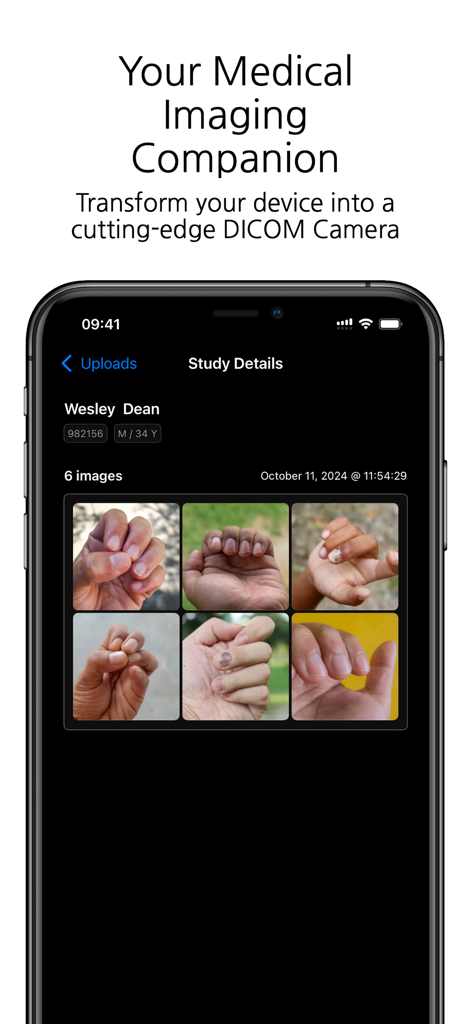
DICOM Camera - 臨床スタディの詳細と患者の手の画像を表示するDICOMカメラアプリが搭載されたスマートフォンの画面
臨床スタディの詳細と患者の手の画像を表示するDICOMカメラアプリが搭載されたスマートフォンの画面

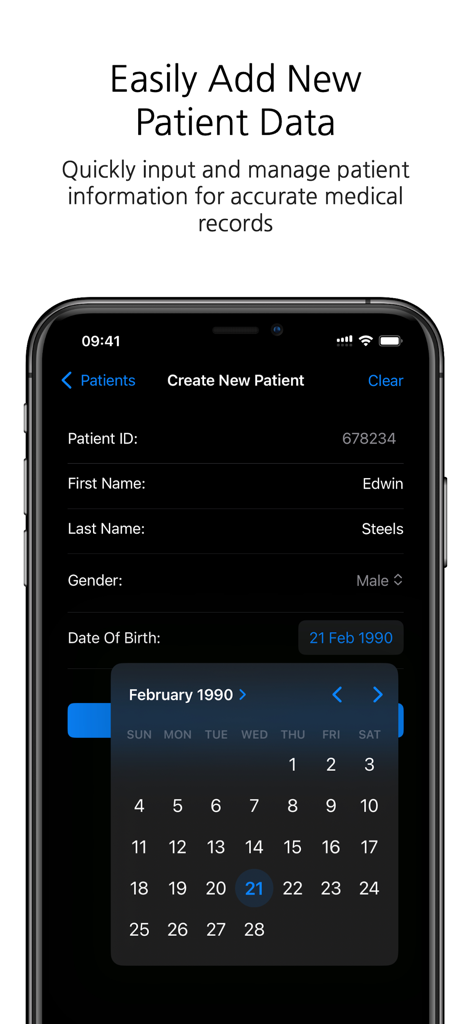
DICOM Camera - ID、名前、生年月日などの新しい患者情報を追加するためのDICOMカメラアプリのインターフェースを示すスマートフォンのスクリーンショット。
ID、名前、生年月日などの新しい患者情報を追加するためのDICOMカメラアプリのインターフェースを示すスマートフォンのスクリーンショット。

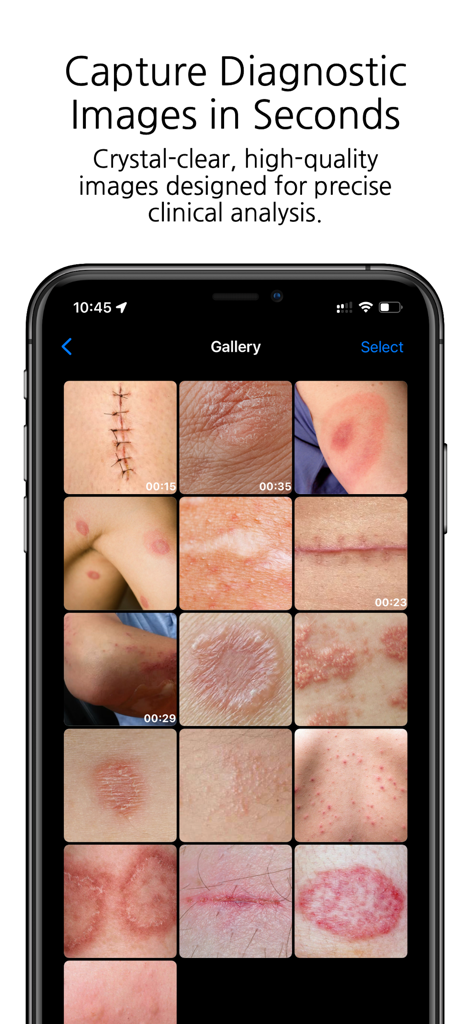
DICOM Camera - 皮膚の状態や手術の傷跡のさまざまな臨床画像を表示するDICOMカメラアプリのギャラリーを示すスマートフォンの画面。
皮膚の状態や手術の傷跡のさまざまな臨床画像を表示するDICOMカメラアプリのギャラリーを示すスマートフォンの画面。

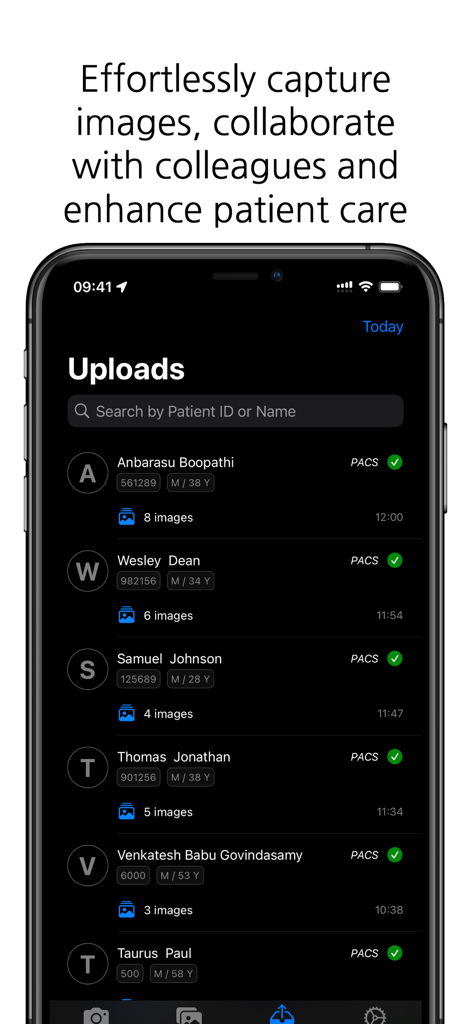
DICOM Camera - DICOMカメラアプリのインターフェースに、患者の画像アップロードリストと成功したPACS同期ステータスが表示されている
DICOMカメラアプリのインターフェースに、患者の画像アップロードリストと成功したPACS同期ステータスが表示されている

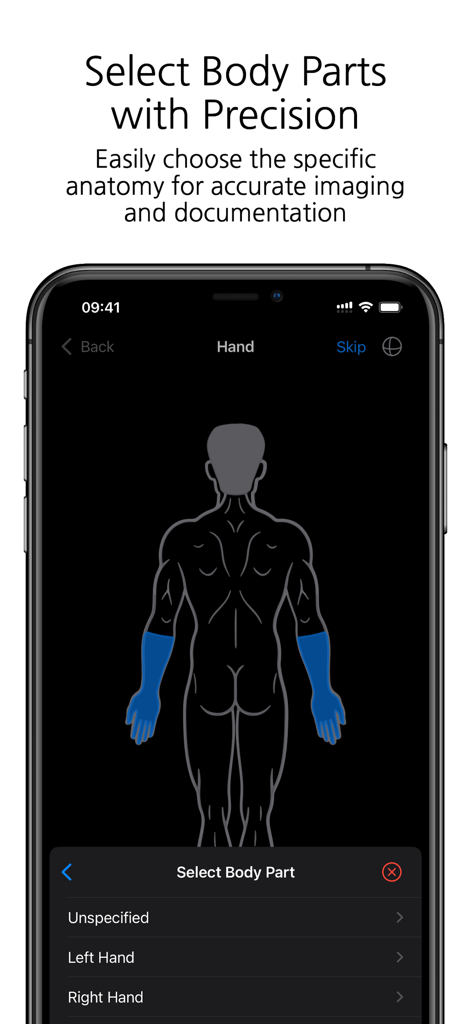
DICOM Camera - 解剖学的部位の選択のための人間の体の図を示すDICOMカメラアプリのインターフェース。
解剖学的部位の選択のための人間の体の図を示すDICOMカメラアプリのインターフェース。

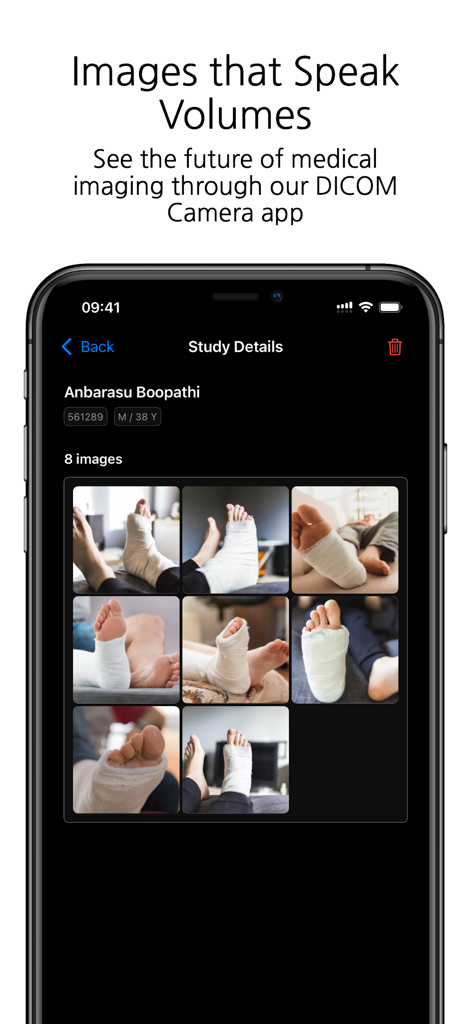
DICOM Camera - DICOMカメラアプリに、医療スタディの詳細と患者の写真グリッドが表示されている
DICOMカメラアプリに、医療スタディの詳細と患者の写真グリッドが表示されている

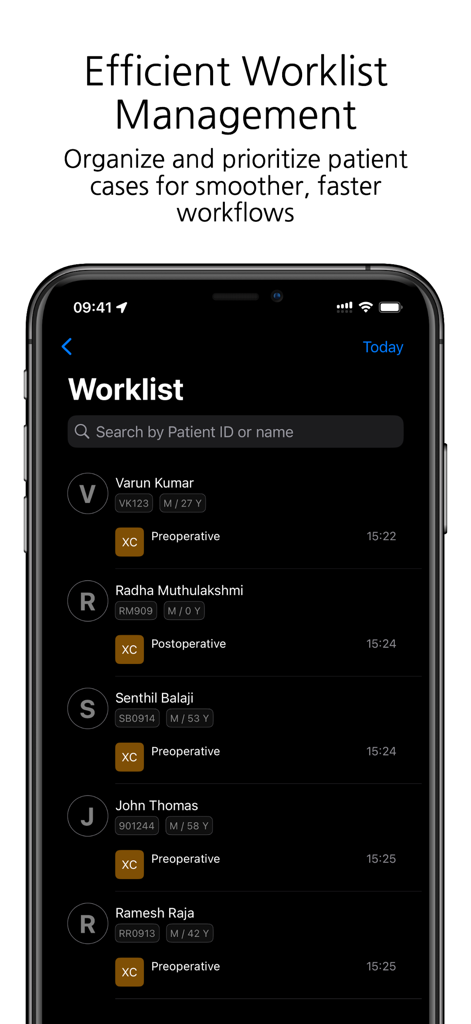
DICOM Camera - DICOMカメラアプリのインターフェースに、IDと術前または術後のステータスを持つ患者ケースのリストが表示されている。
DICOMカメラアプリのインターフェースに、IDと術前または術後のステータスを持つ患者ケースのリストが表示されている。

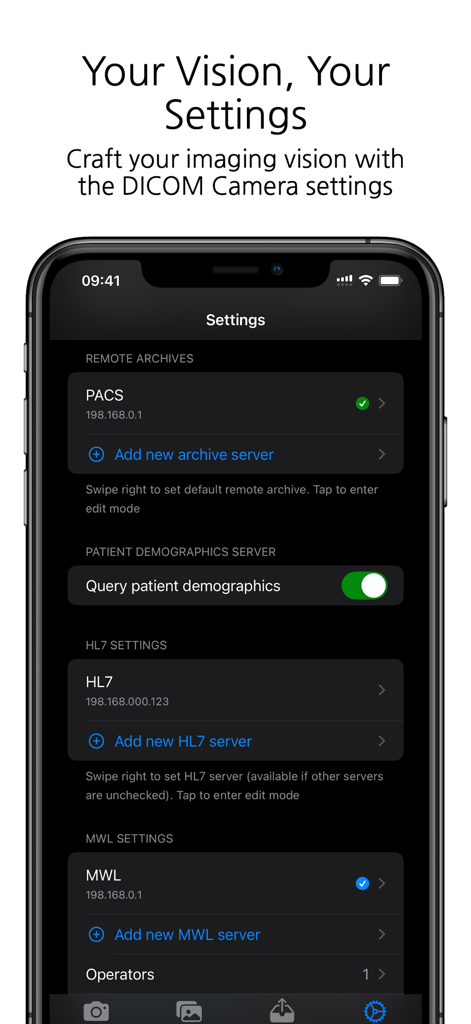
DICOM Camera - PACS HL7およびMWLサーバーの設定オプションを表示するDICOMカメラアプリの設定画面
PACS HL7およびMWLサーバーの設定オプションを表示するDICOMカメラアプリの設定画面

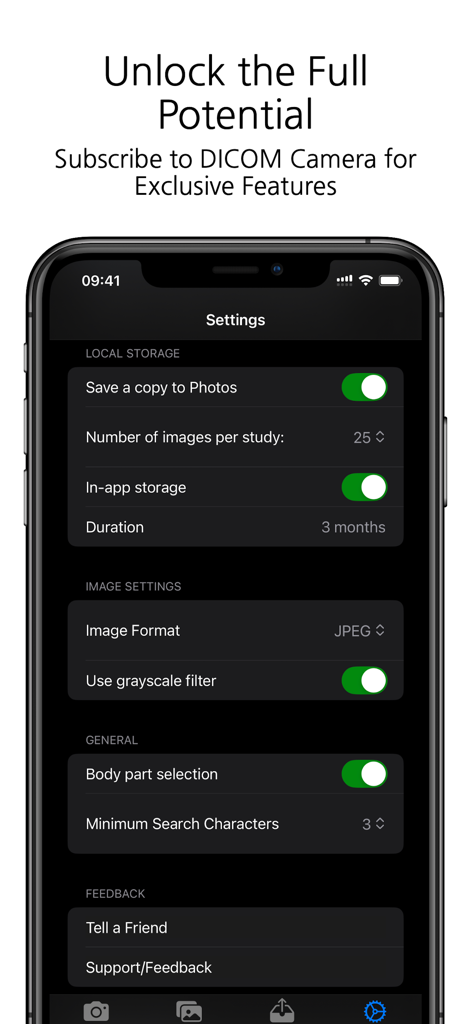
DICOM Camera - 医療画像ストレージと臨床設定オプションを表示するDICOMカメラアプリの設定メニュー

医療画像ストレージと臨床設定オプションを表示するDICOMカメラアプリの設定メニュー

説明

DICOM Camera: The Ultimate Medical Imaging Companion The DICOM Camera app is a cutting-edge solution for medical professionals who need to capture, store, and manage medical images and videos with ease. Designed to integrate seamlessly into any medical workflow, DICOM Camera offers powerful features to streamline medical imaging while ensuring compliance with DICOM standards. With its advanced features, DICOM Camera enables easy capture, storage, and sharing of high-quality medical images. Key Features: 1. Configure Multiple Remote Archive Servers Effortlessly connect and configure multiple remote DICOM archive servers (PACS). This feature allows users to store and retrieve studies across various servers, ensuring scalability and secure access to imaging data. 2. Capture Up to 25 Photos per Study With DICOM Camera, you can capture up to 25 high-quality medical images per study. This is ideal for documenting comprehensive cases where multiple images are required to fully capture the clinical details. 3. Record Up to 5 Minutes of Video per Study The app supports video recording of up to 5 minutes per study, making it perfect for capturing dynamic or procedural data, endoscopic procedures, or surgical documentation. 4. Configure Multiple HL7 Servers DICOM Camera allows users to integrate multiple HL7 servers for seamless communication with hospital information systems (HIS) and electronic medical record (EMR) systems, ensuring smooth data flow between systems. 5. Configure Multiple MWL Servers Integration with multiple Modality Work list (MWL) servers ensures efficient and accurate workflow management. You can configure several MWL servers to pull patient data, ensuring proper association of captured images and videos with patient records. 6. In-App Storage of Photos The app provides secure, in-app storage of captured photos, allowing users to manage and organise their studies locally before transferring them to the archive or external servers. 7. Body Part Selection for Photos Enhance the clinical accuracy of your imaging documentation by selecting the specific body part being imaged. This feature helps in ensuring that the medical images are properly annotated and categorised. 8. Capture Photos in Multiple Formats Capture and store photos in various formats such as JPEG, JPEG-Lossless, or JPEG2000 to accommodate different clinical needs or institutional requirements. 9. Grayscale Filters for Image Processing Apply grayscale filters to captured images to enhance contrast and visualisation, particularly useful in medical imaging where grayscale is preferred for clinical assessment. 10. Add Multiple Operators for MWL Technicians Easily manage multiple operators or technicians within the app, especially in larger facilities where different users might be handling the imaging process. This ensures that the correct operator is associated with each study. 11. Activity Log Track all actions performed within the app through an integrated activity log. This feature provides an audit trail for every study captured, helping to maintain compliance and accountability. 12. MPPS Log (Modality Performed Procedure Step) Monitor and log all MPPS events, ensuring accurate tracking of completed imaging procedures. This feature is essential for institutions that need to log procedural information in real time. 13. Support for Multiple Languages DICOM Camera is built for a global audience with support for multiple languages. Users can easily switch between languages, making the app accessible to a diverse range of medical professionals worldwide. 14. Custom App Icon Personalise the look of your DICOM Camera app with a custom app icon, allowing users to choose the visual appearance that suits their preferences. DICOM Camera is designed to simplify the process of capturing and managing medical images and videos, ensuring compliance with healthcare standards and delivering a robust solution for medical professionals.

Download

ダウンロード: App Store

このページはアプリまたはその開発者の公式ページではなく、情報提供および論評を目的として作成された独立した編集出版物です。明示的に別段の記載がない限り、アプリおよびその開発者は、MWM、Apple、Google Play、アプリのパブリッシャー、またはアプリの開発者と提携、承認、後援、認可、またはその他の公式的な関係はなく、このページのいかなる内容も、アプリがMWMのサービスを使用して開発されたことを意味するものではありません。すべての商標、ロゴ、スクリーンショット、その他のコンテンツはそれぞれの所有者の財産です。








