Digital Cockpit - CARID
ダウンロード: App Store

このページはアプリまたはその開発者の公式ページではなく、情報提供および論評を目的として作成された独立した編集出版物です。明示的に別段の記載がない限り、アプリおよびその開発者は、MWM、Apple、Google Play、アプリのパブリッシャー、またはアプリの開発者と提携、承認、後援、認可、またはその他の公式的な関係はなく、このページのいかなる内容も、アプリがMWMのサービスを使用して開発されたことを意味するものではありません。すべての商標、ロゴ、スクリーンショット、その他のコンテンツはそれぞれの所有者の財産です。


ロゴ: Digital Cockpit - CARID
ダウンロード: App Store

Digital Cockpit - CARID

プロフェッショナルなパフォーマンス統計、オフロード傾斜計、グローバルエンターテイメントで、あらゆる車両をアップグレードしましょう。1マイルごとにさらに多くを求める愛好家のために設計された、プレミアムでデータ豊富なコックピットを体験してください。

主要数値

ダウンロード

22K+

ユーザー評価

4.5/5

評価数

100

開発元

Miroslaw Kapalka

カテゴリ

Navigation

対応言語

25

最新バージョン

1.1.1

サイズ

43.6 MB

リリース日

2022年12月18日
機能

あらゆるドライブのためのプロレベルコックピット

現代のドライバーのために設計された、シームレスなインターフェースで、高度なオフロードツール、精密なパフォーマンス追跡、および必須の運転ユーティリティでダッシュボードをアップグレードしましょう。

プロ傾斜計&高度計

オフロードアドベンチャーのために、カスタマイズ可能な音声安全アラートを備えたリアルタイムのピッチとロール監視で、荒れた地形を自信を持ってナビゲートしましょう。

GPSパフォーマンス分析

高精度GPSレポートと視覚的なパフォーマンスグラフで、0-60加速、反応時間、詳細なトリップ統計を追跡しましょう。

以下のスクリーンショットと説明は、アプリの公式ストアリスティングから直接取得されたものであり、アプリ開発者の所有物です。

アプリストア

スクリーンショット
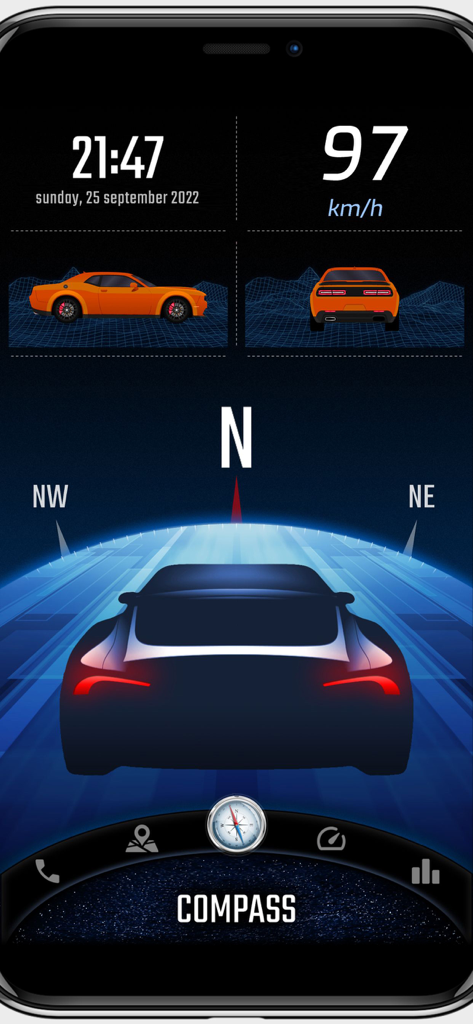
Digital Cockpit - CARID - CARIDデジタルコックピットアプリのインターフェース。スピードメーター、GPSコンパス、車両傾斜計が表示されています。
CARIDデジタルコックピットアプリのインターフェース。スピードメーター、GPSコンパス、車両傾斜計が表示されています。

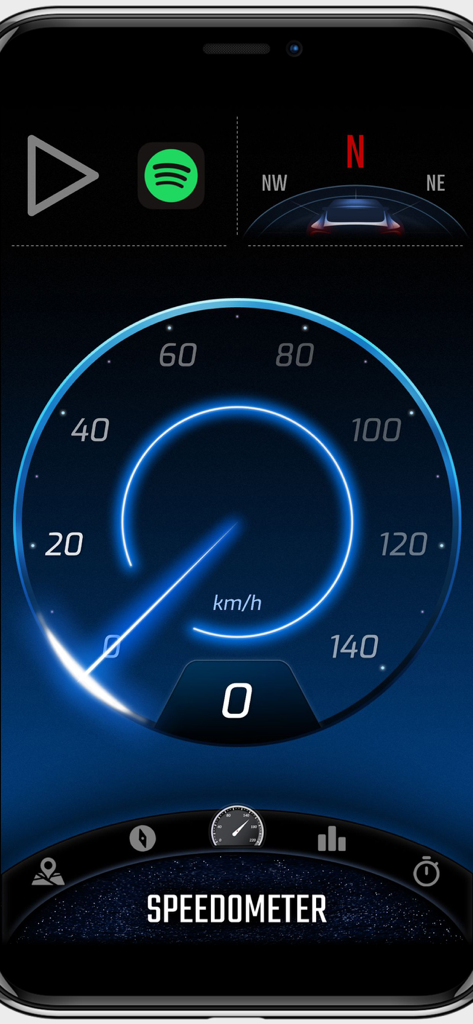
Digital Cockpit - CARID - CARIDアプリのデジタルスピードメーターインターフェース。青い光の効果でkmh表示の速度が表示されています。
CARIDアプリのデジタルスピードメーターインターフェース。青い光の効果でkmh表示の速度が表示されています。

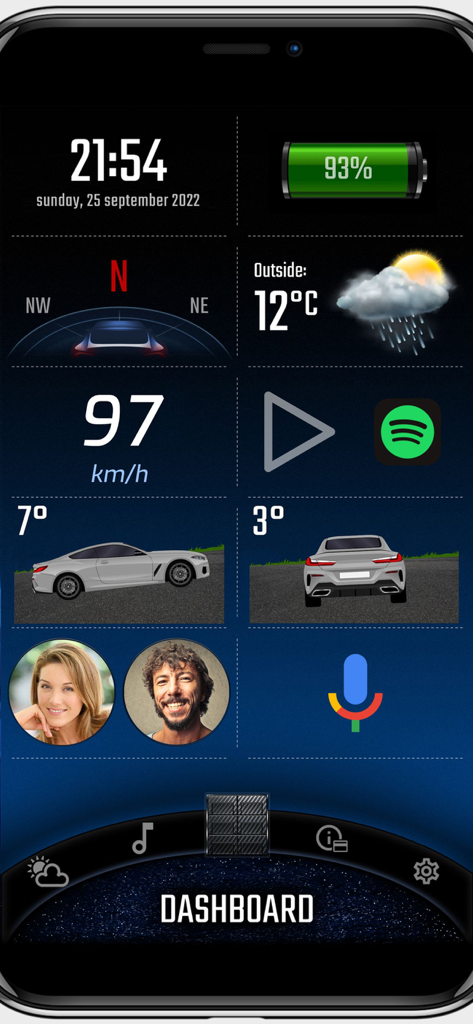
Digital Cockpit - CARID - CARIDデジタルコックピットアプリのダッシュボード。スピードメーター、天気、車両傾斜計が表示されています。
CARIDデジタルコックピットアプリのダッシュボード。スピードメーター、天気、車両傾斜計が表示されています。

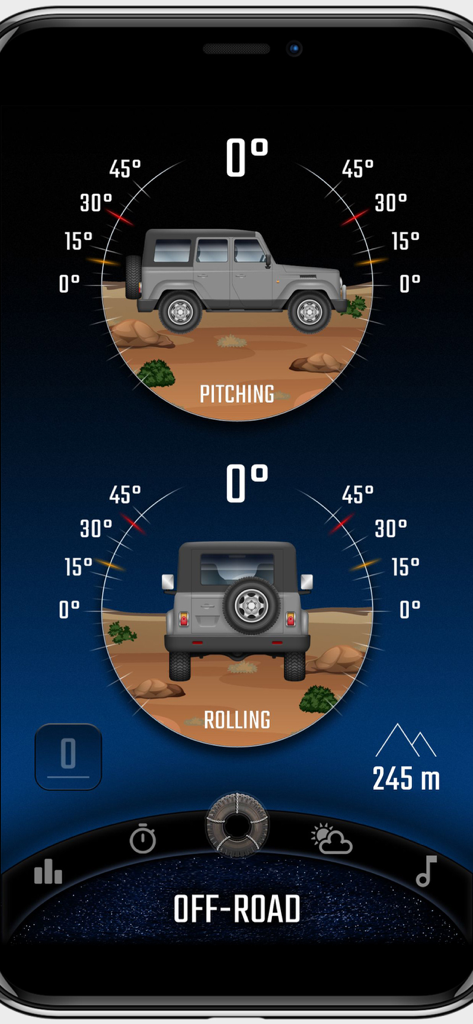
Digital Cockpit - CARID - CARIDデジタルコックピットアプリ。ピッチとロールゲージを備えたオフロード傾斜計が表示されています。
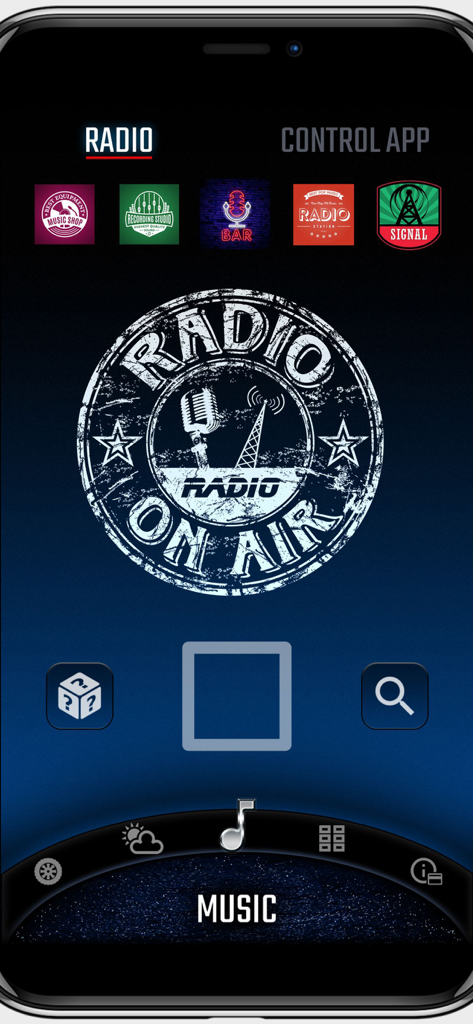
CARIDデジタルコックピットアプリ。ピッチとロールゲージを備えたオフロード傾斜計が表示されています。

Digital Cockpit - CARID - CARIDデジタルコックピットアプリのインターネットラジオ画面。ステーションプリセットと再生コントロールが表示されています。
CARIDデジタルコックピットアプリのインターネットラジオ画面。ステーションプリセットと再生コントロールが表示されています。

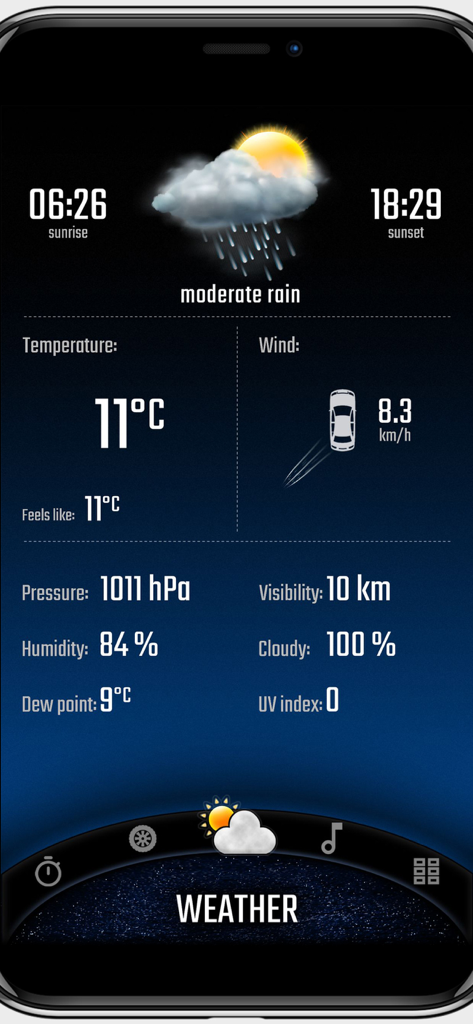
Digital Cockpit - CARID - CARIDアプリの天気ダッシュボード。気温と風の情報が表示されています。

CARIDアプリの天気ダッシュボード。気温と風の情報が表示されています。
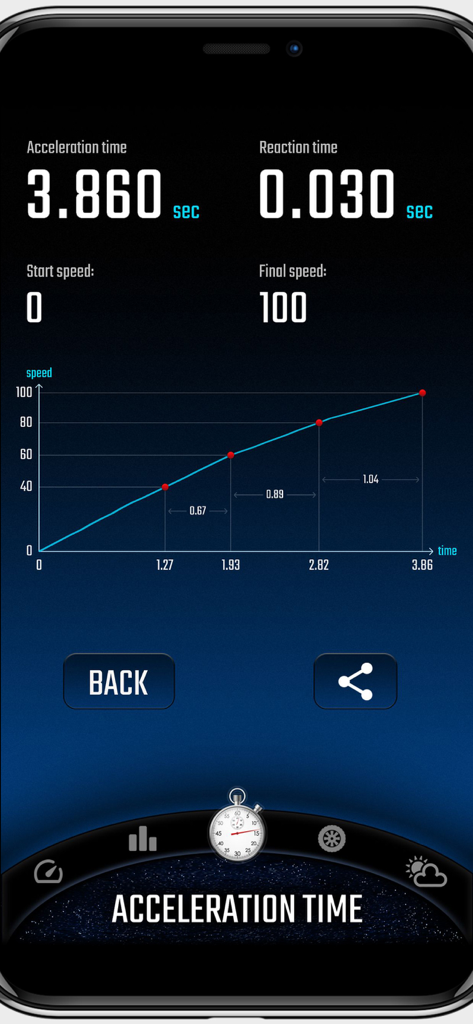
Digital Cockpit - CARID - CARIDデジタルコックピットアプリのインターフェース。車の加速時間とパフォーマンスグラフの統計が表示されています。
CARIDデジタルコックピットアプリのインターフェース。車の加速時間とパフォーマンスグラフの統計が表示されています。

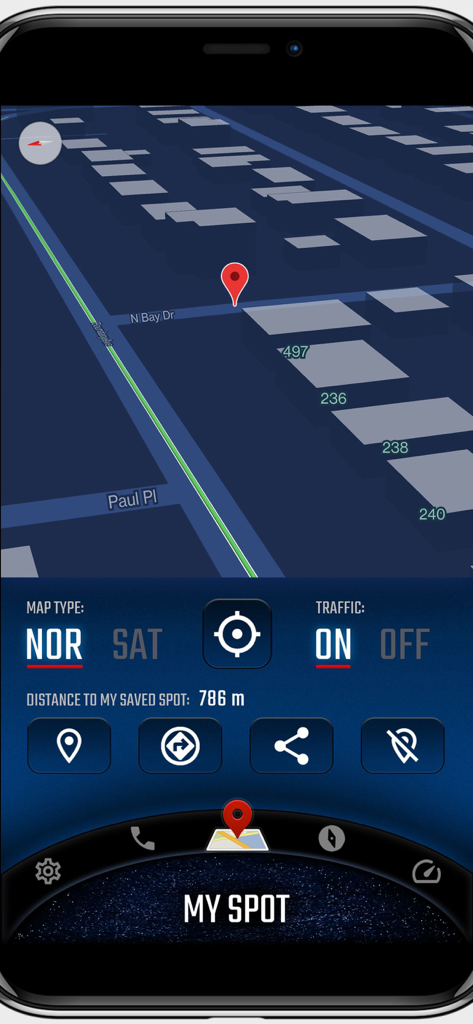
Digital Cockpit - CARID - CARIDデジタルコックピットのマップインターフェース。3Dビューと保存されたスポットの追跡が表示されています。
CARIDデジタルコックピットのマップインターフェース。3Dビューと保存されたスポットの追跡が表示されています。

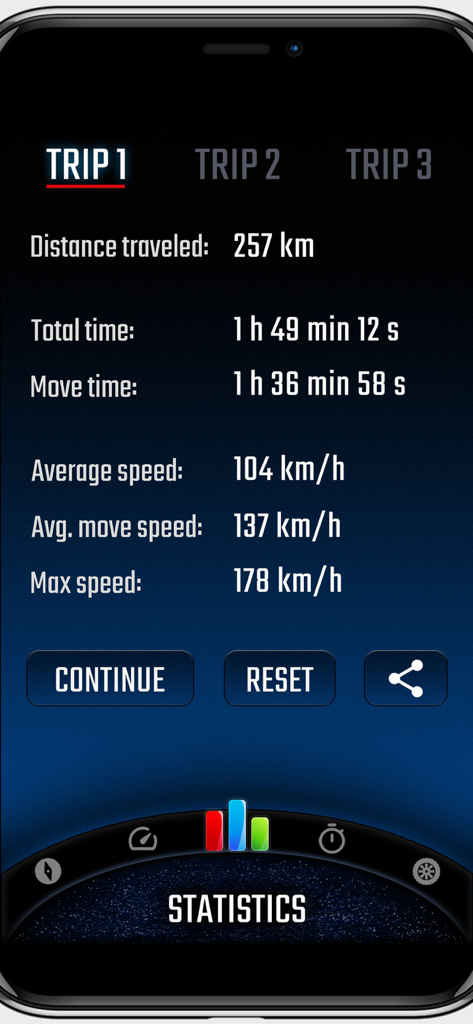
Digital Cockpit - CARID - CARIDデジタルコックピットアプリの画面。距離、移動時間、平均速度を含む詳細なトリップ統計が表示されています。

CARIDデジタルコックピットアプリの画面。距離、移動時間、平均速度を含む詳細なトリップ統計が表示されています。

説明

CARID is a set of carefully selected functions that you won't find in the multimedia systems of most cars. Simply and conveniently switch between them while staying safe on the road. You don't have to waste time customizing the layout of our application for your car. Right after launching, a visually attractive application appears ready for use. Our application is one of the few that can work in portrait or landscape mode - adapting to the position of the mounted device in the car. You will find features such as: • Off-road. The inclinometer will tell you how much your vehicle is pitch/roll. You can set visual and sound warnings - necessary for driving in rough terrain. In addition, the altitude above sea level is displayed. You can customize the appearance of your vehicle and terrain. • Statistics. Distance covered, time, average and maximum speed. You can measure all this data for three, independent routes, and then conveniently share with your friends. • Speedometer - an eye-catching display of your current speed. In addition, it shows the current speed limit on the road on which you are traveling (beta version). • Compass - a very reliable way (based on GPS coordinates, not a sensor from the device) to show the direction of the vehicle. • Acceleration times - with this function you will check the acceleration parameters of your car. You can set any starting and ending speed. During the measurement you will see a graph of the speed to time ratio. An interesting feature is also the measurement of reaction time (the moment of detecting movement from the start signal). • Speed dial - add your favorite contacts, then make phone calls with one click. • My place. A map where you can see your current position. You can easily switch between vector view and satellite view (photos) and turn on traffic information. The most important function is to save your current position (or the position selected on the map - by holding the place with your finger for a second). A useful feature to remember the location of your car or a favorite place. Once you save a point, you can very quickly start navigation to that place or share it with friends. • Internet radio stations from around the world. With one click switch between stations, add them to favorites, search by country or keywords. • Current weather that is automatically refreshed based on your location. The most important information for the driver is loaded, including temperature, humidity, cloud cover, visibility and wind direction in relation to the moving car. You can add widgets with the most important information on the home screen (main panel), speedometer and compass views: • Clock (time and date), • Battery charge status, • Compass, • Weather, • Current speed, • Tilt (pitching/rolling) of the car, • Address of the place where you are, • Information on the distance to the saved location, • Statistics information, • Speed dial (phone), • Altitude above sea level. Apple Terms of Use (EULA): https://www.apple.com/legal/internet-services/itunes/dev/stdeula/

Download

ダウンロード: App Store

このページはアプリまたはその開発者の公式ページではなく、情報提供および論評を目的として作成された独立した編集出版物です。明示的に別段の記載がない限り、アプリおよびその開発者は、MWM、Apple、Google Play、アプリのパブリッシャー、またはアプリの開発者と提携、承認、後援、認可、またはその他の公式的な関係はなく、このページのいかなる内容も、アプリがMWMのサービスを使用して開発されたことを意味するものではありません。すべての商標、ロゴ、スクリーンショット、その他のコンテンツはそれぞれの所有者の財産です。








