Docker Server Admin

Docker Server Admin

ダウンロード: App Store
ロゴ: Docker Server Admin

Docker Server Admin:ポケットに入るプロフェッショナルDevOps管理

リアルタイムのコンテナ統計情報を監視し、SSHスニペットを実行し、安全で高性能なターミナルでLinuxホストを管理 — いつでも、どこでも。

ダウンロード: App Store

開発元

婉媚 邵

カテゴリ

Developer Tools

ダウンロード

73K+

ユーザー評価

4.6/5

評価数

300

対応言語

1

あなたのインフラを一覧で

このインターフェースを利用する 73K+ 人のユーザー.

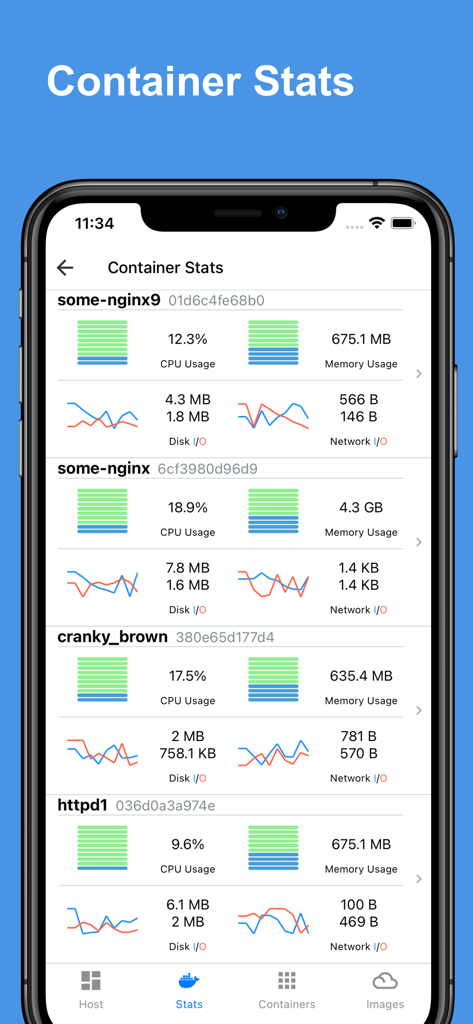
複数のDockerコンテナのリアルタイムCPU、メモリ、ネットワーク使用状況チャートを表示するモバイルダッシュボード。
複数のDockerコンテナのリアルタイムCPU、メモリ、ネットワーク使用状況チャートを表示するモバイルダッシュボード。

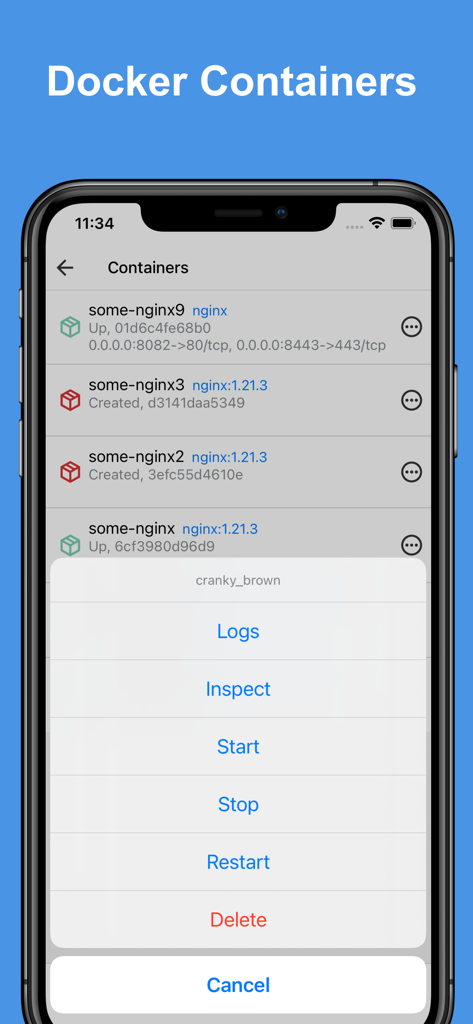
DockerコンテナのリストとiPhone上の管理アクションメニューを表示するDocker Server Adminアプリインターフェース。
DockerコンテナのリストとiPhone上の管理アクションメニューを表示するDocker Server Adminアプリインターフェース。

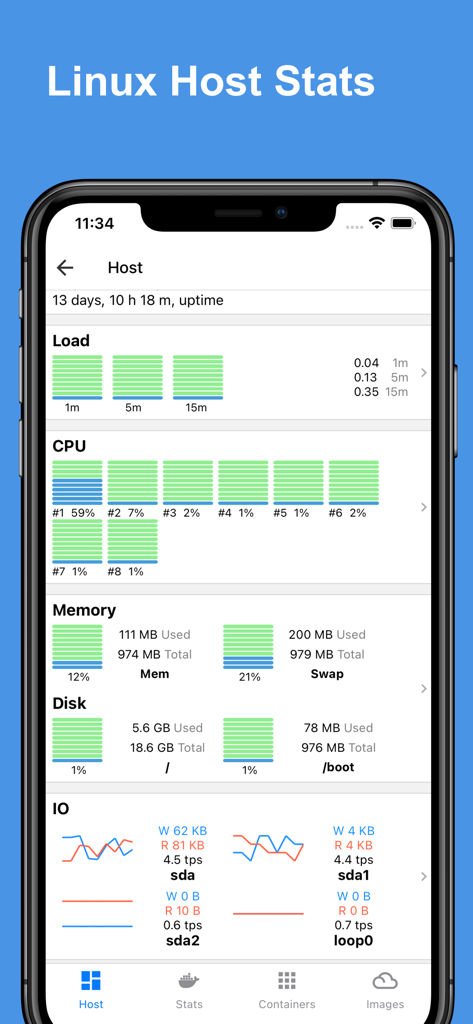
CPUメモリとディスク使用量チャートを含むリアルタイムLinuxホスト統計を表示するダッシュボードであるDocker Server Adminアプリインターフェース。
CPUメモリとディスク使用量チャートを含むリアルタイムLinuxホスト統計を表示するダッシュボードであるDocker Server Adminアプリインターフェース。

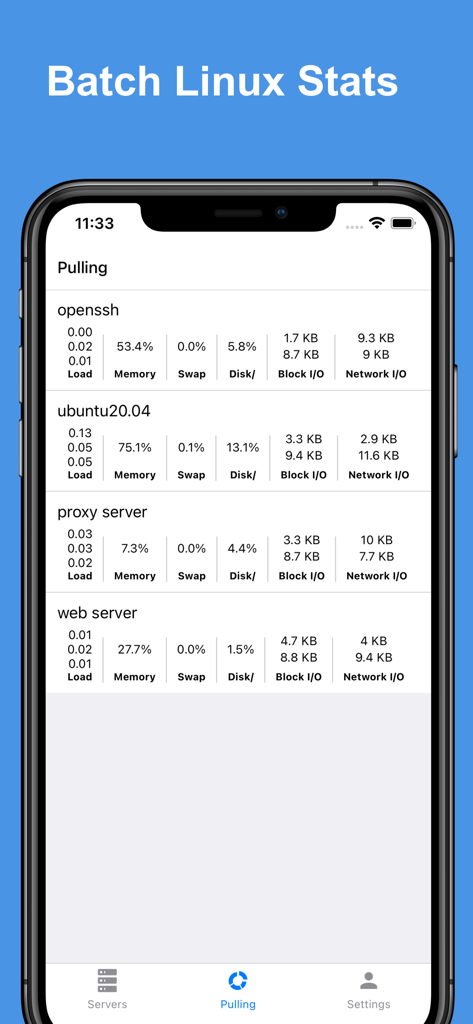
複数のサーバーのバッチLinux統計を表示するDocker Server Adminアプリインターフェース。
複数のサーバーのバッチLinux統計を表示するDocker Server Adminアプリインターフェース。

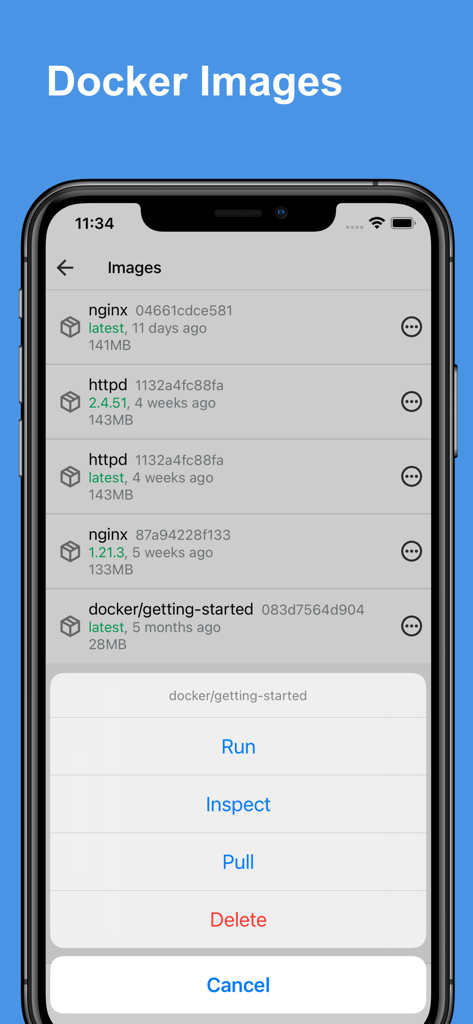
Dockerイメージのリストと、実行、検査、プル、削除のオプションを含むメニューを表示するDocker Server Adminアプリのインターフェース。
Dockerイメージのリストと、実行、検査、プル、削除のオプションを含むメニューを表示するDocker Server Adminアプリのインターフェース。

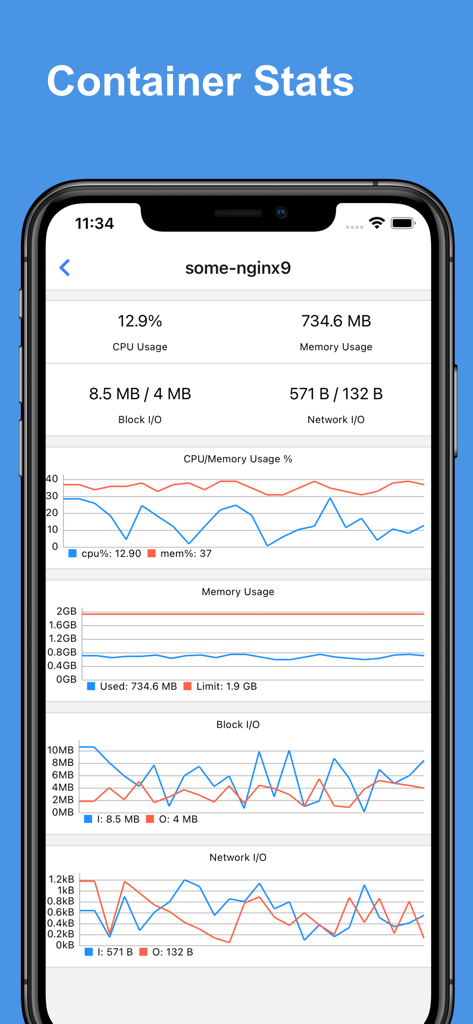
DockerコンテナのリアルタイムCPU、メモリ、ネットワーク使用量チャートを表示するダッシュボード。
DockerコンテナのリアルタイムCPU、メモリ、ネットワーク使用量チャートを表示するダッシュボード。

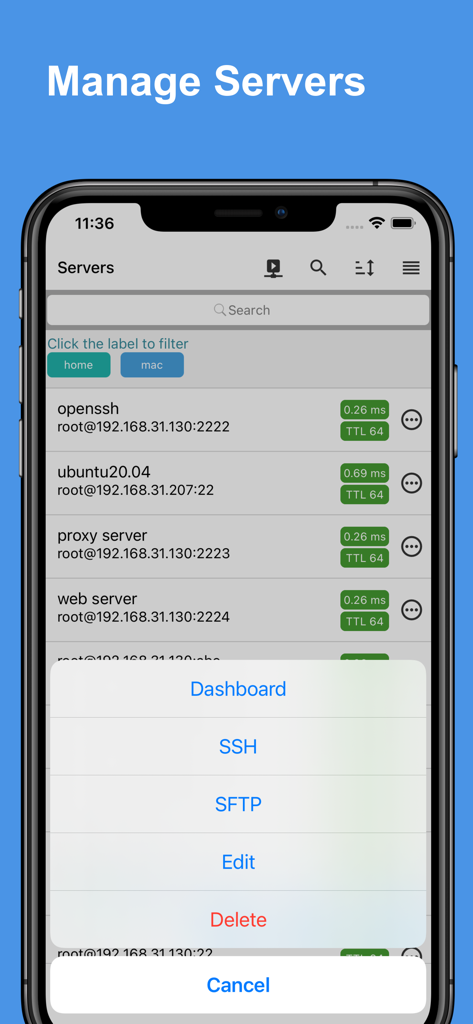
SSHとSFTPのオプションを含む管理メニューとサーバーのリストを表示するDocker Server Adminアプリのモバイルインターフェース。
SSHとSFTPのオプションを含む管理メニューとサーバーのリストを表示するDocker Server Adminアプリのモバイルインターフェース。

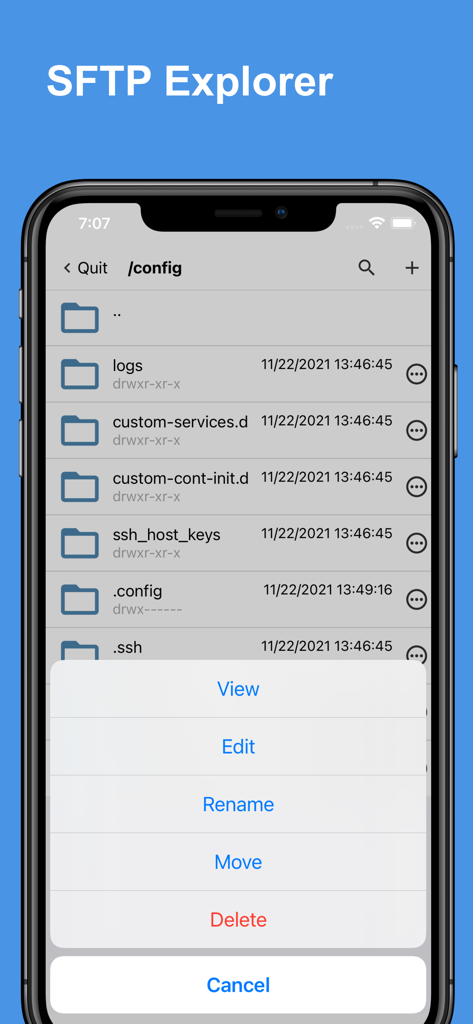
ファイル管理オプションを表示するDocker Server AdminアプリのSFTPエクスプローラーインターフェース。
ファイル管理オプションを表示するDocker Server AdminアプリのSFTPエクスプローラーインターフェース。

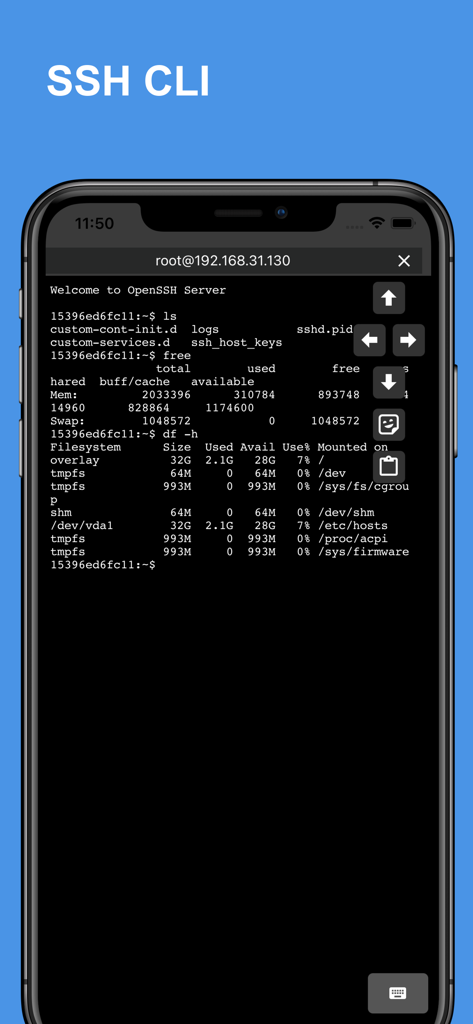
リモートサーバー管理のためのLinuxコマンド出力を表示する携帯電話上のSSH CLIターミナルインターフェース。
リモートサーバー管理のためのLinuxコマンド出力を表示する携帯電話上のSSH CLIターミナルインターフェース。

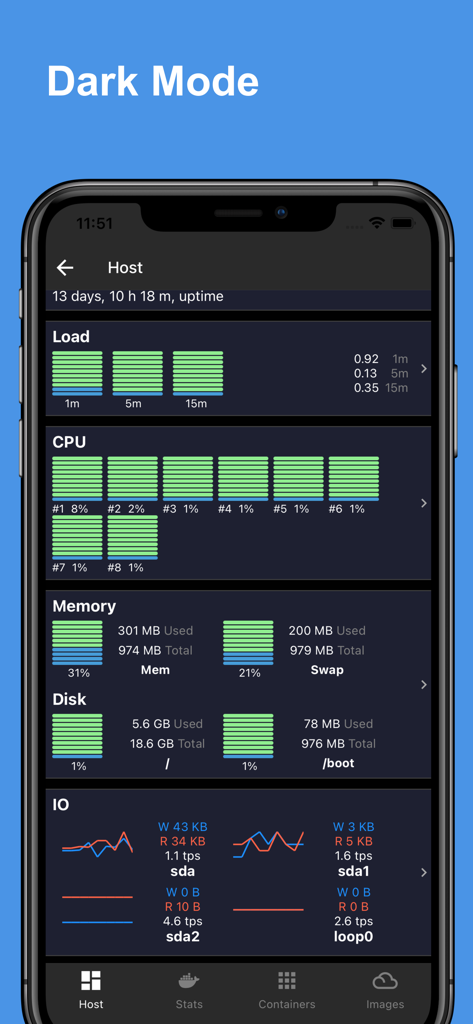
CPUメモリとディスク使用量チャートを含むLinuxホスト統計ダッシュボードを表示する、ダークモードのDocker Server Adminアプリインターフェース。

CPUメモリとディスク使用量チャートを含むLinuxホスト統計ダッシュボードを表示する、ダークモードのDocker Server Adminアプリインターフェース。

どこからでもサーバーをマスター

このアプリを際立たせるツール、 73K+ 人のユーザーが選択.

📊

洞察力のあるヘルスダッシュボード

プロフェッショナルなチャートでCPU、メモリ、ネットワークの使用状況をリアルタイムに監視し、トラブルシューティングを即座に視覚化します。

🚀

簡単なコンテナ管理

複雑なCLI構文を合理化されたモバイルインターフェースに置き換えて、シングルタップでDockerコンテナを開始、停止、検査したり、イメージを管理したりします。

🛡️

安全なSSHと自動化

ジャンプホスト経由で接続し、保存されたコマンドスニペットを使用して複雑なメンテナンスタスクを即座に実行し、モバイルタイピングの摩擦を回避します。

アプリについて

について知っておくべきこと Docker Server Admin.

説明

Docker Server Admin – Comprehensive Docker and Linux Host Management. Monitoring and management of Docker containers, images, and Linux hosts through a secure SSH connection. Docker Container Stats. Gain valuable insights into your Docker containers with detailed statistics: * CPU Usage: Visualize real-time CPU data with comprehensive charts. * Memory Usage: Track memory consumption with intuitive graphical representations. * Disk I/O: Monitor disk read/write operations through detailed charts. * Network I/O: Analyze network traffic with line charts showing data transfer rates. Linux Host Stats Dashboard. Keep your Linux hosts in check with a robust stats dashboard: * Load Averages: View load averages over 1 minute, 5 minutes, and 15 minutes. * CPU Load: Access charts displaying overall and per-core CPU load. * Memory, Swap & Disk Usage: Monitor memory, swap, and disk utilization in real-time. * Disk I/O: Get insights into disk transactions per second and read/write rates. * Network I/O: Track transmission (TX) and reception (RX) rates for comprehensive network monitoring. Docker Container Management. Easily manage your Docker containers with a user-friendly interface: * Container Overview: View a list of containers with names, IDs, statuses, and port mappings. * Container Control: Start, stop, restart, or remove containers as needed. * Inspect & Logs: Inspect container details and access logs for troubleshooting. Docker Image Management. Manage your Docker images with powerful tools: * Image Overview: Access a list of images, including names, IDs, and versions. * Image Control: Run containers from images, inspect image details, pull new images, or delete unwanted ones. SSH Terminal: The built-in SSH client offers full access to your host system's command line, empowering you to perform administrative tasks remotely: * Jump Host & Proxy Support: Connect securely via SSH jump hosts or SOCKS5 proxies, enabling you to manage servers in layered network environments. * Interactive Terminal: Experience a fully interactive terminal that supports real-time command execution, run complex scripts and commands with ease. * Command Management: Benefit from features such as command snippets, making it easy to reuse previous commands. * Copy and Paste Functionality: Quickly copy and paste text between your device and the terminal, simplifying the workflow when working with scripts or configuration files. * Startup & Batch Snippets: Automate your routine tasks with predefined startup snippets or execute batch commands across multiple sessions, saving time and increasing productivity. * Session Persistence: Keep your sessions active for long-running tasks, allowing you to disconnect and reconnect without losing your place. SFTP Explorer: Efficiently manage files on your server: * File & Directory Management: Upload, download, edit, move, rename, and delete files easily. * Streamlined Workflow: Perform operations on files and folders effortlessly, ensuring efficient handling of file transfers or system updates. * User-Friendly Navigation: Browse directories smoothly while managing file permissions directly from the app. The app is a docker third-party client, the app is not affiliated with Docker Corporation. Payment will be charged to iTunes Account at confirmation of purchase. Subscription automatically renews unless auto-renew is turned off at least 24-hours before the end of the current period. Account will be charged for renewal within 24-hours prior to the end of the current period, and identify the cost of the renewal. Subscriptions may be managed by the user and auto-renewal may be turned off by going to the user's Account Settings after purchase. Any unused portion of a free trial period, if offered, will be forfeited when the user purchases a subscription to that publication, where applicable. Terms of use: https://septudio.com/terms-of-use Privacy policy: https://septudio.com/privacy-policy

最新バージョン

1.12

サイズ

94.5 MB

リリース日

2021年11月26日

あなたのインフラを、ポケットの中に。

何千人ものDevOpsプロフェッショナルに加わり、DockerコンテナとLinuxホストを完全に正確に管理しましょう。いつでもどこからでも稼働時間を維持し、サーバーをマスターしましょう。

ダウンロード: App Store

App information, icons, screenshots, and descriptions displayed on this page are sourced from the Apple App Store and are the property of their respective developers. Download estimates and rankings are based on MWM's proprietary models and may not reflect actual figures. This page is provided for informational and analytical purposes only.

Believe this page infringes your intellectual property? File a dispute