
このページはアプリまたはその開発者の公式ページではなく、情報提供および論評を目的として作成された独立した編集出版物です。明示的に別段の記載がない限り、アプリおよびその開発者は、MWM、Apple、Google Play、アプリのパブリッシャー、またはアプリの開発者と提携、承認、後援、認可、またはその他の公式的な関係はなく、このページのいかなる内容も、アプリがMWMのサービスを使用して開発されたことを意味するものではありません。すべての商標、ロゴ、スクリーンショット、その他のコンテンツはそれぞれの所有者の財産です。


Dorico - Compose Music
これまで設計された中で最もインテリジェントな楽譜作成ソフトウェアで、あなたの作品に命を吹き込みましょう。受賞歴のある浄書から強力なMIDI編集まで、スタジオからステージまであなたと共に移動するデスクトップグレードのワークフローを体験してください。
ダウンロード
252K+ユーザー評価
評価数
2K+開発元
カテゴリ
Music対応言語
1最新バージョン
6.1.10サイズ
968.9 MBリリース日
2021年7月27日iPad上でデスクトップクラスの作曲を
これまで構築された中で最もインテリジェントな楽譜作成ソフトウェアを体験してください。最初のスケッチから出版準備のできた楽譜まで、Doricoはプロフェッショナルな浄書と強力なMIDIシーケンスをモバイルワークフローにもたらします。
インテリジェントな自動浄書
手動フォーマットの時間を節約。当社の世界クラスのエンジンは、入力と同時に楽譜を自動的に調整し、あなたの楽譜が常に最高のプロフェッショナル基準を満たすことを保証します。
シームレスなプロフェッショナルワークフロー
スタジオを移動させましょう。デスクトップ版Doricoとの完全な互換性と、タッチ、Magic Keyboard、Apple Pencil注釈に最適化されたインターフェースをお楽しみください。
よくある質問
について知っておくべきこと Dorico - Compose Music
Dorico - Compose Musicとは何ですか?
Doricoは、SteinbergがmacOS、Windows、iPadOS向けに提供する受賞歴のある音楽記譜および作曲ソフトウェアです。ユーザーは、楽曲の記譜、編集、再生、共有を行うことができます。
Dorico - Compose Musicは無料で利用できますか?
はい、Doricoは最大4パートの楽曲であれば無料で利用できます。無料のSteinberg IDを登録すると、この制限は8パートまで拡張されます。
ユーザーはどのようにDoricoで楽曲を入力しますか?
Doricoでは、画面上のピアノキーボード、ドラムパッド、またはフレットボードを使用して楽曲を入力できます。MIDIキーボードを接続したり、外部キーボードショートカットを利用して効率的に入力することも可能です。
Dorico - Compose Musicには再生用のサウンドが含まれていますか?
はい、Doricoには再生用の仮想楽器とエフェクトが組み込まれています。また、互換性のあるAudio Unitプラグインと外部MIDIデバイスもサポートしていますが、これにはオプションのサブスクリプションが必要な場合があります。
ユーザーはDorico - Compose Musicで作成した楽曲をどのように共有できますか?
ユーザーは完成したDoricoの楽曲をPDF、オーディオ、またはMusicXMLファイルとして共有できます。このアプリは、AirPrint対応プリンターへの直接印刷もサポートしています。
Dorico for iPadは他のバージョンのDoricoと互換性がありますか?
Dorico for iPadは、macOSおよびWindows版のDoricoと完全に互換性があります。これにより、ユーザーは異なるデバイス間でシームレスにプロジェクト作業を行い、他のミュージシャンと共有できます。
Dorico - Compose Musicの主なインターフェイスモードは何ですか?
Doricoには4つのモードがあります:Setup(楽器とレイアウトの設定)、Write(入力と編集)、Engrave(グラフィック調整、有料機能)、Play(MIDI編集と再生)。
Doricoのサブスクリプションではどのような高度な機能が利用可能になりますか?
Doricoの有料サブスクリプションまたはアプリ内購入のLifetime Unlockにより、Engraveモードへのアクセスが可能になり、無制限のパート数のアンサンブルの記譜が可能になります。
Dorico - Compose MusicはMIDI編集機能を備えていますか?
はい、Doricoは強力なMIDI編集ツールを備えています。これには、Playモードで利用できるピアノロールエディタやベロシティエディタが含まれており、楽曲の演奏を調整できます。
以下のスクリーンショットと説明は、アプリの公式ストアリスティングから直接取得されたものであり、アプリ開発者の所有物です。
アプリストア
スクリーンショット
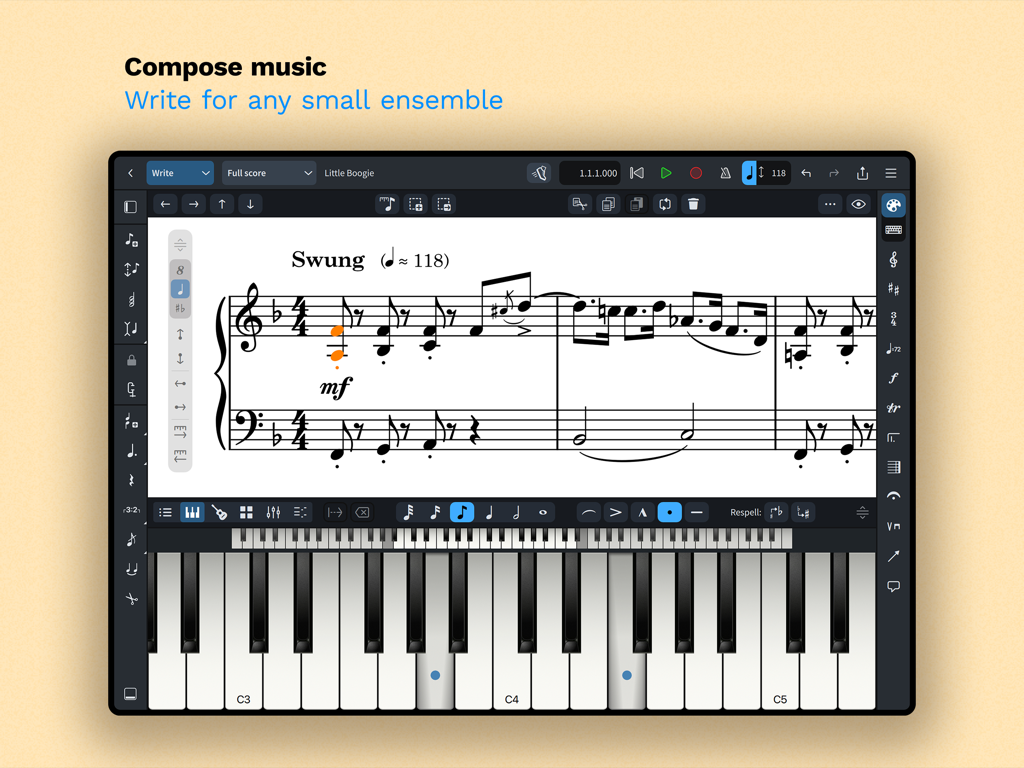
iPad上のDorico楽譜作成インターフェース。楽譜と画面上のピアノキーボードが表示されています。
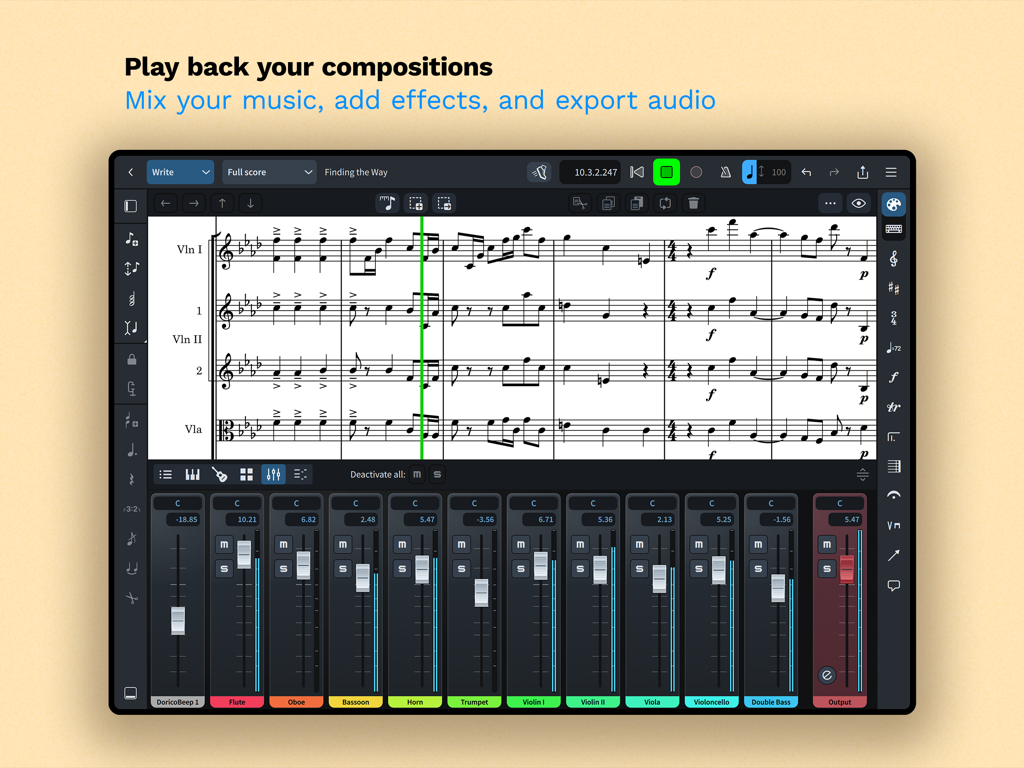
iPad上で楽譜と統合されたマルチトラックオーディオミキサーが表示されているDoricoアプリインターフェース。
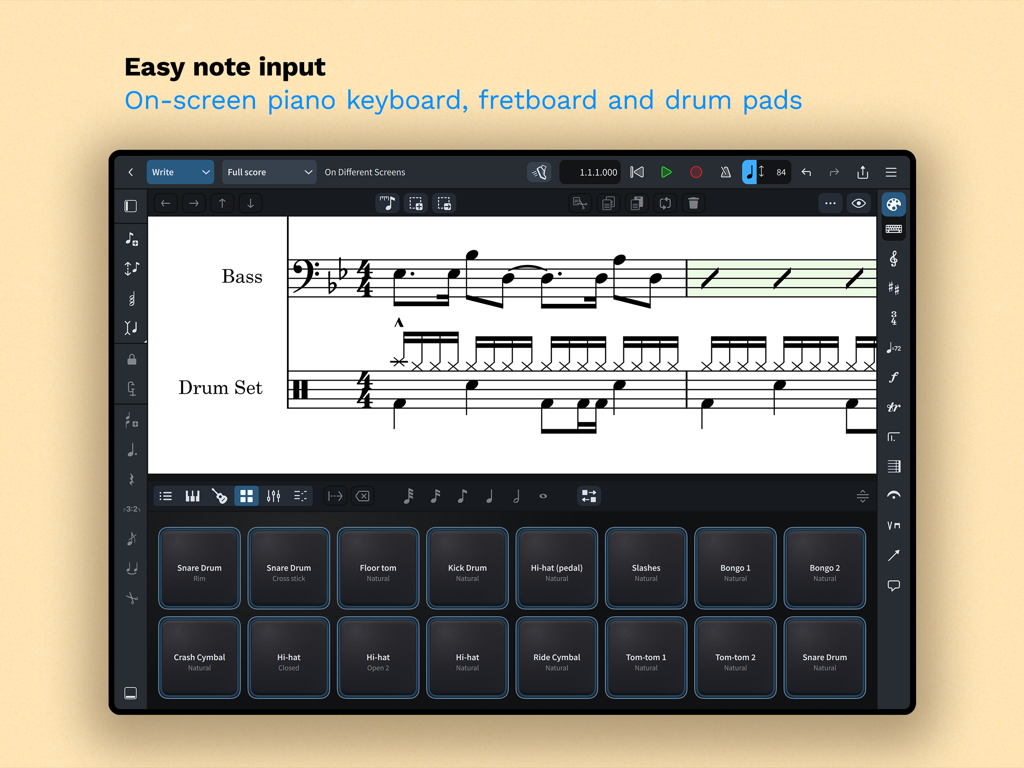
iPad上のDoricoアプリインターフェース。簡単な楽譜入力のための画面上のドラムパッドが表示されています。
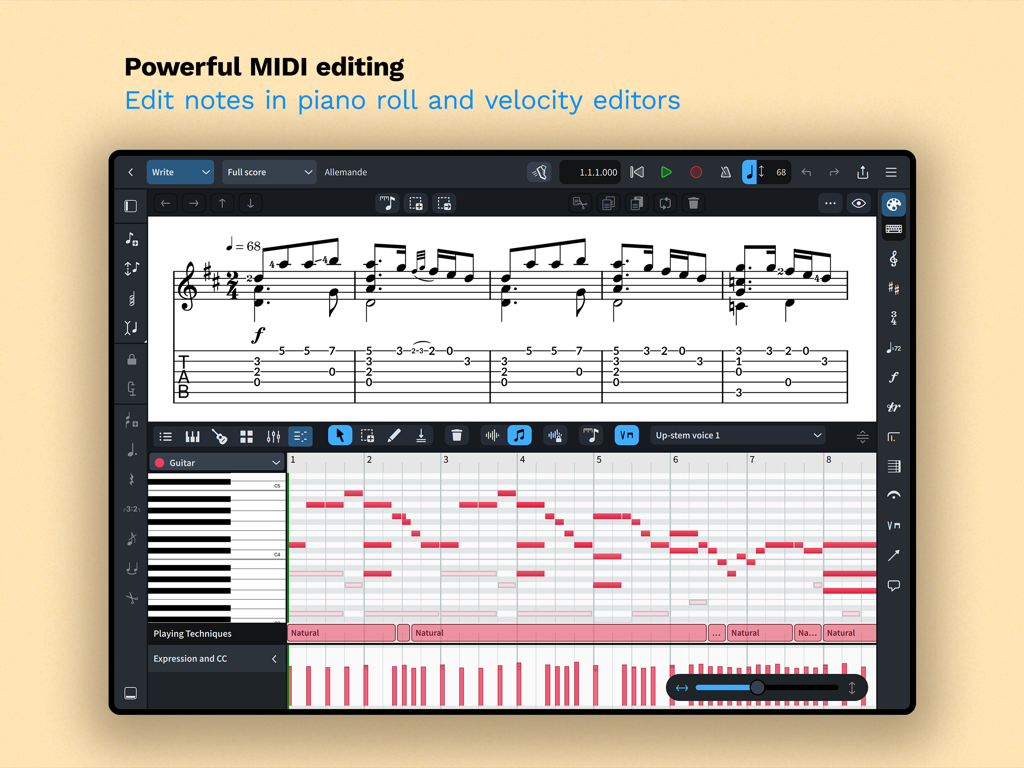
iPad上のDoricoアプリインターフェース。作曲のためのピアノロールとベロシティエディタを備えた強力なMIDI編集が表示されています。
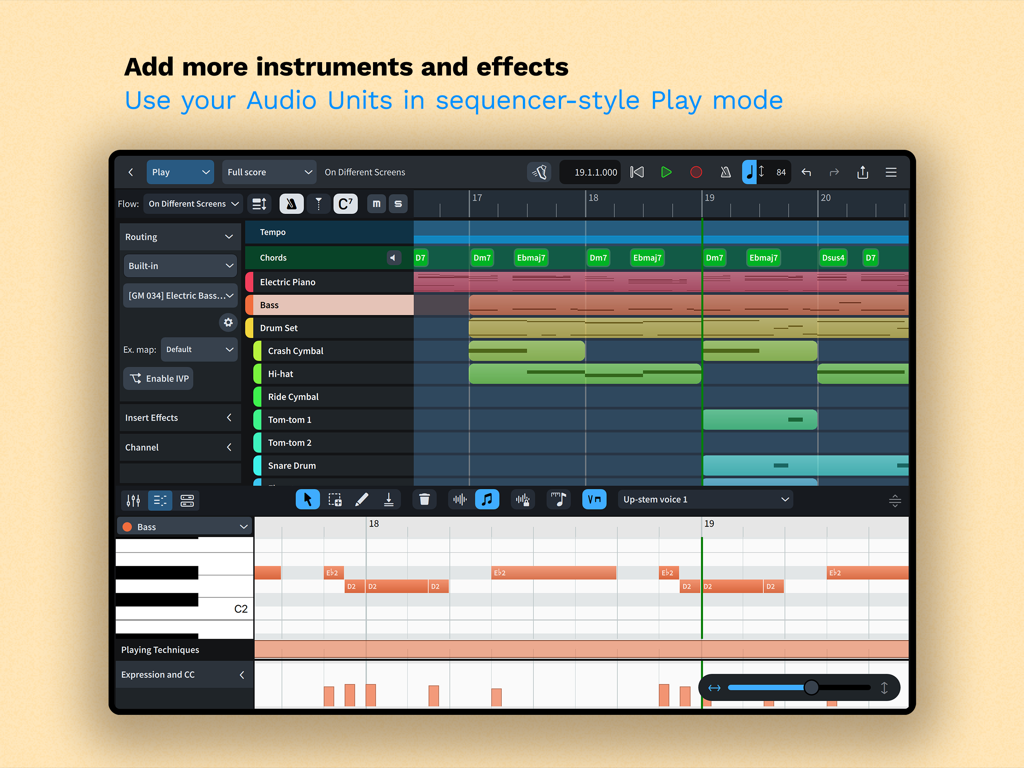
Dorico iPadアプリの再生モードインターフェース。マルチトラックシーケンサーとピアノロールMIDIエディタが特徴です。
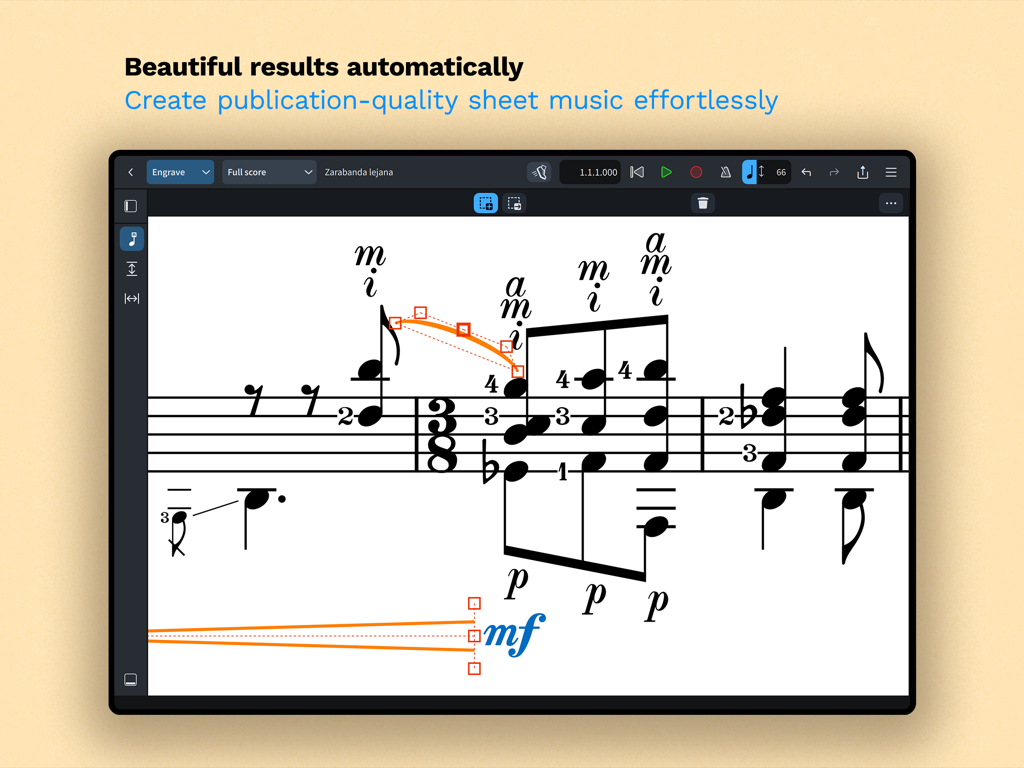
自動フォーマットを備えた浄書モードでのプロフェッショナルな楽譜表示。Doricoアプリインターフェースのスクリーンショット。
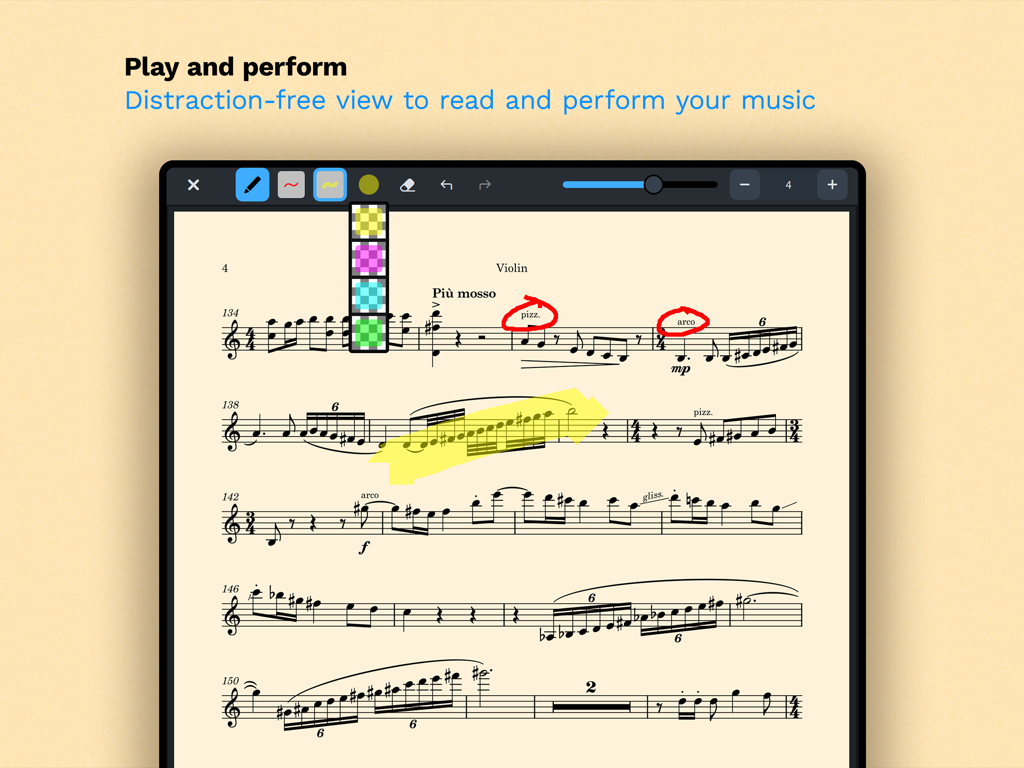
散漫にならない読み取りモードでのバイオリンの楽譜。デジタル注釈とハイライトが表示されています。
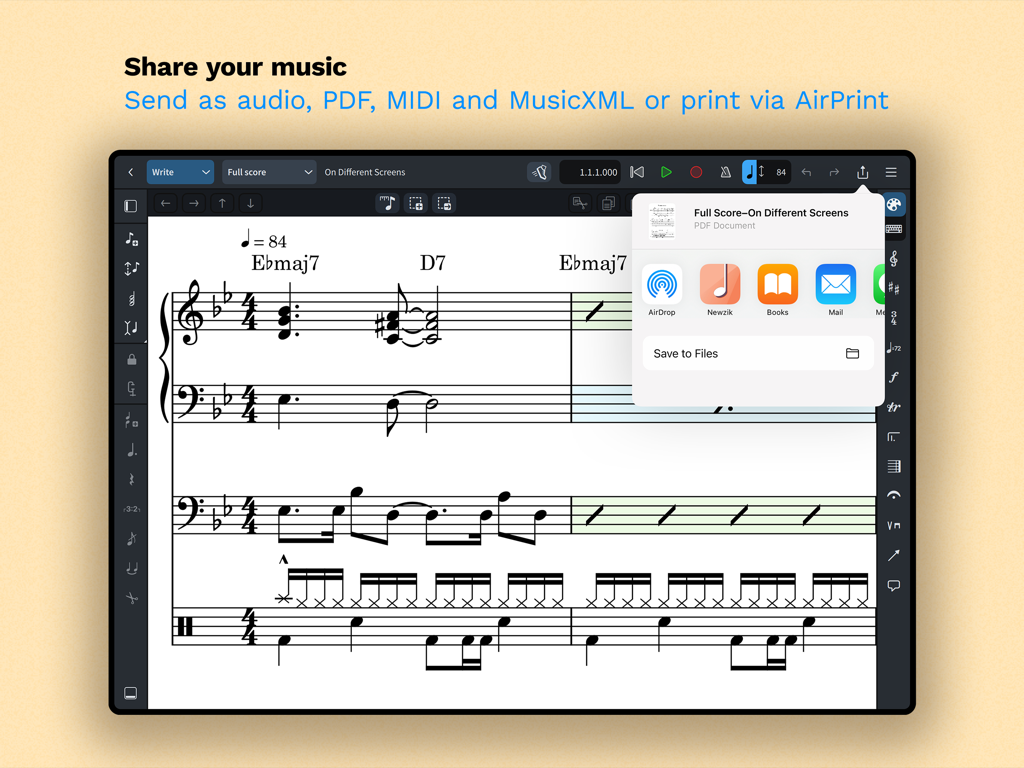
iPad画面。Doricoでの楽譜共有およびエクスポートオプションを表示しています。
説明
Download
類似アプリ
似た機能とユーザー体験を持つアプリ

来音制谱-sheet music editing
Beijing Xihang Technology Co., Ltd.

Composer Pro - Score Creator
嵩 张

Sibelius
Avid Technology Inc

Notation Pad-Sheet Music Score
嵩 张

Piano+ - Sheet Music Composer
嵩 张

Score Creator: compose music
Sharp Notes Company Limited

Maestro - Music Composer
Future Sculptor Pty Ltd

NotateMe
Neuratron Limited
Fender Notion: Music & Tab
Fender Digital, LLC
このページはアプリまたはその開発者の公式ページではなく、情報提供および論評を目的として作成された独立した編集出版物です。明示的に別段の記載がない限り、アプリおよびその開発者は、MWM、Apple、Google Play、アプリのパブリッシャー、またはアプリの開発者と提携、承認、後援、認可、またはその他の公式的な関係はなく、このページのいかなる内容も、アプリがMWMのサービスを使用して開発されたことを意味するものではありません。すべての商標、ロゴ、スクリーンショット、その他のコンテンツはそれぞれの所有者の財産です。