
このページはアプリまたはその開発者の公式ページではなく、情報提供および論評を目的として作成された独立した編集出版物です。明示的に別段の記載がない限り、アプリおよびその開発者は、MWM、Apple、Google Play、アプリのパブリッシャー、またはアプリの開発者と提携、承認、後援、認可、またはその他の公式的な関係はなく、このページのいかなる内容も、アプリがMWMのサービスを使用して開発されたことを意味するものではありません。すべての商標、ロゴ、スクリーンショット、その他のコンテンツはそれぞれの所有者の財産です。

来音制谱-sheet music editing
AIスキャンで紙の楽譜をデジタルファイルに変換し、直感的なツールでどんな楽器にも作曲し、あなたの傑作をモバイルデバイスで即座に再生します。
ダウンロード
231K+ユーザー評価
評価数
11K+開発元
カテゴリ
Music対応言語
1最新バージョン
2.13.0サイズ
234.1 MBリリース日
2023年7月5日プロフェッショナルな音楽記譜を、シンプルに
AI搭載のスキャンから直感的なタッチ編集まで、あなたの音楽のアイデアを、どこにいても数分で美しい楽譜に変換します。
AI搭載スマートスキャン
面倒な手入力はスキップ。紙の楽譜の写真を撮るだけで、デジタルで編集・再生可能なファイルに即座に変換できます。
直感的なモバイル作曲
iPadやiPhoneで最高のスピードを実現するように設計された科学的なキーボードレイアウトを使用して、ピアノ、ギター、ウクレレなどの作曲ができます。
インスタント再生・プロエクスポート
すべての音符を完璧にするために、リアルタイムで作品を聴き、PDFまたはMusicXMLにエクスポートして、教師、バンド、アンサンブルと共有できます。
高度なAI採譜
複雑なリズムや微妙なダイナミクスも、AIが正確に識別し、楽譜に変換します。
よくある質問
について知っておくべきこと 来音制谱-sheet music editing
来音制谱-sheet music editing の主な機能は何ですか?
来音制谱-sheet music editing は、音楽愛好家やプロフェッショナル向けの使いやすいソフトウェアです。キーボード入力とAIカメラ認識によるデジタル変換を通じて、ユーザーは効率的に楽曲の楽譜を作成、編集、再生することができます。
来音制谱-sheet music editing は様々な楽器の楽譜を作成できますか?
はい、来音制谱-sheet music editing はピアノ、ギター、古筝、ヴァイオリン、ウクレレ、ボーカル音楽の楽譜の作成と編集をサポートしています。また、複数パートのカスタム楽譜編集や異なる記譜法にも対応しています。
来音制谱-sheet music editing は紙の楽譜をどのように扱いますか?
来音制谱-sheet music editing はAIカメラ認識機能を利用しています。ユーザーは紙の楽譜を写真で撮るだけでアップロードでき、編集や持ち運びに便利なデジタル楽譜に変換できます。
来音制谱-sheet music editing は楽譜の再生機能を提供していますか?
はい、来音制谱-sheet music editing には楽譜再生機能が含まれています。編集後、ユーザーはアプリ内で直接作曲を再生でき、楽曲のプレビューや改善に役立ちます。
来音制谱-sheet music editing からどのようなファイル形式でエクスポートできますか?
来音制谱-sheet music editing は、作成した楽譜を複数の形式でエクスポートすることをサポートしています。これには、PDF、MusicXML、来音楽譜、画像ファイルが含まれており、他のアプリケーションへの保存や共有が容易になります。
来音制谱-sheet music editing で楽譜作成に使用できる入力方法はどのようなものがありますか?
来音制谱-sheet music editing は、効率的な入力方法を提供しています。ユーザーは、科学的なキーボード入力、内蔵シミュレーター、またはMIDIデバイス入力を使用して楽譜を作成でき、多様な作成ワークフローをサポートします。
来音制谱-sheet music editing は記譜法の変換ができますか?
はい、来音制谱-sheet music editing は五線譜を簡略譜に変換することをサポートしています。この機能により、ユーザーは作曲を異なる読譜の好みや音楽的文脈に適応させることができます。
以下のスクリーンショットと説明は、アプリの公式ストアリスティングから直接取得されたものであり、アプリ開発者の所有物です。
アプリストア
スクリーンショット
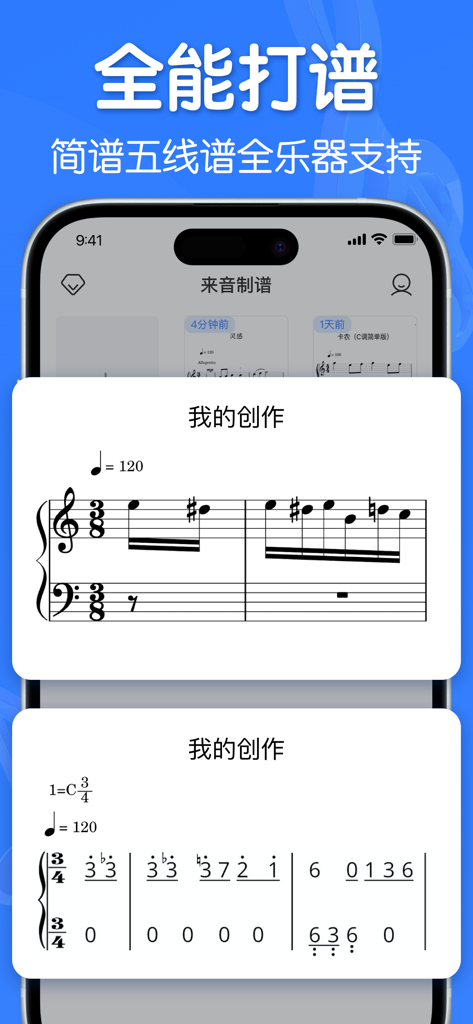
標準的な五線譜と簡略化された数字譜の両方を示すモバイルアプリのインターフェース。
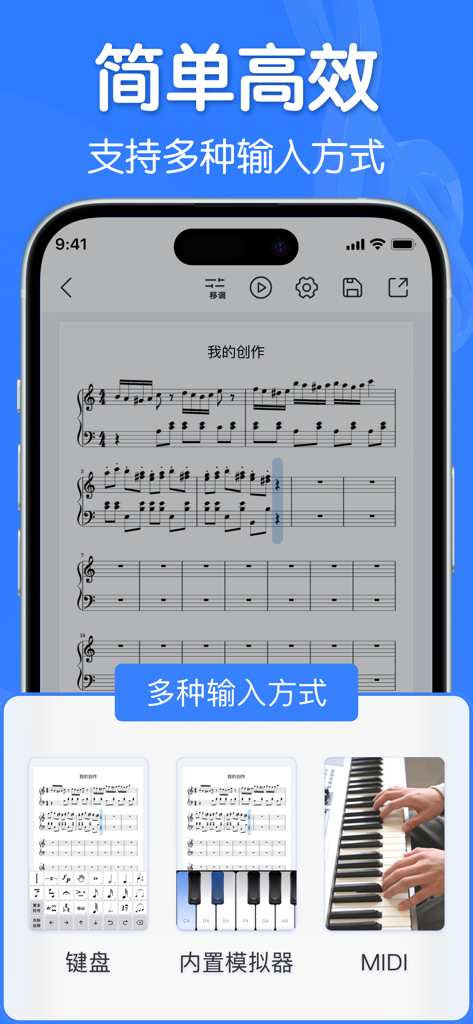
MIDIや仮想キーボードを含む複数の楽譜入力方法を示すインターフェース
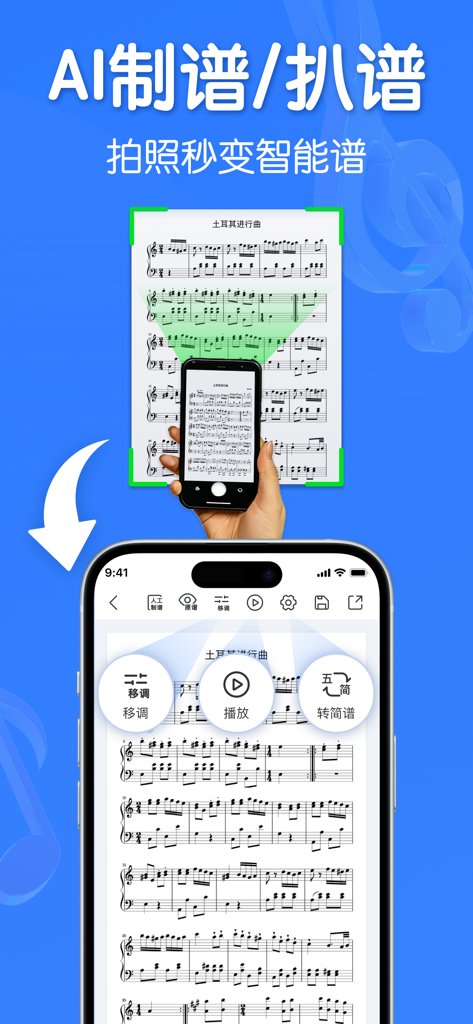
AIを使用して紙の楽譜をスキャンし、デジタル記譜に変換しているスマートフォンアプリ
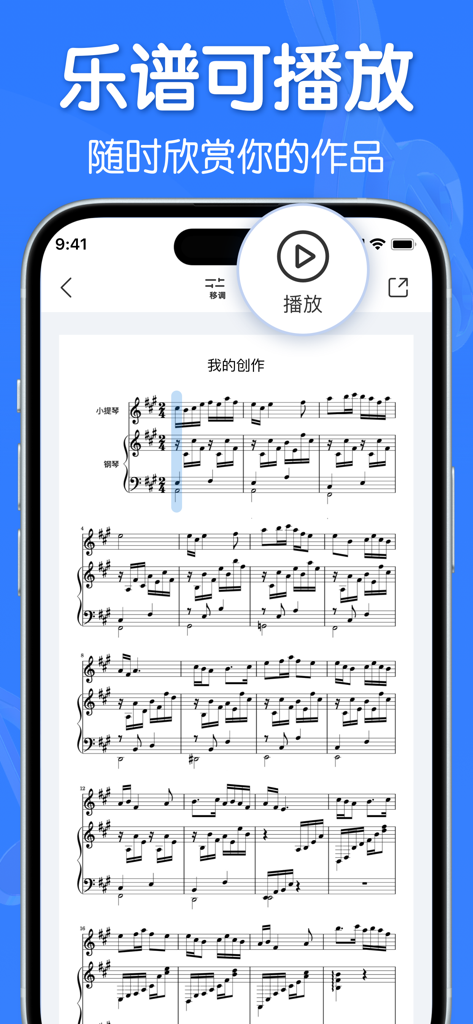
オーディオ再生用の大きな再生ボタンが付いたデジタル楽譜を表示するモバイルアプリ。
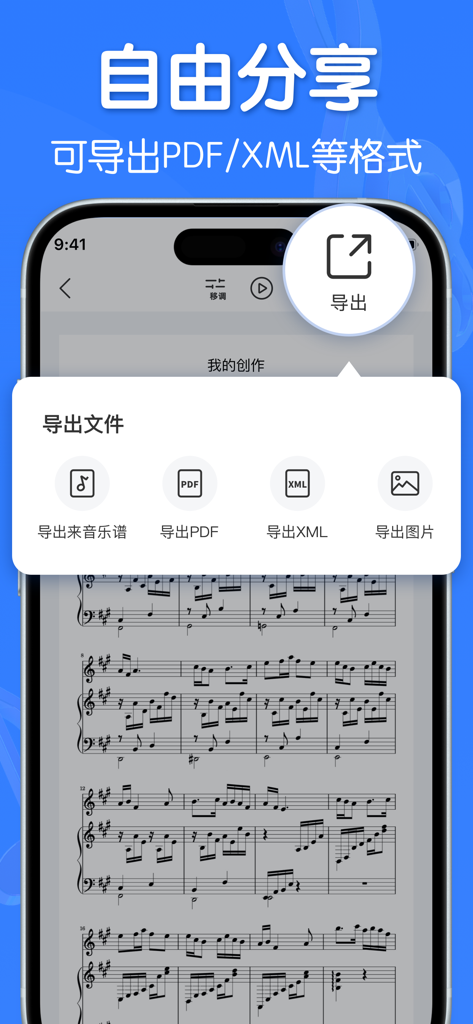
PDFおよびXML形式のオプションを含むエクスポートメニューを示す来音記譜アプリのスマートフォンのスクリーンショット
説明
Download
類似アプリ
似た機能とユーザー体験を持つアプリ

Dorico - Compose Music
Steinberg Media Technologies GmbH

Composer Pro - Score Creator
嵩 张

Sibelius
Avid Technology Inc

Notation Pad-Sheet Music Score
嵩 张

Piano+ - Sheet Music Composer
嵩 张

Score Creator: compose music
Sharp Notes Company Limited

Maestro - Music Composer
Future Sculptor Pty Ltd

NotateMe
Neuratron Limited

Fender Notion: Music & Tab
Fender Digital, LLC
このページはアプリまたはその開発者の公式ページではなく、情報提供および論評を目的として作成された独立した編集出版物です。明示的に別段の記載がない限り、アプリおよびその開発者は、MWM、Apple、Google Play、アプリのパブリッシャー、またはアプリの開発者と提携、承認、後援、認可、またはその他の公式的な関係はなく、このページのいかなる内容も、アプリがMWMのサービスを使用して開発されたことを意味するものではありません。すべての商標、ロゴ、スクリーンショット、その他のコンテンツはそれぞれの所有者の財産です。