DreamMapper
DreamMapper
ダウンロード: App Store

このページはアプリまたはその開発者の公式ページではなく、情報提供および論評を目的として作成された独立した編集出版物です。明示的に別段の記載がない限り、アプリおよびその開発者は、MWM、Apple、Google Play、アプリのパブリッシャー、またはアプリの開発者と提携、承認、後援、認可、またはその他の公式的な関係はなく、このページのいかなる内容も、アプリがMWMのサービスを使用して開発されたことを意味するものではありません。すべての商標、ロゴ、スクリーンショット、その他のコンテンツはそれぞれの所有者の財産です。

ロゴ: DreamMapper
ダウンロード: App Store

DreamMapper

CPAP体験を変革した100万人以上のユーザーに加わりましょう。Philipsデバイスを同期して、毎日の治療の洞察、パーソナライズされた目標、専門家によるトラブルシューティングにアクセスし、毎晩がより良い一日につながるようにしましょう。

主要数値

ダウンロード

1M+

ユーザー評価

4.5/5

評価数

120K+

開発元

Respironics, Inc.

カテゴリ

Medical

対応言語

23

最新バージョン

3.2.0

サイズ

75.8 MB

リリース日

2012年9月30日
機能

睡眠治療を簡単にマスターしよう

パーソナライズされた毎日の洞察で情報を入手し、モチベーションを維持しましょう。CPAPデータを実用的な進歩に変えて、よりエネルギッシュな明日へ。

毎日の治療の洞察

マスクのフィット感や治療時間を含む、その夜の詳細な概要で目覚めましょう。治療がどのように機能しているかを正確に把握できます。

パーソナライズされた目標設定

カスタム治療マイルストーンを設定し、医師の計画を確実に遵守するためのアラートを受け取ることで、健康に積極的に関与しましょう。

以下のスクリーンショットと説明は、アプリの公式ストアリスティングから直接取得されたものであり、アプリ開発者の所有物です。

アプリストア

スクリーンショット
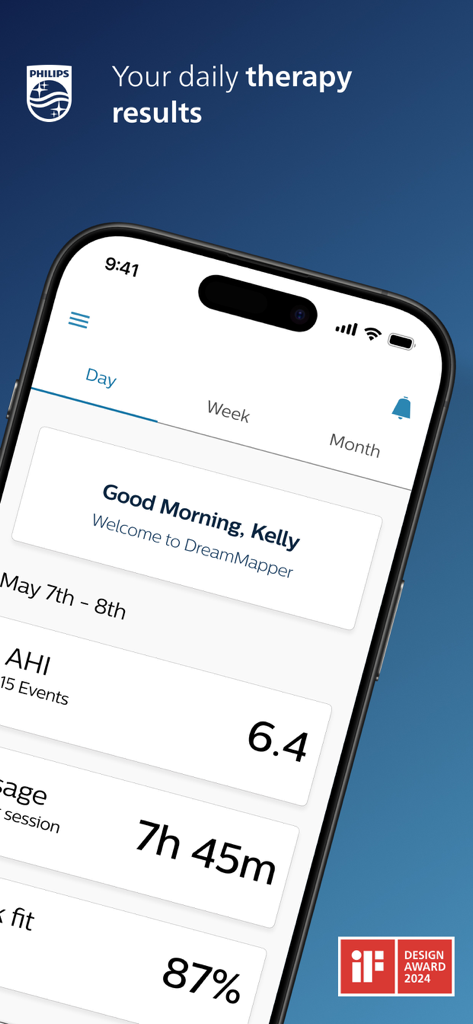
DreamMapper - DreamMapperアプリのダッシュボードがスマートフォンに表示され、AHIや使用時間などの睡眠時無呼吸治療データが表示されます。
DreamMapperアプリのダッシュボードがスマートフォンに表示され、AHIや使用時間などの睡眠時無呼吸治療データが表示されます。

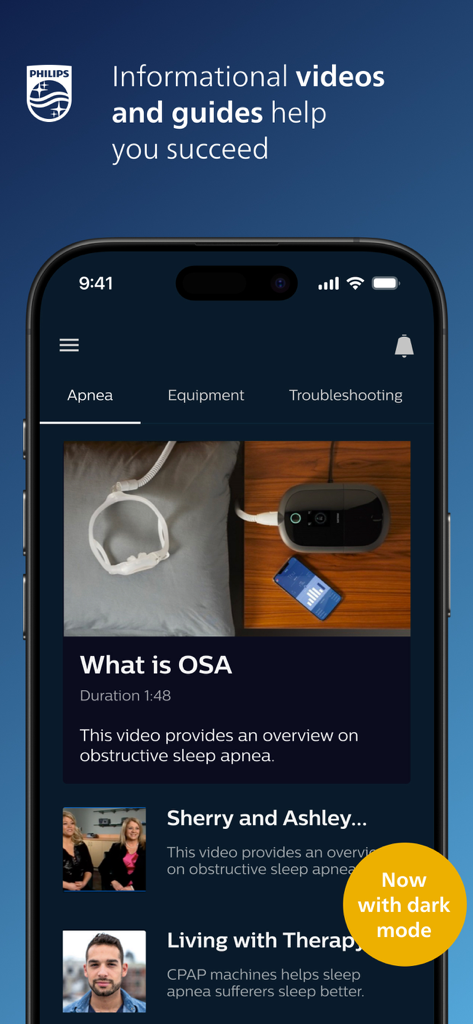
DreamMapper - DreamMapperアプリのインターフェイスには、ダークモードでの睡眠時無呼吸に関する情報ビデオやガイドが表示されます。
DreamMapperアプリのインターフェイスには、ダークモードでの睡眠時無呼吸に関する情報ビデオやガイドが表示されます。

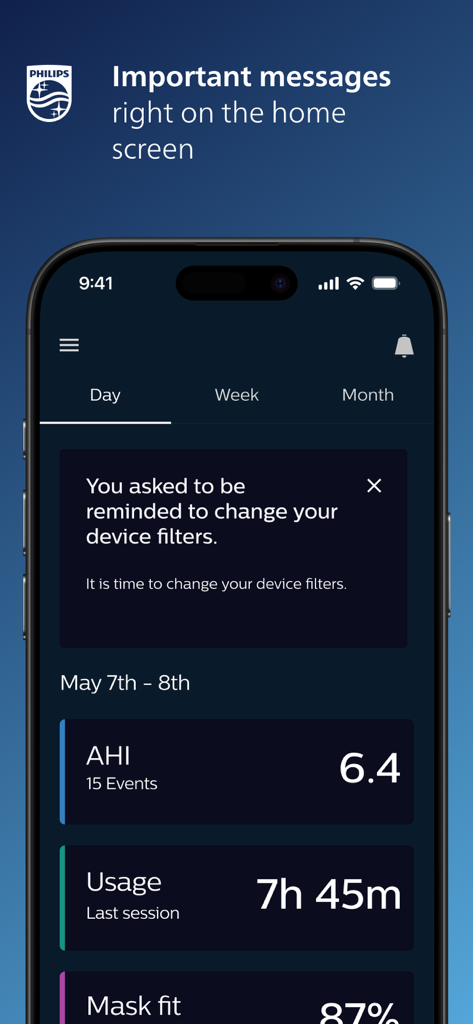
DreamMapper - DreamMapperモバイルアプリのホーム画面には、CPAP治療指標とデバイスフィルター交換のリマインダーが表示されます。
DreamMapperモバイルアプリのホーム画面には、CPAP治療指標とデバイスフィルター交換のリマインダーが表示されます。

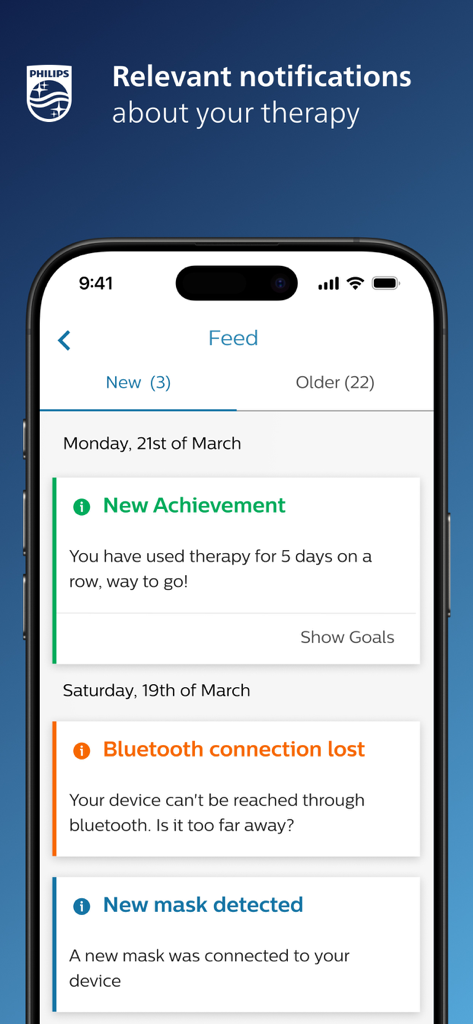
DreamMapper - DreamMapperアプリのインターフェイスには、スマートフォンに表示される関連治療通知や実績のフィードが表示されます。
DreamMapperアプリのインターフェイスには、スマートフォンに表示される関連治療通知や実績のフィードが表示されます。

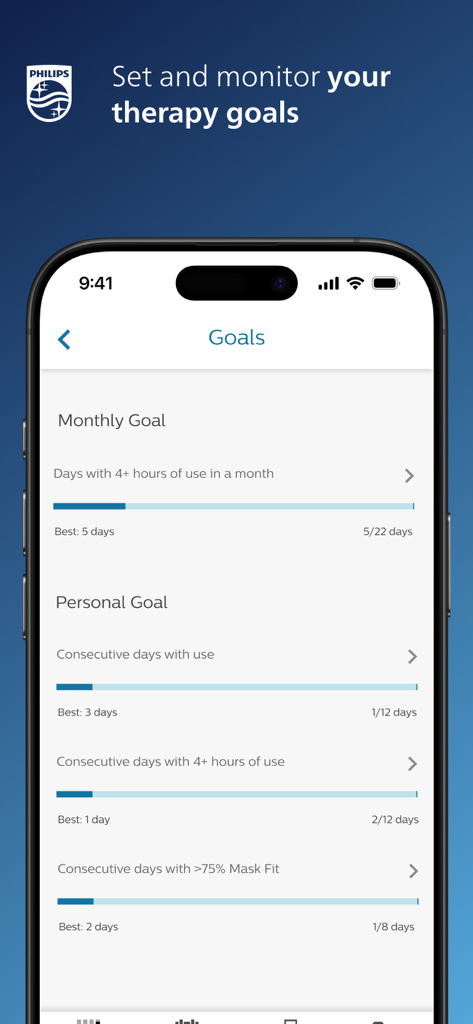
DreamMapper - DreamMapperアプリの画面には、進捗状況バーが表示された月次および個人のCPAP治療目標が表示されます。

DreamMapperアプリの画面には、進捗状況バーが表示された月次および個人のCPAP治療目標が表示されます。

説明

Achieving a great night’s sleep with CPAP therapy happens when you take an active role in your own therapy. That means being in tune with how your therapy and equipment are performing – and how they should be performing – from night to night. DreamMapper is a mobile and web application that keeps you actively informed about your previous night’s therapy – with information like mask fit and therapy hours – so you know you are getting what’s needed for the great night’s sleep you deserve. DreamMapper provides all of the following: • Bluetooth® data transfer from your Philips PAP; • Daily feedback about your treatment and your therapy results; • Personalize your treatment management by setting alerts and personal goals; • Find the answers to your questions through a rich content including informational videos and guides; • Receive notifications about your therapy and your DreamMapper compatible equipment; Learn more about DreamMapper and the Philips devices it supports at www.dreammapper.com. Philips CPAP devices treat Obstructive Sleep Apnea (OSA) so that you can sleep better at night and be more active during the day. Part of the Dream Family DreamMapper is part of the Dream Family from Philips Respironics. The Dream Family offers innovative, comprehensive sleep therapy technology like: • DreamWear: It looks different because it is different. The ingenious open-face design provides exceptional comfort with an optimal fit, easy freedom of movement and the ability to choose your most comfortable sleep position. DreamWear is User-friendly in every possible way. • DreamStation: Embrace your care with confidence with our most innovative obstructive sleep apnea (OSA) technology. With easy-to-navigate menus, remote diagnostics, a sleek, compact profile and incredibly quiet operation, DreamStation helps make it simple to start, customize and continue your OSA therapy. • DreamStation Go: Whether you’re traveling for business or venturing out on the vacation of a lifetime, DreamStation Go provides an easy, reliable and portable PAP experience for users who refuse to compromise. Philips DreamMapper has access to the following permissions: Location Approximate location (network-based): This is to set up Bluetooth communication. A location is required to acquire the pair. Photos/Media/Files Read the contents of your USB storage: This is needed to access the scanned and stored image that the camera takes of the Device Serial Number (DSN). Camera Take pictures and videos: Used to scan the DSN. Other reasons Receive data from Internet: DreamMapper needs to communicate with its Data Center. View network connections: Wi-Fi setup as well as the need for DreamMapper to communicate with its Data Center. Pair with Bluetooth devices: First-time connection to another Bluetooth device. Access Bluetooth settings: First-time connection to another Bluetooth device. Full network access: DreamMapper needs to communicate with its Data Center. Prevent device from sleeping: Prevents the phone from “going to sleep” while playing videos.

Download

ダウンロード: App Store

このページはアプリまたはその開発者の公式ページではなく、情報提供および論評を目的として作成された独立した編集出版物です。明示的に別段の記載がない限り、アプリおよびその開発者は、MWM、Apple、Google Play、アプリのパブリッシャー、またはアプリの開発者と提携、承認、後援、認可、またはその他の公式的な関係はなく、このページのいかなる内容も、アプリがMWMのサービスを使用して開発されたことを意味するものではありません。すべての商標、ロゴ、スクリーンショット、その他のコンテンツはそれぞれの所有者の財産です。








