Drilling Simulator 3
ダウンロード: App Store

このページはアプリまたはその開発者の公式ページではなく、情報提供および論評を目的として作成された独立した編集出版物です。明示的に別段の記載がない限り、アプリおよびその開発者は、MWM、Apple、Google Play、アプリのパブリッシャー、またはアプリの開発者と提携、承認、後援、認可、またはその他の公式的な関係はなく、このページのいかなる内容も、アプリがMWMのサービスを使用して開発されたことを意味するものではありません。すべての商標、ロゴ、スクリーンショット、その他のコンテンツはそれぞれの所有者の財産です。

ロゴ: Drilling Simulator 3
ダウンロード: App Store

Drilling Simulator 3

リスクのない環境で、ドリラー法、ウェイト・アンド・ウェイト法、キック検知を習得。技術的な卓越性とIADC/IWCF資格取得を目指すエンジニア、ツールプッシャー、学生向けに開発されました。

主要数値

ダウンロード

6K+

ユーザー評価

1.0/5

評価数

0

開発元

Carlos Moura

カテゴリ

Education

対応言語

1

最新バージョン

4.7

サイズ

36.7 MB

リリース日

2016年11月22日
機能

高度なリグ運用と制御

エンジニア、ツールプッシャー、資格試験受験者向けに構築された高精度シミュレーターで、重要なウェルコントロール手順を習得しましょう。

先見的なキック検知

リアルタイムの圧力安定化と油圧チョークパネル操作により、キックを特定し、シャットインを管理します。

業界標準のメソッド

IADCおよびIWCFの資格試験対策として、ドリラー法とウェイト・アンド・ウェイト法のテクニックを完璧にしましょう。

以下のスクリーンショットと説明は、アプリの公式ストアリスティングから直接取得されたものであり、アプリ開発者の所有物です。

アプリストア

スクリーンショット
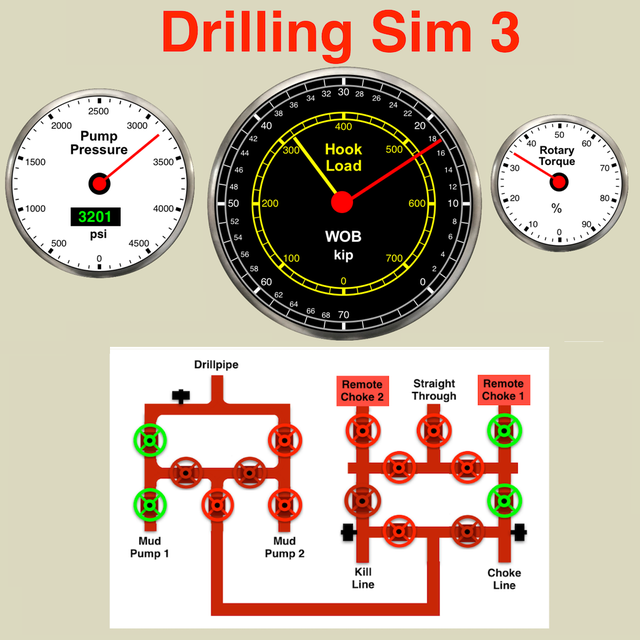
Drilling Simulator 3 - Drilling Simulator 3のプロフェッショナルなウェルコントロール・シミュレーション・ダッシュボード。フック荷重圧力計とリアルタイムデータグラフが特徴です。
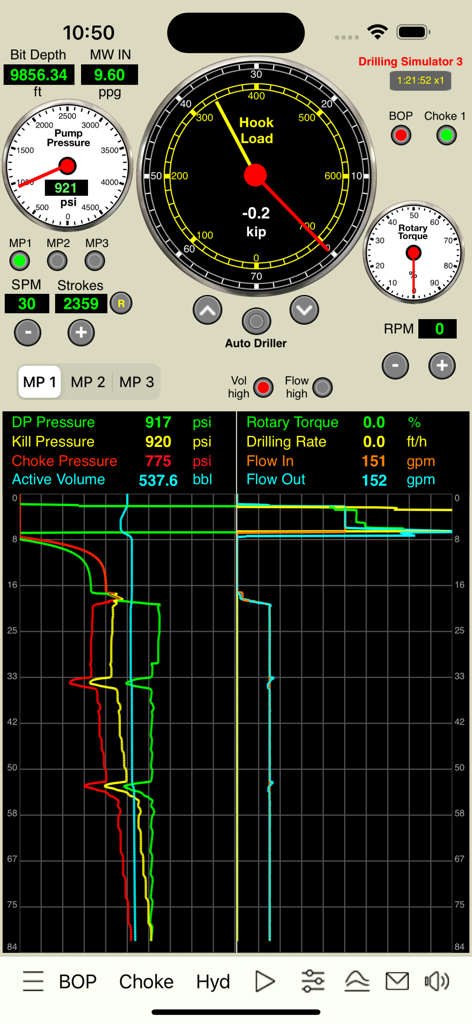
Drilling Simulator 3のプロフェッショナルなウェルコントロール・シミュレーション・ダッシュボード。フック荷重圧力計とリアルタイムデータグラフが特徴です。

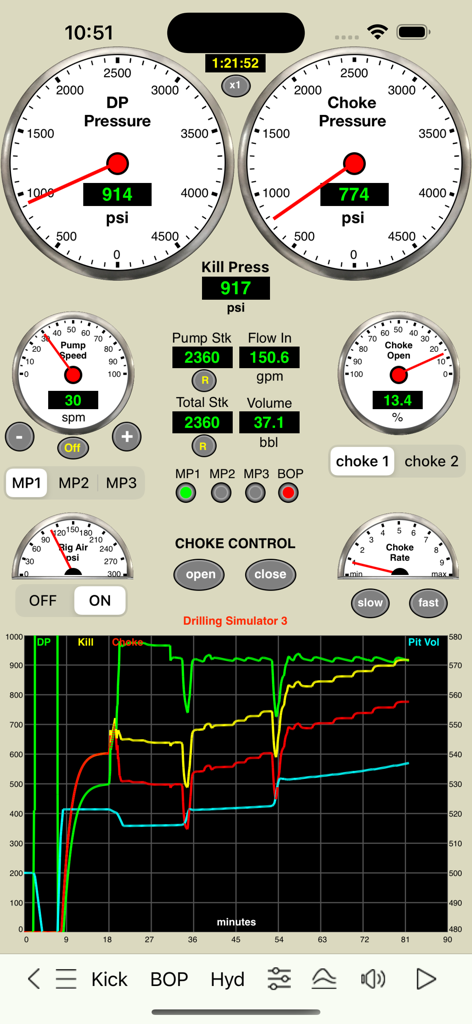
Drilling Simulator 3 - ドリルパイプ(DP)とチョークの圧力計、およびリアルタイムのウェルデータグラフを表示するDrilling Simulator 3のインターフェース。
ドリルパイプ(DP)とチョークの圧力計、およびリアルタイムのウェルデータグラフを表示するDrilling Simulator 3のインターフェース。

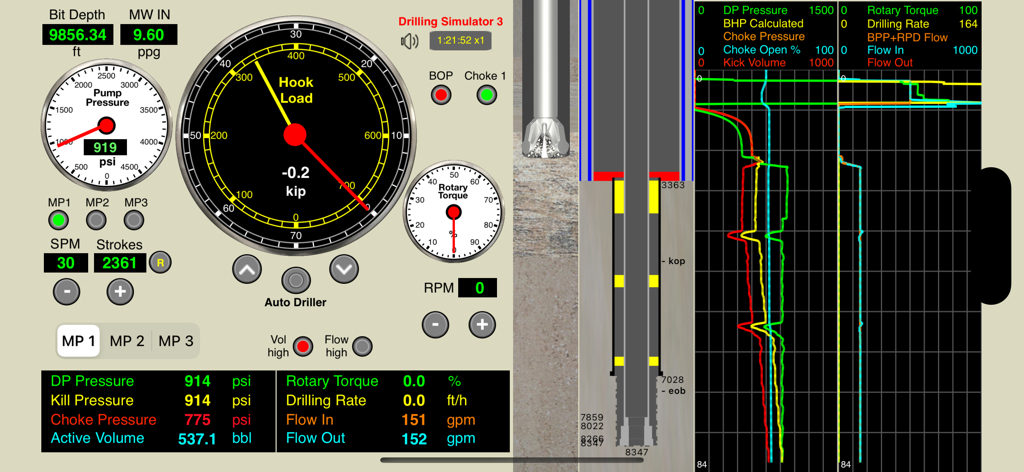
Drilling Simulator 3 - フック荷重計、坑井断面図、およびリアルタイムデータグラフを備えたプロフェッショナルな掘削シミュレーターのダッシュボード。
フック荷重計、坑井断面図、およびリアルタイムデータグラフを備えたプロフェッショナルな掘削シミュレーターのダッシュボード。

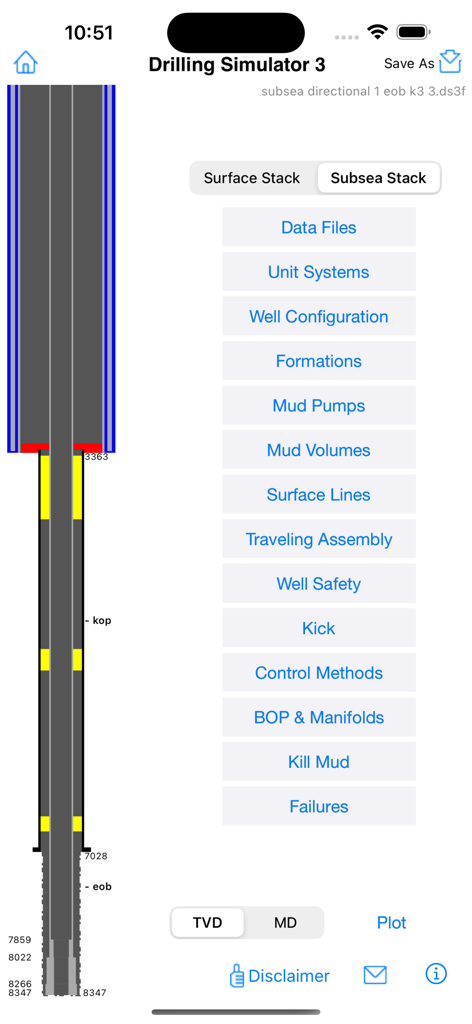
Drilling Simulator 3 - 坑井断面図と、泥水ポンプやBOPマニホールドなどのテクニカルなシミュレーションオプションを表示するDrilling Simulator 3のメイン設定画面。
坑井断面図と、泥水ポンプやBOPマニホールドなどのテクニカルなシミュレーションオプションを表示するDrilling Simulator 3のメイン設定画面。

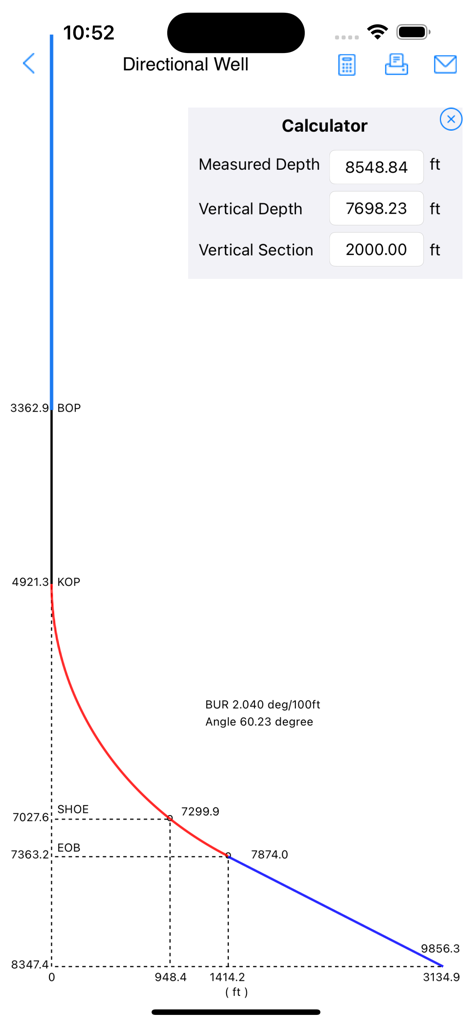
Drilling Simulator 3 - Drilling Simulator 3でKOP SHOEおよびEOB深度を表示する傾斜井の軌道プロットと計算機オーバーレイ。
Drilling Simulator 3でKOP SHOEおよびEOB深度を表示する傾斜井の軌道プロットと計算機オーバーレイ。

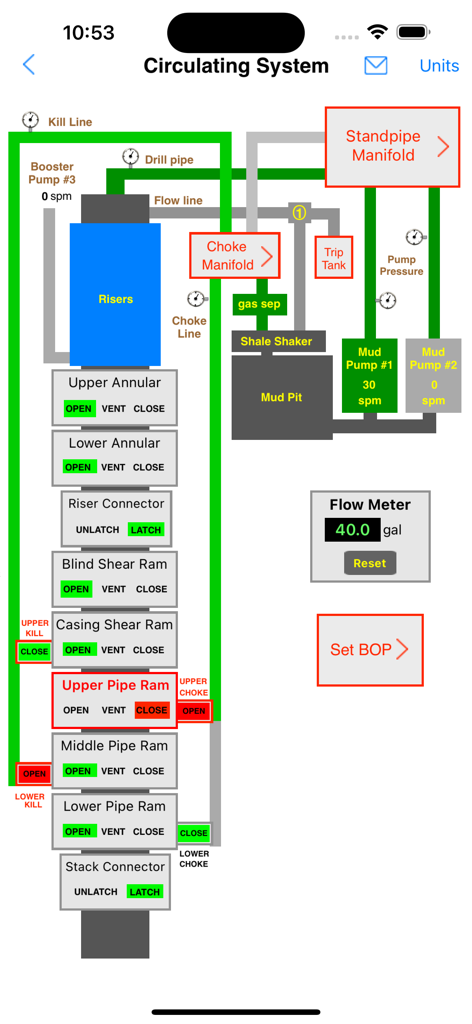
Drilling Simulator 3 - Drilling Simulator 3におけるBOPスタックと泥水ポンプを示す循環システムの概略図。
Drilling Simulator 3におけるBOPスタックと泥水ポンプを示す循環システムの概略図。

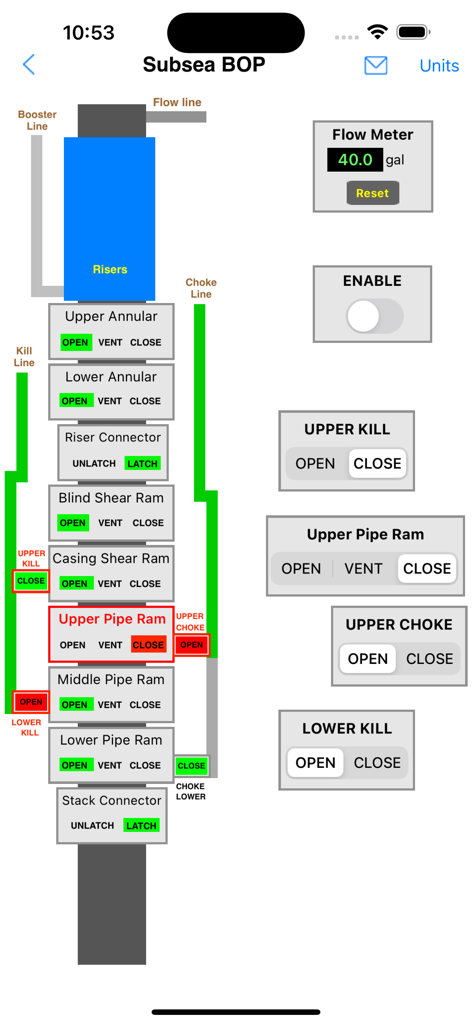
Drilling Simulator 3 - Drilling Simulator 3におけるラムとキルラインを表示する海底噴出防止装置(BOP)スタック制御インターフェース。
Drilling Simulator 3におけるラムとキルラインを表示する海底噴出防止装置(BOP)スタック制御インターフェース。

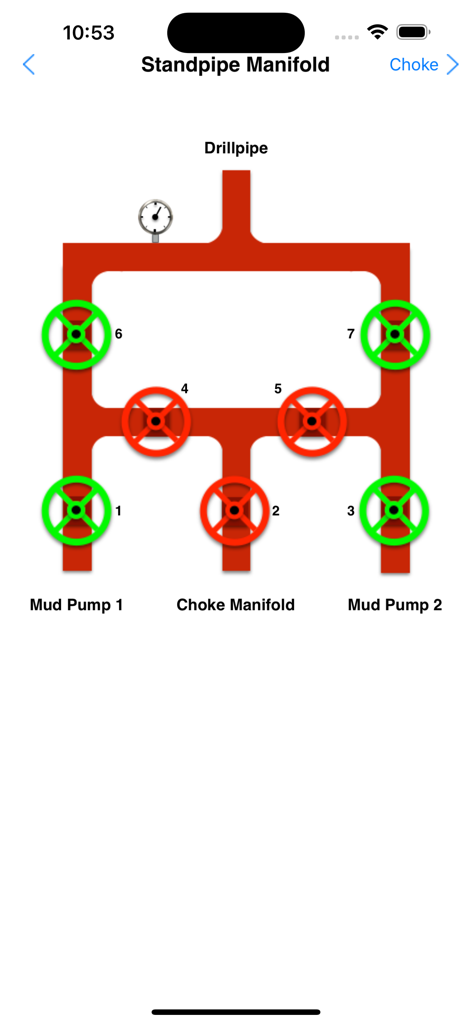
Drilling Simulator 3 - ウェルコントロール・シミュレーターにおける泥水ポンプとドリルパイプのバルブ制御を示すスタンドパイプ・マニホールドの概略図。
ウェルコントロール・シミュレーターにおける泥水ポンプとドリルパイプのバルブ制御を示すスタンドパイプ・マニホールドの概略図。

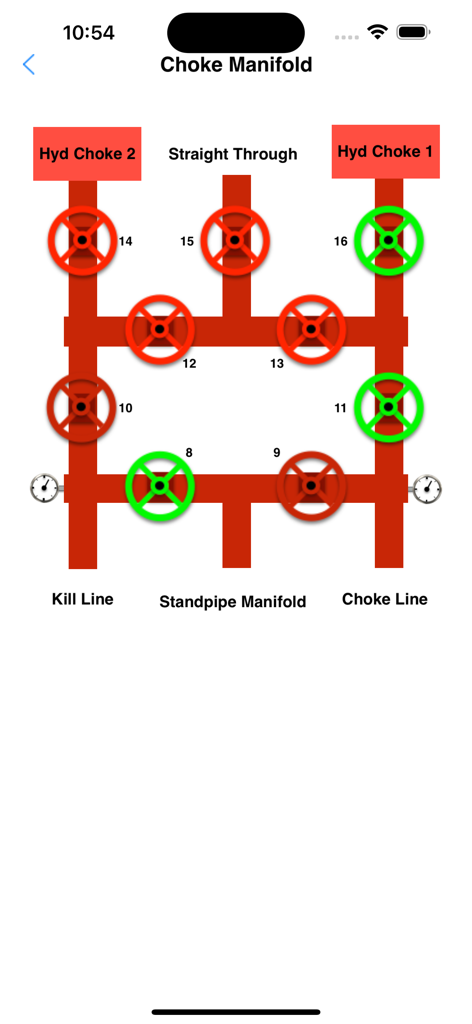
Drilling Simulator 3 - 掘削ウェルコントロール・トレーニング用のインタラクティブなチョークマニホールド・シミュレーション・インターフェース。
掘削ウェルコントロール・トレーニング用のインタラクティブなチョークマニホールド・シミュレーション・インターフェース。

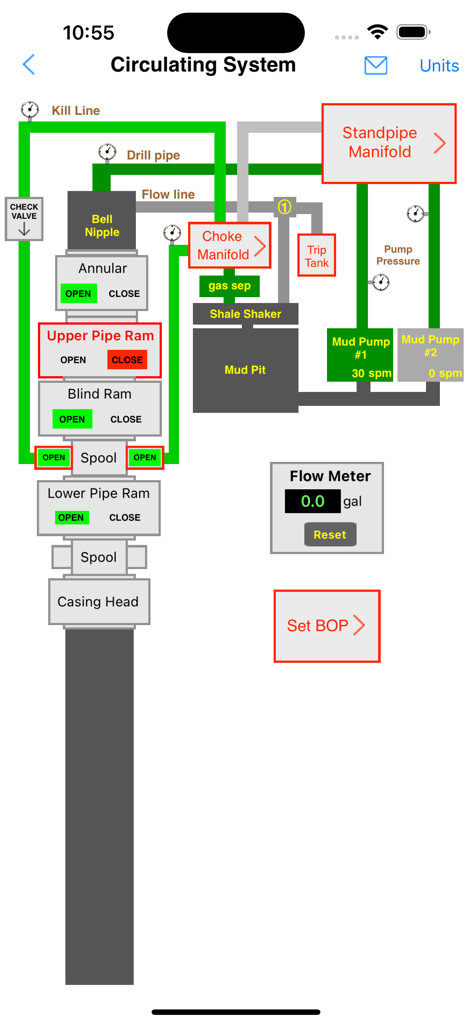
Drilling Simulator 3 - マニホールド、泥水ポンプ、噴出防止装置スタックを示す掘削リグ循環システムのインタラクティブな概略図。

マニホールド、泥水ポンプ、噴出防止装置スタックを示す掘削リグ循環システムのインタラクティブな概略図。

説明

This is a project for Drilling and Well Control optimized for iPhones and iPads. This is a basic drilling simulator that simulates drilling operations based in panels for kick detection, shut-in the well, stabilization of pressures and the choke operations during the well control operations using a hydraulic choke panel simulator. Features: 1. Drilling, kick detection, shut-in, pressures stabilization and control 2. MULTIPLE KICKS (3 SINGLE BUBBLES)  3. DIRECTIONAL/HORIZONTAL WELL  4. WELL CONTROL ON CHOKE PANEL WITH 2 REMOTE CHOKES 5. Standpipe Manifold and Choke Manifold 6. FLOAT VALVE,  7. GESTURE SWAIPE UP/DOWN TO MOVE DRILLSTRING  8. FAILURES SCHEDULE WITH RANDOM OPTION (Mud Pumps 1 and 2 “power end failure” or “fluid end failure”, Chokes 1 and 2 “plugged” or “washed”, One Drill Bit Nozzle “plugged” or “washed”) 9. Set a KICK without drilling required. 10. Subsea Stack BOP and Surface Stack BOP Additional features:   1. Optionally it is possible to use others apps as Remote Choke like "Driller's Method Simulator" and "Wait and Weight Simulator". Both are available for sale in our Portfolio. 2. Swabbing effect simulation This effect occur when the drill string is pulled out of the wellbore to reduce the bottom hole pressure enough to create an underbalance condition and to cause a flow from formation into the wellbore. This effect is performed on this Simulator by moving the finger up in the well layout on the screen. iPad version: 1. Pre-recorded data view 2. Screen layout optimized for 12.9-inch iPad Pro (High Resolution) 3. Three codes (default "0000" for all: admin, instructor, student) to view the gas into the borehole, the pressure at bottom, at shoe and at bop and to enable / disable the Lag Time (by adjusting the choke to change the kill pressure and drill pipe pressure, etc). 4. Use the arrow keys on keyboard for iPad Pro to operate the choke. iPhone version: 1. Pre-recorded data available in the well configuration views. 2. Screen layout optimized for iPhone and iPad Pro (High Resolution) 3. All features available without codes. A graphical very useful tool for training, drillers, toolpusher, drilling engineers, mud engineers and students in the well control procedures. - Well configuration, drilling, kick detection, shut-in and control. - Interactive system: no pre-set methods; - Ability to apply control methods: Driller's method, Wait and Weight method (or Engineer's method), dynamic volumetric and static volumetric (lubricate and bleed); - Hydraulics and Hydrostatics; - Behavior of the kick (until 3 single kick bubbles simultaneously in borehole); - Applied with subsea stack or surface stack; - Set well with until 4 sections: riser, casing, liner, open hole ; - Set Drill String with drill pipe1, drill pipe2, heavy weight, drill collar1, drill collar2 - Support for horizontal and directional wells (builder and plotter) - Bop flow meter (volume to close and to open bop) - Gas compressibility factor (Z) calculations using formulas more accurately by Hall and Yarborough (1973) - Option to select a more didactic choke control mode instead of a more realistic simulation (default) Others apps available on our portfolio that may be useful for you: - Drilling Hydraulics - Kick Tolerance - Leak-Off Test Simulator - Leak-Off Test Analyzer - MPD Simulator - Well Control Methods - Well Control Worksheets - Well Control Simulators specific for each method (Driller's Method, Wait and Weight and Volumetric) These tools can complement (work with) this simulator by creating files which can be used in this application; and more Oil & Gas in our website. DISCLAIMER: These tools & materials are provided 'as is' without warranties of any kind, express or implied. Please verify the tools provided by this application by yourself before you use them. Ensure you understand the impact of using these tools. Any use you choose to make of these tools & materials is undertaken by you entirely at you own risk.

Download

ダウンロード: App Store

このページはアプリまたはその開発者の公式ページではなく、情報提供および論評を目的として作成された独立した編集出版物です。明示的に別段の記載がない限り、アプリおよびその開発者は、MWM、Apple、Google Play、アプリのパブリッシャー、またはアプリの開発者と提携、承認、後援、認可、またはその他の公式的な関係はなく、このページのいかなる内容も、アプリがMWMのサービスを使用して開発されたことを意味するものではありません。すべての商標、ロゴ、スクリーンショット、その他のコンテンツはそれぞれの所有者の財産です。








