DropTalk教育法人向け
DropTalk教育法人向け
ダウンロード: App Store

このページはアプリまたはその開発者の公式ページではなく、情報提供および論評を目的として作成された独立した編集出版物です。明示的に別段の記載がない限り、アプリおよびその開発者は、MWM、Apple、Google Play、アプリのパブリッシャー、またはアプリの開発者と提携、承認、後援、認可、またはその他の公式的な関係はなく、このページのいかなる内容も、アプリがMWMのサービスを使用して開発されたことを意味するものではありません。すべての商標、ロゴ、スクリーンショット、その他のコンテンツはそれぞれの所有者の財産です。


ロゴ: DropTalk教育法人向け
ダウンロード: App Store

DropTalk教育法人向け

カスタマイズ可能なコミュニケーションボード、ビジュアルスケジュール、インタラクティブタイマーを通じて、自閉症や言語障害のある生徒の可能性を引き出します。SLP(言語聴覚士)や教育者向けに設計されており、自立を促進し、教室の移行をスムーズにします。

主要数値

ダウンロード

6K+

ユーザー評価

3.0/5

評価数

0

開発元

HMDT Co., Ltd.

カテゴリ

Education

対応言語

9

最新バージョン

6.13.2

サイズ

424.6 MB

リリース日

2013年1月23日
機能

教室のあらゆる声に力を

コミュニケーションのギャップを埋め、ルーチンを管理し、神経多様な学習者をサポートするために、教育者やSLP向けに設計された包括的なAACツールキット。

統合されたコミュニケーションとルーチン

基本的な会話を超えましょう。コミュニケーションボードとビジュアルスケジュール、タイマーを組み合わせて、移行時の不安を軽減し、生徒の自立を築きます。

パーソナライズされたビジュアルコンテキスト

現実世界の写真を取り込み、親しみのある声を録音することで、学習環境を変革し、真に個人中心のAAC体験を創り出します。

以下のスクリーンショットと説明は、アプリの公式ストアリスティングから直接取得されたものであり、アプリ開発者の所有物です。

アプリストア

スクリーンショット
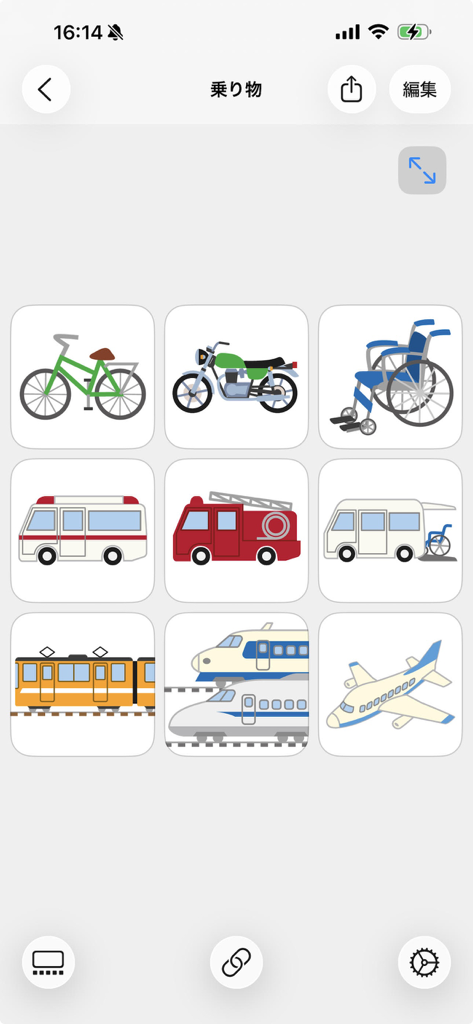
DropTalk教育法人向け - DropTalk AACアプリのインターフェースに、自転車、車椅子、救急車、電車などの交通手段のシンボルが表示された3x3グリッド。
DropTalk AACアプリのインターフェースに、自転車、車椅子、救急車、電車などの交通手段のシンボルが表示された3x3グリッド。

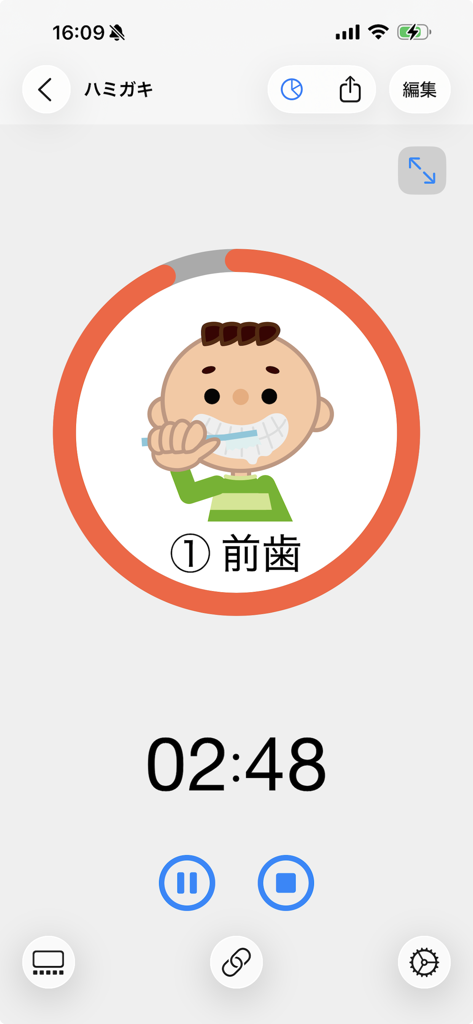
DropTalk教育法人向け - DropTalkアプリのビジュアルタイマーインターフェース。特別支援教育のサポートのために、カウントダウンクロックと男の子が歯を磨いている漫画が表示されています。
DropTalkアプリのビジュアルタイマーインターフェース。特別支援教育のサポートのために、カウントダウンクロックと男の子が歯を磨いている漫画が表示されています。

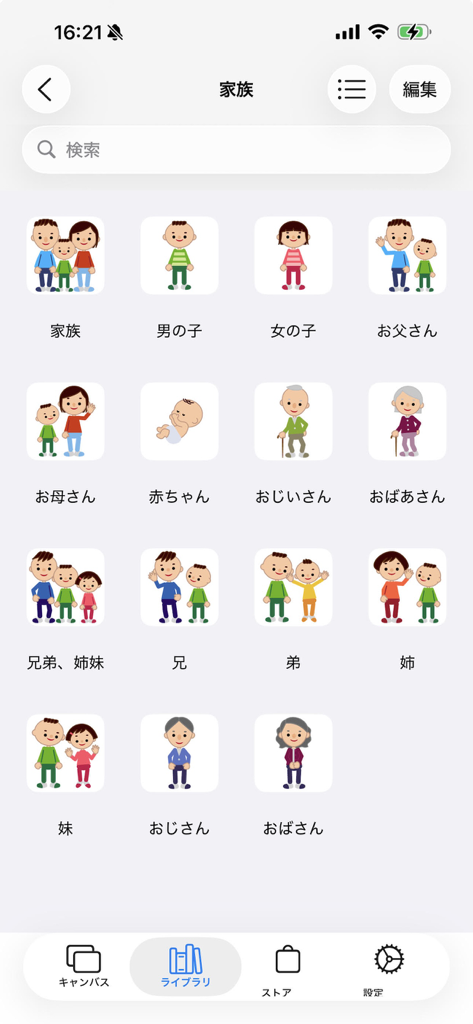
DropTalk教育法人向け - DropTalk AACアプリのライブラリにある、両親や祖父母を含むイラスト入りの家族シンボルグリッド。
DropTalk AACアプリのライブラリにある、両親や祖父母を含むイラスト入りの家族シンボルグリッド。

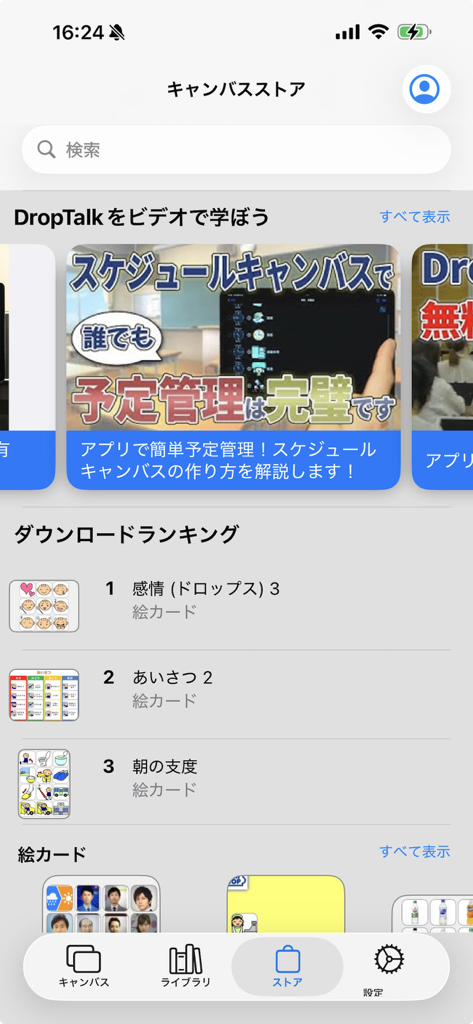
DropTalk教育法人向け - DropTalkアプリのキャンバスストアインターフェース。特別支援教育向けのビジュアルコミュニケーションカードのダウンロードランキングとビデオチュートリアルが表示されています。
DropTalkアプリのキャンバスストアインターフェース。特別支援教育向けのビジュアルコミュニケーションカードのダウンロードランキングとビデオチュートリアルが表示されています。

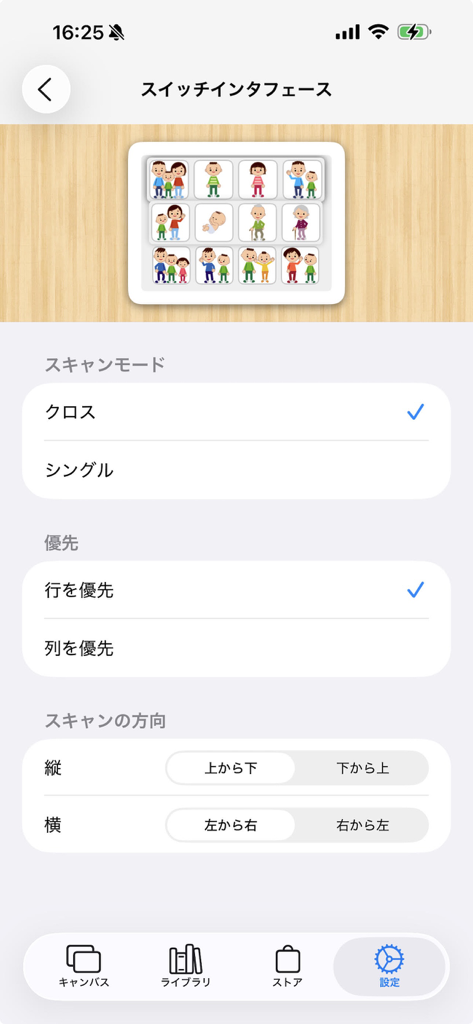
DropTalk教育法人向け - DropTalkアプリのスイッチインターフェースアクセシビリティを設定するための設定画面。

DropTalkアプリのスイッチインターフェースアクセシビリティを設定するための設定画面。

説明

DropTalk is an AAC (Augmentative and Alternative Communication) software that helps people with autism and language disorders who have difficulty communicating through spoken language. For communication with people with developmental disorders such as autism, it is effective to use visual information such as symbols, or to use a device called VOCA, which can combine symbols and sound. DropTalk is a VOCA app that offers a wide range of functions. DropTalk comes with a pre-built symbol set called "CoCo". The symbols come with familiar illustrations and Japanese voice. Symbols are placed on a screen called a canvas for use. There are four types of canvas to choose from: a communication canvas for communicating with others, a schedule canvas for listing work items, a sketch canvas for freely drawing pictures, and a timer canvas that provides a timer function. A communication canvas is a canvas where symbols are arranged in a grid. When you tap a symbol, sound is played, helping you communicate with others. Multiple pages can be added to one canvas, and you can switch between them by flicking. You can intuitively edit the canvas, such as swapping rows and columns by dragging and dropping. In the Schedule Canvas, you can list the steps of a task by item. Each item has a checkbox, so you can check off the completed items as you proceed. You can set the time and work time for each item. If you set the work time, you can run it as a timer. In the Sketch Canvas, you can freely draw pictures and place symbol buttons to create a canvas with greater freedom. The Sketch Canvas has a variety of tools, allowing you to draw lines, enter text, import symbol images, import images from the photo library, draw shapes, and place symbol buttons. The Timer Canvas provides a timer function. You can choose from five types of timer styles. You can also link multiple schedules to run as a continuous timer. You can customize the alert that appears when the timer ends by placing symbols and messages. There is also a text mode that allows you to play multiple symbols together. In addition to the pre-prepared symbols, you can add your own. You can import photos using the camera or import images from the photo album. In addition to recording audio from the microphone, you can also play music from Music or read the entered text aloud. You can distribute and share the canvases you create. You can use Air Drop, email, and messages to distribute them. In addition, on the screen called Canvas Store, you can freely upload and download canvases created by users all over the country. Support is also implemented so that even people with physical disabilities can operate it. You can turn off the bouncing behavior that is unique to iOS when scrolling. You can choose whether to read symbols when your finger touches the screen or when your finger leaves it. It supports switch interface, so many functions can be operated with just a switch.

Download

ダウンロード: App Store

このページはアプリまたはその開発者の公式ページではなく、情報提供および論評を目的として作成された独立した編集出版物です。明示的に別段の記載がない限り、アプリおよびその開発者は、MWM、Apple、Google Play、アプリのパブリッシャー、またはアプリの開発者と提携、承認、後援、認可、またはその他の公式的な関係はなく、このページのいかなる内容も、アプリがMWMのサービスを使用して開発されたことを意味するものではありません。すべての商標、ロゴ、スクリーンショット、その他のコンテンツはそれぞれの所有者の財産です。








