Whats Web Scanner: Quick Chat
ダウンロード: App Store

このページはアプリまたはその開発者の公式ページではなく、情報提供および論評を目的として作成された独立した編集出版物です。明示的に別段の記載がない限り、アプリおよびその開発者は、MWM、Apple、Google Play、アプリのパブリッシャー、またはアプリの開発者と提携、承認、後援、認可、またはその他の公式的な関係はなく、このページのいかなる内容も、アプリがMWMのサービスを使用して開発されたことを意味するものではありません。すべての商標、ロゴ、スクリーンショット、その他のコンテンツはそれぞれの所有者の財産です。


ロゴ: Whats Web Scanner: Quick Chat
ダウンロード: App Store

Whats Web Scanner: Quick Chat

3000万人のユーザーがこのアプリを信頼する。MWMは、単なるクローン以上のものを提示し、ユーザーにチャットの絶対的な制御と予知能力を与える。

主要数値

ダウンロード

5M+

ユーザー評価

3.2/5

評価数

10.2K

開発元

Manani Jyotiben

カテゴリ

Social Networking

対応言語

1

最新バージョン

7.1.6

サイズ

26.1 MB

リリース日

2018年1月31日
機能

テックアナリストによる生産性向上とコミュニケーション効率化のための評価

Whats Web Scanner: Quick Chatの主要機能分析

デュアルチャット同期 (Webスキャナー)

このアプリは、メッセージングアカウントをiPadやiPhoneなどのセカンドデバイスに簡単に複製して同期します。ユーザーは、単一のデバイスで個人アカウントとビジネスアカウントの両方を管理できます。

AIチャットアシスタント

このツールは、質問への即時回答、チャットの要約、返信の下書き作成、思考の整理、チャットタスクの効率的な管理を可能にするパーソナルスマートアシスタントを提供します。

OCRテキストスキャナー (オフライン)

本アプリは、カメラを強力なテキスト変換ツールに変え、ドキュメント、レシート、スクリーンショットからテキストを即座に抽出します。OCRは完全にオフラインで実行されるため、ユーザーのデータはデバイス外に出ません。

以下のスクリーンショットと説明は、アプリの公式ストアリスティングから直接取得されたものであり、アプリ開発者の所有物です。

アプリストア

スクリーンショット
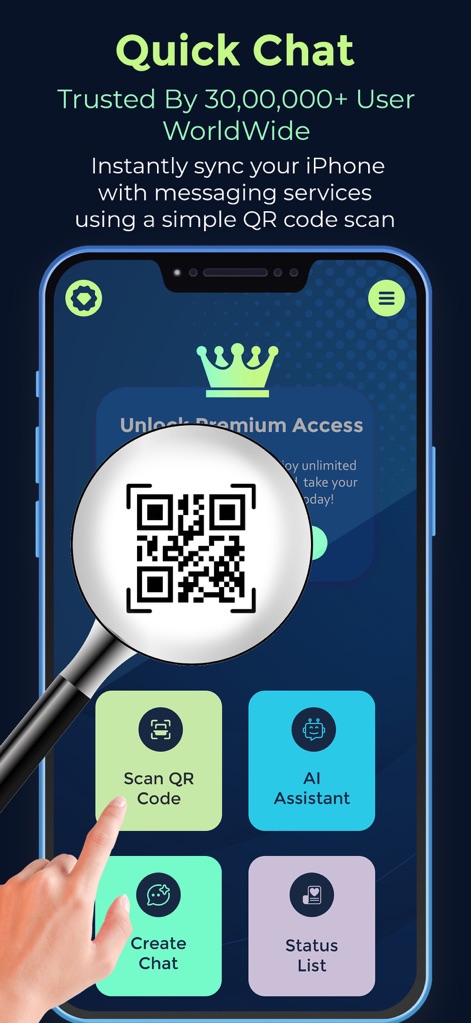
Whats Web Scanner: Quick Chat - ユーザーはQRコードスキャンを通じてメッセージングサービスとiPhoneを即座に同期でき、ホーム画面から「QRコードをスキャン」や「AIアシスタント」の機能へアクセスできます。

ユーザーはQRコードスキャンを通じてメッセージングサービスとiPhoneを即座に同期でき、ホーム画面から「QRコードをスキャン」や「AIアシスタント」の機能へアクセスできます。

QRで簡単同期
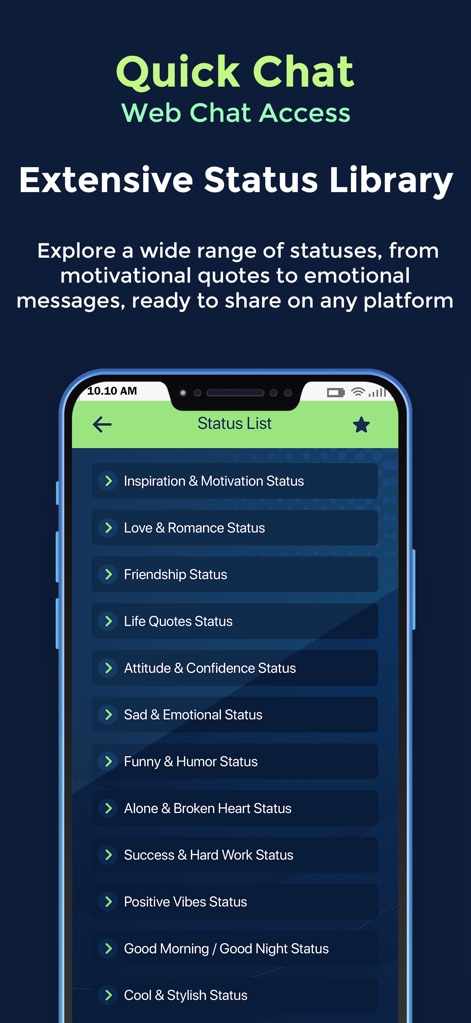
Whats Web Scanner: Quick Chat - ユーザーは「ステータスリスト」画面で、恋愛や友情のステータスなど、さまざまなカテゴリから魅力的なステータスを閲覧し、共有できます。

ユーザーは「ステータスリスト」画面で、恋愛や友情のステータスなど、さまざまなカテゴリから魅力的なステータスを閲覧し、共有できます。

豊富なステータス集
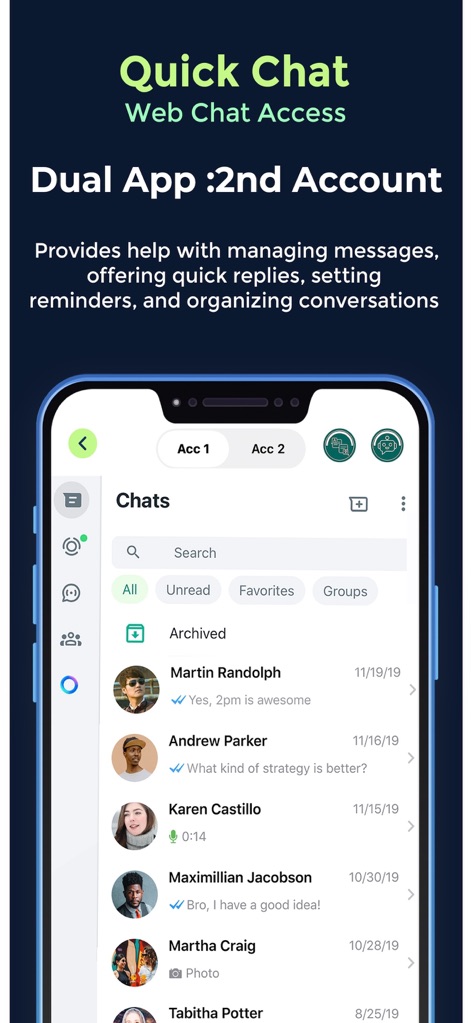
Whats Web Scanner: Quick Chat - 本アプリでは、ユーザーは「Acc 1」と「Acc 2」のタブを通じて複数のアカウントを切り替えることができ、チャット履歴や連絡先リストを効率的に管理できます。

本アプリでは、ユーザーは「Acc 1」と「Acc 2」のタブを通じて複数のアカウントを切り替えることができ、チャット履歴や連絡先リストを効率的に管理できます。

デュアルアカウント管理
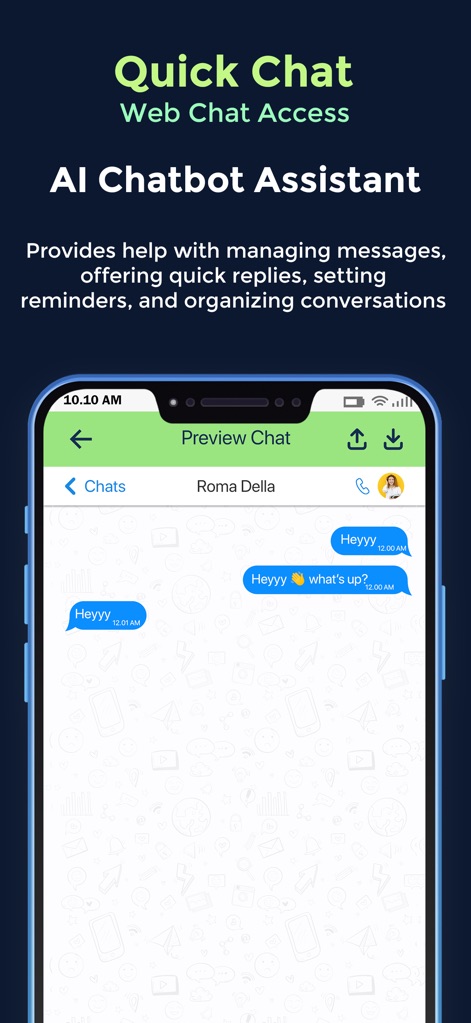
Whats Web Scanner: Quick Chat - このアプリの「AIチャットアシスタント」機能では、AIが生成した返信のプレビューをチャット画面で確認でき、「Heyyy」や「What's up?」といったメッセージのやり取りをサポートします。

このアプリの「AIチャットアシスタント」機能では、AIが生成した返信のプレビューをチャット画面で確認でき、「Heyyy」や「What's up?」といったメッセージのやり取りをサポートします。

AIチャットアシスト
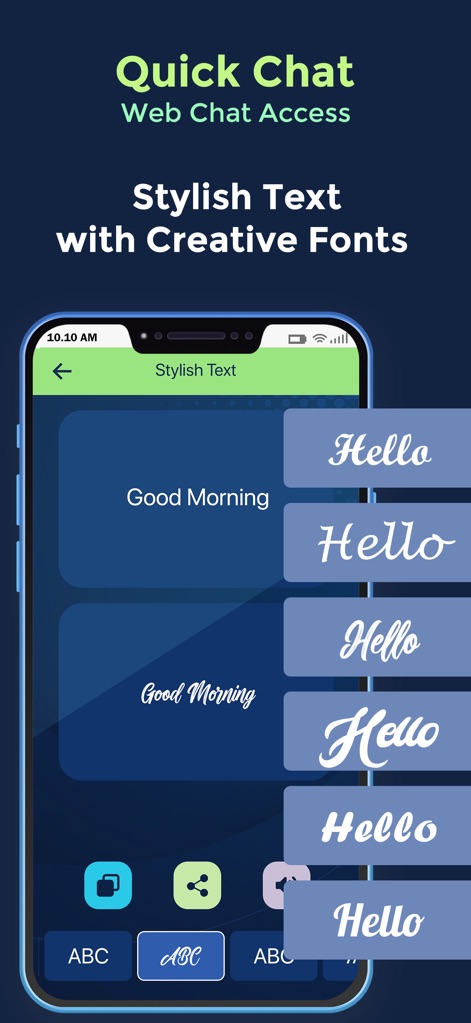
Whats Web Scanner: Quick Chat - ユーザーは「スタイリッシュテキスト」機能を使用して、「Hello」や「Good Morning」のようなメッセージを様々なユニークなフォントスタイルで作成し、表現豊かにチャットを楽しめます。

ユーザーは「スタイリッシュテキスト」機能を使用して、「Hello」や「Good Morning」のようなメッセージを様々なユニークなフォントスタイルで作成し、表現豊かにチャットを楽しめます。

個性的なフォント
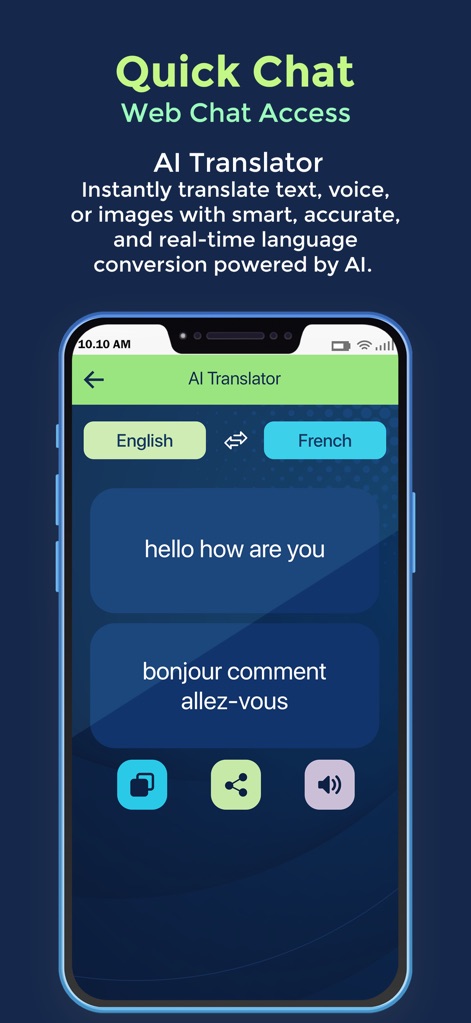
Whats Web Scanner: Quick Chat - 「AI Translator」画面では、ユーザーはテキストを「English」から「French」へと瞬時に翻訳でき、コピーや共有ボタンで簡単に翻訳結果を活用できます。

「AI Translator」画面では、ユーザーはテキストを「English」から「French」へと瞬時に翻訳でき、コピーや共有ボタンで簡単に翻訳結果を活用できます。

AI翻訳機能

説明

Quick Chat is the trusted choice for over 30 million people worldwide,Whats Web Scanner for WhatsApp Web offers the ultimate all-in-one utility to sync accounts, save memories, and boost productivity. Why settle for one account when you can have it all? Why 30 Million Users Trust Us: Proven Reliability: A massive community relies on our Dual Chat Sync for seamless, multi-device messaging every day. Safety at Scale: With 30 million downloads, our privacy-first, offline OCR and passcode protection are industry-leading. The Global Standard: From instant QR syncing to AI-powered drafting, we provide the tools the world uses to stay connected. Unlock the full potential of your messaging experience. Dual App: Quick Chat is the ultimate all-in-one utility that lets you sync chat accounts across devices, save statuses, and boost productivity with AI—all from a single, secure app. Whether you need a second account on your phone, want to separate work and personal chats, or need to extract text from images instantly, Dual App: Quick Chat handles it all. TOP FEATURES: Dual Chat Sync (Web Scanner): Effortlessly clone and sync your messaging account to a second device (iPad or iPhone). Instant Sync: Simply scan the QR code to connect. Multi-Device Freedom: Chat from your tablet or secondary phone seamlessly. Two Accounts, One Device: Manage both personal and business accounts on a single phone without logging out. Status Saver & Downloader: Never lose a memory again. Save photo and video statuses from friends instantly. One-Tap Save: Download statuses directly to your gallery. Easy Repost: Share saved statuses to your own story or other social apps. AI Chat Assistant: Your personal smart assistant for smarter conversations. Instant Answers: Ask questions, get summaries, or draft replies. Powered by Industry-Leaders: Leverage advanced AI technology (e.g., GPT-4) to organize thoughts and manage chat tasks efficiently. Note: Chat prompts are securely processed by our AI partner to provide responses. Instant Answers: Ask questions, get summaries, or draft replies. Productivity Booster: Let AI help you organize thoughts and manage chat tasks efficiently. OCR Text Scanner (Offline): Turn your camera into a powerful text converter. Image to Text: Extract text from documents, receipts, or screenshots instantly. Privacy First: OCR runs completely offline—your data never leaves your device. Copy & Share: Quickly copy extracted text to your clipboard for use in chats. Creative Text & Fonts: Stand out in every conversation. Stylish Fonts: Send messages in unique, eye-catching styles. Direct Chat: Message any number without saving it to your contacts first. WHY DUAL APP: QUICK CHAT? Privacy Centric: We prioritize your security. Data is stored locally with passcode protection (FaceID/TouchID supported). Transparent Data Use: While we do not collect personal identifiers, chat prompts used in the AI Assistant are shared with our AI service provider solely to generate responses, as detailed in our Privacy Policy. User-Friendly: Designed with a clean, intuitive interface for instant use. Download Dual App: Quick Chat today to streamline your chats, save moments, and do more with your messenger! Disclaimer: Dual App: Quick Chat is an independently developed utility app and is not affiliated, associated, authorized, endorsed by, or in any way officially connected with WhatsApp Inc. or any other messaging platforms.

Download

ダウンロード: App Store

このページはアプリまたはその開発者の公式ページではなく、情報提供および論評を目的として作成された独立した編集出版物です。明示的に別段の記載がない限り、アプリおよびその開発者は、MWM、Apple、Google Play、アプリのパブリッシャー、またはアプリの開発者と提携、承認、後援、認可、またはその他の公式的な関係はなく、このページのいかなる内容も、アプリがMWMのサービスを使用して開発されたことを意味するものではありません。すべての商標、ロゴ、スクリーンショット、その他のコンテンツはそれぞれの所有者の財産です。