e-Conte Board
e-Conte Board
ダウンロード: App Store

このページはアプリまたはその開発者の公式ページではなく、情報提供および論評を目的として作成された独立した編集出版物です。明示的に別段の記載がない限り、アプリおよびその開発者は、MWM、Apple、Google Play、アプリのパブリッシャー、またはアプリの開発者と提携、承認、後援、認可、またはその他の公式的な関係はなく、このページのいかなる内容も、アプリがMWMのサービスを使用して開発されたことを意味するものではありません。すべての商標、ロゴ、スクリーンショット、その他のコンテンツはそれぞれの所有者の財産です。

ロゴ: e-Conte Board
ダウンロード: App Store

e-Conte Board

自動タイミング、テクニカルカメラツール、次世代の映像制作者に合わせた高精度レイアウトで、アニメーションワークフローを効率化しましょう。

主要数値

ダウンロード

28K+

ユーザー評価

3.2/5

評価数

0

開発元

SGA Works LLC

カテゴリ

Graphics & Design

対応言語

1

最新バージョン

1.5.3

サイズ

3.0 MB

リリース日

2020年2月9日
機能

ストーリーテリングワークフローを格上げする

プロの絵コンテアーティストのための究極のデジタルキャンバス。日本の伝統的な「コンテ」の精度とiPadの強力な自動化を融合させます。

本物の「絵コンテ」精度

セリフ、アクション、タイミング専用の列を備えたプロフェッショナルな日本式絵コンテを作成しましょう。現代の監督向けにカスタマイズされています。

自動タイミングと計算

手作業の計算はもう不要です。内蔵ストップウォッチと自動的な表示時間追跡機能により、PDFおよびMP4エクスポート時に総再生時間を処理します。

以下のスクリーンショットと説明は、アプリの公式ストアリスティングから直接取得されたものであり、アプリ開発者の所有物です。

アプリストア

スクリーンショット
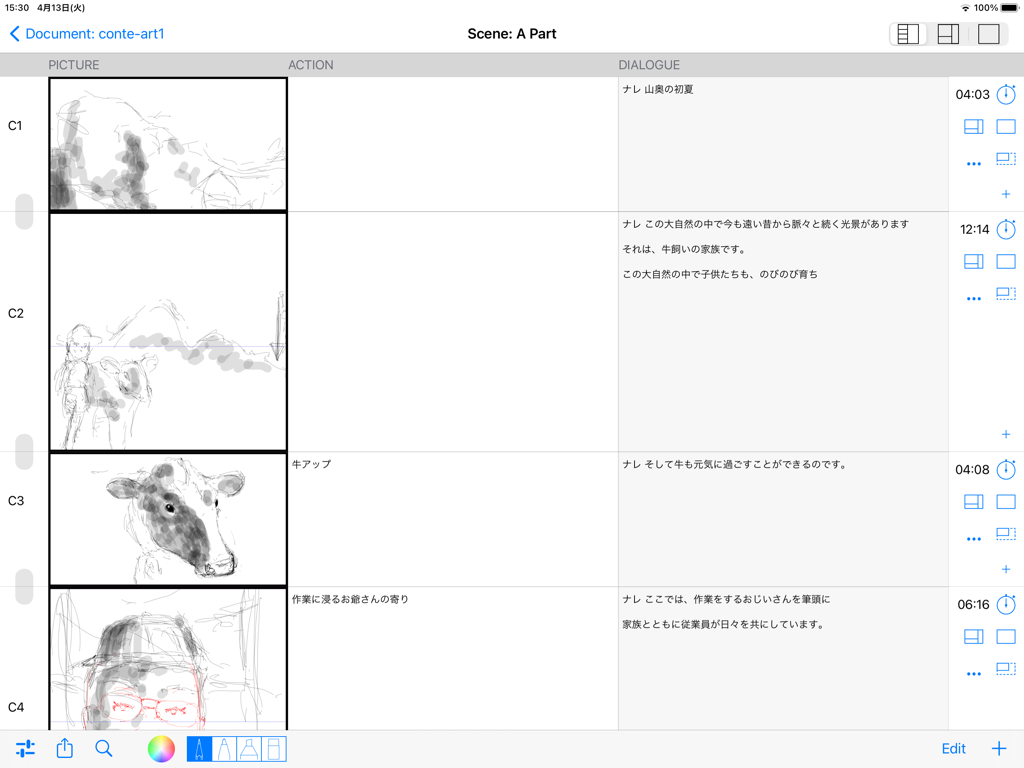
e-Conte Board - 日本式の絵とセリフの列があるデジタル絵コンテインターフェース

日本式の絵とセリフの列があるデジタル絵コンテインターフェース

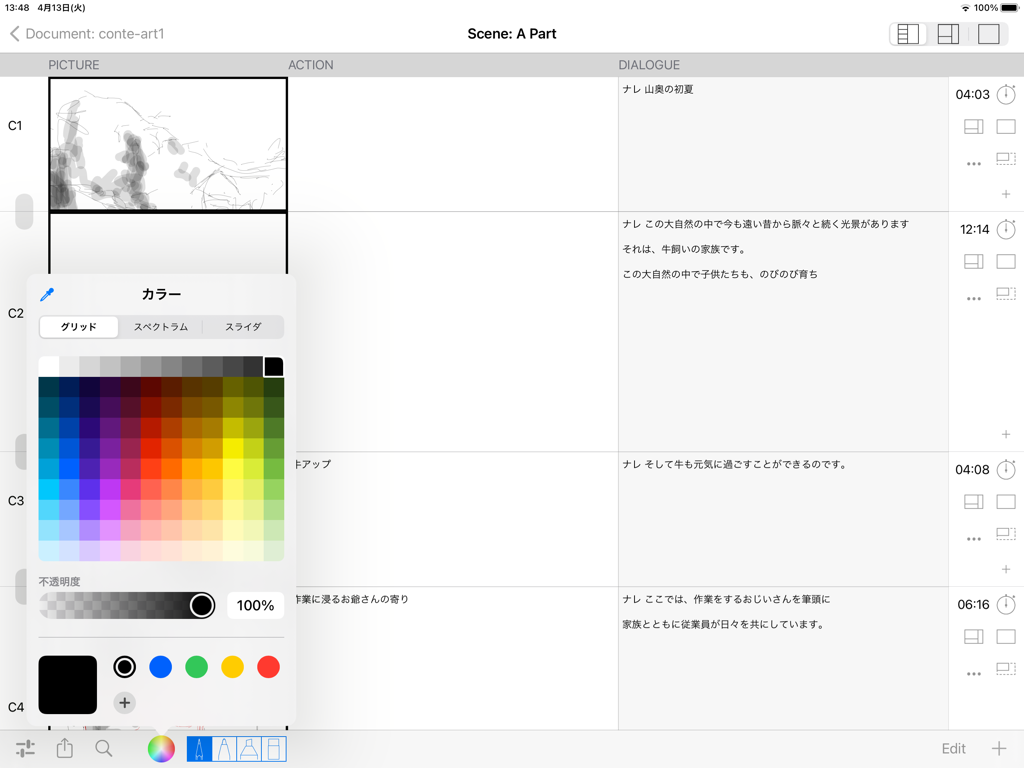
e-Conte Board - e-Conte BoardアプリのiPadインターフェース。日本式絵コンテレイアウトとカラーピッカーメニューが表示されています。
e-Conte BoardアプリのiPadインターフェース。日本式絵コンテレイアウトとカラーピッカーメニューが表示されています。

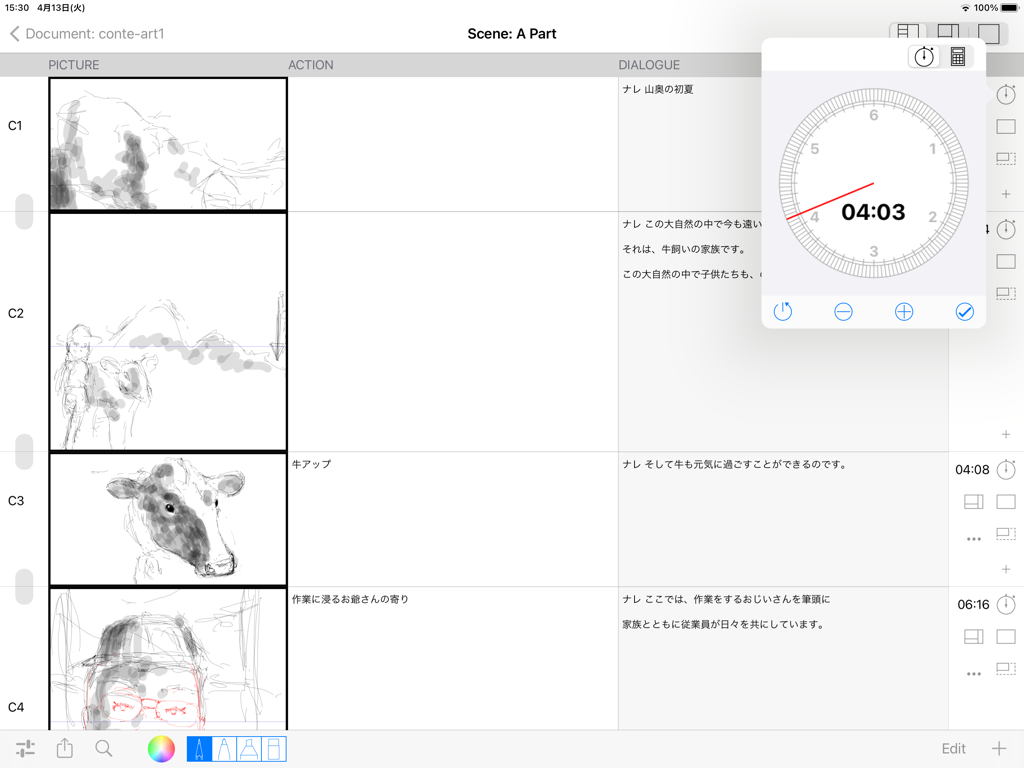
e-Conte Board - e-Conte Boardのインターフェース。スケッチとフローティングタイミングツールを備えた日本式絵コンテが表示されています。
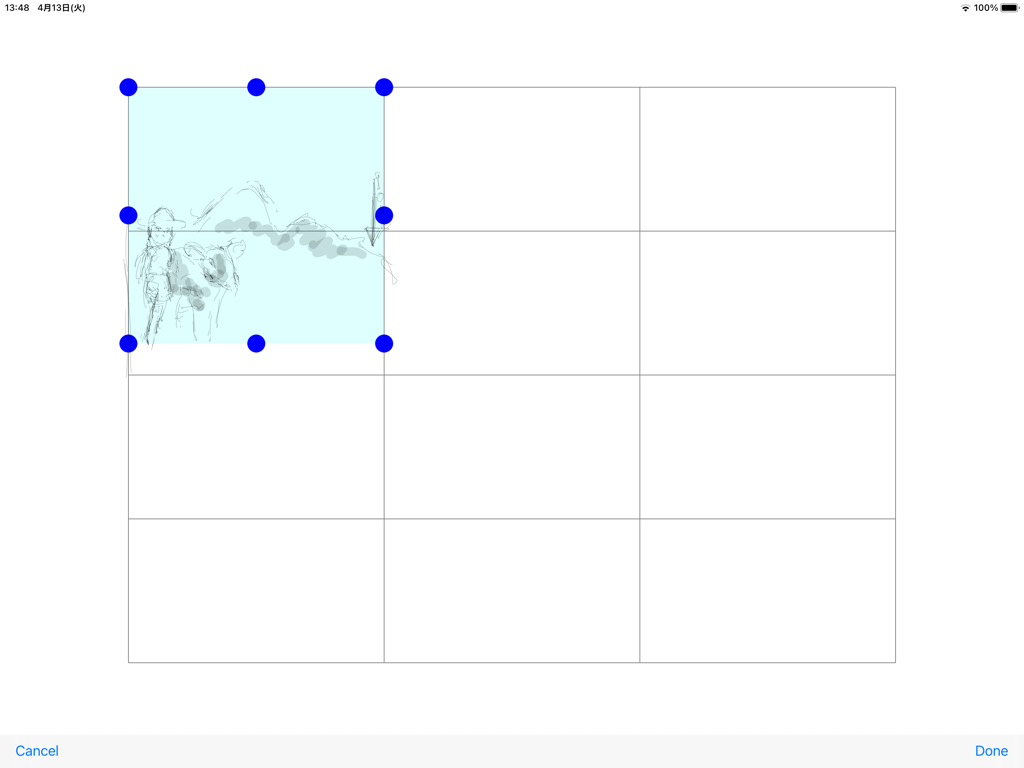
e-Conte Boardのインターフェース。スケッチとフローティングタイミングツールを備えた日本式絵コンテが表示されています。

e-Conte Board - e-Conte Boardアプリのインターフェース。スケッチが選択されている絵コンテパネルグリッドが表示されています。
e-Conte Boardアプリのインターフェース。スケッチが選択されている絵コンテパネルグリッドが表示されています。

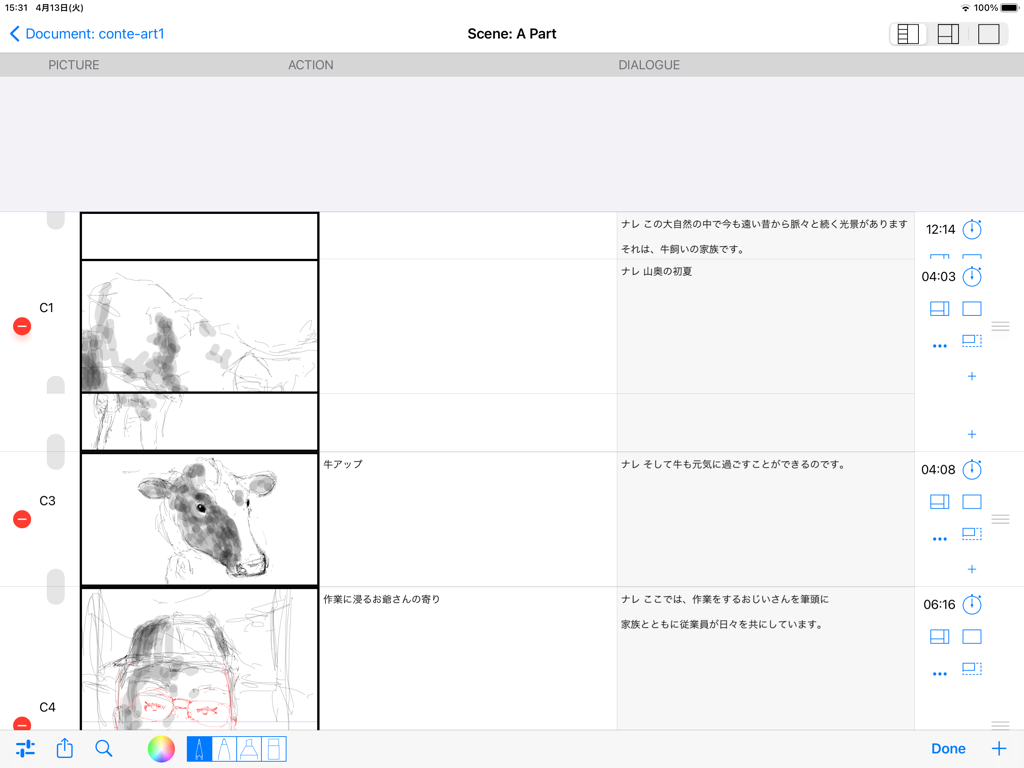
e-Conte Board - e-Conte Boardアプリのインターフェース。絵とセリフの列がある日本式絵コンテが表示されています。
e-Conte Boardアプリのインターフェース。絵とセリフの列がある日本式絵コンテが表示されています。

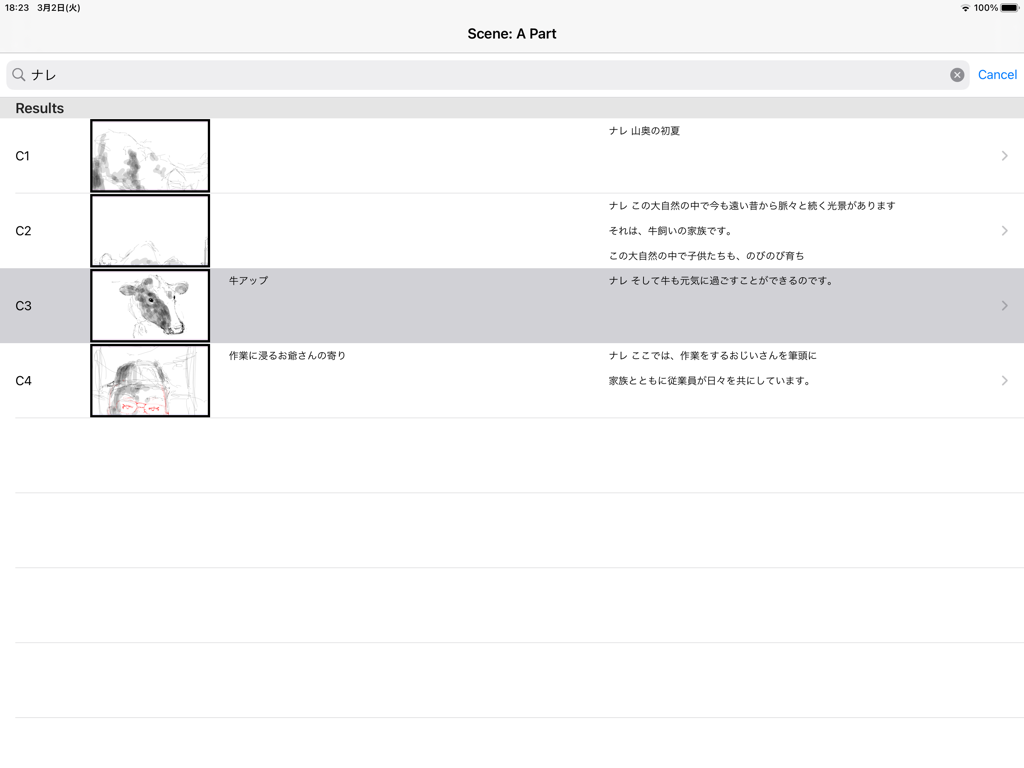
e-Conte Board - e-Conte Boardアプリのインターフェース。サムネイルス sketchesと日本語テキスト付きの絵コンテカットの縦リストが表示されています。
e-Conte Boardアプリのインターフェース。サムネイルス sketchesと日本語テキスト付きの絵コンテカットの縦リストが表示されています。

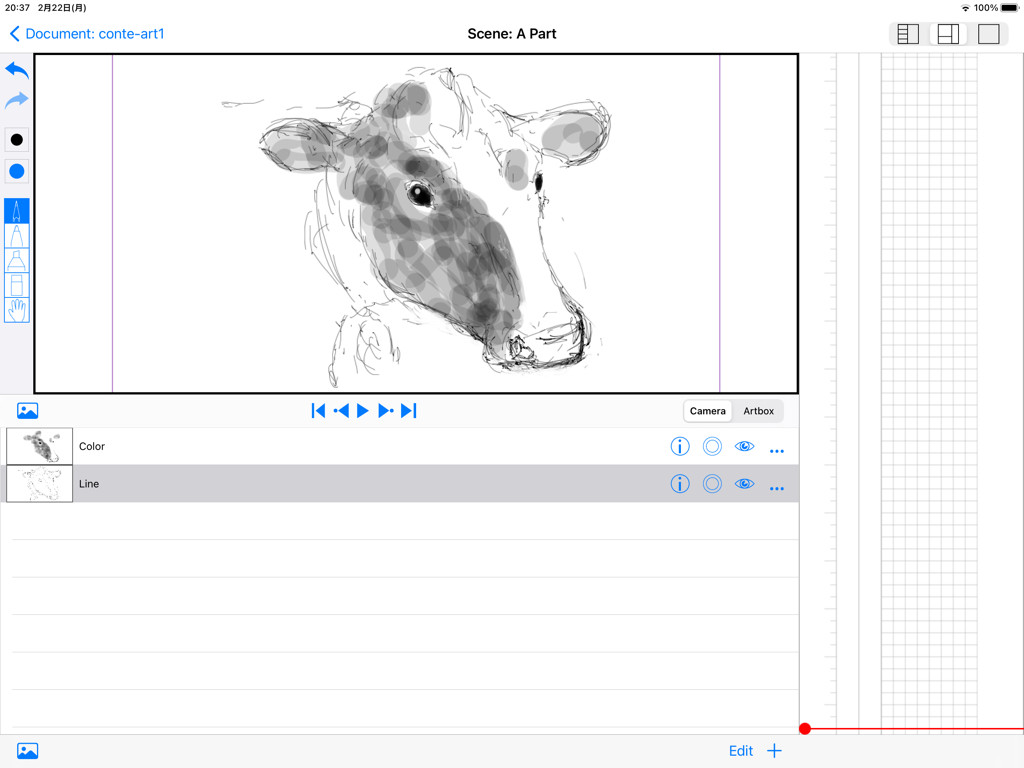
e-Conte Board - e-Conte BoardアプリのiPadインターフェース。牛のスケッチ、描画ツール、縦型の日本式絵コンテグリッドが特徴です。
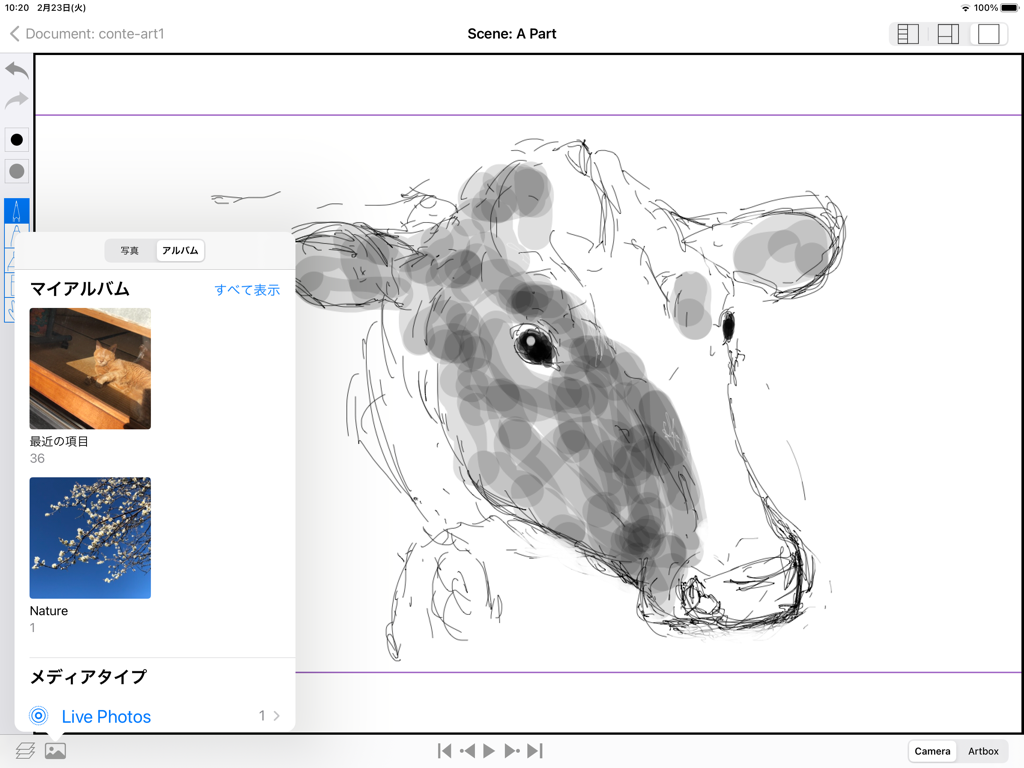
e-Conte BoardアプリのiPadインターフェース。牛のスケッチ、描画ツール、縦型の日本式絵コンテグリッドが特徴です。

e-Conte Board - e-Conte BoardのiPadアプリの牛のスケッチ。写真選択メニューが開いています。
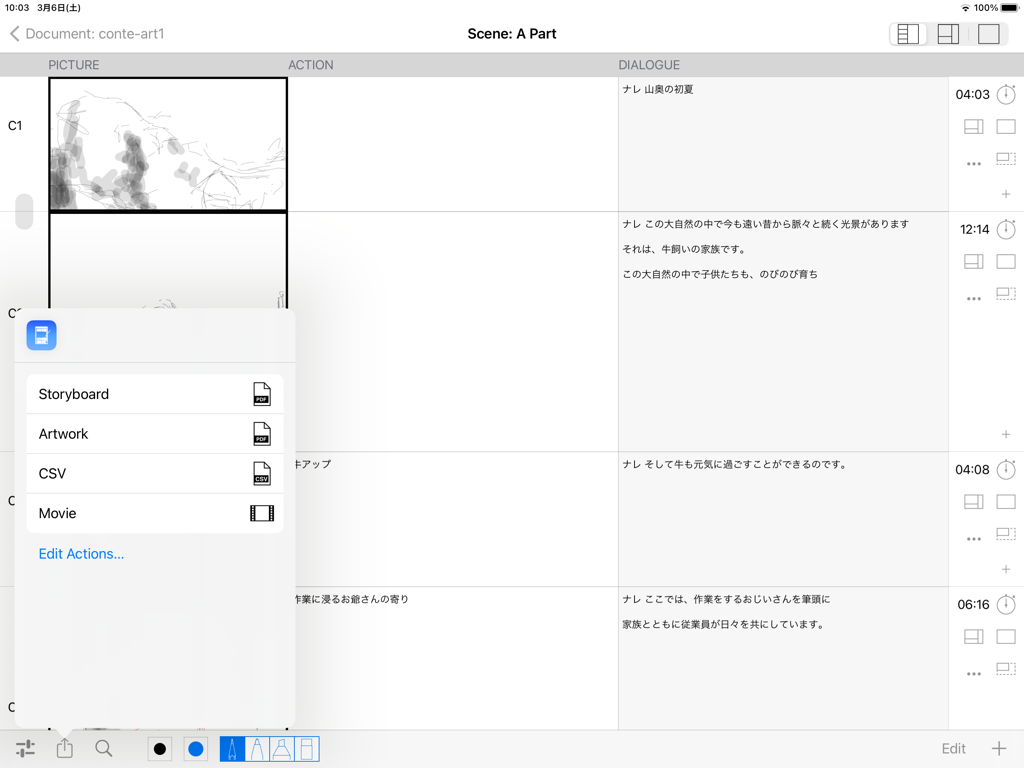
e-Conte BoardのiPadアプリの牛のスケッチ。写真選択メニューが開いています。

e-Conte Board - e-Conte Boardアプリのインターフェース。スケッチ付きの絵コンテレイアウトと、PDF、CSV、またはムービーファイルとしてエクスポートするためのポップアップメニューが表示されています。

e-Conte Boardアプリのインターフェース。スケッチ付きの絵コンテレイアウトと、PDF、CSV、またはムービーファイルとしてエクスポートするためのポップアップメニューが表示されています。
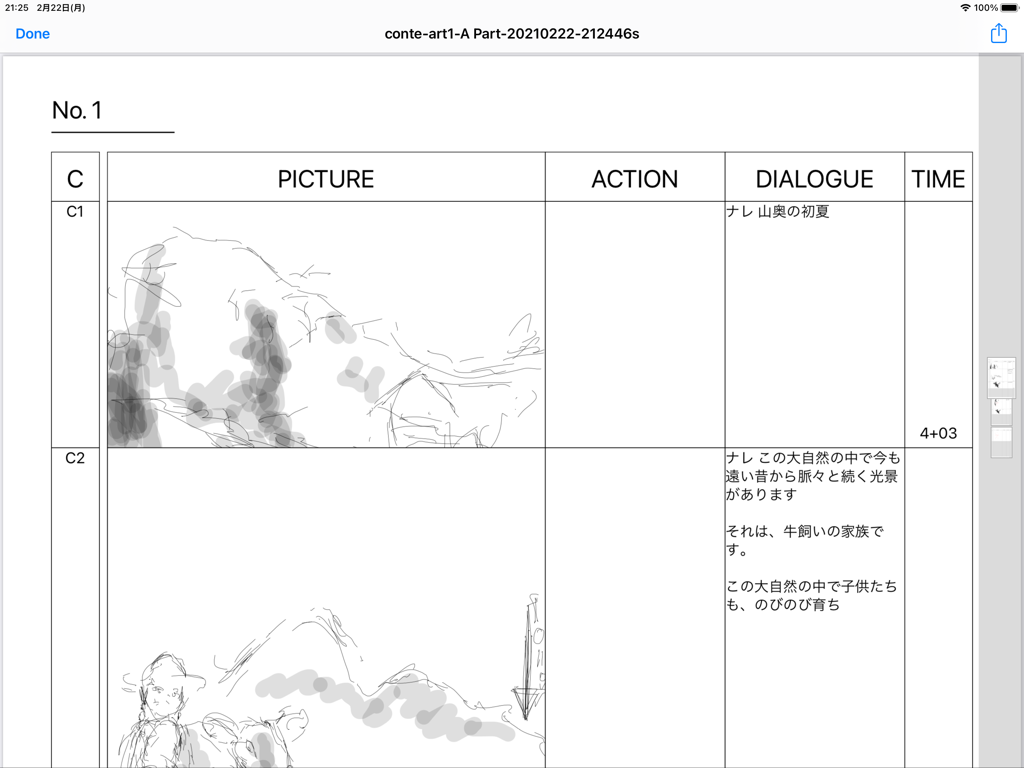
e-Conte Board - e-Conte Boardアプリのインターフェース。スケッチパネルとセリフおよびタイミングの列がある日本式絵コンテが表示されています。

e-Conte Boardアプリのインターフェース。スケッチパネルとセリフおよびタイミングの列がある日本式絵コンテが表示されています。

説明

Main features of this storyboard app -You can use various functions by switching between 3 modes. 1st View • A function similar to the storyboard style, inputting characters such as writing, and inputting the number of seconds -You can draw from the moment you make a cut on the screen with the drawing function similar to Japanese storyboard style. -You can use the keyboard and copy and paste to enter text and text. -You can enter or directly specify the number of seconds with the stopwatch function. -You can freely specify the drawing size when using PAN, TB, large format, etc., and the size of the drawing area will increase according to that specification. The size is maintained even when outputting to PDF. -You can edit each cut, such as changing the order of cuts, deleting, new insertion, and copy & paste, just like using a smartphone. -If it is the same cut, you can handle it as the same cut without pressing the next cut by pressing the cut concatenation button. 2nd View • Toolbar function -Several pen styles, pen colors, pen opacity and eraser features. -Hand tools can be moved (tap & move) and scaled (pinch in & pinch out). • Layer function -Equipped with standard layer functions such as hiding layers, changing order, and deleting. -You can select the layer to use the move and scale functions in conjunction with the hand tool on the toolbar. It is possible to select more than one at the same time. • Image import function -You can import images from within the Photos app. 3rd View • Full screen mode -Full-screen video check function -Equipped with a switching function between camera mode and full drawing mode, and layer function. -Pinch in and pinch out to enlarge or reduce the screen. • Output function -You can create a Japanese-style storyboard PDF, create a PDF for each cut, and output an mp4 format video. -The total number of seconds is automatically calculated and entered when the PDF is output. • Supports various screen aspect ratios and frame rates. -4:3, 16:9 and other aspect ratios such as 1.85:1 and 2.35:1 are supported. -The frame rate can be selected from 24 fps and 30 fps. -You can also select the switching of the position of dialogue and G, and the correspondence to the serial number of cuts for each part and scene. To use this application, a monthly or annual subscription must be purchased separately. ver 1.5 -Fixes have been made to lighten the operation. The opacity of brushes is switched between the previous 1.4 version and the current one from 1.5 after 65. The higher the opacity (closer to 0), the higher the load, causing delays and slowness with the pencil and brush tools. If you want to avoid delays and slowdowns with the pencil and brush tools, it is recommended to use opacity as close to 100 as possible. -The action of the Back button from the Edit screen has been changed to wait until saving is complete. Therefore, the Back button cannot be operated until saving is completed. Please note that this is not a malfunction. -The behavior of the screen transition to the edit screen has been modified to be more stable. -When Duplicating a video, there was a case that the video would not be saved and would be blank, but this has been corrected. -Fixed some minor issues, such as canceling during video export. -Safety has been improved. How-to videos:https: //www.youtube.com/watch?feature=youtu.be&v=oKvQqb3aAZI&fbclid=IwAR0PlHlhl8ZzGiCjXBONcWaXvvV8RVsP1I-tL1LdJTBEOdk9HpE4HzeuqDM&app=desktop End Use Lisence Agreement : https://www.apple.com/legal/internet-services/itunes/dev/stdeula/

Download

ダウンロード: App Store

このページはアプリまたはその開発者の公式ページではなく、情報提供および論評を目的として作成された独立した編集出版物です。明示的に別段の記載がない限り、アプリおよびその開発者は、MWM、Apple、Google Play、アプリのパブリッシャー、またはアプリの開発者と提携、承認、後援、認可、またはその他の公式的な関係はなく、このページのいかなる内容も、アプリがMWMのサービスを使用して開発されたことを意味するものではありません。すべての商標、ロゴ、スクリーンショット、その他のコンテンツはそれぞれの所有者の財産です。