
このページはアプリまたはその開発者の公式ページではなく、情報提供および論評を目的として作成された独立した編集出版物です。明示的に別段の記載がない限り、アプリおよびその開発者は、MWM、Apple、Google Play、アプリのパブリッシャー、またはアプリの開発者と提携、承認、後援、認可、またはその他の公式的な関係はなく、このページのいかなる内容も、アプリがMWMのサービスを使用して開発されたことを意味するものではありません。すべての商標、ロゴ、スクリーンショット、その他のコンテンツはそれぞれの所有者の財産です。

EasyType Keyboard for Watch
遅い手書き入力やうるさい音声入力に苦労するのはやめましょう。自動修正、絵文字、スピードとプライバシーのために設計された直感的なスワイプジェスチャーを備えた、フルQWERTYキーボードをApple Watchに搭載しましょう。
ダウンロード
45K+ユーザー評価
評価数
0開発元
カテゴリ
Utilities対応言語
1最新バージョン
2.0サイズ
3.6 MBリリース日
2020年2月14日より速く、よりプライベートなメッセージングを体験
Apple Watchを強力なコミュニケーションツールに変えましょう。すでに使い慣れたレイアウトで、音声入力のフラストレーションやスクリブルの遅さにさよならを告げましょう。
使い慣れたQWERTYレイアウト
一度に一文字ずつ手書きするのはやめましょう。iPhoneでのタイピングの記憶を活かして、手首から素早く正確にメッセージ全体をタイプできます。
静かに、プライベートにタイプ
会議中や混雑した交通機関でもプライバシーを維持しましょう。ウォッチに話しかけたり、電話を取り出したりすることなく、目立たずにテキストを送信できます。
以下のスクリーンショットと説明は、アプリの公式ストアリスティングから直接取得されたものであり、アプリ開発者の所有物です。
アプリストア
スクリーンショット
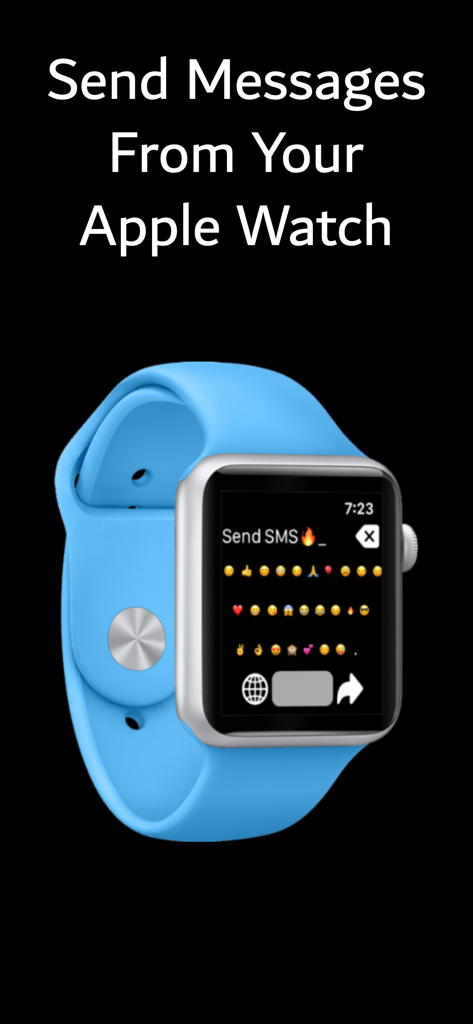
メッセージ送信のために絵文字キーボードを表示しているApple Watch
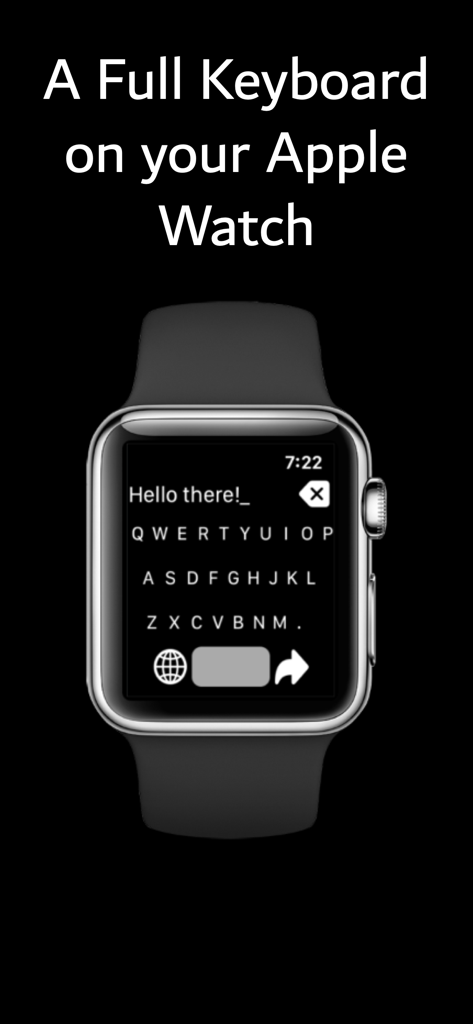
Hello thereというタイプされたメッセージが表示されたApple Watch画面上のフルQWERTYキーボード。
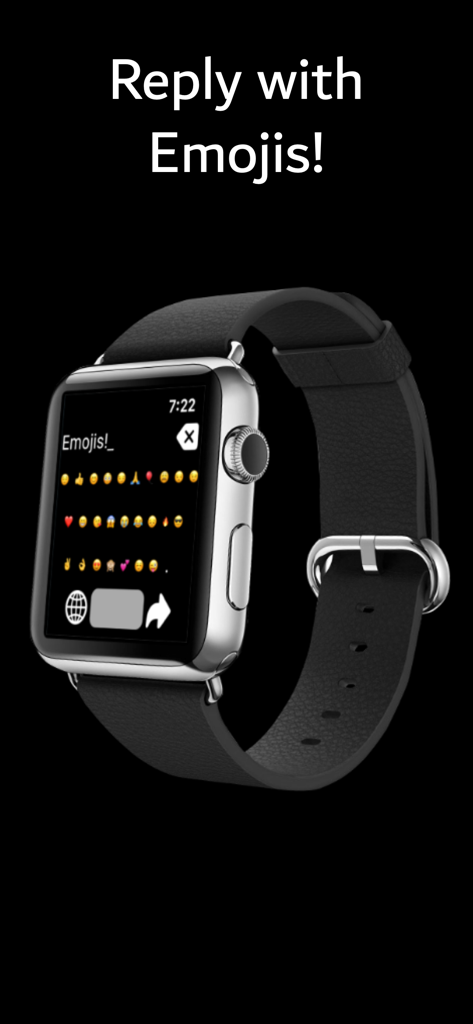
EasyTypeアプリで迅速なメッセージングのための絵文字キーボードレイアウトを表示するApple Watch画面。
説明
Download
類似アプリ
同じカテゴリのトップランクアプリ

Google LLC

Google Chrome
Google LLC

中国移动(手机营业厅)
China Mobile Online Services Co., Ltd.

Google Authenticator
Google LLC

CNH do Brasil
Servicos e Informacoes do Brasil

Cleanup: Phone Storage Cleaner
DEEP FLOW SOFTWARE SERVICES - FZCO

gov.br
Servicos e Informacoes do Brasil

中国电信-全国统一官方服务平台
CHINA TELECOM Corporation Ltd.

Microsoft Edge: AI Browser
Microsoft Corporation
このページはアプリまたはその開発者の公式ページではなく、情報提供および論評を目的として作成された独立した編集出版物です。明示的に別段の記載がない限り、アプリおよびその開発者は、MWM、Apple、Google Play、アプリのパブリッシャー、またはアプリの開発者と提携、承認、後援、認可、またはその他の公式的な関係はなく、このページのいかなる内容も、アプリがMWMのサービスを使用して開発されたことを意味するものではありません。すべての商標、ロゴ、スクリーンショット、その他のコンテンツはそれぞれの所有者の財産です。